当前位置:网站首页>Separate use of alertmanager alarms and use of Prometheus configuration alarm rules
Separate use of alertmanager alarms and use of Prometheus configuration alarm rules
2022-06-23 05:02:00 【Zhun Xiaozhao】
AlertManager

Download deployment
- Download address

- Unzip to see

- Can standardize the directory ( Batch create common bin、conf、data structure )
[[email protected] ~]$ mkdir -p alertmanager/{bin,conf,data,logs,templates}
[[email protected] ~]$ ll alertmanager
 Total usage  0
drwxrwxr-x. 2 prometheus prometheus 57 5 month   11 17:12 bin
drwxrwxr-x. 2 prometheus prometheus 47 5 month   13 10:27 conf
drwxrwxr-x. 3 prometheus prometheus 81 5 month   16 04:45 data
drwxrwxr-x. 2 prometheus prometheus  6 5 month   11 15:23 logs
drwxrwxr-x. 2 prometheus prometheus  6 5 month   11 15:23 templates
[[email protected] ~]$
- Move the extracted directory file to the corresponding directory
Move the execution file to bin Catalog , Move the configuration file to conf Under the table of contents
[[email protected] ~]$ tar xf alertmanager-0.24.0.linux-amd64.tar.gz
[[email protected] ~]$  mkdir -p alertmanager/{bin,conf,data,logs,templates}
[[email protected] ~]$ cp alertmanager-0.24.0.linux-amd64/alertmanager alertmanager/bin/
[[email protected] ~]$ cp alertmanager-0.24.0.linux-amd64/amtool alertmanager/bin/
[[email protected] ~]$ cp alertmanager-0.24.0.linux-amd64/alertmanager.yml alertmanager/conf/
- conf/alertmanager.yml The contents of the document
## Alertmanager  The configuration file
global:
  resolve_timeout: 5s
  # smtp To configure
  smtp_from: "[email protected]"
  smtp_smarthost: 'smtp.qq.com:25'
  smtp_auth_username: "[email protected]"
  smtp_auth_password: "ovosgonmfliabbbf"
  smtp_require_tls: true

#  Routing grouping
route:
  receiver: email
  group_wait: 3s #  Wait for the configured time in the group , If in the same group ,30 The same alarm occurs within seconds , Appear in a group .
  group_interval: 1m #  If the contents of the group do not change , Merge into one alert message ,5m Post send .
  repeat_interval: 5m #  Send alarm interval , If it is not repaired within the specified time , Then resend the alarm .
  group_by: [alertname]  #  Alarm grouping


#  The receiver specifies the sender and transmission channel
receivers:
# ops Definition of grouping
- name: email
  email_configs:
  - to: '[email protected]'
    send_resolved: true
    headers:
      subject: " Test alarms "
      from: "alertmanager"
      to: "test"


#  Suppressor configuration
inhibit_rules: #  Inhibition rules
  - source_match: #  Suppress alerts with target tags when a source tag alert is triggered , Match in current alert  status: 'High'
      status: 'High'
    target_match:
      status: 'Warning' #
    equal: ['alertname','operations', 'instance'] #  Make sure that the label contents under this configuration are the same to suppress , In other words, the alarm must have these three tag values to be suppressed .
- start-up alertmanager
Background start ( It can also be configured to start the system service )
nohup /home/prometheus/alertmanager/bin/alertmanager --storage.path=/home/prometheus/alertmanager/data/ --config.file=/home/prometheus/alertmanager/conf/alertmanager.yml &

- Check the log , Default 9093 Listening port

prometheus Configure alarm rules
Create an alarm rule file
- alert.yml ( Custom name , The type is yml)
[[email protected] data]$ pwd
/home/prometheus/alertmanager/data
[[email protected] data]$ cat alert.yml
groups:
    - name: Node_Metrics
      rules:
       - alert: Node_Filesystem_Below_20MB
         expr: sum(node_filesystem_avail_bytes)by(instance)/1024/1024 < 20
         for: 2m
         labels:
           team: node
         annotations:
          summary: "{
   {$labels.instance}}: Filesystem Pressure"
          description: "{
   {$labels.instance}}: Filesystem is below 20MB"
       - alert: FLUME_CHANNEL_ChannelCapacity_1W
         expr: FLUME_CHANNEL_ChannelCapacity > 10000
         for: 2m
         labels:
           team: flume
         annotations:
           summary: "{
   {$labels.instance}}: low Capacity"
           description: "{
   {$labels.instance}}: low Capacity is above 10000 (current value is: {
   { $value }}"
[[email protected] data]$
Load the alarm rule file
- prometheus.yml

# Alertmanager configuration
alerting:
  alertmanagers:
    - static_configs:
        - targets:
           - 192.168.56.10:9093
rule_files:
    - "/home/prometheus/alertmanager/data/alert.yml"
- restart prometheus
prometheus Install and deploy hot load. See prometheus、influxdb Installation and flume_export Download, compile and use
Verify view
prometheus Check the address :
- http://192.168.56.10:9090/alerts
- http://192.168.56.10:9090/rules
Alertmanager Check the address :
- http://192.168.56.10:9093/#/alerts
inactive- The alarm rule is not triggered ,pending- Trigger alarm rules , To be sent ,firing- Send alarm 


Verify alarms
Modify the alarm rules
- Change to be greater than 20, Test alarms

- restart prometheus, Reload rules
Verify alarms
- view pages

- The waiting state changes to firing after , Check whether the alarm email is received


dolphinscheduler To configure AlertManager The alarm
AlertManager API
dolphinscheduler HTTP Alarm code modification

HttpSender Source code
/*
 * Licensed to the Apache Software Foundation (ASF) under one or more
 * contributor license agreements.  See the NOTICE file distributed with
 * this work for additional information regarding copyright ownership.
 * The ASF licenses this file to You under the Apache License, Version 2.0
 * (the "License"); you may not use this file except in compliance with
 * the License.  You may obtain a copy of the License at
 *
 *    http://www.apache.org/licenses/LICENSE-2.0
 *
 * Unless required by applicable law or agreed to in writing, software
 * distributed under the License is distributed on an "AS IS" BASIS,
 * WITHOUT WARRANTIES OR CONDITIONS OF ANY KIND, either express or implied.
 * See the License for the specific language governing permissions and
 * limitations under the License.
 */

package org.apache.dolphinscheduler.plugin.alert.http;

import com.alibaba.fastjson.JSONArray;
import com.alibaba.fastjson.JSONObject;
import com.fasterxml.jackson.databind.node.ObjectNode;
import org.apache.dolphinscheduler.alert.api.AlertResult;
import org.apache.dolphinscheduler.spi.utils.JSONUtils;
import org.apache.dolphinscheduler.spi.utils.StringUtils;
import org.apache.http.HttpEntity;
import org.apache.http.client.methods.CloseableHttpResponse;
import org.apache.http.client.methods.HttpGet;
import org.apache.http.client.methods.HttpPost;
import org.apache.http.client.methods.HttpRequestBase;
import org.apache.http.entity.ContentType;
import org.apache.http.entity.StringEntity;
import org.apache.http.impl.client.CloseableHttpClient;
import org.apache.http.impl.client.HttpClientBuilder;
import org.apache.http.util.EntityUtils;
import org.slf4j.Logger;

import java.util.HashMap;
import java.util.Map;

public final class HttpSender {
    private static final Logger log = org.slf4j.LoggerFactory.getLogger(HttpSender.class);
    private static final String URL_SPLICE_CHAR = "?";
    /**
     * request type post
     */
    private static final String REQUEST_TYPE_POST = "POST";
    /**
     * request type get
     */
    private static final String REQUEST_TYPE_GET = "GET";
    private static final String DEFAULT_CHARSET = "utf-8";
    private final String headerParams;
    private final String bodyParams;
    private final String contentField;
    private final String requestType;
    private String url;
    private HttpRequestBase httpRequest;

    public HttpSender(Map<String, String> paramsMap) {

        url = paramsMap.get(HttpAlertConstants.URL);
        headerParams = paramsMap.get(HttpAlertConstants.HEADER_PARAMS);
        bodyParams = paramsMap.get(HttpAlertConstants.BODY_PARAMS);
        contentField = paramsMap.get(HttpAlertConstants.CONTENT_FIELD);
        requestType = paramsMap.get(HttpAlertConstants.REQUEST_TYPE);
    }

    public AlertResult send(String msg) {

        AlertResult alertResult = new AlertResult();

        createHttpRequest(msg);

        if (httpRequest == null) {
            alertResult.setStatus("false");
            alertResult.setMessage("Request types are not supported");
            return alertResult;
        }

        try {
            CloseableHttpClient httpClient = HttpClientBuilder.create().build();
            CloseableHttpResponse response = httpClient.execute(httpRequest);
            HttpEntity entity = response.getEntity();
            String resp = EntityUtils.toString(entity, DEFAULT_CHARSET);
            alertResult.setStatus("true");
            alertResult.setMessage(resp);
        } catch (Exception e) {
            log.error("send http alert msg  exception : {}", e.getMessage());
            alertResult.setStatus("false");
            alertResult.setMessage("send http request  alert fail.");
        }

        return alertResult;
    }

    private void createHttpRequest(String msg) {
        if (REQUEST_TYPE_POST.equals(requestType)) {
            httpRequest = new HttpPost(url);
            setHeader();
            //POST request add param in request body
            setMsgInRequestBody(msg);
        } else if (REQUEST_TYPE_GET.equals(requestType)) {
            //GET request add param in url
            setMsgInUrl(msg);
            httpRequest = new HttpGet(url);
            setHeader();
        }
    }

    /**
     * add msg param in url
     */
    private void setMsgInUrl(String msg) {

        if (StringUtils.isNotBlank(contentField)) {
            String type = "&";
            //check splice char is & or ?
            if (!url.contains(URL_SPLICE_CHAR)) {
                type = URL_SPLICE_CHAR;
            }
            url = String.format("%s%s%s=%s", url, type, contentField, msg);
        }
    }

    /**
     * set header params
     */
    private void setHeader() {

        if (httpRequest == null) {
            return;
        }

        HashMap<String, Object> map = JSONUtils.parseObject(headerParams, HashMap.class);
        for (Map.Entry<String, Object> entry : map.entrySet()) {
            httpRequest.setHeader(entry.getKey(), String.valueOf(entry.getValue()));
        }
    }

    /**
     * set body params
     */
    private void setMsgInRequestBody(String msg) {
        ObjectNode objectNode = JSONUtils.parseObject(bodyParams);
        //set msg content field
        objectNode.put(contentField, msg);
        try {
        	//rxz 20220517 modify
        	msg = int2Str(msg);
            StringEntity entity = new StringEntity(msg, ContentType.APPLICATION_JSON);
            log.info("send http alert msg: {}",msg);
            ((HttpPost) httpRequest).setEntity(entity);
        } catch (Exception e) {
            log.error("send http alert msg  exception : {}", e.getMessage());
        }
    }

    private String int2Str(String msg) {
    	String sendMsg = "[{";
    	JSONArray array = JSONObject.parseArray(msg);
		for(Object arr:array) {
			JSONObject jsonObject = (JSONObject)arr;
			for (Map.Entry<String, Object> entry: jsonObject.entrySet()) {
	            Object o = entry.getValue();
	            if(o instanceof Integer ||o instanceof Long) {
	            	entry.setValue(entry.getValue().toString());
	            }
	        }
			sendMsg+=("\"labels\":"+jsonObject.toString()+",");
		}
    	return sendMsg.substring(0, sendMsg.length()-1)+"}]";
    }
}
Test verification
Alarm configuration
- Alarm instance configuration
http://192.168.56.10:9093/api/v1/alerts
POST
{"Content-Type":"application/json"}
{}
content

- Alarm group configuration

Perform the test
- Workflow start

test result
- Check the log

- Email check

Alarm content
[{
	"labels": {
		"owner": "admin",
		"taskHost": "192.168.56.10:1234",
		"processDefinitionCode": "5327475818624",
		"taskStartTime": "2022-05-16 09:30:11",
		"taskType": "PROCEDURE",
		"taskState": "FAILURE",
		"taskCode": "5327458833408",
		"processId": "62822",
		"processName": " stored procedure pgsql-6-20220516093011807",
		"logPath": "/home/dolphinscheduler/app/dolphinscheduler/logs/5327475818624_6/62822/483135.log",
		"taskName": " stored procedure pgsql",
		"projectName": "dolphin",
		"projectId": "30",
		"taskEndTime": "2022-05-16 09:30:23"
	}
}]
test api2


API2 test result
It's OK, too , There is no difference in format , It's just url from v1 Instead of v2
Other
View In Alertmanager
Get into Alertmanager page , Can't see the record just sent , Look at the phenomenon , Alarms triggered by third parties do not linger , Only the record that triggers the alarm rule will be here all the time , Until the alarm rules are not met . How to handle alert The information is stored in the database ? To study
dolphinscheduler 2.0.5 Alarm components -HTTP
边栏推荐
- [graph theory] - bipartite graph
- TabControl style of WPF basic control
- Laravel中使用 Editor.md 上传图片如何处理?
- Abnova acid phosphatase (wheat germ) instructions
- How to solve multi-channel customer communication problems in independent stations? This cross-border e-commerce plug-in must be known!
- 左值与右值
- 如何更好地组织最小 WEB API 代码结构
- Welcome to the CSDN markdown editor
- Shadertoy basic teaching 01. Circle drawing (explanation of smoothstep() function)
- 不归零编码NRZ
猜你喜欢

Usage of apipost interface test ------ get

Current relay jdl-1002a

Shadertoy基础教学01、画圆(smoothstep()函数讲解)

Abnova ABCB10(人)重组蛋白说明书
With the arrival of intelligent voice era, who is defining AI in the new era?
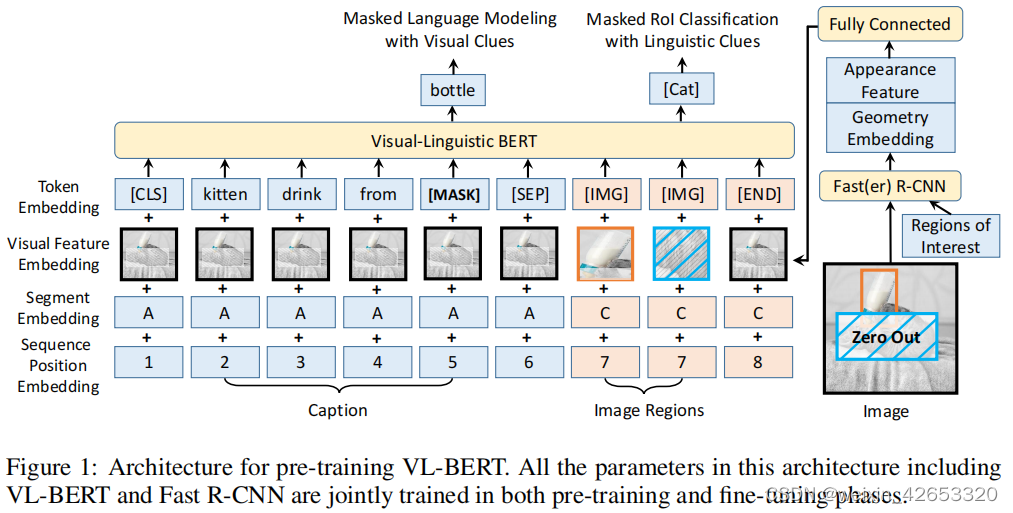
2020:VL-BERT: Pre-training of generic visual-linguistic representation

Usage of API interface test ------ post

PCB----理论与现实的桥梁
AlertManager告警的单独使用及prometheus配置告警规则使用

Install and run mongodb under win10
随机推荐
Laravel 8.4 routing problem. At the end is the cross reference table on the left side of the editor, which can be understood by Xiaobai
STL tutorial 3- exception mechanism
gson TypeAdapter 适配器
ICer技能03Design Compile
Altium designer 09 screen printing displays a green warning near the pad. How to prevent it from alarming?
如何更好地组织最小 WEB API 代码结构
free( )的一个理解(《C Primer Plus》的一个错误)
Question bank and answers of 2022 hoisting machinery safety management examination
欢迎使用CSDN-markdown编辑器
PCB -- bridge between theory and reality
数据科学家是不是特有前途的职业?
Icer Skill 02makefile script Running VCS Simulation
Composer by installation laravel
CAN总线基础知识
Abnova ACTN4纯化兔多克隆抗体说明书
ApiPost接口测试的用法之------Get
Mini Homer - can you get a remote map data transmission link for hundreds of yuan?
Li Kou today's question 513 Find the value in the lower left corner of the tree
Left and right values
What are the types of independent station chat robots? How to quickly create your own free chat robot? It only takes 3 seconds!