当前位置:网站首页>How can easycvr access the Dahua CVS video recorder and download a video file with an empty name?
How can easycvr access the Dahua CVS video recorder and download a video file with an empty name?
2022-06-23 08:12:00 【Tsingsee green rhino video】
EasyCVR Video convergence cloud service is TSINGSEE Qingxi video is a video monitoring platform that supports the most comprehensive access protocol , In addition to the standard protocol ( National standard GB/T28181、Onvif、RTSP Agreements, etc ), It also supports the private agreement of the manufacturer ( The sea, SDK、 Dahua SDK、Ehome Agreements, etc ).
In performance ,EasyCVR Excellent video transcoding 、 Play 、 videotape 、 Look back 、 Cascade and other capabilities , It is also able to pass the video through RTMP Push to Ali agreement 、 Tencent and other public cloud manufacturers in the video services , The usage scenarios are also very rich .
In the near future , We received feedback from users ,EasyCVR Access to Dahua CVS video recorder , The live video broadcast and video review are normal , But the video download failed .
Therefore, the technicians checked the problem at the first time . During the investigation, it was found that ,EasyCVR When downloading videos , The downloaded file name is empty , Pictured :
meanwhile , The open IP Also wrong : There are two “//”, As shown in the figure :
After summarizing these questions , The technician carefully checked the code , The front-end channel attribute is found to be empty , And “ File name not specified ”, Pictured :
The attribute of the channel is through Dahua SDK obtain . To verify that the channel name is not empty , The technician wrote a small program alone , To test Dahua SDK Whether the obtained file name is empty , Pictured :
Found by testing , Through Dahua SDK The obtained file name is indeed empty data , As shown in the figure :
And normally , Through Dahua SDK The correct file name obtained should be as shown in the following figure :
So come to the conclusion , The reason for the above problem is that the Dahua interface cannot obtain the file name .
So we should solve the above problems , You need to correct the problem that there is no file name . Add a name value exactly like Dahua in the code .
Get to use other interfaces ( Other interfaces are not verified , Using the same name ), The following figure shows the implementation code :
summary : appear “//” The problem is that there is no channel name .“//” In the middle is the channel name .
solve : By customizing a video file name , You can solve the problem that there is no file name for downloading videos .
EasyCVR The function of is gradually improving , At present, as a video intelligent analysis platform , In the field of face recognition and license plate recognition, there are also relatively perfect R & D achievements , And for the display of new demand is also constantly promoting research and development . You can do it in TSINGSEE Download the latest version directly from the official website of Qingxi video for actual deployment test .
We will share information about... In our articles from time to time EasyCVR Function development and optimization of 、 Code tricks 、FAQ Problem solving 、 Scenario scheme, etc . If the EasyCVR Interested in , Welcome to pay attention to our update , Or leave a message to interact with us .
边栏推荐
猜你喜欢
![Vulnhub | dc: 3 | [actual combat]](/img/97/e5ba86f2694fe1705c13c60484cff6.png)
Vulnhub | dc: 3 | [actual combat]

Socket socket programming
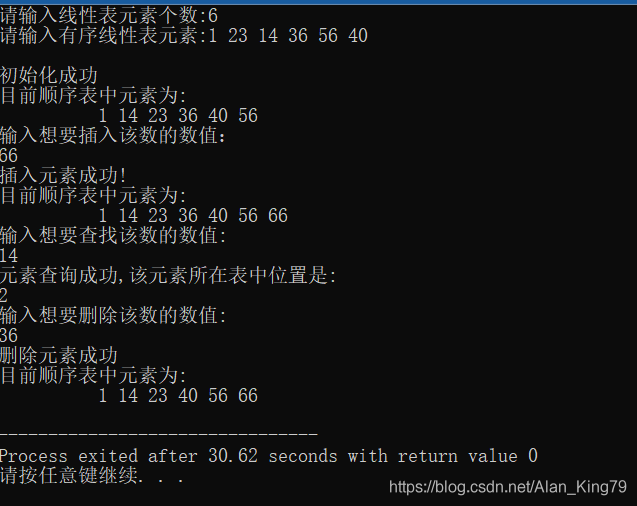
Create an orderly sequence table and perform the following operations: 1 Insert element x into the table and keep it in order; 2. find the element with the value of X, and delete it if found; 3. outpu

11 字符串函数

openvino系列 19. OpenVINO 与 PaddleOCR 实现视频实时OCR处理

php序列化和反序列化-ctf

Matlab random volatility SV, GARCH using MCMC Markov chain Monte Carlo method to analyze exchange rate time series

Rotary table visual screening machine and its image recognition system

Socket programming (multi process)

Vulnhub | DC: 4 |【實戰】
随机推荐
配置ASMX无法访问
Socket programming (multithreading)
Gif verification code analysis
MIT CMS. 300 session 12 – identity construction Part 2
深度学习------卷积(conv2D)底层
View the file once a second and send the result of the last line of the file to the syslog server
@Controller和@RestController的区别?
How to start Jupiter notebook in CONDA virtual environment
Leetcode 173 Binary search tree iterator (2022.06.22)
MySQL小册子笔记 5 InnoDB 记录存储结构
开源软件、自由软件、Copyleft、CC都是啥,傻傻分不清楚?
[try to hack] IP address
Sequence table Curriculum
实战监听Eureka client的缓存更新
Markdown learning
Deep learning ----- different methods to realize vgg16
Vulnhub | dc: 4 | [actual combat]
Captain Abu's soul torture
After reading five books, I summarized these theories of wealth freedom
php序列化和反序列化-ctf