当前位置:网站首页>【Unity入门计划】界面介绍(2)-Games视图&Hierarchy&Project&Inspector
【Unity入门计划】界面介绍(2)-Games视图&Hierarchy&Project&Inspector
2022-07-25 07:26:00 【flashinggg】
目录
正式记录前的废话
定亿个小目标!尽量在最短时间内学习完课程!
学习依据的视频教程
本文章是学习B站UP主chutianbo的Unity入门教程的学习记录,个人认为讲得非常详细,课程链接:【unity2022入门】整合Unity官方教程设计最佳学习路线,Unity精讲入门系列,持续更新中...._
学习参考的文档教程
官方帮助文档:Unity - Manual: The Game view (unity3d.com)
我用的Unity版本

虽说入门的开始相对简单,介绍一些软件的基本操作,但是我还是想写一些学习记录,这样能提高我的注意力,不容易分心,如果以后忘了哪些操作还可以回来看看,这是我写学习记录的初衷~下面是我提炼过后的学习记录。
Game视图


是个类似测试游戏运行效果的界面,通过游戏控制按钮进行操作,同时也有快捷键。
- ctrl+P 开始运行
- ctrl+shift+P 暂停
- ctrl+alt+P 逐帧运行
值得注意的是,所有在Game运行模式下进行的修改都是暂时的,推出运行后一切修改都会重置。
Game视图的操作栏
Simulator 设备模拟器
第一个可以切换Game/Simulator,模拟不同设备游戏运行的效果,右边可以选择设备。

Game -> Aspect 自定义尺寸
但是Simulator这里只有一些市面上比较好的机型,如果没有想要的尺寸,可以在Game界面右侧自己添加想要的尺寸。

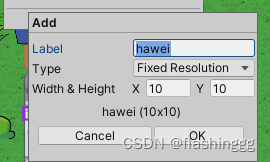
Play Focused/Maximized 调整运行窗口

如果选择Maximized,运行的窗口将会全屏显示。

Mute Audio 是否静音

Statistics 游戏性能反馈

可以看到当前运行的一些性能效果,在进行优化的时候可以得到反馈。
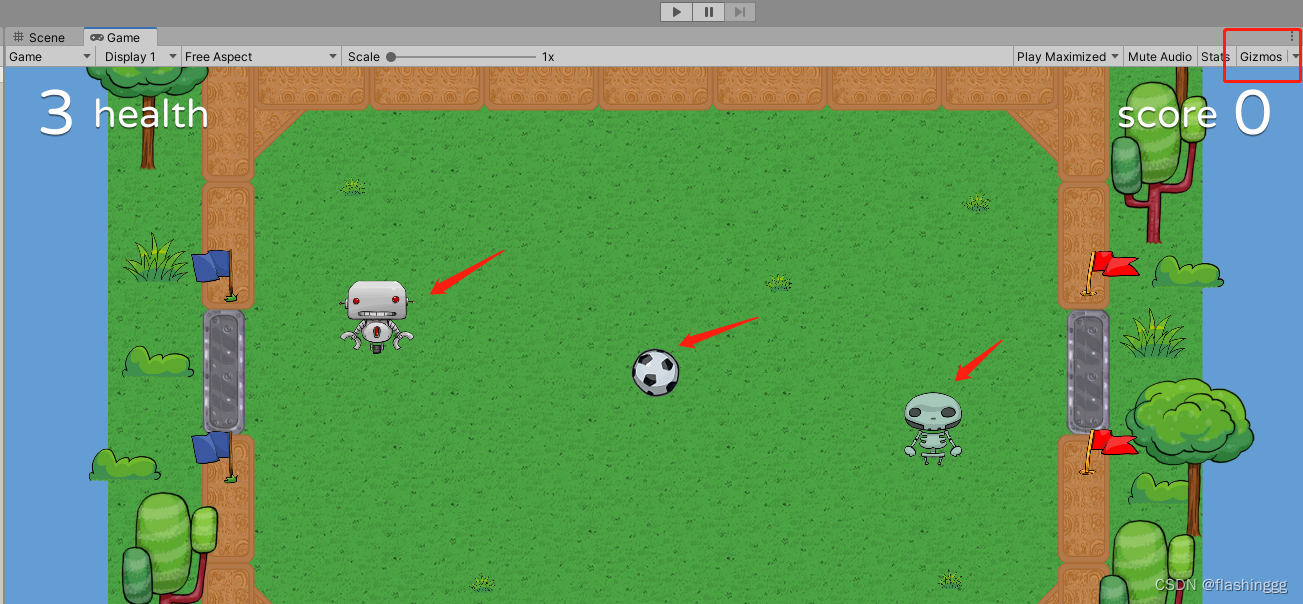
Gizmos 图标
跟Scene视图的类似,将一些照相机、灯光等原本不可见的对象可视化。单击这个按钮可以切换辅助图标的可见性。
- Gizmos开启

- Gizmos关闭
Hierarchy窗口
Hierarchy窗口就是一个Scene场景中游戏对象的管理器。Scene视图和Hierarchy窗口的操作是相互关联的。
主要操作
展示父子包含关系
父子关系可以方便我们对对象进行管理。对父对象进行的操作,所有的子对象也会同步,比如移动、变换等;

管理游戏对象
- 可以右键进行对象创建、复制粘贴对象、选取或删除对象等操作;
- 更改嵌套关系(父子关系)
- 对象是否可选、对象是否可见
- 排序
值得注意的是,根节点通常是场景对象(Scene),所有游戏对象都包含在场景中。比如例子中的football就是当前的场景对象。

Project 窗口
这是管理项目资源的一个窗口,显示与当前项目相关的所有文件。

左侧 -> 目录
左侧创建一些文件夹以实现资源管理。

- Favorites -> 一个收藏夹,存了一些常用的资源。
- Asset -> 资源文件,这也是我们直接操作的文件,包含了一些图片、动画、声音等。
- Packages -> 官方给的一些运行游戏需要的库,这里一般不动它。
右侧 -> 搜索栏
右侧搜索栏实现搜索,如果想根据类型搜索,可以在右侧Search by Type实现类型搜索;
如果想按照label搜索右侧还有by label的。
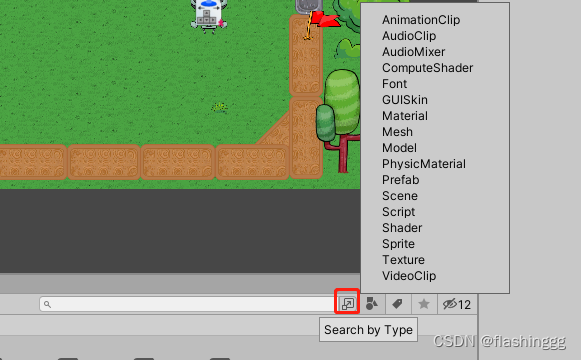

右侧最后还有是否可视的按钮。
Inspector 窗口
是个当前选择对象的属性窗口。

值得注意的是,当选择多个对象时候,Inspector窗口会显示共有的属性,进行同时编辑和更改。
Ping 查找源
从游戏对象的Inspector窗口,右上角的More Items选择Ping,可以高亮这个对象。

边栏推荐
- 深度学习制作数据集时,从长视频中指定每隔多少帧提取一张图像到指定文件路径的方法
- leetcode刷题:动态规划06(整数拆分)
- Flinkcdc2.0 uses flinksql to collect MySQL
- Nailing the latest version, how to clear the login phone number history data
- 【PyTorch】最常见的view的作用
- Oracle19 adopts automatic memory management. The AWR report shows that the settings of SGA and PGA are too small?
- Incremental crawler in distributed crawler
- 深度学习训练和测试时出现问题:error: the following arguments are required: --dataroot,解决:训练文件的配置方法和测试文件的配置方法
- List derivation
- Learn no when playing 9 | enterprise knowledge management is so simple because it uses
猜你喜欢

js无法获取headers中Content-Disposition

Paper reading: UNET 3+: a full-scale connected UNET for medical image segmentation
华为无线设备配置WPA2-802.1X-AES安全策略

How to use network installation to deploy multiple virtual servers in KVM environment
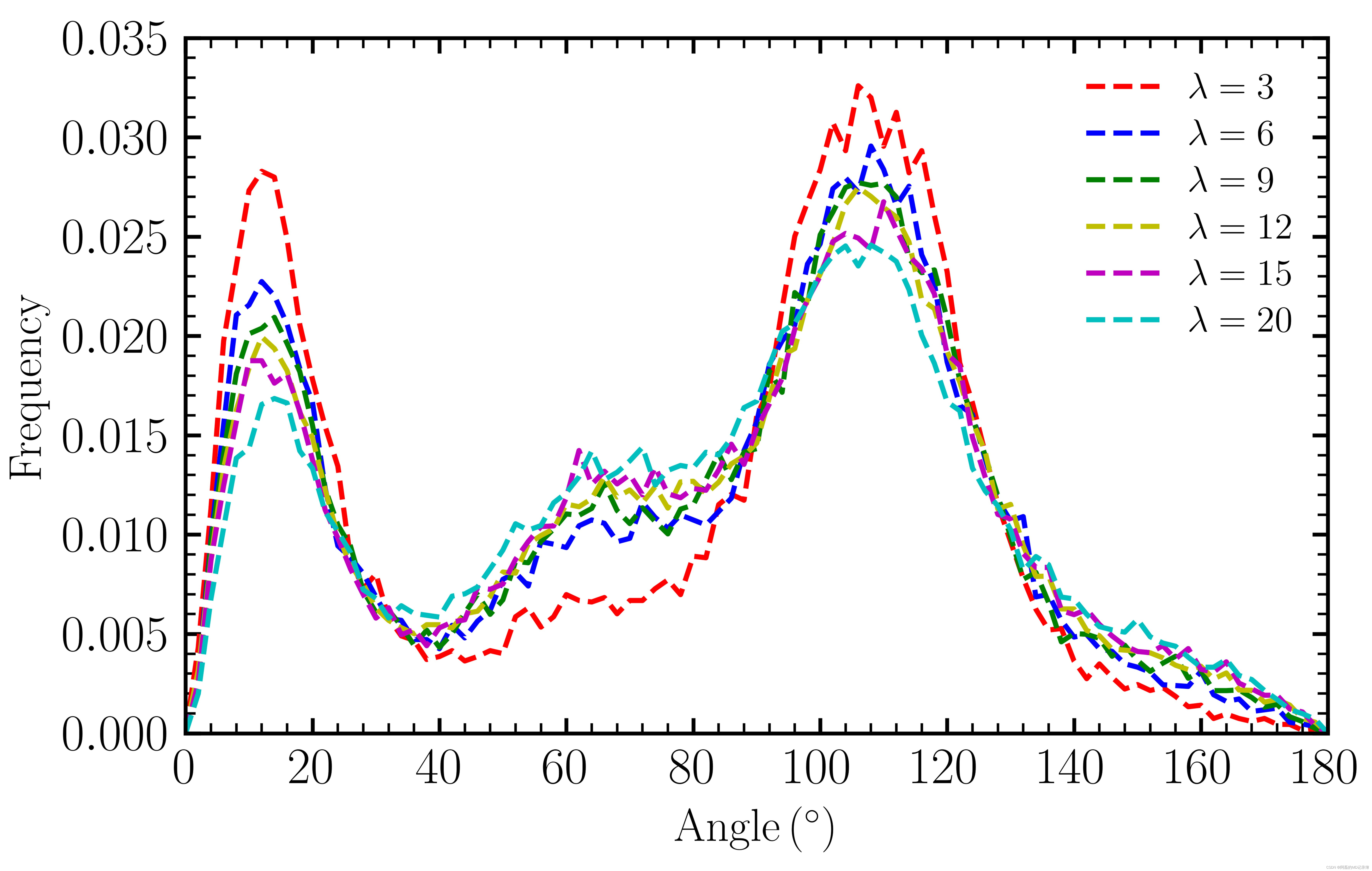
Matlab self programming series (1) -- angular distribution function
JS cannot get content disposition in headers

Before Oracle 19C migration, how important is it to do a good job of rat playback test?

用VS Code搞Qt6:编译源代码与基本配置

From the era of portal to the era of information flow, good content has been ignored?

Teach you to use cann to convert photos into cartoon style
随机推荐
YUV player
PADS导出gerber文件
Incremental crawler in distributed crawler
for循环与if判断语句的运用
Quickly build a centralized logging platform through elk
How to use network installation to deploy multiple virtual servers in KVM environment
Ask the bosses: MySQL CDC stores configuration data, and Kafka has history
华为无线设备配置WPA2-802.1X-AES安全策略
Gan series of confrontation generation network -- Gan principle and small case of handwritten digit generation
【PyTorch】最常见的view的作用
vulnhub CyberSploit: 1
[programmer 2 Civil Servant] I. Basic Knowledge
一日千里,追风逐月 | 深势科技发布极致加速版分子对接引擎Uni-Docking
BOM overview
Common cross domain scenarios
Oracle19 adopts automatic memory management. The AWR report shows that the settings of SGA and PGA are too small?
[programmer 2 Civil Servant] summary of some common problems about system research
3. Promise
Have you got the advanced usage of pytest?
用VS Code搞Qt6:编译源代码与基本配置