当前位置:网站首页>How to realize IP invariance in the private network of basic network ECs and cloud database resource switching
How to realize IP invariance in the private network of basic network ECs and cloud database resource switching
2022-06-24 01:20:00 【Small and invincible】
Operation scenario :
Recently received Basic network offline notification , Tencent cloud plans to 2022 year 1 month 31 Japan Stop the creation of all basic network products , The basic network products as a whole will also be launched in 2022 year 12 month 31 Japan Official offline problem , You cannot continue to use the basic network in the future , You need to switch to the private network , After the switch, it corresponds to the intranet IP It will change , And the service side is bound to the intranet IP, How to implement intranet after switching IP Do not change the problem , Please refer to the following .
Basic network concept :
The basic network is the public network resource pool of all users on Tencent cloud , Intranet of all cloud servers IP The addresses are uniformly assigned by Tencent cloud , Unable to customize network partition 、IP Address .
matters needing attention :
- Cloud database and other products , Because the migration process supports double IP visit , Ensure uninterrupted business .
- ECS needs to be shut down for migration , There will be a short interruption of business , It is recommended to select business idle switching .
- CLB Direct migration is not supported , Instances of the same configuration can be rebuilt , Gradually migrate the business traffic .
ECS operation steps :
1. Enter the corresponding resource console interface ECS console , Find the instance information to operate , Take ECS as an example .
2. Create a network that contains the underlying network IP Of VPC Network segment , If this function cannot be operated due to business reasons , You can build your own intranet DNS Service and domain name transformation , After moving to the private network , Tencent cloud can be used Private domain resolution Private DNS
2.1 Sign in Private network console Create a network that contains the underlying network IP Of VPC, The intranet of ECs IP yes 10.104.36.71 , The created network segment contains this IP that will do , For the sake of distinguishing , You can create a whole segment ,10.104.0.0/16 perhaps 10.104.36.0/24 .
2.2 Private networks are geographically oriented , ECS or other instances are in the availability zone , Therefore, we also need to create the subnet information that contains the corresponding available zone of the resource ( The ECS of the instance is located in the Fourth District of Guangzhou , Here, you need to create a subnet in zone 4 )
3. By switching private networks , Switch the ECs to the network segment just created ( The ECS switches private network functions )
3.1 Shut down the ECS first , Otherwise, the operation will require forced shutdown , Forced shutdown may cause data loss or file system corruption , At the same time, it is recommended to consider the business data security when restarting , Make snapshot backup in time
3.2 By switching private network functions , Switch the ECS network to the one just created VPC In segment
3.2 After switching, verify on the console , And log in to the server for confirmation after startup
3.3 Start the server to confirm whether the network is normal
Switch the difference interface :
Cloud database operation steps :
1. Enter the corresponding resource console interface Cloud database Mysql Console , Find the instance information to operate
2. Create a private network according to the ECS VPC Step operation , Create a network that contains the underlying network IP Of VPC Internet Information
3. The database is switched to the newly created basic network IP Of VPC Next
Switch the interface successfully
边栏推荐
- Talk to Wu Jiesheng, head of Alibaba cloud storage: my 20 years of data storage (unlimited growth)
- ShardingSphere-proxy-5.0.0容量范围分片的实现(五)
- Vs2022 save formatting plug-in
- DML操作
- ICML'22 | ProGCL: 重新思考图对比学习中的难样本挖掘
- S2b2c e-commerce platform in the pharmaceutical and medical industry enables enterprises to grasp differentiated competitive advantages and improve supply chain efficiency
- . Net core cross platform development bbs forum (connotation source code + complete operation video)
- VS2022保存格式化插件
- One article introduces you to the world of kubernetes
- JS stack memory
猜你喜欢

An accident caused by a MySQL misoperation, and the "high availability" cannot withstand it!
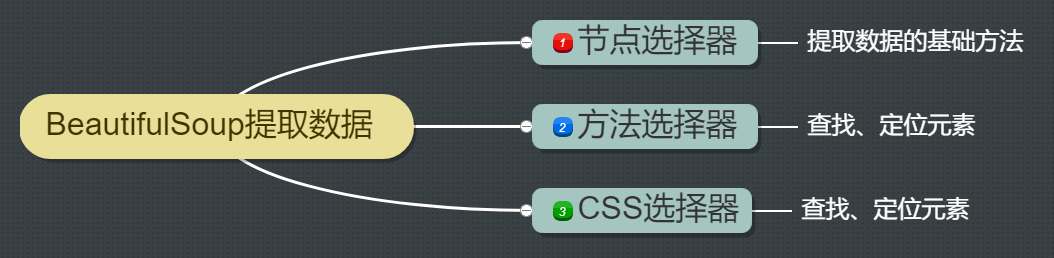
13 `bs_duixiang.tag标签`得到一个tag对象
Real time computing framework: Spark cluster setup and introduction case

LSF打开Job idle information以看job的cpu time/elapse time使用情况
![[redis advanced ziplist] if someone asks you what is a compressed list? Please dump this article directly to him.](/img/3f/988ed31a3f1cdc92deed121ed8d4ec.png)
[redis advanced ziplist] if someone asks you what is a compressed list? Please dump this article directly to him.

Apple iphone14 is equipped with Beidou navigation system. What are the advantages of Beidou vs GPS?
Shengdun technology joined dragon lizard community to build a new open source ecosystem

LMS Virtual. Derivation method of lab acoustic simulation results

所见之处都是我精准定位的范畴!显著图可视化新方法开源

Open source model library of flying propeller industry: accelerating the development and application of enterprise AI tasks

随机推荐
JS input / output statements, variables
Shengdun technology joined dragon lizard community to build a new open source ecosystem
How does the fixed assets management software reduce costs and increase efficiency for enterprises?
4 most common automated test challenges and Countermeasures
GNN upper edge distributor! Instead of trying to refine pills, you might as well give your GNN some tricks
VS2022保存格式化插件
Dart series: creating a library package
Intelligent + fault-tolerant server is the best partner in the edge computing scenario
How to build a "preemptive" remote control system (- - memory chapter)
One article introduces you to the world of kubernetes
【小程序】编译预览小程序时,出现-80063错误提示
Force buckle deletes duplicates in the sort array
【机器学习】线性回归预测
S2b2c e-commerce platform in the pharmaceutical and medical industry enables enterprises to grasp differentiated competitive advantages and improve supply chain efficiency
Kubernetes' ci/cd practice based on Jenkins spinnaker - adding product image scanning
Map design
Architecture solutions
Solve the problem that Base64 compressed files are extracted with spaces after post request
Local cache selection (guava/caffeine/ohc) and performance comparison
应用配置管理,基础原理分析