当前位置:网站首页>第3章业务功能开发(修改线索,数据回显并修改数据)
第3章业务功能开发(修改线索,数据回显并修改数据)
2022-07-25 08:04:00 【做一道光】
点击创建按钮实现数据回显
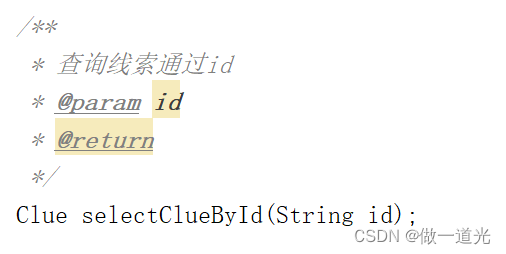
根据id查询数据,返回结果是一条数据,因为属性全部是clue实体的属性,所以可以用clue实体类封装起来
1.ClueMapper接口,
2.ClueMapper.xml文件

3.ClueService接口

4.ClueServiceImpl类

5.ClueController类

6.clue的index.jsp页面
js语句
 //设置修改窗口的数据回显
		$("#editClueBtn").click(function () {
			//收集参数
			var checkId=$("#tBody input[type='checkbox']:checked");
			//验证表单
			if (checkId.size()==0){
				alert("请选择要执行的线索!");
				return;
			}
			if (checkId.size()>1){
				alert("每次只能选择一条数据!");
				return;
			}
			var id=checkId.val();
			//发送请求
			$.ajax({
				url:"workbench/clue/queryClueById.do",
				type:'post',
				dataType:'json',
				data:{
					id:id
				},
				success:function (data) {
                    $("#edit-id").val(data.id);
					$("#edit-clueOwner").val(data.owner);
					$("#edit-company").val(data.company);
					$("#edit-call").val(data.appellation);
					$("#edit-surname").val(data.fullname);
					$("#edit-job").val(data.job);
					$("#edit-email").val(data.email);
					$("#edit-phone").val(data.phone);
					$("#edit-website").val(data.website);
					$("#edit-mphone").val(data.mphone);
					$("#edit-status").val(data.state);
					$("#edit-source").val(data.source);
					$("#edit-describe").val(data.description);
					$("#edit-contactSummary").val(data.contactSummary);
					$("#edit-nextContactTime").val(data.nextContactTime);
					$("#edit-address").val(data.address);
					//弹出修改的模态窗口
					$("#editClueModal").modal("show");
				}
			});
		});
html语句
<!-- 修改线索的模态窗口 -->
	<div class="modal fade" id="editClueModal" role="dialog">
		<div class="modal-dialog" role="document" style="width: 90%;">
			<div class="modal-content">
				<div class="modal-header">
					<button type="button" class="close" data-dismiss="modal">
						<span aria-hidden="true">×</span>
					</button>
					<h4 class="modal-title">修改线索</h4>
				</div>
				<div class="modal-body">
					<form class="form-horizontal" role="form">
					<input type="hidden" id="edit-id">
						<div class="form-group">
							<label for="edit-clueOwner" class="col-sm-2 control-label">所有者<span style="font-size: 15px; color: red;">*</span></label>
							<div class="col-sm-10" style="width: 300px;">
								<select class="form-control" id="edit-clueOwner">
									<c:forEach items="${userList}" var="user">
										<option value="${user.id}">${user.name}</option>
									</c:forEach>
								</select>
							</div>
							<label for="edit-company" class="col-sm-2 control-label">公司<span style="font-size: 15px; color: red;">*</span></label>
							<div class="col-sm-10" style="width: 300px;">
								<input type="text" class="form-control" id="edit-company">
							</div>
						</div>

						<div class="form-group">
							<label for="edit-call" class="col-sm-2 control-label">称呼</label>
							<div class="col-sm-10" style="width: 300px;">
								<select class="form-control" id="edit-call">
									<option></option>
									<c:forEach items="${appellation}" var="app">
										<option value="${app.id}">${app.value}</option>
									</c:forEach>
								</select>
							</div>
							<label for="edit-surname" class="col-sm-2 control-label">姓名<span style="font-size: 15px; color: red;">*</span></label>
							<div class="col-sm-10" style="width: 300px;">
								<input type="text" class="form-control" id="edit-surname">
							</div>
						</div>

						<div class="form-group">
							<label for="edit-job" class="col-sm-2 control-label">职位</label>
							<div class="col-sm-10" style="width: 300px;">
								<input type="text" class="form-control" id="edit-job">
							</div>
							<label for="edit-email" class="col-sm-2 control-label">邮箱</label>
							<div class="col-sm-10" style="width: 300px;">
								<input type="text" class="form-control" id="edit-email">
							</div>
						</div>

						<div class="form-group">
							<label for="edit-phone" class="col-sm-2 control-label">公司座机</label>
							<div class="col-sm-10" style="width: 300px;">
								<input type="text" class="form-control" id="edit-phone">
							</div>
							<label for="edit-website" class="col-sm-2 control-label">公司网站</label>
							<div class="col-sm-10" style="width: 300px;">
								<input type="text" class="form-control" id="edit-website">
							</div>
						</div>

						<div class="form-group">
							<label for="edit-mphone" class="col-sm-2 control-label">手机</label>
							<div class="col-sm-10" style="width: 300px;">
								<input type="text" class="form-control" id="edit-mphone">
							</div>
							<label for="edit-status" class="col-sm-2 control-label">线索状态</label>
							<div class="col-sm-10" style="width: 300px;">
								<select class="form-control" id="edit-status">
									<option></option>
									<c:forEach items="${clueState}" var="clu">
										<option value="${clu.id}">${clu.value}</option>
									</c:forEach>
								</select>
							</div>
						</div>

						<div class="form-group">
							<label for="edit-source" class="col-sm-2 control-label">线索来源</label>
							<div class="col-sm-10" style="width: 300px;">
								<select class="form-control" id="edit-source">
									<option></option>
									<c:forEach items="${source}" var="sou">
										<option value="${sou.id}">${sou.value}</option>
									</c:forEach>
								</select>
							</div>
						</div>

						<div class="form-group">
							<label for="edit-describe" class="col-sm-2 control-label">描述</label>
							<div class="col-sm-10" style="width: 81%;">
								<textarea class="form-control" rows="3" id="edit-describe"></textarea>
							</div>
						</div>

						<div style="height: 1px; width: 103%; background-color: #D5D5D5; left: -13px; position: relative;"></div>

						<div style="position: relative;top: 15px;">
							<div class="form-group">
								<label for="edit-contactSummary" class="col-sm-2 control-label">联系纪要</label>
								<div class="col-sm-10" style="width: 81%;">
									<textarea class="form-control" rows="3" id="edit-contactSummary"></textarea>
								</div>
							</div>
							<div class="form-group">
								<label for="edit-nextContactTime" class="col-sm-2 control-label">下次联系时间</label>
								<div class="col-sm-10" style="width: 300px;">
									<input type="text" class="form-control" id="edit-nextContactTime">
								</div>
							</div>
						</div>

						<div style="height: 1px; width: 103%; background-color: #D5D5D5; left: -13px; position: relative; top : 10px;"></div>

                        <div style="position: relative;top: 20px;">
                            <div class="form-group">
                                <label for="edit-address" class="col-sm-2 control-label">详细地址</label>
                                <div class="col-sm-10" style="width: 81%;">
                                    <textarea class="form-control" rows="1" id="edit-address"></textarea>
                                </div>
                            </div>
                        </div>
					</form>

				</div>
				<div class="modal-footer">
					<button type="button" class="btn btn-default" data-dismiss="modal">关闭</button>
					<button type="button" class="btn btn-primary" id="saveEditClueBtn">更新</button>
				</div>
			</div>
		</div>
	</div>
点击更新按钮实现数据更新
传递的参数是clue,更新结果为int类型,传递时通过获取隐藏的id来
1.ClueMapper接口,

2.ClueMapper.xml文件
<update id="updateClueChecked" parameterType="com.it.crm.workbench.entity.Clue">
    update tbl_clue
    set fullname=#{fullname},appellation=#{ appellation},owner=#{ owner},company=#{ company},job=#{ job},email=#{ email},phone=#{ phone},website=#{ website},mphone=#{ mphone},state=#{ state},
    source=#{source},description=#{ description},contact_summary=#{ contactSummary},edit_by=#{editBy},edit_time=#{editTime},
    next_contact_time=#{nextContactTime},address=#{ address}
    where id=#{id}
  </update>
3.ClueService接口

4.ClueServiceImpl类

5.ClueController类
    @RequestMapping(value = "/workbench/clue/saveEditClueChecked.do")
    @ResponseBody
    public Object saveEditClueChecked(Clue clue,HttpSession session){
        User user = (User) session.getAttribute(Contants.SESSION_USER);
        //封装参数
        clue.setEditTime(DateUtils.formateDateTime(new Date()));
        clue.setEditBy(user.getId());
        ReturnObject returnObject=new ReturnObject();
        //调用service层方法,
        try{
            int i = clueService.saveEditClueChecked(clue);
            if (i>0){
                returnObject.setCode(Contants.RETURN_OBJECT_CODE_SUCCESS);
            }else {
                returnObject.setCode(Contants.RETURN_OBJECT_CODE_FAIL);
                returnObject.setMessage("系统忙,请稍后重试!");
            }
        }catch (Exception e){
            e.printStackTrace();
            returnObject.setCode(Contants.RETURN_OBJECT_CODE_FAIL);
            returnObject.setMessage("系统忙,请稍后重试!");
        }

        return returnObject;
    }
6.clue的index.jsp页面
//给修改模态窗口的更新按钮添加单击事件
        $("#saveEditClueBtn").click(function () {
            //收集参数
            var id=$("#edit-id").val();
            var owner=$("#edit-clueOwner").val();
            var company=$("#edit-company").val();
            var appellation=$("#edit-call").val();
            var fullname=$("#edit-surname").val();
            var job=$("#edit-job").val();
            var email=$("#edit-email").val();
            var phone=$("#edit-phone").val();
            var website=$("#edit-website").val();
            var mphone=$("#edit-mphone").val();
            var state=$("#edit-status").val();
            var source=$("#edit-source").val();
            var description=$("#edit-describe").val();
            var contactSummary=$("#edit-contactSummary").val();
            var nextContactTime=$("#edit-nextContactTime").val();
            var address=$("#edit-address").val();
            //验证表单
            if (company==""){
                alert("公司不能为空!");
                return;
            }
            if (fullname==""){
                alert("姓名不能为空!");
                return;
            }
            var emailRegExp=/^\w+([-+.]\w+)*@\w+([-.]\w+)*\.\w+([-.]\w+)*$/;
            if (!emailRegExp.test(email)){
                alert("请输入正确的邮箱格式!");
                return;
            }
            var phoneRegExp=/\d{3}-\d{8}|\d{4}-\d{7}/;
            if (!phoneRegExp.test(phone)){
                alert("请输入正确的座机格式!");
                return;
            }
            var websiteRegExp=/^(?:http(s)?:\/\/)?[\w.-]+(?:\.[\w\.-]+)+[\w\-\._~:/?#[\]@!\$&'\*\+,;=.]+$/;
            if(!websiteRegExp.test(website)){
                alert("请输入格式正确的网站!");
                return;
            }

            var mphoneRegExp=/^1((3[\d])|(4[5,6,9])|(5[0-3,5-9])|(6[5-7])|(7[0-8])|(8[1-3,5-8])|(9[1,8,9]))\d{8}$/;
            if (!mphoneRegExp.test(mphone)){
                alert("请输入正确的手机格式!");
                return;
            }
            //发送请求
            $.ajax({
                url:"workbench/clue/saveEditClueChecked.do",
                type:'post',
                data:{
                    id:id,
                    owner:owner,
                    company:company,
                    appellation:appellation,
                    fullname:fullname,
                    phone:phone,
                    mphone:mphone,
                    website:website,
                    job:job,
                    email:email,
                    state:state,
                    source:source,
                    description:description,
                    contactSummary:contactSummary,
                    nextContactTime:nextContactTime,
                    address:address
                },
                dataType:'json',
                success:function (data) {
                    if (data.code=="1"){
                        $("#editClueModal").modal("hide");
                        queryClueByConditionForPage(
                          $("#demo_page").bs_pagination("getOption","currentPage"),
                          $("#demo_page").bs_pagination("getOption","rowsPerPage")
                        );
                    } else {
                        alert(data.message);
                        $("#editClueModal").modal("show");
                    }
                }
            });
        });
功能测试
1.不选择数据点击修改

2.选择两条数据点击修改

3.选择一条数据,点击修改,按照表单规则正确填写完成表单,仅修改姓名,修改后自动刷新页面


边栏推荐
- People who lose weight should cry: it's no good not eating food, because your brain will be inflamed
- 第十七届振兴杯计算机程序设计员(云计算平台运维与开发)决赛
- [unity introduction program] basic concepts GameObject & components
- Niuke dynamic planning training
- [unity entry plan] interface Introduction (1) -scene view
- How to do a good job in safety development?
- Cache design in Web services (error allowed, error not allowed)
- 刷题《剑指Offer》day01
- P1047 [noip2005 popularization group t2] tree outside the school gate
- The two Nobel Prize winners became the chief scientist of the sky high price Baijiu of "taishanglaojun holding a dream"
猜你喜欢

Open source, innovators win, 2022 "science and innovation China" open source innovation list selection is fully open!
![[unity introduction program] basic concepts - 2D collider collider 2D](/img/cf/a546238a5eaf4707006ecf1b7f19c6.png)
[unity introduction program] basic concepts - 2D collider collider 2D

Leetcode (Sword finger offer) - 04. search in two-dimensional array
![[unity introduction program] basic concepts -2d rigid body 2D](/img/67/537e9935bb0f2539945032cadcf232.png)
[unity introduction program] basic concepts -2d rigid body 2D

Network file storage system (II) practical operation of Minio distributed file system
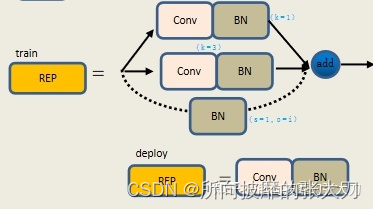
In depth analysis of yolov7 network architecture

App power consumption test

Supplementary notes on Relevant Issues of complete model group
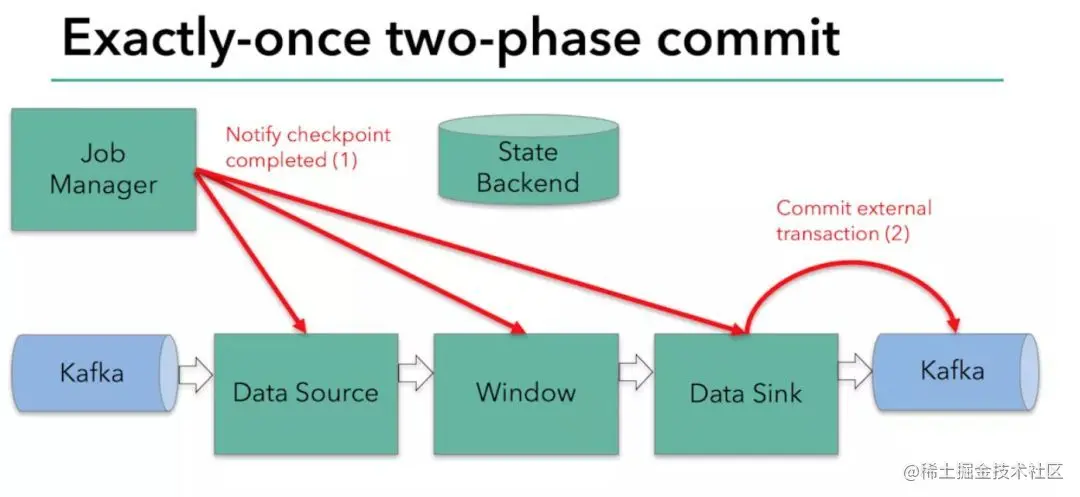
Technical Analysis | Doris connector combined with Flink CDC to achieve accurate access to MySQL database and table exactly once

Eval and assert one sentence Trojan horse analysis
随机推荐
My creation anniversary
Practical operation: elegant downtime under large-scale micro service architecture
[ffmpeg] MP4 to YUV
Niuke dynamic planning training
while(~scanf(“%d“, &n)) 等价于 while(scanf(“%d“,&n)!=EOF)
刷题《剑指Offer》day02
enq: HW – contention等待引起的故障分析
[unity introduction program] basic concepts GameObject & components
The 17th revitalization cup computer programmer (cloud computing platform operation and development) finals
App power consumption test
webflux默认io线程数
Didi - dispatching
Raspberry pie creation self start service
Eval and assert one sentence Trojan horse analysis
Changes were made to tables that cannot be recreated or the prevent saving changes that require the table to be recreated option was enabled
Weblux default IO threads
Can Flink's current capabilities support the synchronization of a table from source (MySQL) to sink (MySQL) to separate databases and tables
机器学习理论及案例分析(part1)--机器学习基础
Redis client tool redis insight recommendation
【音视频】图片YUV数据格式