当前位置:网站首页>MGRE环境下的OSPF实验:
MGRE环境下的OSPF实验:
2022-07-23 07:30:00 【咖z】


一、完成问题1,对接口进行IP地址的配置:


二、所有公有网段可以互通:
[r1] ip route-static 0.0.0.0 0 116.0.0.2
[r1] ip route-static 0.0.0.0 0 16.0.0.2
[r2] ip route-static 0.0.0.0 0 26.0.0.2[r3] ip route-static 0.0.0.0 0 36.0.0.2[r4] ip route-static 0.0.0.0 0 46.0.0.2[r5] ip route-static 0.0.0.0 0 56.0.0.2三、R1/2/3配置MGRE结构,R1为中心站点:
中心的配置:
[r1] interface Tunnel 0/0/0                       ---配置隧道接口
[r1-Tunnel0/0/0] ip address 192.168.7.1 24        ---接口配置IP地址
[r1-Tunnel0/0/0] tunnel-protocol gre p2mp         ---定义封装方式
[r1-Tunnel0/0/0] source 16.0.0.1                  ---定义封装内容
Jul 15 2022 14:55:24-08:00 r1 %%01IFNET/4/LINK_STATE(l)[0]:The line protocol IP
on the interface Tunnel0/0/0 has entered the UP state.
[r1-Tunnel0/0/0] nhrp network-id 100              ---创建NHRP域
[r1-Tunnel0/0/0] nhrp entry multicast dynamic     ---在中心开启伪广播
分支的配置:
[r2] interface Tunnel 0/0/0                                 ---创建隧道接口
[r2-Tunnel0/0/0] ip address 192.168.7.2 24                  ---接口配置IP地址
[r2-Tunnel0/0/0] tunnel-protocol gre p2mp                   ---定义封装方式
[r2-Tunnel0/0/0] source GigabitEthernet 0/0/0               ---定义封装内容
Jul 15 2022 14:58:02-08:00 r2 %%01IFNET/4/LINK_STATE(l)[0]:The line protocol IP
on the interface Tunnel0/0/0 has entered the UP state.
[r2-Tunnel0/0/0] nhrp network-id 100                        ---加入到中心创建的NHRP中
[r2-Tunnel0/0/0] nhrp entry 192.168.7.1 16.0.0.1 register   ---上报信息到中心
分支的配置:
[r3] interface Tunnel 0/0/0
[r3-Tunnel0/0/0] ip address 192.168.7.3 24
[r3-Tunnel0/0/0] tunnel-protocol gre p2mp
[r3-Tunnel0/0/0] source GigabitEthernet 0/0/0
Jul 15 2022 15:00:50-08:00 r3 %%01IFNET/4/LINK_STATE(l)[0]:The line protocol IP
on the interface Tunnel0/0/0 has entered the UP state.
[r3-Tunnel0/0/0] nhrp network-id 100
[r3-Tunnel0/0/0] nhrp entry 192.168.7.1 16.0.0.1 register 四、R1/4/5为全连的MGRE结构:
[r1] interface Tunnel 0/0/1	                               ---创建隧道接口
[r1-Tunnel0/0/1] ip address 192.168.6.1 24                  ---接口配置IP地址
[r1-Tunnel0/0/1] tunnel-protocol gre p2mp                   ---定义封装方式
[r1-Tunnel0/0/1] source 116.0.0.1                           ---定义封装内容
Jul 15 2022 15:05:13-08:00 r1 %%01IFNET/4/LINK_STATE(l)[0]:The line protocol IP
on the interface Tunnel0/0/1 has entered the UP state.
[r1-Tunnel0/0/1] nhrp network-id 110                        ---创建NHRP域
[r1-Tunnel0/0/1] nhrp entry multicast dynamic               ---开启伪广播
[r1-Tunnel0/0/1] nhrp entry 192.168.6.2 46.0.0.1 register   ---上报信息到中心
[r1-Tunnel0/0/1] nhrp entry 192.168.6.3 56.0.0.1 register
[r4] interface Tunnel 0/0/0
[r4-Tunnel0/0/0] ip address 192.168.6.2 24
[r4-Tunnel0/0/0] tunnel-protocol gre p2mp
[r4-Tunnel0/0/0] source 46.0.0.1
Jul 15 2022 15:07:46-08:00 r4 %%01IFNET/4/LINK_STATE(l)[0]:The line protocol IP
on the interface Tunnel0/0/0 has entered the UP state.
[r4-Tunnel0/0/0] nhrp network-id 110
[r4-Tunnel0/0/0] nhrp entry multicast dynamic
[r4-Tunnel0/0/0] nhrp entry 192.168.6.1 116.0.0.1 register
Info: This peer protocol address conflicts with hub register peer protocol addre
ss.
[r4-Tunnel0/0/0] nhrp entry 192.168.6.3 56.0.0.1 register [r5] interface Tunnel 0/0/0
[r5-Tunnel0/0/0] ip address 192.168.6.3 24
[r5-Tunnel0/0/0] tunnel-protocol gre p2mp
[r5-Tunnel0/0/0] source 56.0.0.1
Jul 15 2022 15:09:53-08:00 r5 %%01IFNET/4/LINK_STATE(l)[0]:The line protocol IP
on the interface Tunnel0/0/0 has entered the UP state.
[r5-Tunnel0/0/0] nhrp network-id 110
[r5-Tunnel0/0/0] nhrp entry multicast dynamic
[r5-Tunnel0/0/0] nhrp entry 192.168.6.1 116.0.0.1 register
Info: This peer protocol address conflicts with hub register peer protocol addre
ss.
[r5-Tunnel0/0/0] nhrp entry 192.168.6.2 46.0.0.1 register
Info: This peer protocol address conflicts with hub register peer protocol addre
ss. 五、完成问题3,使用ospf使所有的私有网段可以互相通讯:
[r1] ospf 1 router-id 1.1.1.1                            ---启动ospf进程
[r1-ospf-1] area 0                                       ---创建区域
[r1-ospf-1-area-0.0.0.0] network 192.168.1.0 0.0.0.255   ---宣告
[r1-ospf-1-area-0.0.0.0] network 192.168.6.0 0.0.0.255
[r1-ospf-1-area-0.0.0.0] network 192.168.7.0 0.0.0.255
[r2] ospf 1 router-id 2.2.2.2
[r2-ospf-1] area 0
[r2-ospf-1-area-0.0.0.0] network 192.168.2.0 0.0.0.255
[r2-ospf-1-area-0.0.0.0] network 192.168.7.0 0.0.0.255
[r3] ospf 1 router-id 3.3.3.3
[r3-ospf-1] area 0
[r3-ospf-1-area-0.0.0.0] network 192.168.3.0 0.0.0.255
[r3-ospf-1-area-0.0.0.0] network 192.168.7.0 0.0.0.255[r4] ospf 1 router-id 4.4.4.4
[r4-ospf-1] area 0
[r4-ospf-1-area-0.0.0.0] network 192.168.4.0 0.0.0.255
[r4-ospf-1-area-0.0.0.0] network 192.168.6.0 0.0.0.255[r5] ospf 1 router-id 5.5.5.5
[r5-ospf-1] area 0
[r5-ospf-1-area-0.0.0.0] network 192.168.5.0 0.0.0.255
[r5-ospf-1-area-0.0.0.0] network 192.168.6.0 0.0.0.255[r1] interface Tunnel 0/0/0
[r1-Tunnel0/0/0] ospf network-type p2mp ---修改接口网络类型
[r1] interface Tunnel 0/0/1
[r1-Tunnel0/0/1] ospf network-type broadcast ---修改接口网络类型[r2] interface Tunnel 0/0/0
[r2-Tunnel0/0/0] ospf network-type p2mp[r3] interface Tunnel 0/0/0
[r3-Tunnel0/0/0] ospf network-type p2mp
[r4] interface Tunnel 0/0/0
[r4-Tunnel0/0/0] ospf network-type broadcast
[r5] interface Tunnel 0/0/0
[r5-Tunnel0/0/0] ospf network-type broadcast 边栏推荐
- Power bi - Comprehensive Application
- Interface test - simple interface automation test demo
- Unity关于本地加载图片涉及webrequest或者byte
- SparkSQL设计及入门,220722,
- Light chain dissection / tree chain dissection
- IP地址分类及范围
- LeetCode_47_全排列Ⅱ
- Ros2 self study notes: gazebo physical simulation platform
- 图像处理6:顶层文件
- QNX modify system time
猜你喜欢

Color recognition of regions of interest in pictures and videos based on OpenCV
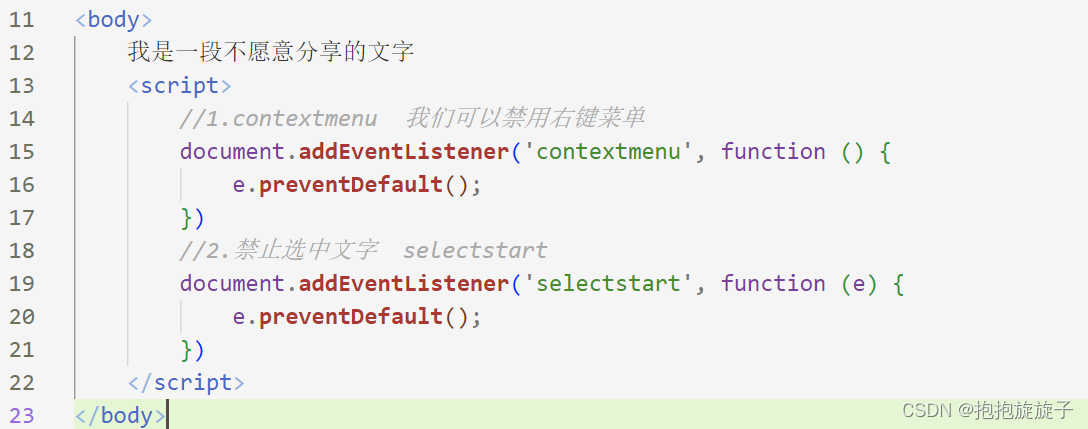
Common mouse events and keyboard events

Ros2 self study notes: URDF robot modeling

七月到底有多热?通过爬虫爬取当月温度信息,并使用matplotlib绘制温度折线图

养老机构智能视频监控解决方案,用新技术助力养老院智慧监管

These five points should be considered in the production of enterprise science and technology exhibition hall

解决MySQL向表中增加数据插入中文乱码问题

图像处理1:RGB888_YCbCr444

欧洲“气荒”对中国有哪些影响?
建立STM32F103C8T6工程模板和STM32 ST-LINK Utilit烧录hex文件
随机推荐
Chapter II relational database after class exercises
SparkSQL设计及入门,220722,
Image processing 5: expansion
数据库系统原理与应用教程(041)—— MySQL 查询(三):设置查询条件
数据库系统原理与应用教程(043)—— MySQL 查询(五):对查询结果排序
How to ensure the reliable transmission of messages? What if the message is lost
关于#redis#的问题:Redis设置数据持久化之后还是会有丢失数据的风险
离屏渲染 &FBO
LeetCode_ 46_ Full Permutation
养老机构智能视频监控解决方案,用新技术助力养老院智慧监管
[record] golang cross platform compilation
ES6 - weekly examination questions
prometheus+node-exporter+grafana 监控服务器系统资源
freemarker
图像处理6:顶层文件
Color recognition of regions of interest in pictures and videos based on OpenCV
微服务重点
解决报错:Uncaught (in promise) NavigationDuplicated: Avoided redundant navigation to current location: “
Typora 修改表格宽度
About this pointer