当前位置:网站首页>G027-op-ins-rhel-04 RedHat openstack creates a customized qcow2 format image
G027-op-ins-rhel-04 RedHat openstack creates a customized qcow2 format image
2022-07-25 13:35:00 【51CTO】
1 You need to understand
- Appointment : We call it running on
VMware WorkstationThe virtual machine inside isClient virtual machines( hereinafter referred to asThe virtual machine, useCentOS 7.8Graphical ); We call it inThe virtual machineIt's based onKVMThe running virtual machine isKVM virtual machine( hereinafter referred to asKVM The virtual machine, useCentOS 7.4), Yes , Two layer dolls The virtual machineBefore starting , Must be inVMware WorkstationStart the virtualization engine onvirtualization Intel VT-x/EPT or AMD-V- Suggest
The virtual machineThe network configuration isNATorThe bridge, Because the futureKVM The virtual machineNeed helpThe virtual machineInternet capability to install software packages - You can refer to the following related articles
G016complete CentOS Installation andG019andG020complete RedHat OpenStack Environment construction and basic operation - For a better browsing experience , You can click on the top left of the article
CatalogButton to display the overall directory structure of the article
- Related articles
- G016-OS-LIN-CENT-01 CentOS 7.8.2003 install
- G019-OP-INS-RHEL-01 PackStack install RedHat OpenStack
- G020-OP-INS-RHEL-02 RedHat OpenStack Issue virtual machine ( Command line )
- G023-OP-INS-RHEL-03 RedHat OpenStack Cinder docking NFS Back end storage
2 install KVM The virtual machine
2.1 Virtual machine installation virtualization software package
Be careful :
The virtual machinerefer to CentOS 7.8
2.2 establish KVM The virtual machine
Be careful :
The virtual machineThrough the commandifconfigYou can see a virtual network cardvritbr0, The virtual network card iskvm The virtual machinedefault defaultNATNetwork type network card (192.168.122.1)
2.3 install KVM The virtual machine
2.3.1 Language choice

2.3.2 Automatic partition

2.3.3 Network and host name
Be careful : When the network is turned on , Must be able to pass
DHCPAutomatically getIPAddress , Here's the picture

2.3.4 To configure ROOT password
Minimize by default
minimalinstall

2.3.5 Restart and test the network
restart
kvm The virtual machine, AndrootIdentity login , testkvm The virtual machineCan you connect to the external network


3 To configure KVM virtual machine
3.1 modify KVM Virtual machine network configuration file
Be careful : The change is
kvm The virtual machine, NoThe virtual machine, Unclear concept ? Refer to part IAppointment
3.2 install cloud-init software package
according to
2.3.5Section test ,kvm The virtual machineIt can be connected to the external network normally , At this point, you can directly install the software package online . The purpose is to obtainCustomer defined metadata information, Such as hostname and root Password etc. .
3.3 edit cloud.cfg file
edit
/etc/cloud/cloud.cfgThe configuration file , staycloud_init_modulesAdd the following below
3.4 edit network file
edit
/etc/sysconfig/networkThe configuration file , Make it include the following , Avoid visiting EC2 There is a problem with metadata service .
3.5 edit grub file
edit
/etc/default/grubThe configuration file , Make it include the following boot options , To ensure that the console information appears in dashboard In the log tab of , as well as nova console-log In the output of the log .
3.6 close KVM virtual machine
4 establish QCOW2 Mirror image
Be careful : The following steps are
The virtual machineIn the operation , Nokvm The virtual machine, Unclear concept ? Refer to part IAppointment
4.1 Reset and clean up the mirror
4.2 Create and compress images
5 Test image startup
5.1 Register image
Will mirror
centos-cloud.qcow2Sign up toOpenStackplatform , The following is a graphical registration demonstration , For command line registration, please refer to the blog G020-OP-INS-RHEL-02 RedHat OpenStack Issue virtual machine ( Command line )


5.2 Create a virtual machine type ( specifications )


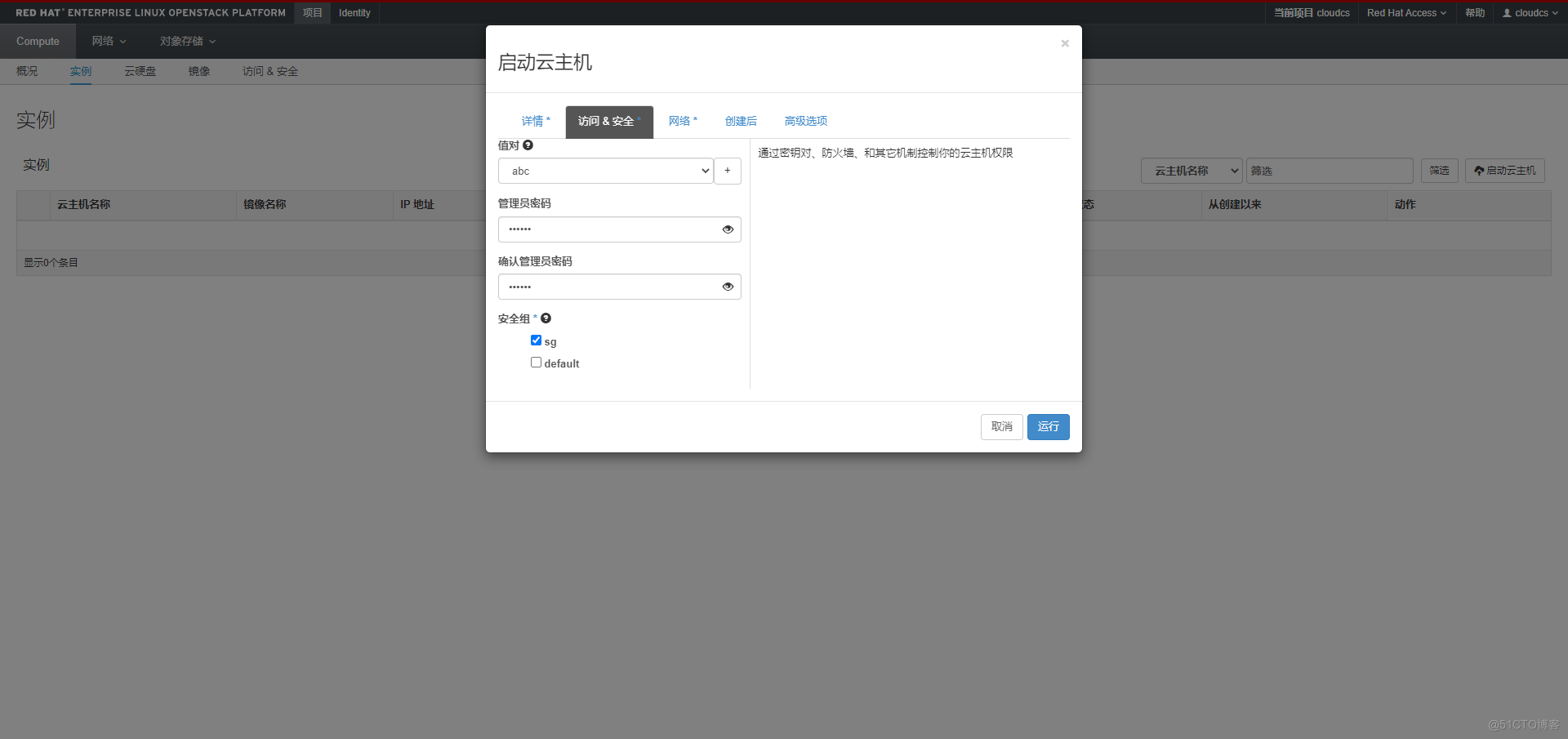
5.3 Issue virtual machine test
Be careful : For network and routing, please refer to
G020establish , Be sure to ensure the existence of routes and gateways , Otherwise, you cannot get the custom host name



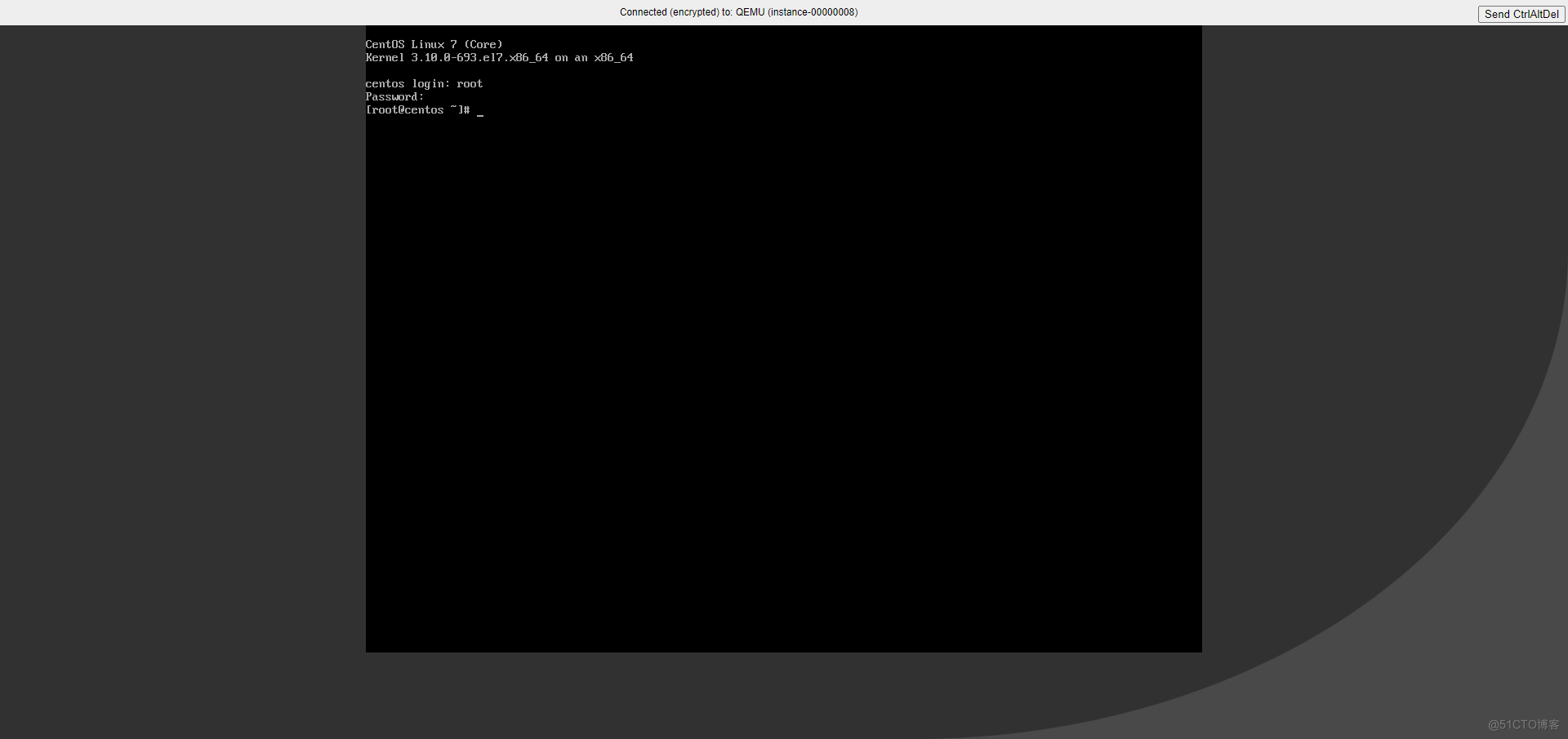
Observe the startup process and try to login , Test that the image is correct


- END
边栏推荐
- AQS of concurrent programming
- Detailed explanation of the training and prediction process of deep learning [taking lenet model and cifar10 data set as examples]
- Convolutional neural network model -- vgg-16 network structure and code implementation
- 【AI4Code】CodeX:《Evaluating Large Language Models Trained on Code》(OpenAI)
- 刷题-洛谷-P1035 级数求和
- Concurrent programming - memory model JMM
- 刷题-洛谷-P1150 Peter的烟
- Django 2 ----- 数据库与Admin
- Concurrent tool set for concurrent programming
- [figure attack and Defense] backdoor attacks to graph neural networks (sacmat '21)
猜你喜欢

Generate SQL script file by initializing the latest warehousing time of vehicle attributes

程序员成长第二十七篇:如何评估需求优先级?

ES6数组去重 new Set()

【GCN-RS】Learning Explicit User Interest Boundary for Recommendation (WWW‘22)

刷题-洛谷-P1161 开灯

【服务器数据恢复】HP EVA服务器存储RAID信息断电丢失的数据恢复

Friends let me see this code
ES6 array de duplication new set()

Excel录制宏

The migration of arm architecture to alsa lib and alsa utils is smooth
随机推荐
【GCN-RS】Region or Global? A Principle for Negative Sampling in Graph-based Recommendation (TKDE‘22)
Cv2.resize function reports an error: error: (-215:assertion failed) func= 0 in function ‘cv::hal::resize‘
Introduction and features of numpy (I)
Mutex lock, spin lock, read-write lock... Clarify their differences and applications
基于百问网IMX6ULL_PRO开发板驱动AP3216实验
0719RHCSA
pytest.mark.parametrize及mock使用
hcip第七天笔记
刷题-洛谷-P1075 质因数分解
0710RHCSA
Mujoco+spinningup for intensive learning training quick start
0719RHCSA
为提高效率使用ParallelStream竟出现各种问题
Pytorch creates its own dataset and loads the dataset
The migration of arm architecture to alsa lib and alsa utils is smooth
Hcip seventh day notes
The simplest solution of the whole network 1045 access denied for user [email protected] (using password:YES)
程序员成长第二十七篇:如何评估需求优先级?
6.27 uniapp project history
Canvas judgment content is empty