当前位置:网站首页>How to merge tables when exporting excel tables with xlsx
How to merge tables when exporting excel tables with xlsx
2022-06-23 14:11:00 【Swing a knife North】
In the use of xlsx export excel When it comes to forms , Sometimes we need to merge certain tables , How to do it , The code is as follows :
import XLSX from 'xlsx';
// ...
// xlsxData  yes  Excel  The content of
const workSheet = XLSX.utils.aoa_to_sheet(xlsxData);
const workbook = XLSX.utils.book_new();
//  Set the recording range of the worksheet
// [ Column number ][ Line number ],A1  Then represent  A  In the column 1 That's ok
//  The number of columns is generally known ( When unknown, it can be set to ZZ)
//  The number of rows is expressed in  xlsxData  The length of the content ends
workSheet['!ref'] = `A1:AI${xlsxData.length}`;
// s  Meaning for  start , The starting cell
// r  yes  row , Indicates line number , from  0  Count up
// c  yes  col , Indicates column number , from  0  Count up
const merge = [
  //  Vertical merger , The scope is the second 1 Row of column 1 Go to line 2
  { s: { r: 0, c: 0 }, e: { r: 1, c: 0 } },
  //  Vertical merger , The scope is the second 2 Row of column 1 Go to line 2
  { s: { r: 0, c: 1 }, e: { r: 1, c: 1 } },
  //  Horizontal merger , The scope is the second 1 Columns of rows 3 To column 5
  { s: { r: 0, c: 2 }, e: { r: 0, c: 4 } },
  //  Horizontal merger , The scope is the second 1 Columns of rows 6 To column 11
  { s: { r: 0, c: 5 }, e: { r: 0, c: 10 } },
  //  Horizontal merger , The scope is the second 1 Columns of rows 12 To column 17
  { s: { r: 0, c: 11 }, e: { r: 0, c: 16 } },
  //  Horizontal merger , The scope is the second 1 Columns of rows 18 To column 23
  { s: { r: 0, c: 17 }, e: { r: 0, c: 22 } },
  //  Horizontal merger , The scope is the second 1 Columns of rows 24 To column 29
  { s: { r: 0, c: 23 }, e: { r: 0, c: 28 } },
  //  Horizontal merger , The scope is the second 1 Columns of rows 30 To column 35
  { s: { r: 0, c: 29 }, e: { r: 0, c: 34 } }
];
workSheet['!merges'] = merge;
// sheet0  Is the name of the worksheet
XLSX.utils.book_append_sheet(workbook, workSheet, 'sheet0');
//  Perform data conversion file writing
XLSX.writeFileSync(workbook, ' Document name ', {
  bookType: 'xlsx',
  bookSST: true,
  type: 'array'
});
Decoding code , We use XLSX.utils.aoa_to_sheet After generating a table , You only need to set the ['!merges'] attribute , The settings are as follows :
const merge = [
  //  Vertical merger , The scope is the second 1 Row of column 1 Go to line 2
  { s: { r: 0, c: 0 }, e: { r: 1, c: 0 } },
  //  Vertical merger , The scope is the second 2 Row of column 1 Go to line 2
  { s: { r: 0, c: 1 }, e: { r: 1, c: 1 } },
  //  Horizontal merger , The scope is the second 1 Columns of rows 3 To column 5
  { s: { r: 0, c: 2 }, e: { r: 0, c: 4 } },
  //  Horizontal merger , The scope is the second 1 Columns of rows 6 To column 11
  { s: { r: 0, c: 5 }, e: { r: 0, c: 10 } },
  //  Horizontal merger , The scope is the second 1 Columns of rows 12 To column 17
  { s: { r: 0, c: 11 }, e: { r: 0, c: 16 } },
  //  Horizontal merger , The scope is the second 1 Columns of rows 18 To column 23
  { s: { r: 0, c: 17 }, e: { r: 0, c: 22 } },
  //  Horizontal merger , The scope is the second 1 Columns of rows 24 To column 29
  { s: { r: 0, c: 23 }, e: { r: 0, c: 28 } },
  //  Horizontal merger , The scope is the second 1 Columns of rows 30 To column 35
  { s: { r: 0, c: 29 }, e: { r: 0, c: 34 } }
];
This is an array , Each item in the array is an object , Object has two properties ,s and e, Represent the start and end, The values are one object ,r On behalf of the line ,c Representative column , It can be understood as coordinates , stay excel As long as the start and end coordinates of the region to be merged are determined, the merge is unknown .
The above is the use of xlsx export excel How to merge cells when using tables , I hope it helped you .
边栏推荐
- Ks007 realizes personal blog system based on JSP
- Vulnhub target os-hacknos-1
- The company has only one test, but the leader asked me to operate 1000 mobile numbers at the same time
- leetcode:42. Rain water connection
- Monitor the cache update of Eureka client
- 2022 soft science university professional ranking released! Xi'an electric AI ranked higher than Qingbei, and Nantah ranked first in the country!
- Error when Oracle enters sqlplus
- Drop down menu scenario of wechat applet
- Stick to five things to get you out of your confusion!
- Loss, duplication and backlog of message queues
猜你喜欢

Wechat applet pop up the optional menu from the bottom

Win the championship for 2 consecutive years! ZABBIX ranked first in a number of monitoring software in 2022

使用OpenVINOTM预处理API进一步提升YOLOv5推理性能

白皮书丨英特尔携手知名RISC-V工具提供商Ashling,着力扩展多平台RISC-V支持
White paper - Intel and Ashling, a well-known risc-v tool provider, strive to expand multi platform risc-v support
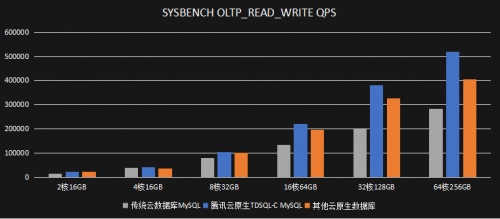
腾讯云TDSQL-C重磅升级,性能全面领跑云原生数据库市场

AI reference kit

通过 OpenVINO Model Server和 TensorFlow Serving简化部署
![[deeply understand tcapulusdb technology] table management of document acceptance](/img/59/e435623ab9cc7d2aa164c2f08e135f.png)
[deeply understand tcapulusdb technology] table management of document acceptance
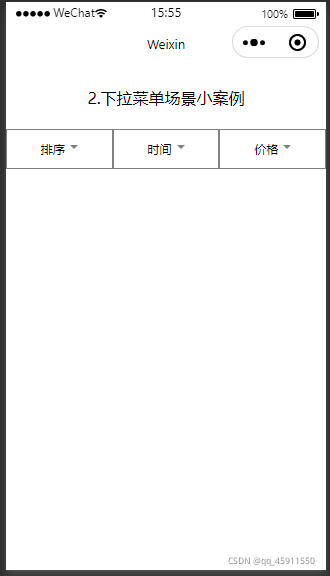
Drop down menu scenario of wechat applet
随机推荐
Intelligent digital signage solution
Monitor the cache update of Eureka client
kali使用
One way linked list implementation -- counting
Loss, duplication and backlog of message queues
KS007基于JSP实现人个人博客系统
【深入理解TcaplusDB技术】如何实现Tmonitor单机安装
前AMD芯片架构师吐槽,取消 K12 处理器项目是因为 AMD 怂了!
微信小程序之在wx:for中绑定事件
The way out after the development of Internet technology -- the birth of IVX
【深入理解TcaplusDB技术】单据受理之表管理
Wechat applet pop up the optional menu from the bottom
AI reference kit
leetcode:242. 有效的字母异位词
【无标题】
How to install the DTS component of SQL server2008r2 on win10 64 bit systems?
Intel ® extensions for pytorch* accelerate pytorch
实战 | 如何制作一个SLAM轨迹真值获取装置?
【课程预告】基于飞桨和OpenVINO 的AI表计产业解决方案 | 工业读表与字符检测
Input adjustment of wechat applet