当前位置:网站首页>redis 报错解决与常用配置
redis 报错解决与常用配置
2022-06-22 20:33:00 【猫鱼薄荷_她】
安装 redis
下载链接:如下载不成功可自行到官网下载 https://download.redis.io/releases
wget https://download.redis.io/releases/redis-6.2.1.tar.gz?_ga=2.213148948.1866727870.1617073678-1341157963.1617073678
--2021-03-30 11:19:41--  https://download.redis.io/releases/redis-6.2.1.tar.gz?_ga=2.213148948.1866727870.1617073678-1341157963.1617073678
查看是否启动成功
ps -aux | grep redis
netstat -nltp
测试是否能连接到 redis 服务器
redis 架构是 C/S 架构,在我们执行 redis-server 时服务端已经启动,如果想测试是否能连接到服务端可以用下面命令进行测试:
redis-cli // 这是 redis 给我们提供的客户端连接命令
配置 redis
修改端口:
{
    自己实际安装路径}/redis/redis.conf
port 6379
修改密码:
{
    自己实际安装路径}/redis/redis.conf
修改前:# requirepass foobared
修改后:requirepass admin123   // 修改成自己想设置的密码
设置多 IP 均可访问:
方法一:可直接注释 bind
方法二:bind 0.0.0.0
设置部分 IP 可访问:192.168.2.39 192.168.2.38
上述设置好之后还要再设置一步:
protected-mode no #将yes修改成no
报错一:The program ‘redis-server’ is currently not installed. To run ‘redis-server’ please ask your administrator to install the package ‘redis-server’
在安装好 redis 之后,输入命令 redis-server 时报错:The program 'redis-server' is currently not installed. To run 'redis-server' please ask your administrator to install the package 'redis-server'
解决办法:
在启动之前先执行如下命令:sudo make install
出错原因:redis-server 并未安装成功,官网建议在启动之前先执行上述命令sudo make install
报错二:Could not connect to Redis at 127.0.0.1:0: Connection refused
修改密码后是不支持用默认的 redis-cli 去连接服务器端,需要用一下命令:
redis-cli -p 自己设置的端口
如:redis-cli -p 11489
报错三:(error) NOAUTH Authentication required.
在设置好密码和端口之后,输入 redis-cli -p 11489 之后,会让我们输入自己的用户名进行认证,如果不进行认证就会报上述错误:
报错截图:
解决办法:
127.0.0.1:10419> auth "xxx" //具体的服务器登录名
OK
重启 redis
redis-server redis.conf
redis-conf :作为 redis 服务器端配置文件,相关信息可以在这里面配置,如:密码、端口等
redis-server:服务器端启动命令
边栏推荐
- 第026讲:字典:当索引不好用时2 | 课后测试题及答案
- Query es page subscript exceeds 10000
- 安卓kotlin sp dp转px
- Is data scientist a promising profession?
- How to use the data dictionary function in the low code platform of the Internet of things?
- 6-1 二叉搜索树的操作集
- 7-9 超级玛丽
- Based on AI driven macromolecular drug discovery, "Huashen Zhiyao" obtained nearly 500million yuan of round a financing
- v-if和v-for哪个优先级更高?
- Can the characteristics of different network structures be compared? Ant & meituan & NTU & Ali proposed a cross architecture self supervised video representation learning method CaCl, performance SOTA
猜你喜欢

科研热点|官宣!2022年JCR分区和影响因子发布时间确定!

2022年朝阳区科技创新课之“产品创新与成果转化”训练营活动圆满结束

第018讲:函数:灵活即强大 | 课后测试题及答案
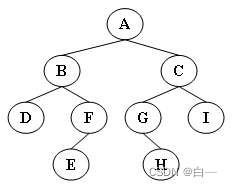
6-3 二叉树的非递归遍历
![Jerry's music mode obtains the directory of playing files [chapter]](/img/2f/efb8a077e3e398cb3b14cfd98a8422.png)
Jerry's music mode obtains the directory of playing files [chapter]

Registration of spa project development

Lesson 014-15: string (see lesson 27-32 of the new version of little turtle) | after class test questions and answers
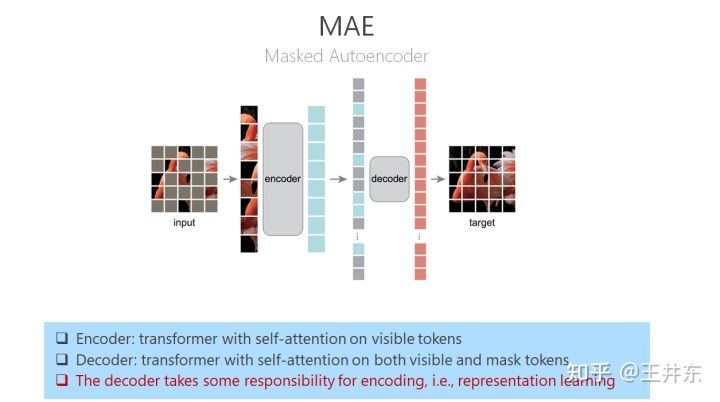
自监督表征预训练之掩码图像建模:CAE 及其与 MAE、BEiT 的联系

Ten thousand words long text | use RBAC to restrict access to kubernetes resources

Redis的使用场景分享(项目实战)
随机推荐
Linux安装Mysql(包成功!!)
Icml2022 | using virtual nodes to promote graph structure learning
SPA项目开发之CRUD+表单验证
什么是数据资产?数据资产管理应该如何落地?
卸载mavros
第018讲:函数:灵活即强大 | 课后测试题及答案
300. longest increasing subsequence ●●
SPA项目开发之登录注册
Niuke's height in the 52nd monthly race B (thinking problem simulation problem)
6月25日PMI认证考点防疫要求及考场安排
IDC publie le rapport sur la gouvernance des données en Chine
ACM. The beauty of hj45 name ●●
How to carry out encryption protection for equipment under extortion virus rampant
For an unforgettable memory: special topic of Sun Jian
SPA项目开发之首页导航+左侧菜单
shell(34) : 時間
Lesson 032: exception handling: you can't always be right | after class test questions and answers
Lesson 016: sequence | after class test questions and answers
【MAVROS】MAVROS 啓動指南
【ROS】ROSmsg cakin_make编译错误