当前位置:网站首页>Implement a avatar looping control
Implement a avatar looping control
2022-07-24 23:55:00 【hongli_ sun】
The effect is as follows

That is, the following 5 The picture is played circularly :
Realize the idea
Look carefully at the dynamic effect and you will find , At most four pictures can appear at the same time . We use one RelativeLayout Let's put these four pictures , Put them on the far right ( The first 0 Pictures )、 middle ( The first 1 Pictures ) And the leftmost ( The first 2 Pictures ), And the first 3 The picture is added on the left at the beginning of the dynamic effect , And set up translationX = -scrollLength, Make it only show a part in the drawing board .
At the beginning of dynamic effect , Four diagrams call at the same time translationXBy, Scroll right scrollLength distance , This is the first time 3 A picture can appear on the drawing board , The first 0 Get out of the drawing board . The first 0、3 You can set the dynamic effect of rolling out, shrinking and becoming transparent or enlarging and becoming clear according to your needs .
Rolling distance calculation :
scrollLength( Rolling distance ) stay onSizeChanged Dynamic calculation in the method 
Code implementation
const val START_AVATAR_LOOP = 111

class LoopScrollAvatar @JvmOverloads constructor(
    context: Context,
    attrs: AttributeSet? = null,
    defStyleAttr: Int = 0
) : RelativeLayout(context, attrs, defStyleAttr) {

    // Animation playback duration
    private val animDuration = 700L

    // Animation interval
    private val animIntervalTime = 1000L

    // Zoom degree of the two side avatars
    private val scaleFrom = 0.7F

    // Head size
    private val avatarSize = SizeUtils.dp2px(60F)

    // The distance to move from the current position to the next position
    private var scrollLength = 0F

    // Next time the picture corner to be displayed
    private var index = 0

    private val res =
        arrayOf(
            R.drawable.avatar_1,
            R.drawable.avatar_2,
            R.drawable.avatar_3,
            R.drawable.avatar_4,
            R.drawable.avatar_5
        )

    // Cache reuse ImageView
    private val ivCache = mutableListOf(
        createImageView(),
        createImageView(),
        createImageView(),
        createImageView()
    )
    private val handler by lazy {

        LoopHandler(this)
    }

    init {

        // The heads of the top three first addView Show it
        // Right most
        addImageView(ALIGN_PARENT_RIGHT)
        // Put it in the middle
        addImageView(CENTER_HORIZONTAL)
        // By default, it is placed on the left
        addImageView()
    }

    class LoopHandler() : Handler() {

        private var lWeak: WeakReference<LoopScrollAvatar>? = null

        constructor(loopScrollAvatar: LoopScrollAvatar) : this() {

            lWeak = WeakReference(loopScrollAvatar)
        }

        override fun handleMessage(msg: Message) {

            super.handleMessage(msg)

            lWeak?.get()?.apply {

                startAnimMove()
                sendLoopMsg()
            }
        }
    }

    override fun onSizeChanged(w: Int, h: Int, oldw: Int, oldh: Int) {

        super.onSizeChanged(w, h, oldw, oldh)
        scrollLength = (width - avatarSize) / 2F
    }

    /** *  Create a round head ImageView */
    private fun createImageView(): ImageView {

        return QMUIRadiusImageView(context).apply {

            // Here we use a three-way ImageView, Fillet can be set 、border Width and color
            isCircle = true
            borderWidth = SizeUtils.dp2px(1F)
            borderColor = Color.WHITE
        }
    }

    /** *  Put the avatar ImageView */
    private fun addImageView(rule: Int = ALIGN_PARENT_LEFT) {

        // Reuse cache
        val iv = if (ivCache.size > 0) {

            ivCache[0]
        } else {

            createImageView()
        }
        // Do not reuse the controls currently displayed on the screen , prevent params confusion
        ivCache.remove(iv)

        iv.setImageResource(res[index])
        iv.scaleType = ImageView.ScaleType.FIT_XY

        // After all the picture resources are played, replay from the beginning
        index = (index + 1) % res.size

        // Set in the RelativeLayout Display location in
        val lp = LayoutParams(avatarSize, avatarSize)
        lp.addRule(rule)
        iv.layoutParams = lp

        addView(iv)
    }

    /** *  Rotating rolling effect  */
    private fun startAnimMove() {

        // Add one that will move into the screen from the left ImageView
        addImageView()
        // The leftmost avatar just added by the uplink code ( here RelativeLayout Of mChildrenCount=4)
        getChildAt(3)?.apply {

            // Set the starting low transparency   and   Small size
            alpha = 0.6F
            scaleX = scaleFrom
            scaleY = scaleFrom
            // First set the left part to move out of the control to the left , That is, block the left side and do not display ( Then you can translationXBy Move into the screen )
            translationX = -scrollLength

            //translationXBy It refers to how much distance to move from the current position ( The difference in translationX)
            //alpha From the current transparency ( namely 0.6F) Change to the transparency set ( namely 1F)
            //scaleX Is from the current width scale ( namely scaleFrom) Change to the set width ratio ( namely 1F)
            animate().translationXBy(scrollLength).alpha(1F).scaleX(1F).scaleY(1F)
                .setDuration(animDuration).start()
        }
        // The two heads in the middle only need to set the translation distance
        getChildAt(1)?.apply {

            animate().translationXBy(scrollLength).setDuration(animDuration).start()
        }
        // Set the translation distance
        getChildAt(2)?.apply {

            animate().translationXBy(scrollLength).setDuration(animDuration).start()
        }
        // The head on the far right ( From the full display   To   Transparency and size become smaller , And move right out of the screen )( Because it is the first add Come in View, therefore index=0)
        getChildAt(0)?.let {
     iv ->
            iv.animate().translationXBy(scrollLength).alpha(0F).scaleX(scaleFrom).scaleY(scaleFrom)
                .setDuration(animDuration)
                .setListener(object : AnimatorListenerAdapter() {

                    override fun onAnimationEnd(animation: Animator?) {

                        super.onAnimationEnd(animation)
                        // eliminate ImageView There are already attributes , And add to ivCache cache
                        iv.animate().setListener(null)
                        iv.clearAnimation()
                        iv.translationX = 0F
                        iv.alpha = 1F
                        // from RelativeLayout Removed from the
                        removeView(iv)
                        ivCache.add(iv as ImageView)
                    }
                }).start()
        }
    }

    private fun sendLoopMsg() {

        handler.sendEmptyMessageDelayed(START_AVATAR_LOOP, animIntervalTime + animDuration)
    }

    private var looping = false

    /** *  Start the rotation  */
    fun startLoop() {

        if (looping) {

            throw Exception("startLoop cannot be called twice")
        }
        looping = true
        sendLoopMsg()
    }

    /** *  Stop the wheel set.  */
    fun stopLoop() {

        looping = false
        handler.removeCallbacksAndMessages(null)
    }
}
Use
<com.hl.sun.ui.widget.LoopScrollAvatar android:id="@+id/loop_avatar" android:layout_width="150dp" android:layout_height="wrap_content"/>
        loop_avatar.startLoop()
        loop_avatar.stopLoop()
边栏推荐
- 谢振东:公共交通行业数字化转型升级的探索与实践
- 技术操作
- Introduction to HLS programming
- UART
- Piziheng embedded: the method of making source code into lib Library under MCU Xpress IDE and its difference with IAR and MDK
- Answers to some problems encountered in the process of Xperia XZ (f8332) brushing and root
- 2. Load test
- SQL file import database - Nanny level tutorial
- Bug summary
- 必会面试题:1.浅拷贝和深拷贝_深拷贝
猜你喜欢

Digital stopwatch based on Verilog HDL

Pointers and arrays

Coding builds an image, inherits the self built basic image, and reports an error unauthorized: invalid credential Please confirm that you have entered the correct user name and password.

JS ------ Chapter II JS logic control

技术操作

4. Immersion test

Go basic notes_ 4_ map
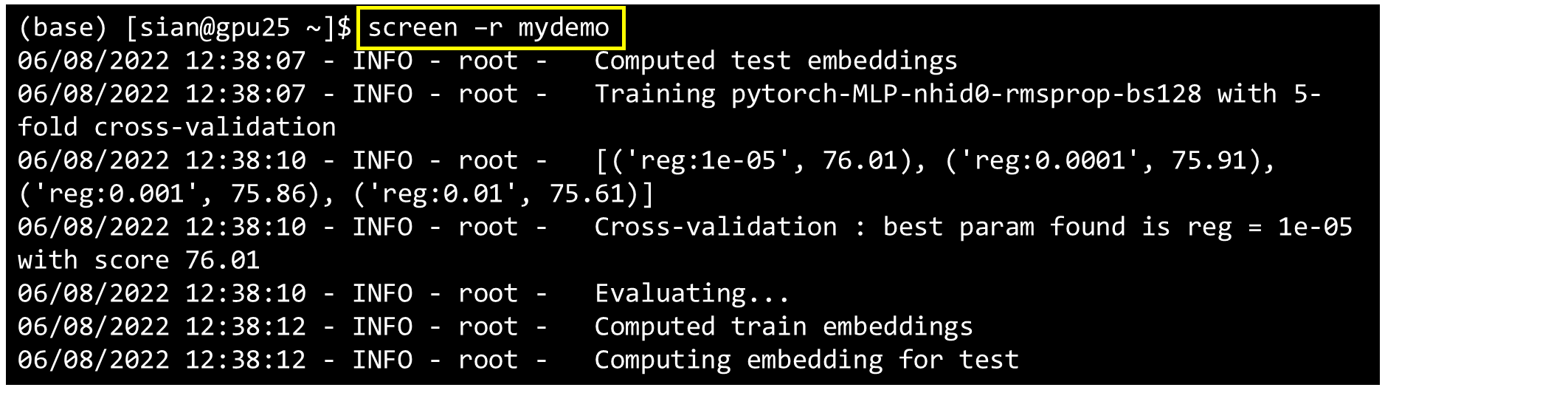
With screen and nohup running, there is no need to worry about deep learning code anymore | exiting the terminal will not affect the operation of server program code

Notes of Teacher Li Hongyi's 2020 in-depth learning series 3

谢振东:公共交通行业数字化转型升级的探索与实践
随机推荐
ROS manipulator movelt learning notes 3 | kinect360 camera (V1) related configuration
Add a little surprise to life and be a prototype designer of creative life -- sharing with X contestants in the programming challenge
Three ways of shell debugging and debugging
SQLite database operation
Zheng Huijuan: Research on application scenarios and evaluation methods of data assets based on the unified market
With screen and nohup running, there is no need to worry about deep learning code anymore | exiting the terminal will not affect the operation of server program code
codeforces round #805 ABCDEFG
Introduction to HLS programming
Opengauss kernel analysis: query rewriting
SQL result export function. If you click the work order but don't enter it, the interface is always blank and there is no response. What should you do?
Redis6.2 SYSTEMd startup prompt redis service: Failed with result ‘protocol‘.
3. Pressure test
[brother hero July training] day 20: search Binary Tree
WP wechat export chat record backup to computer
Install Kaspersky 2018 under win server 2012 R2
Notes of Teacher Li Hongyi's 2020 in-depth learning series 5
Use SQLite provided by the system
Processing PDF and JPG files in VB6
Is it safe for Guosen Securities to open a mobile account
Wine wechat initialization 96% stuck