当前位置:网站首页>Drag and drop frame
Drag and drop frame
2022-06-23 05:18:00 【xhBruce】
Drag and drop Drag and drop frame
android11-release
Application and use Drag and drop Drag and drop
Drag and drop Drag and drop launch
APP Call start
Drag and drop Drag and dropstartDragAndDrop start-up
frameworks/base/core/java/android/view/View.java
frameworks\base\services\core\java\com\android\server\wm\Session.java
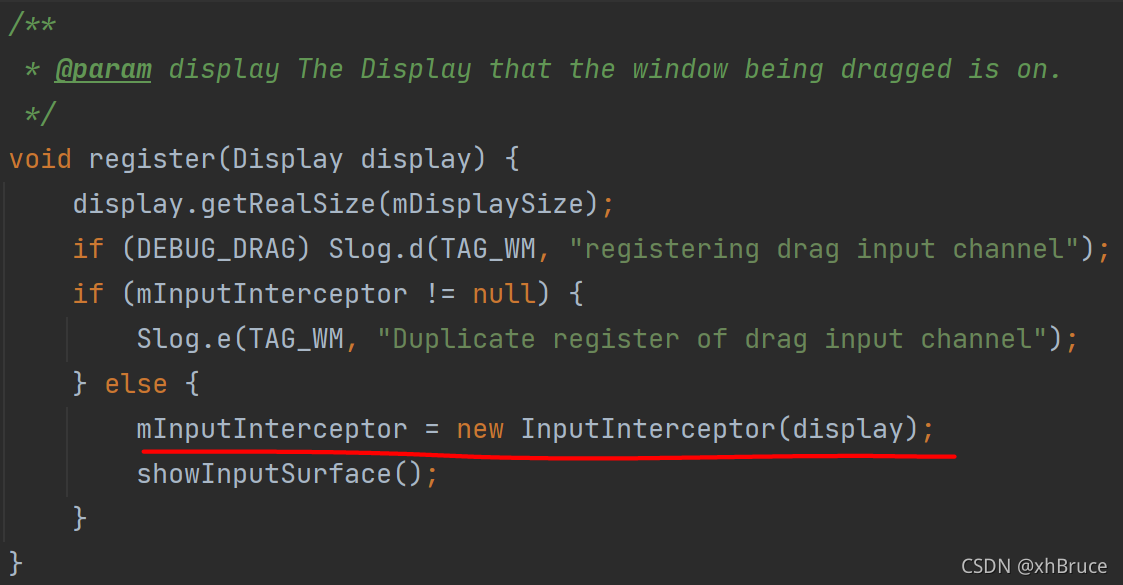
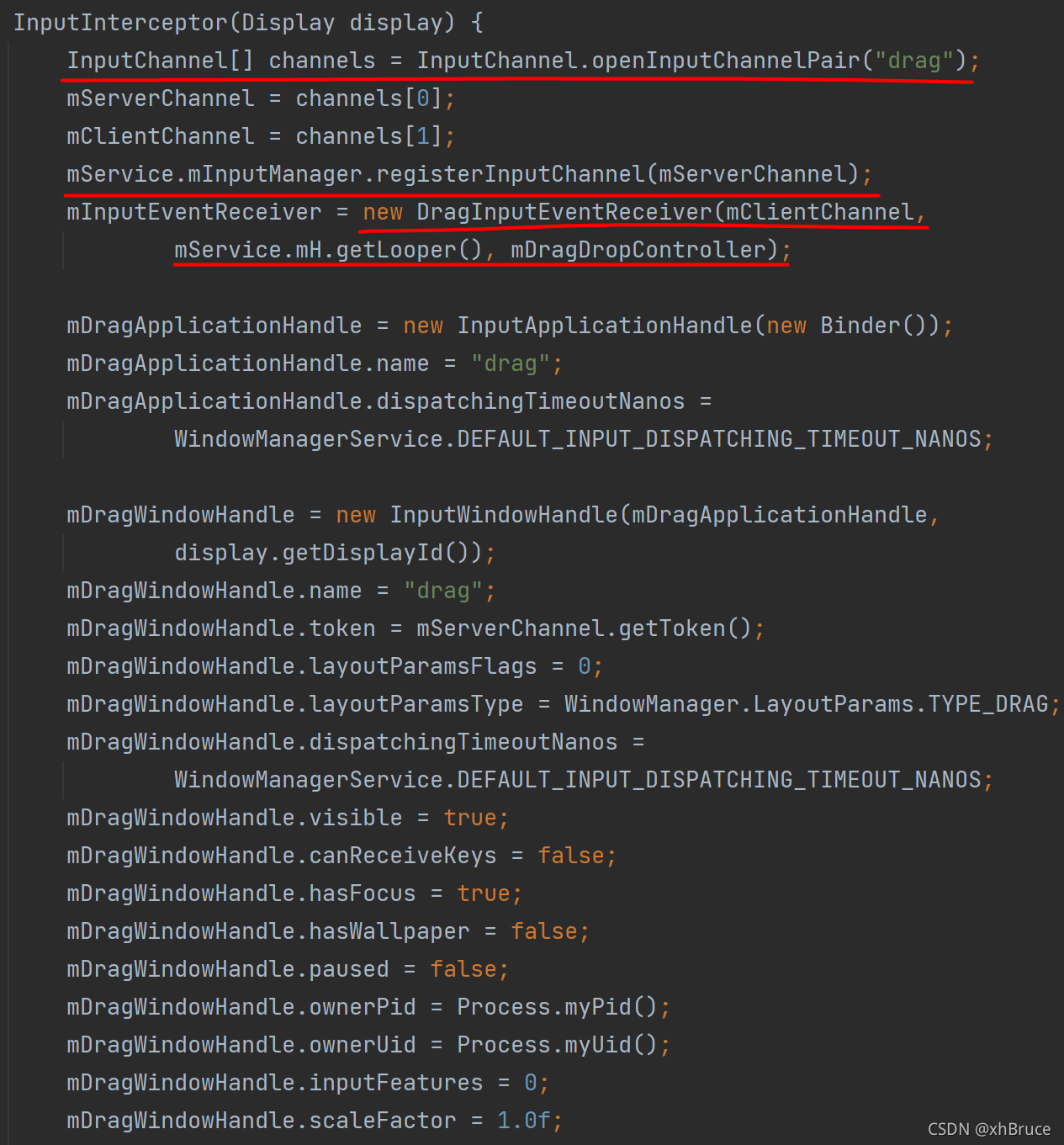
initialization DragState And register InputChannel
- initialization DragState
- register
drag InputChannel\DragInputEventReceiver - Notify drag and drop to start
mDragState.broadcastDragStartedLocked(touchX, touchY);TriggerDragEvent.ACTION_DRAG_STARTED
frameworks/base/services/core/java/com/android/server/wm/DragDropController.java
frameworks/base/services/core/java/com/android/server/wm/DragState.java
frameworks/base/services/core/java/com/android/server/wm/WindowManagerInternal.java
frameworks/base/services/core/java/com/android/server/wm/DragInputEventReceiver.java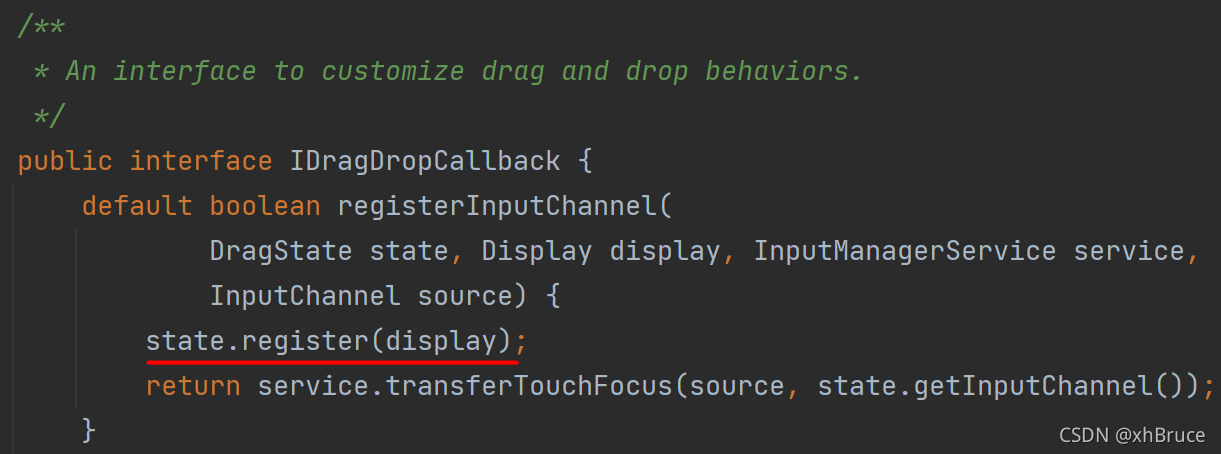
Last notifyLocationLocked
(touchedWin != mTargetWindow) && (mTargetWindow != null)Trigger whenDragEvent.ACTION_DRAG_EXITEDtouchedWin != nullTrigger whenDragEvent.ACTION_DRAG_LOCATION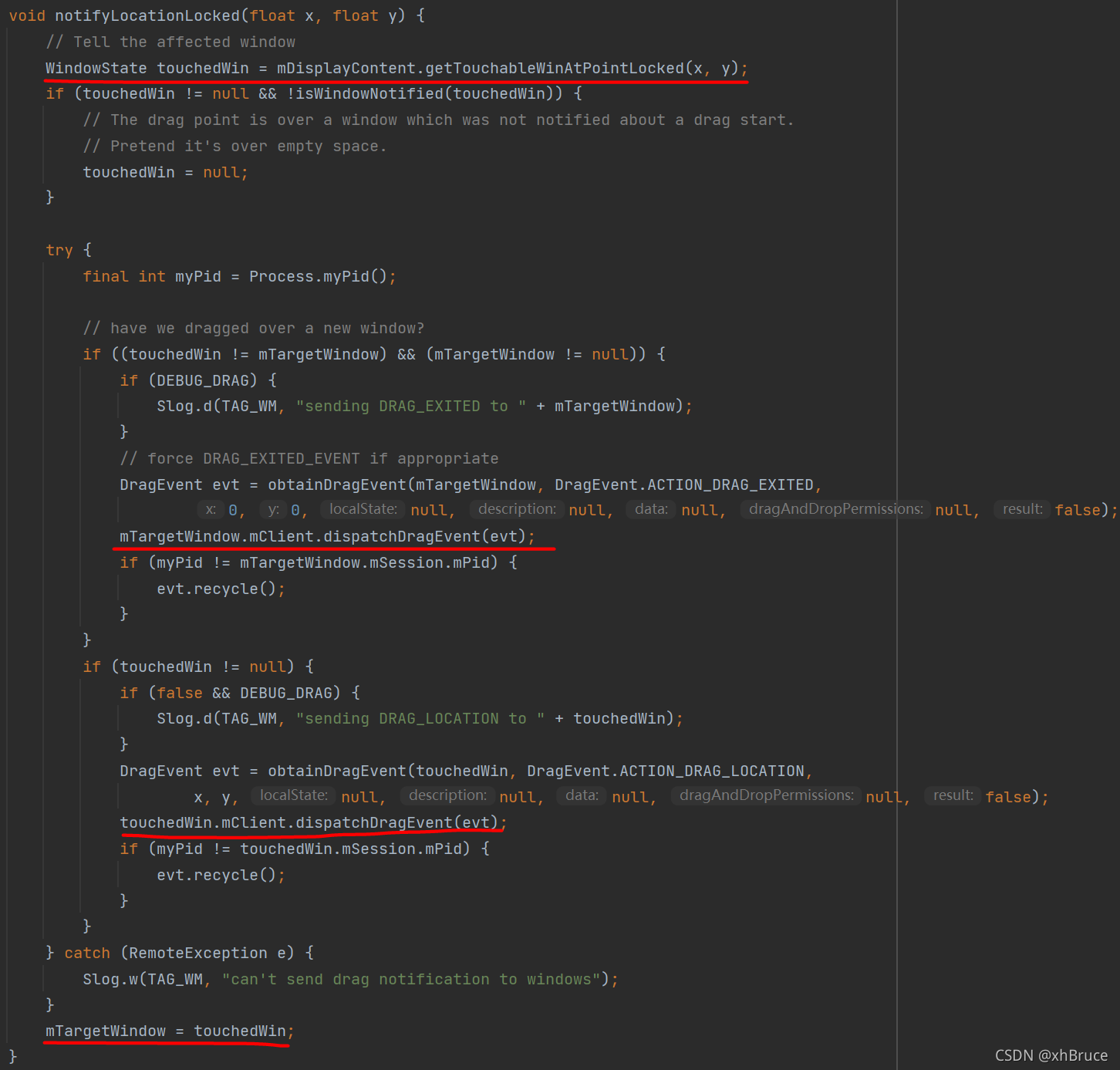
- adopt
ViewRootImplmplLayer upon layer ,result = mView.dispatchDragEvent(event)notice APP And accept the return value li.mOnDragListener.onDrag(this, event)Genuine notification APP
frameworks/base/core/java/android/view/ViewRootImpl.java
frameworks/base/core/java/android/view/View.java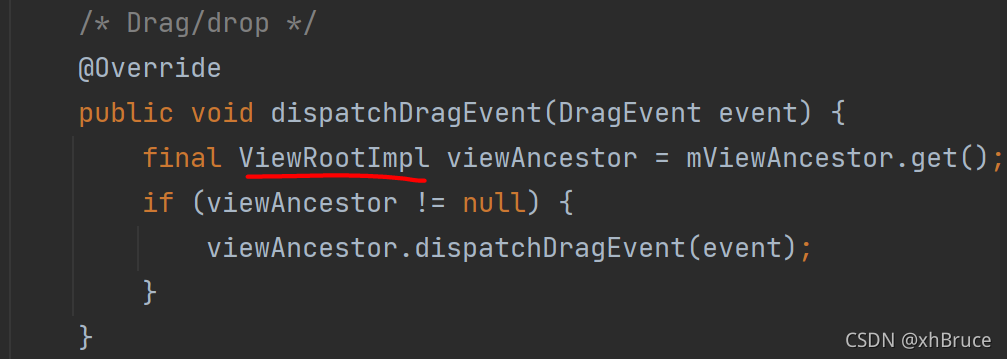

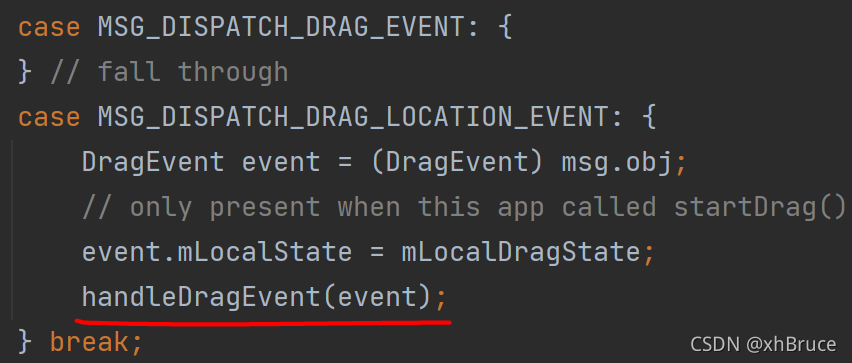

Drag and drop Drag and drop start summary :
- APP start-up
startDragAndDrop, andView.OnDragListenermonitor - initialization
DragStateAnd registerdrag InputChannel\DragInputEventReceiver; - ViewRootImpl in
result = mView.dispatchDragEvent(event);Send to View, Notice the return value hereresult - View in
li.mOnDragListener.onDrag(this, event)Notice to APP monitor SurfaceControlControl displaySurface, This display is similar to the general WMS Show different
Drag and drop Drag and drop action Trigger problem
public static final int ACTION_DRAG_STARTED = 1;
public static final int ACTION_DRAG_LOCATION = 2;
public static final int ACTION_DROP = 3;
public static final int ACTION_DRAG_ENDED = 4;
public static final int ACTION_DRAG_ENTERED = 5;
public static final int ACTION_DRAG_EXITED = 6;
- ACTION_DRAG_STARTED
When the application calls startDragAndDrop\startDrag And get after dragging the shadow , The drag event listener of the view object will immediately receive this event action type .
1 Trigger
You can also see initialization above registerInputChannel After completion mDragState.broadcastDragStartedLocked(touchX, touchY) Notification complete :performDrag -> broadcastDragStartedLocked -> sendDragStartedLocked -> newWin.mClient.dispatchDragEvent(event)\dispatchDragEvent(DragEvent event) -> handleDragEvent
2 notice APP Operation before listening
frameworks/base/core/java/android/view/ViewRootImpl.java
handleDragEvent Set in mCurrentDragView = null;mDragDescription preservation event.mClipDescription
3 result = mView.dispatchDragEvent(event) Return value
result No matter back to true or false No other treatment , All have no other effect .
- ACTION_DRAG_LOCATION
When I received ACTION_DRAG_ENTERED Event and the drag shadow is still within the bounding box of the view , The drag event listener of the view object will receive this event action type .
1 Trigger
Registered here
drag InputChannel\DragInputEventReceiver, receivedACTION_MOVEEvent callmDragDropController.handleMotionEvent(Android 12 beta4 There is no operation here),!mMuteInputFinally call tomDragState.notifyMoveLocked.
frameworks/base/services/core/java/com/android/server/wm/DragInputEventReceiver.java
frameworks/base/services/core/java/com/android/server/wm/DragDropController.java
frameworks/base/services/core/java/com/android/server/wm/DragState.java

stay DragState in notifyLocationLocked adopt
touchedWin.mClient.dispatchDragEvent(evt)Call to ViewRootImpl inhandleDragEvent

Summary of process :drag InputChannel\DragInputEventReceiver -> handleMotionEvent -> notifyMoveLocked\notifyLocationLocked -> touchedWin.mClient.dispatchDragEvent(evt)\dispatchDragEvent(DragEvent event) -> handleDragEvent
2 notice APP Operation before listening
frameworks/base/core/java/android/view/ViewRootImpl.java
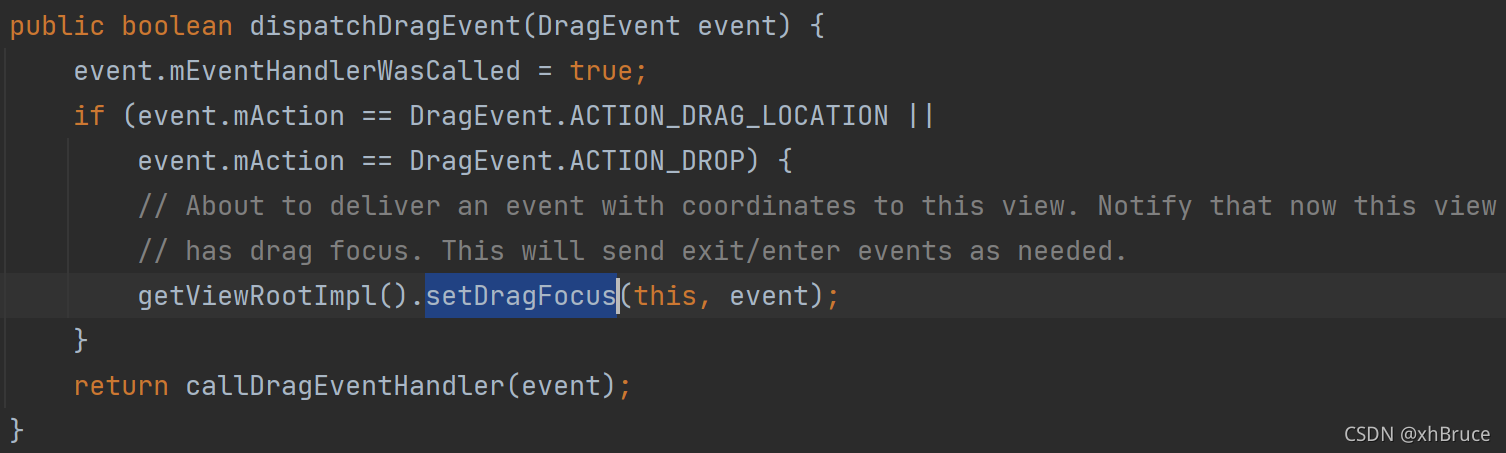
3 result = mView.dispatchDragEvent(event) Return value
result No matter back to true or false,!event.mEventHandlerWasCalled Judgment execution setDragFocus.

- ACTION_DROP
 When the user releases the drag shadow onto the view object , The drag event listener of the view object will receive this event action type . Only if the listener of the view object is responding  ACTION_DRAG_STARTED  Returns a Boolean value when dragging an event  true  when , The system will send the operation type to the listener . If the user releases the drag shadow on a view that does not have a registered listener or on any view that does not belong to the current layout , The system will not send this operation type .
 If the drop operation is successfully handled , The listener should return a Boolean value  true. otherwise , It should return  false.
1 Trigger
Registered here
drag InputChannel\DragInputEventReceiver, receivedACTION_UP\ACTION_CANCELEvent callmDragDropController.handleMotionEvent(Android 12 beta4 There is no operation here),!mMuteInputFinally call tomDragState.notifyDropLocked.
stay DragState in notifyLocationLocked adopt
touchedWin.mClient.dispatchDragEvent(evt)Call to ViewRootImpl inhandleDragEvent
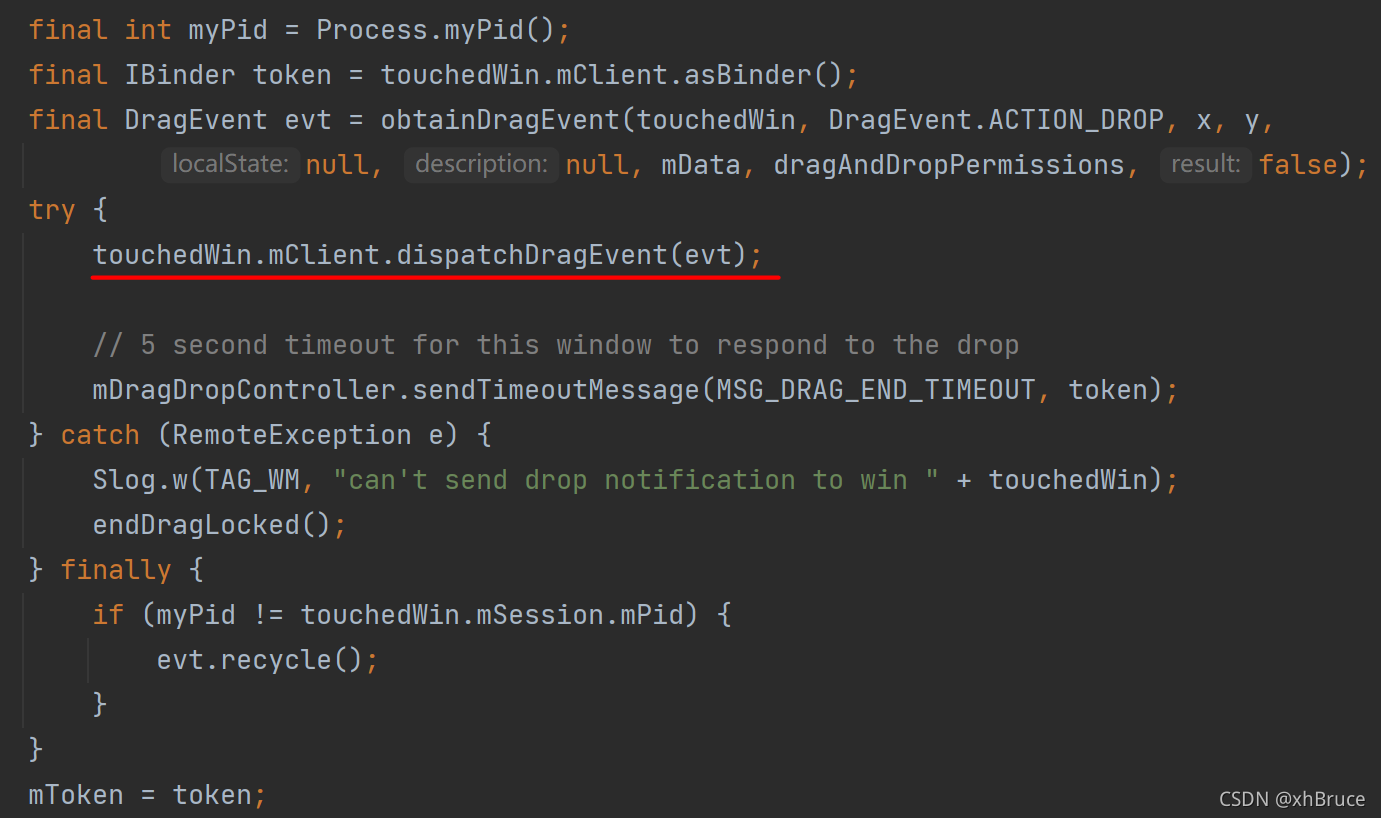
Summary of process :drag InputChannel\DragInputEventReceiver -> handleMotionEvent -> notifyMoveLocked\notifyLocationLocked -> touchedWin.mClient.dispatchDragEvent(evt)\dispatchDragEvent(DragEvent event) -> handleDragEvent
And
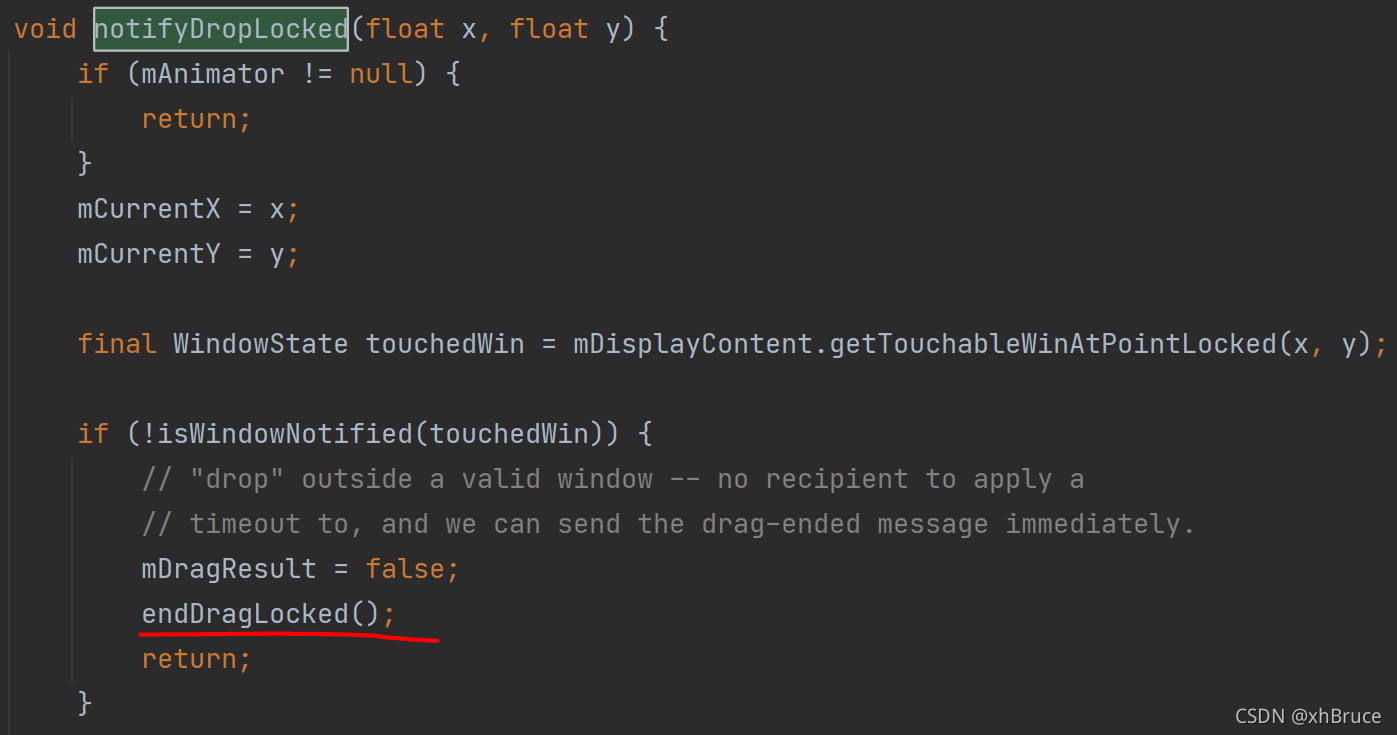
ACTION_DRAG_LOCATIONThe difference is the timeout here 5s performmDragState.endDragLocked()


It may not trigger
DragEvent.ACTION_DROP,closeLocked()End triggerDragEvent.ACTION_DRAG_ENDED

2 notice APP Operation before listening
frameworks/base/core/java/android/view/ViewRootImpl.java
3 result = mView.dispatchDragEvent(event) return true situation
APP return true End drag and drop closeLocked() End trigger DragEvent.ACTION_DRAG_ENDED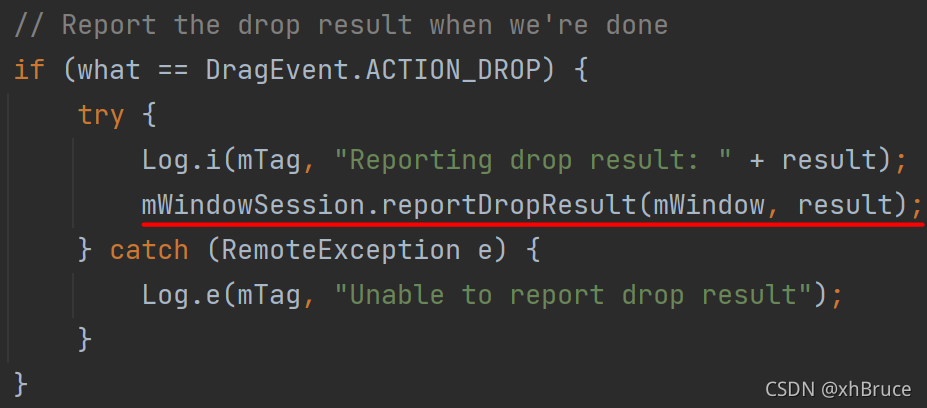
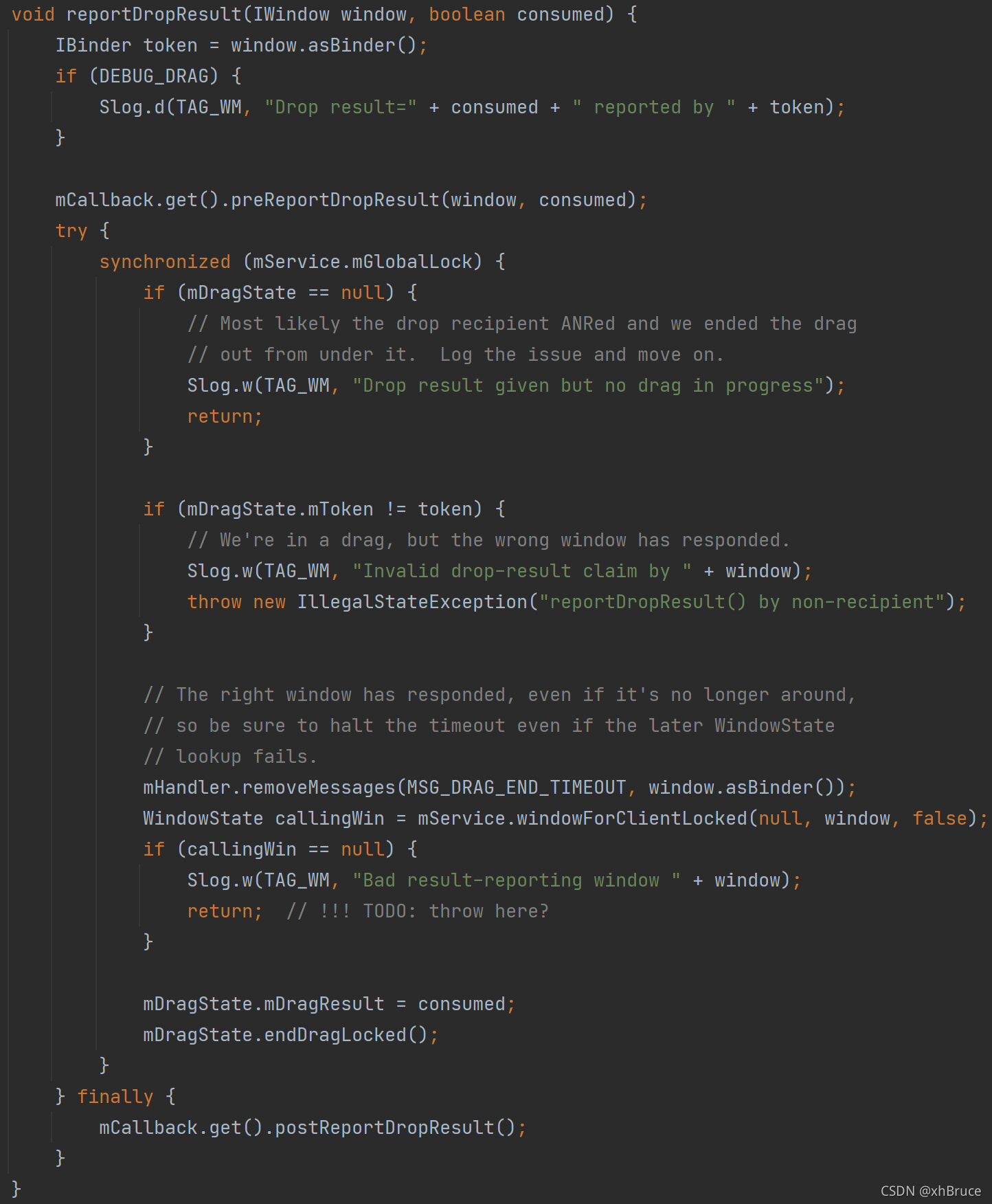

- ACTION_DRAG_ENDED
 When the system ends the drag operation , The drag event listener of the view object will receive this event action type .
 This operation type is not necessarily in  ACTION_DROP  After the event .
 If the system has sent  ACTION_DROP, received  ACTION_DRAG_ENDED  The operation type does not mean that the drop operation is successful .
 The listener must call  getResult()  To get a response  ACTION_DROP  The value returned when .
 If not sent  ACTION_DROP  event ,getResult()  Will return  false.
1 Trigger
Read here , You can see on it closeLocked() Methods the trigger DragEvent.ACTION_DRAG_ENDED
Log off here first drag input channel
2 notice APP Operation before listening
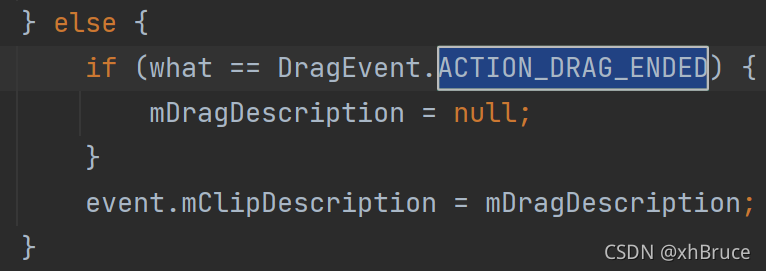
3 result = mView.dispatchDragEvent(event) Return value
result No matter back to true or false All reset 
- ACTION_DRAG_ENTERED\ACTION_DRAG_EXITED
**ACTION_DRAG_ENTERED** When you drag the shadow just into the bounding box of the view , The drag event listener of the view object will receive this event action type . This is the first event action type that the listener receives when dragging a shadow into the bounding box . If the listener wants to continue receiving drag events for this operation , Boolean values must be returned to the system  true.
**ACTION_DRAG_EXITED** When I received  ACTION_DRAG_ENTERED  And at least one  ACTION_DRAG_LOCATION  event , And when the user has moved the drag shadow outside the bounding box of the view , The drag event listener of the view object will receive this event action type .
1 Trigger
See from above setDragFocus Setting refresh will trigger 
2 Call directly callDragEventHandler
ACTION_DRAG_ENTERED Description returns true, I don't see why 
边栏推荐
猜你喜欢
李宏毅《机器学习》丨5. Tips for neural network design(神经网络设计技巧)

Hard core, become a high-quality tester: learn to communicate with products
![[MAC] there is no source option in security and privacy](/img/ec/6a7bc7689346378c6ed0dc644f709a.png)
[MAC] there is no source option in security and privacy

3 天完成小学期项目,手把手教你完成天气播报系统!

当SBAS遇上rtklib
Architecture à trois niveaux MVC
【微服务|Nacos】Nacos版本相关问题一览

微信小程序:微信也可以发闪照了闪照制作生成微信小程序源码下载,自定义闪照时间

工作5-8年的外包测试员,平均年薪有多少?

Course design C for freshmen -- clothing management system
随机推荐
Three tier architecture experiment
Open source ecology 𞓜 super practical open source license basic knowledge literacy post (Part 2)
[laravel series 7.8] broadcasting system
MVVM has become history, and Google has fully turned to MVI
Laravel8 implementation of picture verification code
李宏毅《机器学习》丨5. Tips for neural network design(神经网络设计技巧)
AMS:startActivity桌面启动应用
Hcip fifth operation
JSP entry notes
BGP experiment
MySQL存储过程
Arduino温湿度传感器DHT11(含代码)
Event日志关键字:EventLogTags.logtags
微信小程序;AI智能配音助手
PHP move_uploaded_file上传移动图片失败
GNSS速度解算的三种方法
[C language] keyword
Learn to draw Er graph in an article
VMware network connection error unit network service not found
QT elidedtext only works for Chinese conformity, but not for English