当前位置:网站首页>Restore the default routing settings of the primary network card
Restore the default routing settings of the primary network card
2022-06-23 08:43:00 【shawyang】
As Administrator powershell Execute these commands
$gw=(Get-WmiObject win32_networkadapterconfiguration -filter "ipenabled = 'true'").DHCPServer
$idx=(Get-WmiObject win32_networkadapterconfiguration -filter "ipenabled = 'true'" | Where-Object {$_.servicename -eq "netkvm"} ).InterfaceIndex
#$idx=(Get-WmiObject win32_networkadapterconfiguration -filter "ipenabled = 'true'" | Where-Object {$_.Description -notmatch "NGN"} ).InterfaceIndex
#$idx=(Get-WmiObject win32_networkadapterconfiguration -filter "ipenabled = 'true'" | Where-Object {$_.Description -match "Tencent"} ).InterfaceIndex
#win32-networkadapter、win32-networkadapterconfiguration Some of the properties of the data structure are the same , but win32-networkadapterconfiguration There is no in the data structure of NetConnectionID,win32-networkadapter Only in the data structure of NetConnectionID
$interfacename=Get-WmiObject Win32_NetworkAdapter -Filter 'NetEnabled=True' | Select -ExpandProperty NetConnectionID
#$interfacename=(((netsh interface show interface)[3] -replace ' ', ';') -replace ';;;', '').split(";")[-1].trim(" ")
#$interfacename=(Get-NetAdapter -InterfaceIndex $idx).Name
route delete 0.0.0.0 mask 0.0.0.0 2>$null
route add 0.0.0.0 mask 0.0.0.0 $gw metric 1 IF $idx 2>$null
route add -p 0.0.0.0 mask 0.0.0.0 $gw metric 1 IF $idx 2>$null
The last two sentences depend on the needs
netsh interface set interface $interfacename disabled
netsh interface set interface $interfacename enabled
Reference resources
https://www.powershellgallery.com/packages/PCHardwareConfiguration/1.0.0/Content/Scripts%5CGet-PCNetworkConfiguration.ps1
https://www.powershellgallery.com/packages/PSWinDocumentation/0.1.0/Content/Private%5CComputers.ps1
https://gist.github.com/milesgratz/0285a6c3e9dd2bcfbbc72b441fcb6410
https://www.bookstack.cn/read/powershell-networking-guide/manuscript-renaming-the-network-adapter.md
https://mac-blog.org.ua/powershell-get-ip-adresses-by-connection-name
https://newbedev.com/command-to-find-network-interface-for-ip
https://docs.microsoft.com/zh-tw/windows/win32/cimwin32prov/win32-networkadapterconfiguration
$networkconfig=gwmi -Query "SELECT * FROM Win32_NetworkAdapterConfiguration WHERE IPEnabled = 'True'"
or
$networkconfig=Get-WmiObject win32_networkadapterconfiguration -filter "ipenabled = 'true'"
$networkconfig.Caption;
$networkconfig.Description;
$networkconfig.SettingID;
$networkconfig.DatabasePath;
$networkconfig.DHCPEnabled;
$networkconfig.DHCPLeaseExpires;
$networkconfig.DHCPLeaseObtained;
$networkconfig.DHCPServer;
$networkconfig.DNSEnabledForWINSResolution;
$networkconfig.DNSHostName;
$networkconfig.DomainDNSRegistrationEnabled;
$networkconfig.FullDNSRegistrationEnabled;
$networkconfig.Index;
$networkconfig.InterfaceIndex;
$networkconfig.IPConnectionMetric;
$networkconfig.IPEnabled;
$networkconfig.IPFilterSecurityEnabled;
$networkconfig.MACAddress;
$networkconfig.ServiceName;
$networkconfig.TcpipNetbiosOptions;
$networkconfig.WINSEnableLMHostsLookup;
https://docs.microsoft.com/zh-tw/windows/win32/cimwin32prov/win32-networkadapter
$network=Get-WmiObject Win32_NetworkAdapter -Filter 'NetEnabled=True'
or
$network=gwmi -Query "SELECT * FROM Win32_NetworkAdapter WHERE NetEnabled = 'True'"
$network.AdapterType;
$network.AdapterTypeID;
$network.Availability;
$network.Caption;
$network.ConfigManagerErrorCode;
$network.ConfigManagerUserConfig;
$network.CreationClassName;
$network.Description;
$network.DeviceID;
$network.GUID;
$network.Index;
$network.Installed;
$network.InterfaceIndex;
$network.MACAddress;
$network.Manufacturer;
$network.MaxNumberControlled;
$network.Name;
$network.NetConnectionID;
$network.NetConnectionStatus;
$network.NetEnabled;
$network.PhysicalAdapter;
$network.PNPDeviceID;
$network.PowerManagementSupported;
$network.ProductName;
$network.ServiceName;
$network.Speed;
$network.SystemCreationClassName;
$network.SystemName;
$network.TimeOfLastReset;
If there is only one network card , This code can get the local connection name , General Chinese and English version 2008R2-2022 System ( contain Win7-Win11)
(Get-WmiObject Win32_NetworkAdapter -Filter 'NetEnabled=True').NetConnectionID
边栏推荐
- 【论文笔记】Catching Both Gray and Black Swans: Open-set Supervised Anomaly Detection*
- 走好数据中台最后一公里,为什么说数据服务API是数据中台的标配?
- There are some limitations in cluster expansion and contraction
- 史上最污技术解读,60 个 IT 术语我居然秒懂了......
- Why use growth neural gas network (GNG)?
- Hongmeng reads the resource file
- Open source technology exchange batch stream integrated data synchronization engine Chunjun data restore DDL function module analysis
- Pyspark on HPC (Continued): reasonable partition processing and consolidated output of a single file
- Which one is better for rendering renderings? 2022 latest measured data (IV)
- Flutter achieves the effect of selecting seats in the cinema!
猜你喜欢
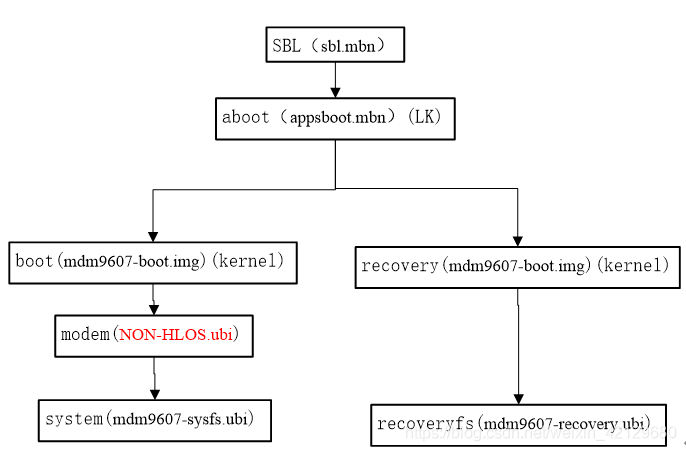
Qualcomm 9x07 two startup modes
高通9x07两种启动模式

Analysis of JMeter pressure measurement results

走好数据中台最后一公里,为什么说数据服务API是数据中台的标配?

目标检测中的多尺度特征结合方式

Linux Mysql安装

RTSP/ONVIF协议视频平台EasyNVR启动服务报错“service not found”,该如何解决?

Geoserver添加mongoDB数据源

636. Exclusive Time of Functions

Introduction to typescript and basic types of variable definitions
随机推荐
Kernel log debugging method
Data assets are king, analyzing the relationship between enterprise digital transformation and data asset management
In June, China database industry analysis report was released! Smart wind, train storage and regeneration
数据资产为王,解析企业数字化转型与数据资产管理的关系
给你的win10装一个wget
7-调色板-CALayer和触摸
6月《中国数据库行业分析报告》发布!智能风起,列存更生
Spirit matrix for leetcode topic analysis
Monitor the cache update of Eureka client
The first day of employment more than ten years ago
ArcLayoutView: 一个弧形布局的实现
What is a dedicated server line
usb peripheral 驱动 - configfs
986. Interval List Intersections
训练后的随机森林模型导出和加载
鸿蒙读取资源文件
The kernel fails to shut down when the easygbs program stops. How should I optimize it? [code attached]
Object. Defineproperty() and data broker
Code quality level 3 - readable code
Point cloud library PCL from introduction to mastery Chapter 10