当前位置:网站首页>Chapter 1 open LDAP master-slave synchronization tower construction
Chapter 1 open LDAP master-slave synchronization tower construction
2022-06-23 08:35:00 【Jerly. Yan】
1. install openldap
( The following steps operate on all nodes )
1.1 Environment configuration
Environmental preparation
- Centos 7.9
- openLdap 2.44
- master IP :172.28.1.6
- slaveIP: 172.28.1.3
- domain name :daemon.com
Time synchronization
ntpdate ntp1.tencent.com
OpenLDAP To be installed on both machines
yum -y install openldap compat-openldap openldap-clients openldap-servers openldap-servers-sql openldap-devel migrationtools
start-up OpenLDAP service
systemctl start slapd
systemctl enable slapd
View version
slapd -VV
cp /usr/share/openldap-servers/DB_CONFIG.example /var/lib/ldap/DB_CONFIG
chown ldap:ldap -R /var/lib/ldap/
chmod 700 -R /var/lib/ldap
1.2 To configure OpenLDAP database
Set up OpenLDAP Administrator password for ( The password for [email protected]#!)
slappasswd -s [email protected]#!
{SSHA}6D/mgKyIa4jPyFE81eJhZOwXHxMvwozr
Generate changepwd.ldif file
cat >changepwd.ldif <<EOF
#this is OpenLDAP admin password
dn: olcDatabase={0}config,cn=config
changetype: modify
add: olcRootPW
olcRootPW: {SSHA}6D/mgKyIa4jPyFE81eJhZOwXHxMvwozr EOF
Import changepwd.ldif
ldapadd -Y EXTERNAL -H ldapi:/// -f changepwd.ldif
reminder : If the above command displays the following error :
[[email protected] opt]# ldapadd -Y EXTERNAL -H ldapi:/// -f chrootpw.ldif
SASL/EXTERNAL authentication started SASL username: gidNumber=0+uidNumber=0,cn=peercred,cn=external,cn=auth SASL SSF: 0 modifying entry "olcDatabase={0}config,cn=config" ldap_modify: Inappropriate matching (18) additional info: modify/add: olcRootPW: no equality matching rule
terms of settlement : modify modify.ldif Of the corresponding option in "add" by "replace" that will do
Import basic mode
ldapadd -Y EXTERNAL -H ldapi:/// -f /etc/openldap/schema/cosine.ldif
ldapadd -Y EXTERNAL -H ldapi:/// -f /etc/openldap/schema/nis.ldif
ldapadd -Y EXTERNAL -H ldapi:/// -f \ /etc/openldap/schema/inetorgperson.ldif
1.3 To configure OpenLdap DB Configuration domain information on
Generate configuration changedomain.ldif file
cat > changedomain.ldif << EOF
#this id DB domain config
dn: olcDatabase={1}monitor,cn=config
changetype: modify
replace: olcAccess
olcAccess: {0}to * by dn.base="gidNumber=0+uidNumber=0,cn=peercred,cn=extern
 al,cn=auth" read by dn.base="cn=admin,dc=daemon,dc=com" read by * none
dn: olcDatabase={2}hdb,cn=config
changetype: modify
replace: olcSuffix
olcSuffix: dc=daemon,dc=com
dn: olcDatabase={2}hdb,cn=config
changetype: modify
replace: olcRootDN
olcRootDN: cn=admin,dc=daemon,dc=com
dn: olcDatabase={2}hdb,cn=config
changetype: modify
replace: olcRootPW
olcRootPW: {SSHA}6D/mgKyIa4jPyFE81eJhZOwXHxMvwozr
EOF
notes :olcRootPw The password in should match with the generation changedomain.ldif file equally .
ldapadd -Y EXTERNAL -H ldapi:/// -f changedomain.ldif
reminder : If the above command displays the following error :
....... ldap_modify: Inappropriate matching (18) additional info: modify/add: olcRootPW: no equality matching rule
terms of settlement : take chdomain.ldif In the document "add" Replace all with "replace", Then re execute the above command !
1.4 Turn off anonymous user access
cat >disable_anamouse.dif << EOF
dn: cn=config
changetype: modify
add: olcDisallows
olcDisallows: bind_anon
dn: cn=config
changetype: modify
add: olcRequires
olcRequires: authc
dn: olcDatabase={-1}frontend,cn=config
changetype: modify
add: olcRequires
olcRequires: authc
EOF
Import configuration
ldapadd -Y EXTERNAL -H ldapi:/// -f disable_anamouse.dif
Generate basic domain information
cat >base.ldif << EOF
#this base domain
dn: dc=daemon,dc=com
o: daemon.com
dc: daemon
objectClass: top
objectClass: dcObject
objectclass: organization
dn: cn=admin,dc=daemon,dc=com
cn: admin
objectClass: organizationalRole
description: Directory Manager
EOF
Import configuration
ldapadd -x -D cn=admin,dc=daemon,dc=com -w [email protected]#! -f base.ldif
- -w Password for Administrator : [email protected]#!
1.5 Turn on memeberof
A lot of scenarios , We need to quickly query which group or groups a user belongs to (member of).memberOf It provides such a function : If a group passes member Attribute adds a new user ,OpenLDAP Will automatically create a memberOf attribute , Its value is... Of the group dn. Unfortunately ,OpenLDAP This feature is not enabled by default , Therefore, we need to enable it through the relevant configuration .
Be careful :
- cn=module Please check the name of ls -l /etc/openldap/slapd.d/cn\=config/ |grep module If you don't write directly module ,Docker China and Murdoch think module{0};
- olcDatabase={2}hdb Please make sure the ls -l /etc/openldap/slapd.d/cn=config/ |grep olcDatabase The name of ,docker The default in is {1}mdb,Centos rpm Installation defaults to {2}hdb.
- /usr/lib64/openldap by ldap The module path , Different systems have different paths ,Centos The default path for is /usr/lib64/openldap ,Ubuntu The default path under the system is /var/lib/ldap
Generate memberof.ldif file
cat >memberof.ldif << EOF
#this is enable memberof
dn: cn=module,cn=config
cn: module
objectClass: olcModuleList
olcModuleLoad: memberof
olcModulePath: /usr/lib64/openldap
dn: olcOverlay=memberof,olcDatabase={2}hdb,cn=config
objectClass: olcConfig
objectClass: olcMemberOf
objectClass: olcOverlayConfig
objectClass: top
olcOverlay: memberof
olcMemberOfDangling: ignore
olcMemberOfRefInt: TRUE
olcMemberOfGroupOC: groupOfUniqueNames
olcMemberOfMemberAD: uniqueMember
olcMemberOfMemberOfAD: memberOf
EOF
Generate refint1.ldif file
cat >refint1.ldif << EOF
dn: cn=module{0},cn=config
add: olcmoduleload
olcmoduleload: refint
EOF
Generate refint2.ldif file
cat> refint2.ldif<< EOF
dn: olcOverlay=refint,olcDatabase={2}hdb,cn=config
objectClass: olcConfig
objectClass: olcOverlayConfig
objectClass: olcRefintConfig
objectClass: top
olcOverlay: refint
olcRefintAttribute: memberof uniqueMember  manager owner
EOF
Execute import configuration
ldapadd -Y EXTERNAL -H ldapi:/// -f memberof.ldif
ldapmodify -Y EXTERNAL -H ldapi:/// -f refint1.ldif
ldapadd -Y EXTERNAL -H ldapi:/// -f refint2.ldif
Check whether to load memberof modular
ldapsearch -Q -LLL -Y EXTERNAL -H ldapi:/// -b cn=config dn|grep memberof
1.6 Enable log configuration
Generate logLevel.ldif file
cat> loglevel.ldif<< EOF
dn: cn=config
changetype: modify
replace: olcLogLevel
olcLogLevel: stats
EOF
Import logLevel.ldif
ldapmodify -Y EXTERNAL -H ldapi:/// -f loglevel.ldif
establish slapd.log file
touch /var/log/openldap/slapd.log
vim /etc/rsyslog.conf +73 #"+73" Means to navigate to a file 73 That's ok
 .......
local4.* /var/log/slapd.log
add to LDAP Password audit module
cat> auditlog<< EOF
dn: cn=module{0},cn=config
changetype: modify
add: olcModuleLoad
olcModuleLoad: {1}auditlog
dn: olcOverlay=auditlog,olcDatabase={2}hdb,cn=config
changetype: add
objectClass: olcOverlayConfig
objectClass: olcAuditLogConfig
olcAuditlogFile: /var/log/openldap/auditlog.log
EOF
Import configuration
touch /var/log/openldap/auditlog.log
ldapmodify -Y EXTERNAL -H ldapi:/// -f auditlog.ldif
Restart the system log service and ldap service
systemctl restart rsyslog
systemctl restart slapd
systemctl status slapd
[[email protected] opt]# tail -f /var/log/slapd.log May 17 18:24:38 openldap-master slapd[26195]: daemon: shutdown requested and initiated. May 17 18:24:38 openldap-master slapd[26195]: slapd shutdown: waiting for 0 operations/tasks to finish May 17 18:24:38 openldap-master slapd[26195]: slapd stopped. May 17 18:24:38 openldap-master slapd[26399]: @(#) $OpenLDAP: slapd 2.4.44 (Apr 12 2018 19:17:38) $#012#[email protected]:/builddir/build/BUILD/openldap-2.4.44/openldap-2.4.44/servers/slapd May 17 18:24:39 openldap-master slapd[26402]: slapd starting
1.7 add to ppolicy.la modular
adopt OpenLDAP The server customizes the user password policy , You need to load on the server ppolicy modular .
add to ppolicy.la modular
cat >policy.ldif << EOF
dn: cn=module{0},cn=config
changetype: modify
add: olcModuleLoad
olcModuleLoad: {3}ppolicy.la
EOF
Import configuration
ldapadd -y EXTERNAL -H ldapi:/// -f ppolicy.ldif
1.8 establish OpenLDAP Item tree
establish ou
cat >ou.ldif << EOF
dn: ou=shangjiankeji,dc=daemon,dc=com
ou: shangjiankeji
objectClass: organizationalUnit
objectClass: top

dn: ou=People,dc=daemon,dc=com
ou: People
objectClass: organizationalUnit
objectClass: top
EOF
Create two OU:shangjiankeji and People
ldapadd -x -D "cn=admin,dc=daemon,dc=com" -w '[email protected]#!' -f ou.ldif
establish group
cat > group.ldif  << EOF
dn: cn=ops,ou=Group,dc=daemon,dc=com
cn: ops
objectClass: top
objectClass: groupOfUniqueNames
uniqueMember:

dn: cn=dev,ou=Group,dc=daemon,dc=com
cn: dev
objectClass: top
objectClass: groupOfUniqueNames
uniqueMember:
EOF
Create two groups ops and dev Group
ldapadd -x -D "cn=admin,dc=daemon,dc=com" -w ' [email protected]#! ' -f group.ldif
establish user
cat > user.ldif << EOF
dn: uid=user01,ou=People,dc=daemon,dc=com
cn: user01
objectClass: top
objectClass: organizationalperson
objectClass: inetorgperson
objectClass: posixaccount
loginShell: /bin/bash
sn: user01
homeDirectory: /home/dev
uid: user01
mail: [email protected]
mobile: 0
uidNumber: 1001
gidNumber: 0
userPassword: 123456

dn: uid=user02,ou=People,dc=daemon,dc=com
cn: user02
objectClass: top
objectClass: organizationalperson
objectClass: inetorgperson
objectClass: posixaccount
loginShell: /bin/bash
sn: user02
homeDirectory: /home/dev
uid: user02
mail: [email protected]
mobile: 0
uidNumber: 1002
gidNumber: 0
userPassword: 123456
EOF
establish Two users user01、user02
ldapadd -x -D "cn=admin,dc=daemon,dc=com" -w '[email protected]#!' -f user.ldif
Will the user user01 Join in dev Group ,user02 Join in ops Group
cat > add-group.ldif << EOF
dn: cn=dev,ou=Group,dc=daemon,dc=com
changetype: modify
add: uniqueMember
uniqueMember: uid=user01,ou=People,dc=daemon,dc=com

dn: cn=ops,ou=Group,dc=daemon,dc=com
changetype: modify
add: uniqueMember
uniqueMember: uid=user02,ou=People,dc=daemon,dc=com
EOF
ldapadd -x -D "cn=admin,dc=daemon,dc=com" -w '[email protected]#!' -f add-group.ldif
Check the user's memoberof attribute
ldapsearch -x -H ldap://127.0.0.1 -b dc=daemon,dc=com -D "cn=admin,dc=daemon,dc=com" -W memberOf
Be careful :memberOf The attribute is groupOfNames objectClass Part of . We can't use both posixGroup and groupOfNames, Because they are all STRUCTURAL Object class ( An entry can only have one STRUCTURAL Object class ).
2.openLDAP Master slave mode configuration
2.1 Master configuration
stay master Enable add on syncprov Module to realize the master-slave replication function point , adopt ldif File to add syncprov modular , No need to restart ldap server.
add to syncprov modular
cat >mod_syncprov.ldif << EOF
dn: cn=module,cn=config
objectClass: olcModuleList
cn: module
olcModulePath: /usr/lib64/openldap
olcModuleLoad: syncprov.la
EOF
Import configuration
ldapadd -Y EXTERNAL -H ldapi:/// -f mod_syncprov.ldif
Generate syncprov.ldif file
cat> syncprov.ldif << EOF
dn: olcOverlay=syncprov,olcDatabase={2}hdb,cn=config
objectClass: olcOverlayConfig
objectClass: olcSyncProvConfig
olcOverlay: syncprov
olcSpCheckpoint: 100 10
olcSpSessionLog: 100
EOF
notes :
- olcSpCheckpoint: 100 10 Indicates that the synchronization conditions are met , When the modification is satisfied 100 Items or 1 Active push once every minutes ;
- olcSpSessionLog: 100 Maximum number of session log entries
ldapadd -Y EXTERNAL -H ldapi:/// -f mod_syncprov.ldif
2.2 From node configuration
Again , stay slave You also need to configure syncrepl, because syncrepl The master-slave replication is one-way , namely master All operations of will be synchronized to slave On ,slave Can't sync to master On , for fear of master And slave Inconsistent data on ,slave It is forbidden to ldap Information addition, deletion and modification , Only query operations are allowed . Because it's one-way , so slave Need some master Authentication information , So that master Synchronous data .
Generate syncrepl.ldif file
cat > syncrepl.ldif<< EOF
dn: olcDatabase={2}hdb,cn=config
changetype: modify
add: olcSyncRepl
olcSyncRepl: rid=001
  provider=ldap://172.28.1.6:389/
  bindmethod=simple
  binddn="cn=admin,dc=daemon,dc=com"
  [email protected]#!
  searchbase="dc=daemon,dc=com"
  scope=sub
  schemachecking=on
  type=refreshAndPersist
  retry="5 5 300 +"
  attrs="*,+"
  interval=00:00:00:3
EOF
Parameter description :
- provider by ldap master The address of ;
- binddn: Is the basic information of the domain , Note: the administrator must be used to log in here , Otherwise, the user's password cannot be synchronized .
- credentials: ldap Administrator's password
- searchbase: Select the independent domain to synchronize , The root node
- scope: Set all entries to match
- schemachecking: Set synchronization update time detection
- type: The synchronization mode is refreshAndPersist, refreshOnly In this mode, subsequent operations are completed by client polling
- retry: Sync update retries and time just started 5 Seconds to retry 5 Time , After every 300 Seconds to try again
- attrs: Copy all properties
- interval Set the update time here , Here for 3 Seconds at a time , The second to last is the minute And so on .
Import configuration
ldapadd -Y EXTERNAL -H ldapi:/// -f syncprov.ldif
3.phpldapadmin install
notes : Here for docker install
Prerequisite : Please install docker Environmental Science
cat >restart_ldap_php_admin.sh << EOF
#/bin/bash
docker rm -f ldap-php-admin || echo "ok"
docker run --name ldap-php-admin \
        -p 8080:80 \
        --privileged \
        --restart=always \
        --env PHPLDAPADMIN_HTTPS=false \
        --env PHPLDAPADMIN_LDAP_HOSTS=172.28.1.6 \
        --detach osixia/phpldapadmin:stable
EOF
Parameter description :
- PHPLDAPADMIN_LDAP_HOSTS : by ldap master IP
- PHPLDAPADMIN_HTTPS :false Ban https visit
The specific parameters are shown in :osixia/docker-phpLDAPadmin: A docker image to run phpLDAPadmin (github.com)
4. User password self-service password modification service
Here for docker install .
Prerequisite :
- The server needs to be installed docker Environmental Science
- To facilitate management, the configuration files in the container are mapped to local .
mkdir /data/openldap/self-password/conf -p
docker run -d --name self-password docker.io/ltbproject/self-service-password:1.4.3
docker cp self-assword:/var/www/conf/config.inc.php /data/openldap/self-password/conf
chmod -R 777 /data/openldap/self-password/conf
edit config.inc.php The configuration file
Find out :
$debug = false;
# LDAP
$ldap_url = "ldap://172.28.1.6:389";     ##ldap masterIP Address
$ldap_starttls = false;
$ldap_binddn = "cn=admin,dc=daemon,dc=com";   #ldap  Domain administrator
$ldap_bindpw = '[email protected]#!';                         # ldap Administrator password
// for GSSAPI authentication, comment out ldap_bind* and uncomment ldap_krb5ccname lines
//$ldap_krb5ccname = "/path/to/krb5cc";
$ldap_base = "dc=daemon,dc=com";   # Domain information
$ldap_login_attribute = "uid";       # The user login uid
$ldap_fullname_attribute = "cn";     # User name
$ldap_filter = "(&(objectClass=person)($ldap_login_attribute={login}))";
$ldap_use_exop_passwd = false;
$ldap_use_ppolicy_control = false;
……………………
$hash = "MD5";    ##  Here is the password adding mode , The default is clear text "clear" , For the sake of safety, it must be modified to MD5  Or other encryption modes .
Allow the authorized php operation ldap, Otherwise, the user password cannot be modified through the self-service password modification service
stay ldap Master node operation
cat >ldap_php.ldif << EOF
dn: olcDatabase={2}hdb,cn=config
changetype: modify
add: olcAccess
olcAccess: {0}to attrs=userPassword
  by self =xw
  by anonymous auth
  by * none
olcAccess: {1}to * by * read
EOF
Import configuration :
ldapadd -Y EXTERNAL -H ldapi:/// -f ldap_php.ldif
Generate self-service password modification The startup script
cat >restart_self-service-password.sh << EOF
#!/bin/bash
docker rm -f self-password  || echo "OK"
docker run -d --name self-password -p 80:80 \
     -v /data/openldap/self-password/conf:/var/www/conf \
     docker.io/ltbproject/self-service-password:1.4.3
EOF
start-up
sh restart_self-service-password.sh
adopt ldapadmin The password modified by the tool is ciphertext
5. Enable openldap TLS encryption
5.1 Generate a self-signed certificate
( Any node operation )
1. download cfssl Tools
 curl -L https://pkg.cfssl.org/R1.2/cfssl_linux-amd64 -o /usr/bin/cfssl
 curl -L https://pkg.cfssl.org/R1.2/cfssljson_linux-amd64 -o /usr/bin/cfssljson
 curl -L https://pkg.cfssl.org/R1.2/cfssl-certinfo_linux-amd64 -o /usr/bin/cfssl-certinfo
 chmod +x /usr/bin/cfssl /usr/bin/cfssljson /usr/bin/cfssl-certinfo
2. Create a temporary certificate Directory
mkdir /data/openldap/ssl && cd /data/openldap/ssl
# ca The configuration file
 cat > ca-config.json << EOF
{
  "signing": {
    "default": {
      "expiry": "87600h"
    },
    "profiles": {
      "ldap": {
        "usages": [
            "signing",
            "key encipherment",
            "server auth",
            "client auth"
        ],
        "expiry": "87600h"
      }
    }
  }
}
EOF
expiry Is the valid time of the certificate , Here for 10 year .
# Self signed ca Certificate application for
cat > ldap-ca-csr.json << EOF
{
  "CN": "ldap",
  "key": {
    "algo": "rsa",
    "size": 2048
  },
  "names": [
    {
      "C": "CN",
      "ST": "Beijing",
      "L": "Beijing",
      "O": "ldap",
      "OU": "LDAP Security"
    }
  ]
}
EOF
# ldap Certificate application materials
cat > ldap-csr.json << EOF
{
    "CN": "ldap",
    "hosts": [
      "127.0.0.1",
      "172.28.0.0/16",
      "ldap.ops.prod.daemon.tech"
    ],
    "key": {
        "algo": "rsa",
        "size": 2048
    },
    "names": [
        {
            "C": "CN",
            "ST": "Beijing",
            "L": "Beijing",
            "O": "ldap",
            "OU": "LDAP Security"
        }
    ]
}
EOF
Be careful :
- above hosts In the field is the host using this certificate
- Special attention must be paid to the host computer IP Address and slave The address of , Here I add the entire address segment
- Add the local loopback address , If it is a container, add the container name
- If you want to put it on the public network , Then you can add FQDN Address
Generate CA Self signed certificate
cfssl gencert -initca ldap-ca-csr.json | cfssljson -bare ca
# LDAP Certificate signature ,ldap The required documents are :ca certificate ,ldap certificate ,ldap Private key
cfssl gencert -ca=ca.pem -ca-key=ca-key.pem -config=ca-config.json -profile=ldap ldap-csr.json | cfssljson -bare ldap
# View the generated certificate
# among ldap-key.pem ldap.pem ca.pem That's what we need
ls ldap-key.pem ldap.pem ca.pem
5.2 Enable OpenLDAP TLS modular
( All node operations )
1. Upload the generated certificate to LDAP The server
notes :/etc/openldap/certs by ldap Default directory
cp ca.pem /etc/openldap/certs/ca-bundle.crt
cp ldap.pem /etc/openldap/certs/server.crt
cp ldap-key.pem /etc/openldap/certs/server.key
chown ldap.ldap /etc/openldap/certs -R
2. Generate mod_ssl.ldif file
cat > mod_ssl.ldif << EOF
dn: cn=config
changetype: modify
replace: olcTLSCACertificateFile
olcTLSCACertificateFile: /etc/openldap/certs/ca-bundle.crt
dn: cn=config
replace: olcTLSCertificateFile
olcTLSCertificateFile: /etc/openldap/certs/server.crt
dn: cn=config
replace: olcTLSCertificateKeyFile
olcTLSCertificateKeyFile: /etc/openldap/certs/server.key
EOF
perform
ldapmodify -Y EXTERNAL -H ldapi:/// -f mod_ssl.ldif
Be careful : The The command will probably fail , Report the following error
SASL/EXTERNAL authentication started SASL username: gidNumber=0+uidNumber=0,cn=peercred,cn=external,cn=auth SASL SSF: 0modifying entry "cn=config" ldap_modify: Other (e.g., implementation specific) error (80)
Need to check /etc/openldap/certs In the catalog ldap.crt、ldap.key、CA.pem Whether the permissions of these three files are 644, This error may continue to occur , If appear , Then skip , Execute the following .
SASL/EXTERNAL authentication started SASL username: gidNumber=0+uidNumber=0,cn=peercred,cn=external,cn=auth SASL SSF: 0 modifying entry "cn=config"
perform ldapmodify The result of the command : modifying entry "cn=config"ldap_modify: Inappropriate matching (18)additional info: modify/add: olcTLSCACertificateFile: no equality matching rule
If the above error is reported , I don't know why , You can skip the following steps
l Direct editing /etc/openldap/slapd.d/cn=config.ldif file
notes : Generally, it is not directly modified
Change service profile /etc/openldap/ldap.conf
vim /etc/openldap/ldap.conf
# Configure authentication mode
TLS_REQCERT never
Set whether to verify client initiated tls Connect .
- never: The default option , Do not verify client certificate .
- allow: Check client certificate , No certificate or certificate error , Are allowed to connect .
- try: Check client certificate , No certificate ( Allow connections ), Certificate error ( Terminate connection ).
- demand | hard | true: Check client certificate , No certificate or certificate error will immediately terminate the connection .
restart openldap server service
systemctl start slapd
# View the service status after restart
systemctl status slapd
To configure LDAP Server Of SSL/TLS The security of
cat >tls.1.2.ldif << EOF
dn: cn=config
changetype: modify
add: olcTLSProtocolMin
olcTLSProtocolMin: 3.3
dn: cn=config
changetype: modify
add: olcTLSCipherSuite
olcTLSCipherSuite: ECDHE-RSA-AES256-SHA384:AES256-SHA256:!RC4:HIGH:!MD5:!aNULL:!EDH:!EXP:!SSLV2:!eNULL

dn: cn=config
changetype: modify
add: olcTLSDHParamFile
olcTLSDHParamFile:  /etc/openldap/certs/slapd.dh.params
EOF
notes :
- olcTLSProtocolMin: 3.3 Support TLSv1.2 or better
- olcTLSCipherSuite: ECDHE-RSA-AES256-SHA384:AES256-SHA256:!RC4:HIGH:!MD5:!EDH:!EXP:!SSLV2:!eNULL Strongest available ciphers only
establish DH Parameter file
openssl dhparam -out /etc/openldap/certs/slapd.dh.params.tmp 1024
mv /etc/openldap/certs/slapd.dh.params.tmp  /etc/openldap/certs/slapd.dh.params
ldapmodify -Y EXTERNAL -H ldapi:/// -f tls.1.2.ldif
Use TLS=required To configure OpenLDAP
notes :
This step is mandatory TLS encryption , Only The client passes the password port ( Default 636) Connect . If you want to manually specify , Please ignore this step .
cat > force-ssl.ldif << EOF
dn: olcDatabase={2}hdb,cn=config
changetype:  modify
add: olcSecurity
olcSecurity: tls=1
EOF
notes : Execute the command to import the configuration to /etc/openldap/slapd.d/cn=config/ olcDatabase={2}hdb.ldif In file
ldapmodify -v -Y EXTERNAL -H ldapi:/// -f force-ssl.ldif
modify /etc/sysconfig/slapd file
increase ldaps:///
SLAPD_URLS="ldapi:/// ldap:/// ldaps:///"
systemctl restart slapd
systemctl status slapd
边栏推荐
- 7-调色板-CALayer和触摸
- Open source technology exchange batch stream integrated data synchronization engine Chunjun data restore DDL function module analysis
- Hongmeng reads the resource file
- What are the PCB characteristics inspection items?
- [paper notes] catching both gray and black swans: open set supervised analog detection*
- 4- draw ellipse, use timer
- Does huangrong really exist?
- Introduction to typescript and basic types of variable definitions
- Tencent cloud account related
- Observer mode
猜你喜欢

Implementation of AVL tree

Dongyuhui, the "square face teacher", responded that the popularity was declining: do a good job of live broadcasting of agricultural products to benefit farmers and consider supporting education
Which one is better for rendering renderings? 2022 latest measured data (IV)

The rtsp/onvif protocol video platform easynvr startup service reports an error "service not found". How to solve it?
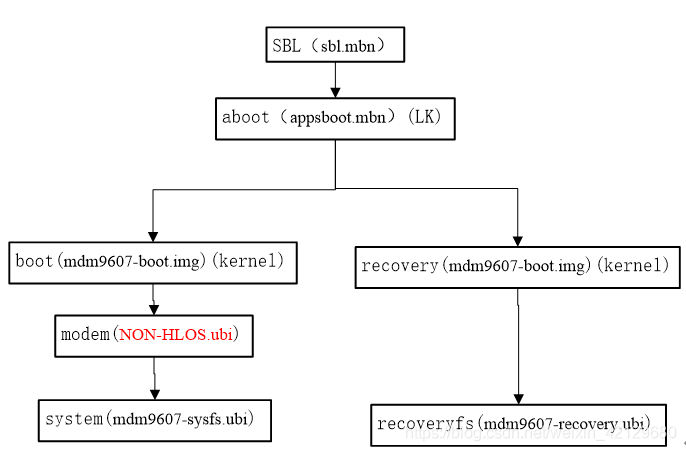
高通9x07两种启动模式

鸿蒙读取资源文件

【论文笔记】Catching Both Gray and Black Swans: Open-set Supervised Anomaly Detection*

Deep learning ----- different methods to realize vgg16

通信方式总结及I2C驱动详解

Implementation principle and source code analysis of ThreadPoolExecutor thread pool
随机推荐
81 sentences worth repeating
Introduction to typescript and basic types of variable definitions
Self organizing map neural network (SOM)
Vulnhub | dc: 4 | [actual combat]
How to mine keywords and improve user experience before website construction?
2-用线段构成图形、坐标转换
Linux Mysql安装
【论文笔记】Catching Both Gray and Black Swans: Open-set Supervised Anomaly Detection*
C restart application
单编内核驱动模块
Cloud computing "half peak"
Arclayoutview: implementation of an arc layout
jmeter压测结果分析
Go language basic conditional statement if
usb peripheral 驱动 - configfs
PCB电路板特性检查项目都有哪些?
The essence of five good books on wealth and freedom
3-ProgressBar和二次裁剪
Set interface and set sub implementation classes
Structure and usage of transform