当前位置:网站首页>BGP联邦实验
BGP联邦实验
2022-07-23 07:48:00 【[白首]】
 操作过程:
操作过程:
一、划分IP地址
2、将划分好的IP地址对相应设备进行配置
R1:
[r1]int g 0/0/0
[r1-GigabitEthernet0/0/0]ip ad 12.0.0.1 24
[r1-GigabitEthernet0/0/0]int l0
[r1-LoopBack0]ip ad 192.168.1.1 24
[r1-LoopBack0]int l1
[r1-LoopBack1]ip ad 10.0.0.1 24
R2:
[r2]int g 0/0/0
[r2-GigabitEthernet0/0/0]ip ad 12.0.0.2 24
[r2-GigabitEthernet0/0/0]q
[r2]int g0/0/1
[r2-GigabitEthernet0/0/1]ip ad 172.16.1.1 29
[r2-GigabitEthernet0/0/1]q
[r2]int g0/0/2
[r2-GigabitEthernet0/0/2]ip ad 172.16.1.17 29
[r2]int l0
[r2-LoopBack0]ip ad 172.16.2.1 24
[r2-LoopBack0]
R3:
[r3]int g 0/0/0
[r3-GigabitEthernet0/0/0]ip ad 172.16.1.2 29
[r3-GigabitEthernet0/0/0]int g 0/0/1
[r3-GigabitEthernet0/0/1]ip ad 172.16.1.9 29
[r3-GigabitEthernet0/0/1]int l0
[r3-LoopBack0]ip ad 172.16.3.1 24
R4:
<r4>SYS
[r4]int g 0/0/0
[r4-GigabitEthernet0/0/0]ip ad 172.16.1.10 29
[r4-GigabitEthernet0/0/0]q
[r4]int g 0/0/1
[r4-GigabitEthernet0/0/1]ip ad 172.16.1.41 29
[r4-GigabitEthernet0/0/1]q
[r4]int l0
[r4-LoopBack0]ip ad 172.16.4.1 24
R5:
<r5>SYS
[r5]int g 0/0/0
[r5-GigabitEthernet0/0/0]ip ad 172.16.1.25 29
[r5-GigabitEthernet0/0/0]q
[r5]int g 0/0/1
[r5-GigabitEthernet0/0/1]ip ad 172.16.1.18 29
[r5-GigabitEthernet0/0/1]q
[r5]int l0
[r5-LoopBack0]ip ad 172.16.5.1 24
R6:
<r6>sys
Enter system view, return user view with Ctrl+Z.
[r6]int g 0/0/1
[r6-GigabitEthernet0/0/1]ip ad 172.16.1.26 29
May 5 2022 21:36:38-08:00 r6 %%01IFNET/4/LINK_STATE(l)[0]:The line protocol IP
on the interface GigabitEthernet0/0/1 has entered the UP state.
[r6-GigabitEthernet0/0/1]q
[r6]int g 0/0/0
[r6-GigabitEthernet0/0/0]ip ad 172.16.1.33 29
May 5 2022 21:37:20-08:00 r6 %%01IFNET/4/LINK_STATE(l)[1]:The line protocol IP
on the interface GigabitEthernet0/0/0 has entered the UP state.
[r6-GigabitEthernet0/0/0]q
[r6]int l0
[r6-LoopBack0]ip ad 172.16.6.1 24
R7:
<r7>sys
[r7]int g 0/0/1
[r7-GigabitEthernet0/0/1]ip ad 172.16.1.34 29
[r7-GigabitEthernet0/0/1]q
[r7]int g 0/0/0
[r7-GigabitEthernet0/0/0]ip ad 172.16.1.42 29
[r7-GigabitEthernet0/0/0]q
[r7]int g 0/0/2
[r7-GigabitEthernet0/0/2]ip ad 78.0.0.1 24
[r7-GigabitEthernet0/0/2]
[r7-GigabitEthernet0/0/2]q
[r7]int l0
[r7-LoopBack0]ip ad 172.16.7.1 24
R8:
<r8>sys
[r8]int g 0/0/0
[r8-GigabitEthernet0/0/0]ip ad 78.0.0.2 24
[r8-GigabitEthernet0/0/0]q
[r8]int l0
[r8-LoopBack0]ip ad 192.168.2.1 24
[r8-LoopBack0]int l1
[r8-LoopBack1]ip ad 11.0.0.1 24
二、在AS2中启动OSPF
R2:
<r2>SYS
[r2]ospf 1 router-id 2.2.2.2
[r2-ospf-1]a 0
[r2-ospf-1-area-0.0.0.0]network 172.16.0.0 0.0.255.255
R3:
<r3>sys
[r3]ospf 1 router-id 3.3.3.3
[r3-ospf-1]a 0
[r3-ospf-1-area-0.0.0.0]network 172.16.0.0 0.0.255.255
R4:
<r4>SYS
[r4]ospf 1 router-id 4.4.4.4
[r4-ospf-1]a 0
[r4-ospf-1-area-0.0.0.0]network 172.16.0.0 0.0.255.255
R5:
<r5>sys
[r5]ospf 1 router-id 5.5.5.5
[r5-ospf-1]a 0
[r5-ospf-1-area-0.0.0.0]network 172.16.0.0 0.0.255.255
R6:
<r6>sys
[r6]ospf 1 router-id 6.6.6.6
[r6-ospf-1]area 0
[r6-ospf-1-area-0.0.0.0]network 172.16.0.0 0.0.255.255
R7:
<r7>sys
[r7]ospf 1 router-id 7.7.7.7
[r7-ospf-1]area 0
[r7-ospf-1-area-0.0.0.0]network 172.16.0.0 0.0.255.255
检查:[r6]display ip routing-table protocol ospf
三、启动BGP
R1:
<r1>sys
[r1]bgp 1
[r1-bgp]router-id 1.1.1.1
[r1-bgp]peer 12.0.0.2 as-number 2
R2:
<r2>SYS
[r2]bgp 64512
[r2-bgp]router-id 2.2.2.2
[r2-bgp]confederation id 2
[r2-bgp]confederation peer-as 64512
[[r2-bgp]peer 12.0.0.1 as 1
[r2-bgp]peer 172.16.3.1 as-number 64512
[r2-bgp]peer 172.16.3.1 connect-interface LoopBack 0
[r2-bgp]peer 172.16.5.1 as-number 64513
[r2-bgp]peer 172.16.5.1 connect-interface LoopBack 0
[r2-bgp]peer 172.16.5.1 ebgp-max-hop 2
R3:
<r3>sys1
[r3]bgp 64512
[r3-bgp]router-id 3.3.3.3
[r3-bgp]confederation id 2
[r3-bgp]peer 172.16.2.1 as 64512
[r3-bgp]peer 172.16.2.1 connect-interface LoopBack 0
[r3-bgp]peer 172.16.4.1 as 64512
[r3-bgp]peer 172.16.4.1 connect-interface LoopBack 0
R4:
<r4>sys
[r4]bgp 64512
[r4-bgp]router-id 4.4.4.4
[r4-bgp]confederation id 2
[r4-bgp]confederation peer-as 64513
[r4-bgp]peer 172.16.3.1 advertise-community
[r4-bgp]peer 172.16.3.1 as 64512
[r4-bgp]peer 172.16.3.1 connect-interface LoopBack 0
[r4-bgp]peer 172.16.7.1 as 64513
[r4-bgp]peer 172.16.7.1 connect-interface LoopBack 0
[r4-bgp]peer 172.16.7.1 ebgp-max-hop 2
R5:
[r5]bgp 64513
[r5-bgp]router-id 5.5.5.5
[r5-bgp]confederation id 2
[r5-bgp]confederation peer-as 64512
[r5-bgp]peer 172.16.2.1 as 64512
[r5-bgp]peer 172.16.2.1 connect-interface LoopBack 0
[r5-bgp]peer 172.16.2.1 ebgp-max-hop 2
[r5-bgp]peer 172.16.6.1 as 64513
[r5-bgp]peer 172.16.6.1 connect-interface LoopBack 0
R6:
<r6>sys
Enter system view, return user view with Ctrl+Z.
[r6]bgp 64513
[r6-bgp]router-id 6.6.6.6
[r6-bgp]confederation id 2
[r6-bgp]peer 172.16.5.1 as-number 64513
[r6-bgp]peer 172.16.5.1 connect-interface LoopBack 0
[r6-bgp]peer 172.16.7.1 as 64513
[r6-bgp]peer 172.16.7.1 connect-interface LoopBack 0
R7:
[r7]bgp 64513
[r7-bgp]router-id 7.7.7.7
[r7-bgp]confederation id 2
[r7-bgp]confederation peer-as 64513
[r7-bgp]peer 172.16.6.1 as 64513
[r7-bgp]peer 172.16.6.1 connect-interface LoopBack 0
[r7-bgp]peer 172.16.4.1 as 64512
[r7-bgp]peer 172.16.4.1 connect-interface LoopBack 0
[r7-bgp]peer 172.16.4.1 ebgp-max-hop 2
[r7-bgp]peer 78.0.0.2 as 3
R8:
[r8]bgp 3
[r8-bgp]router-id 8.8.8.8
[r8-bgp]peer 78.0.0.1 as 2
检查:[r1]display bgp peer 
三、使用BGP协议让整个网络所有设备的环回可以互相访问
R1:
[r1]bgp 1
[r1-bgp]network 10.0.0.1 24
R2:
<r2>SYS
[r2]bgp 64513
[r2-bgp]peer 172.16.3.1 next-hop-local
[r2-bgp]peer 172.16.5.1 next-hop-local
由于EBGP之间存在水平分割,所以要将R3、R6作为路由反射器。
R3:[r3-bgp]peer 172.16.2.1 reflect-client
R6:
[r6]bgp 123456
[r6-bgp]peer 172.16.7.1 reflect-client
R8:同R2一样
R7:
[r7]bgp 123456
[r7-bgp]peer 172.16.4.1 next-hop-local
[r7-bgp]peer 172.16.6.1 next-hop-local
四、减少路由条目数量,避免环路出现
R2:[r2]ip route-static 172.16.0.0 21 NULL 0
R7:
[r7]ip route-static 172.16.0.0 21 NULL 0
[r7]bgp 64513
[r7-bgp]network 172.16.0.0 21
五、一个地址为192.168.1.0/24该地址不能在任何协议中宣告
R1:
<r1>sys
[r1]int t 0/0/0
[r1-Tunnel0/0/0]ip ad 99.0.0.1 24
[r1-Tunnel0/0/0]tunnel-protocol gre
[r1-Tunnel0/0/0]source 10.0.0.1
[r1-Tunnel0/0/0]destination 11.0.0.1
[r1-Tunnel0/0/0]q
[r1]ip route-static 192.168.2.0 24 99.0.0.2
R8:
[r8]int t0/0/0
[r8-Tunnel0/0/0] ip ad 99.0.0.2 24
[r8-Tunnel0/0/0]tunnel-protocol gre
[r8-Tunnel0/0/0]source 11.0.0.1
[r8-Tunnel0/0/0]destination 10.0.0.1
[r8-Tunnel0/0/0]q
[r8]ip route-static 192.168.1.0 24 99.0.0.1
边栏推荐
猜你喜欢
LeetCode_ 52_ Queen n II

七月到底有多热?通过爬虫爬取当月温度信息,并使用matplotlib绘制温度折线图

FPGA:ov7725摄像头通过VGA/HDMI显示RGB565格式的图像

锐龙R7 PRO 6850H核显性能怎么样?相当于什么水平

子组件向父组件传参的几种方法

Xilinx FPGA一路时钟输入两个PLL
![[wechat applet] case - local life](/img/9d/c1525ce3c199d4db83b7a3b6828b63.png)
[wechat applet] case - local life
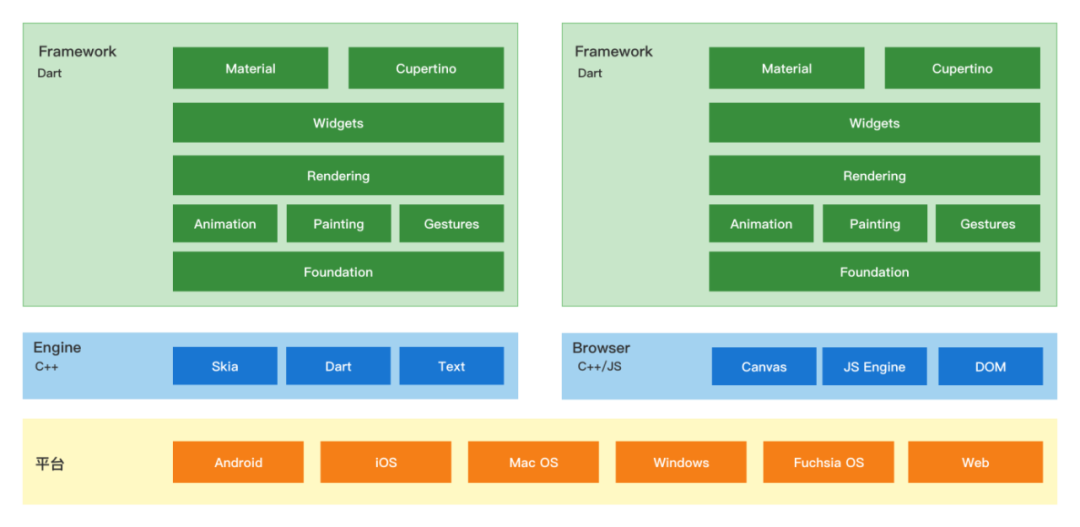
In depth analysis of common cross end technology stacks of app
How hot is July? Crawl through the crawler to get the temperature information of the current month, and use Matplotlib to draw the temperature line chart

Excel essay record
随机推荐
Day108.尚医通:医院模拟系统接口对接 - 医院|科室|排班 增删改分页条件查询
图像处理:生成3×3的窗口
sdf折射反射效果记录
Thousands of databases, physical machines all over the country, JD logistics full volume cloud live record | interview with excellent technical team
[cocos creator] spin animation, monitoring and playback end
静态综合实验(HCIA)
Notes on animal farm
Notes on key vocabulary of the original English book biography of jobs (15) [chapter four]
Creo 9.0 中几何对象的选取方法
Golang remote server debugging
Ti single chip millimeter wave radar 1642 code walk through (0) - General Outline
rtx3080ti和rtx3080差距 3080和3080ti参数对比
Xilinx FPGA一路时钟输入两个PLL
图像处理6:顶层文件
Google Earth Engine——gee中的小bug跨洲边际的影像无法获取
LeetCode_ 491_ Longest increasing subsequence
C#:in、out、ref關鍵字
PyTorch到底好用在哪里?
[机缘参悟-50]:鬼谷子-第十二符言篇-当好领导者的艺术:守其位,观四方,洞危险,广言路,虚谏言,定规则,明赏罚,符名实,得民心。
How hot is July? Crawl through the crawler to get the temperature information of the current month, and use Matplotlib to draw the temperature line chart