当前位置:网站首页>The official redis visualization tool is coming. The needle doesn't poke
The official redis visualization tool is coming. The needle doesn't poke
2022-07-23 15:07:00 【Trouvailless】
I've been shopping recently Redis Official website , Find out Redis Not only introduced many new features , And also released a visualization tool RedisInsight. I tried it and felt very good , The most important thing is to support RedisJSON New features like , This is unmatched by third-party tools . Today, let's take you to experience RedisInsight, It's really easy to use !
RedisInsight brief introduction
RedisInsight yes Redis An official visual management tool , Available for design 、 Development 、 Optimize your Redis application . Support dark and light themes , The interface is very cool ! Can support String、Hash、Set、List、JSON And other data types , At the same time, it supports remote use CLI function , Very powerful !
Here is RedisInsight A use effect drawing of , Good looks !

RedisMod brief introduction
Redis After years of development , It has long been more than just an in memory database . With RedisMod Support for ,Redis Will become very powerful .RedisMod The following enhancement modules are included in the :
- RediSearch: A fully functional search engine ;
- RedisJSON: Yes JSON Native support for types ;
- RedisTimeSeries: Time series database support ;
- RedisGraph: Figure database support ;
- RedisBloom: Native support for probabilistic data ;
- RedisGears: Programmable data processing ;
- RedisAI: Real time model management and deployment of machine learning .
install
First we will use Docker To install Redis, Pay attention to download Redis The full version of RedisMod, It is an enhanced version with all modules built in Redis!
- Use the following command to download RedisMod Mirror image ;
docker pull redislabs/redismod:preview
Copy code - Run in a container RedisMod service .
docker run -p 6379:6379 --name redismod \
-v /mydata/redismod/data:/data \
-d redislabs/redismod:preview
 Copy code
Use
Redis Service installation completed , Next we'll use RedisInsight Try to manage it !
Basic use
- First download RedisInsight Installation package , Download address :redis.com/redis-enter…

- After downloading, install it directly , After installation, select... In the main interface
add to Redis database;

- choice
Add database manually, Input Redis Service connection information ;

- After opening the connection, you can manage Redis, The installed... Will be displayed in the upper right corner Redis Enhancement modules ;

- Next we can go through RedisInsight stay Redis Add key value pair data in , For example, add
StringType key value pair ;

- add to Hash type , When editing, you can edit a single attribute , It's quite convenient ;

- add to List type , When editing, you can directly Push The elements go in ;

- add to JSON type , install RedisJSON Module can support ;

- Primordial JSON type , Not only support highlight preview , It can also support new 、 Edit and delete individual attributes , It's convenient !

- in addition RedisInsight It also supports dark and light theme switching , You can change... In settings .

CLI
- If RedisInsight The graphical interface function of can't meet your needs , You can also try its
CLIfunction , Click on the bottom left corner CLI Label to open ;

- Intimate Redis Officials are afraid you won't remember the order , And added
Command HelperThe function of this search command document , For example, we can search forhgetThe use of this command .

Profiler
adopt Profiler function , We can see Redis Log of command execution , For example, we use RedisInsight Add a name testKey The key/value pair ,Profiler The following log will be displayed .

Visual monitoring
RedisInsight Of Redis The monitoring function is relatively simple , I prefer to use it Grafana To monitor Redis,Grafana You can refer to Grafana Use the tutorial .
install Grafana
- First download Grafana Of Docker Mirror image ;
docker pull grafana/grafana
Copy code - Download and run Grafana;
docker run -p 3000:3000 --name grafana \
-d grafana/grafana
Copy code - Next download Prometheus Of Docker Mirror image ;
docker pull prom/prometheus
Copy code - stay
/mydata/prometheus/Create under directory Prometheus Configuration file forprometheus.yml:
global:
  scrape_interval: 5s
Copy code - function Prometheus, Put the configuration file in the host
prometheus.ymlMount in container ;
docker run -p 9090:9090 --name prometheus \
-v /mydata/prometheus/prometheus.yml:/etc/prometheus/prometheus.yml \
-d prom/prometheus
Copy code - Get into grafana Container and install
redis-datasourceplug-in unit , It needs to be restarted after installation grafana service .
docker exec -it grafana /bin/bash
grafana-cli plugins install redis-datasource
 Copy code
Use
- Connect to redismod Need to use its container IP Address , Use the following command to view redismod Container of IP Address ;

- stay Grafana In the configuration Redis data source , Use
admin:adminThe account login , Access address ;http://192.168.3.105:3000/

- To configure Redis Address information , Pay attention to redismod The container of IP Address ;

- open Dashboard choice Redis;

- Then you can see a very perfect Redis The monitoring dashboard , Can basically satisfy Redis The monitoring needs of .

summary
RedisInsight It is truly an official visualization tool , It feels like it's the best experience to use at present Redis The tool ! Especially for Redis Support for new features , Other tools are unmatched ! But for Redis The monitoring function of is really a little simple , You still have to use professional monitoring tools Grafana To monitor Redis!
Reference material
Feeling Redis The official documents of are specially made , I strongly suggest you take a look at !

Isn't this the autumn move coming ? There are some partners who need an interview or job hopping. The following document can be numbered below if necessary 【 No hair loss, aspiring youth 】
边栏推荐
- 【无标题】
- Live classroom system 03 model class and entity
- Matlab simulation of Turbo code error rate performance
- Qt| imitation text floating letter
- 581. Shortest unordered continuous subarray
- Kettle implémente une connexion de base de données partagée et insère une instance de composant de mise à jour
- Advanced operation and maintenance 02
- What methods are called behind the use of objects
- [solve the exception] Flink uploads the jar package to the cluster environment, and the operation report does not serialize the exception
- Getting started with Prometheus (III)
猜你喜欢

Educational Codeforces Round 132 (Rated for Div. 2) D. Rorororobot
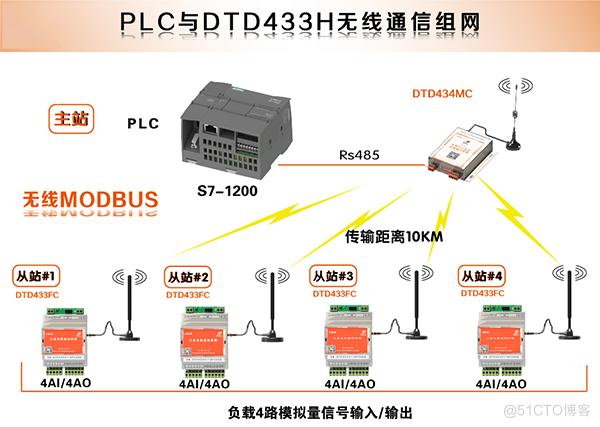
How to realize 485 wireless communication between multiple sensors and Siemens PLC?

安全合理用电 收获清凉一“夏”

Cloud native observability tracking technology in the eyes of Baidu engineers

MySQL unique index has no duplicate value, and the error is repeated

MariaDB 数据库升级版本
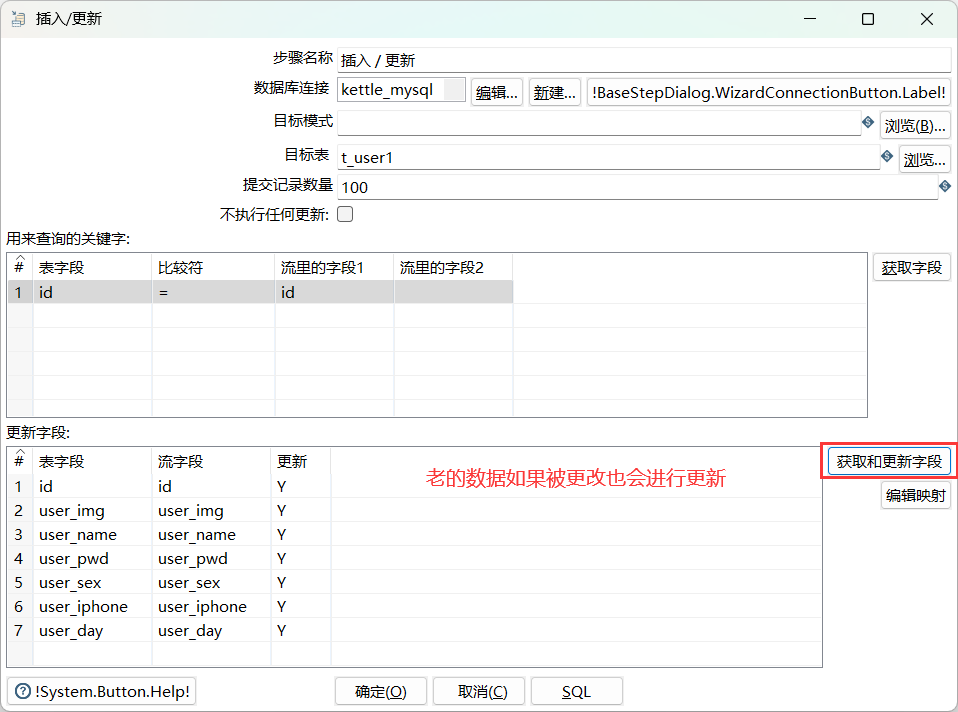
Kettle實現共享數據庫連接及插入更新組件實例

338. Bit count

Zhongwang CAD professional 2022 software installation package download and installation tutorial

如何实现多个传感器与西门子PLC之间485无线通讯?
随机推荐
Mathematical function of MySQL function summary
Russia hopes to effectively implement the "package" agreement on the export of agricultural products
Subsequence --- edit distance
Monotonous stack!!!
pytorch opencv pil图像预处理比较
Simulation de modulation et de démodulation du signal CBOC basée sur MATLAB, sortie de corrélation, spectre de puissance et suivi de décalage de fréquence
[software testing] how to sort out your testing business
爬虫中selenium实现自动给csdn博主文章点收藏
dataframe.groupby学习资料
c语言:深度刨析const关键字
Axure进阶
智头条:智装论坛将于8月4日举行,2022全屋智能销售将破100亿
如何实现多个传感器与西门子PLC之间485无线通讯?
What methods are called behind the use of objects
[record of question brushing] 19. Delete the penultimate node of the linked list
uniapp实现横向点击滑动菜单
Byte stream & character stream of IO stream
IO流之 字节流 & 字符流
QT document reading notes audio example analysis
Full backpack!