当前位置:网站首页>Ch340 and PL2303 installation (with link)
Ch340 and PL2303 installation (with link)
2022-06-23 01:47:00 【Chongyou research Sen】
Link below !!!
Solution to the abnormal display problem of the board port !
Must read instructions : I installed CH340 Then you can use it directly , however TQ210 Development board in principle , It should be installation PL2303, But it is recommended to install CH340, If it doesn't work, install it again PL2303
Don't talk much , Let's go straight to work !
One . install CH340
(1) install CH340 Click the red line in the figure below to run

(2) Click the following figure to install , The system will automatically pop up installation completion

(3) Check whether the port is normal after you plug it in ( Pull out the cable and plug it in again ), If you have any questions, please follow the steps below
Two . install PL2303
(1) Run the following program

(2) Wait for the installation to complete and click ok

(3) Plug in the cable again to see if the port is abnormal , If it is still abnormal, please proceed
(4) Right click your exception port , Click Update Driver . Here's the picture ( Because I am normal , So maybe different from you )

(5) Click on the red part below


(6) Install this lower version ( Just double click !!!)

(7) Continue back to your wrong port , Continue clicking -> Scan for hardware changes . To complete the installation ( If there are questions , Unplug and re plug )
Give me a compliment if you are useful !!!
link :https://pan.baidu.com/s/1uSH7sWKbQWK7boNvQstklw
Extraction code :lnpk
边栏推荐
- 11. function template, class template, implementation vector sequence container, and space adapter
- SQL programming task05 job -sql advanced processing
- Triangle judgment (right angle, equilateral, general)
- Function part
- Muduo simple usage
- Day260: the number III that appears only once
- //1.8 char character variable assignment integer
- C. Diluc and Kaeya——Codeforces Round #724 (Div. 2)
- SQL programming task03 job - more complex query
- ERROR { err: YAMLException: end of the stream or a document separator is expected at line 6, colum
猜你喜欢

Constexpr keyword

Questions not written in the monthly contest

JS prototype and prototype chain Paramecium can understand

On AI and its future trend | community essay solicitation
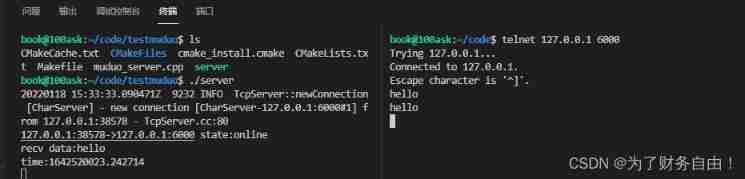
Muduo simple usage

Byte order: big endian vs little endian

Freshman C language summary post (hold change) Part1 output diamond

Epoll introduction and principle explanation

Array part

Express framework installation and start service
随机推荐
Up the Strip
3D printing microstructure
Debian10 configuring rsyslog+loganalyzer log server
[hdu] p1466 calculate the number of intersections of straight lines
Express framework installation and start service
LeetCode 206. 反转链表(迭代+递归)
Install MySQL (5.7+8.0) through docker and configure master-slave replication (gtid+ enhanced semi synchronization)
Day575: divide candy
Xiaobai operates win10 to expand Disk C (allocate disk D memory to Disk C) and the test is valid for many times
2022-1-14
//1.10 initial value of variable
Browser independent way to detect when image has been loaded
Cmake simple usage
//1.9 char character variable operation
9. class and object practice and initialization list
崔鹏团队:万字长文梳理「稳定学习」全景图
Autumn move script a
Summary of the first week of winter vacation
时间复杂度
Population standard deviation and sample standard deviation