当前位置:网站首页>Installation and operation instructions of SVN client (TortoiseSVN)
Installation and operation instructions of SVN client (TortoiseSVN)
2022-07-25 17:50:00 【Suddenly】
Catalog
In order to make the code management operation more convenient , Through installation
TortoiseSVN Realize visual operation , TortoiseSVN It's based on SVN The server Graphical user interface tools . 1、 download
Download address :https://tortoisesvn.net/downloads.html, And download 1.14.2 Version of the installation file :TortoiseSVN-1.14.2.29370-x64-svn-1.14.1.msi
2、 install
Double click to download the good TortoiseSVN-1.14.2.29370-x64-svn-1.14.1.msi file , And then all the time next step that will do ;
Note the following pages , Need to open command line client toos Tools :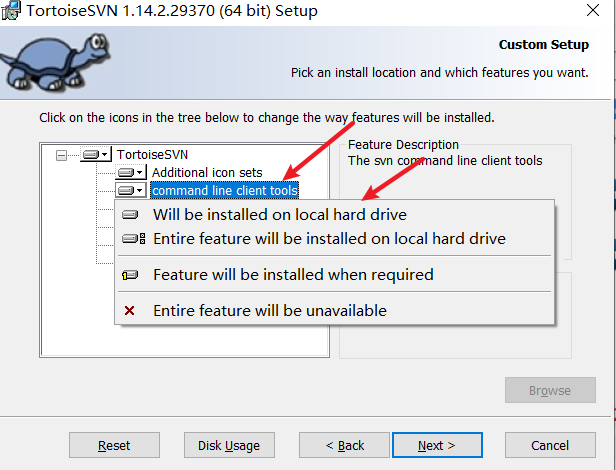
When the installation is complete, click the mouse Right click Any blank folder , There will be TortoiseSVN Option indicates that the installation was successful :
3、 Instructions
1、 Inspection items :
After successfully checking out items , There will be a at the bottom left of the file green + White hook :
2、 File import :
For already exists in svn service Project , If you want to download it locally, you need to CheckOut; If the file exists in advance Local And want to publish to svn The server , Then we need to use Import function :
3、 The new file :
After the project has been CheckOut after , Create a new file or folder , Want to join in SVN service in , Need to carry out Add operation :
4、 Cancel new file :
stay The new file after , If it doesn't work Submit And want to Cancel adding , Need to carry out Undo Add operation :
5、 To submit documents :
It's going on Add after , The file did not enter SVN service in , Need to carry out Commit operation , To complete the final submission , When submitting, only those that have been submitted will be submitted Add The file of :
6、 Update file :
After other developers submit the corresponding documents , The project needs to be Update To get the latest files :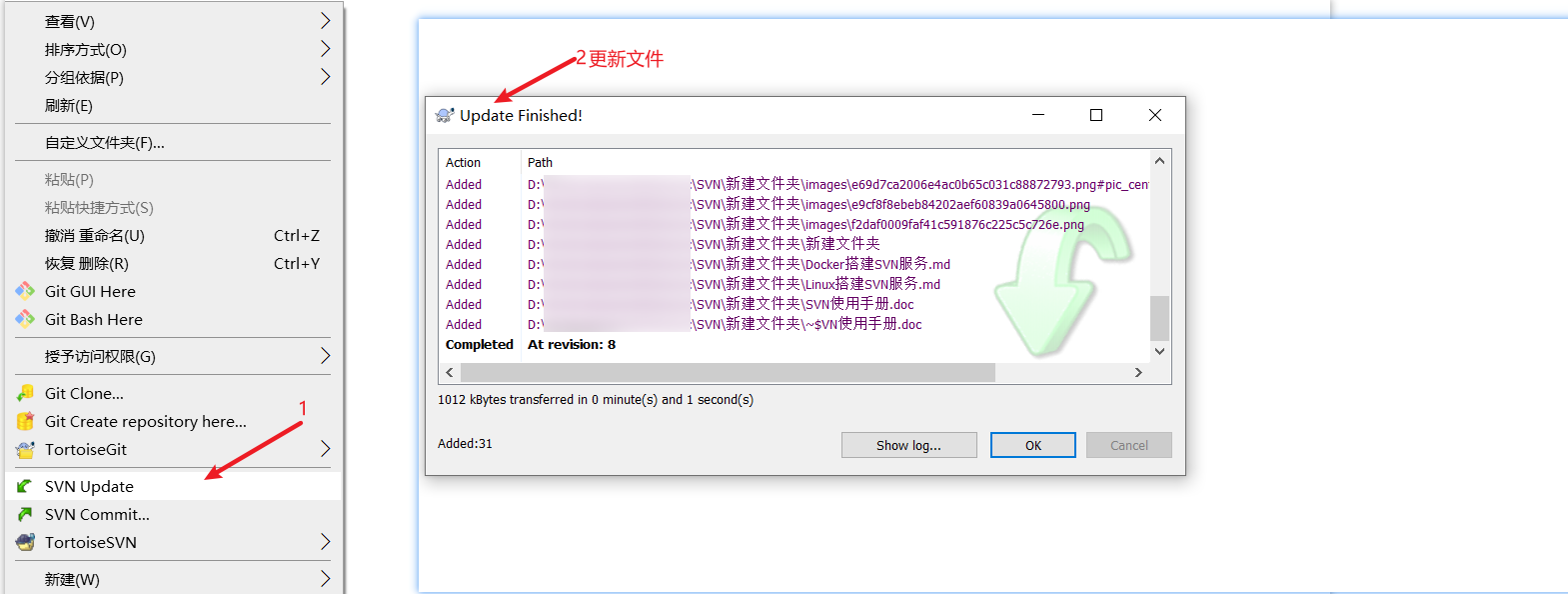
7、 Delete file :
Delete SVN service Files that already exist in , There are two ways :
Mode one : First perform the normal deletion operation and then use SVN Commit operation 
Mode two : Use it directly SVN Of Delete operation :
8、 Roll back files :
The latest version of the file has been modified , However, for some reasons, it is no longer necessary to modify the file , Then you need to restore the file to the state when the latest version has not been modified , Use Revert operation :
9、 Ignore files :
Usually, a folder will contain multiple files , In order to improve efficiency, the whole folder is submitted , However, there may be a very small number of files in the folder that do not need to be submitted , Then you can set Ignore files , Automatic filtering will be performed when submitting , Ignore that there are two situations , Ignore... Before submitting 、 Ignore... After submission :
Ignore... Before submitting :
Ignore... After submission :
recursvely: Indicates downward recursion , All related files of the current and lower level will be ignored
10、 browse files :
adopt TortoiseSVN Of Repo-browser operation , You can see the project in SVN service All files in :
Browse the results :
11、 Check the log :
adopt Show log You can see the submitted version number of the project 、 submitter 、 Submission date, etc , It can be well used to view the submission , And you can choose a version number to do it directly Revert operation , Roll back the project to the specified version ;
边栏推荐
- Product life cycle to be considered in making intelligent hardware
- Lwip之内存与包缓冲管理
- Summary of knowledge points for final review of server-side architecture design
- Go defer and recover simple notes
- 基于SqlSugar的开发框架循序渐进介绍(13)-- 基于ElementPlus的上传组件进行封装,便于项目使用
- mysql case when
- 计算日期或日期格式化
- Trooper
- Installation steps and usage of NVM under windows10 system
- 什么是 IP SSL 证书,如何申请?
猜你喜欢
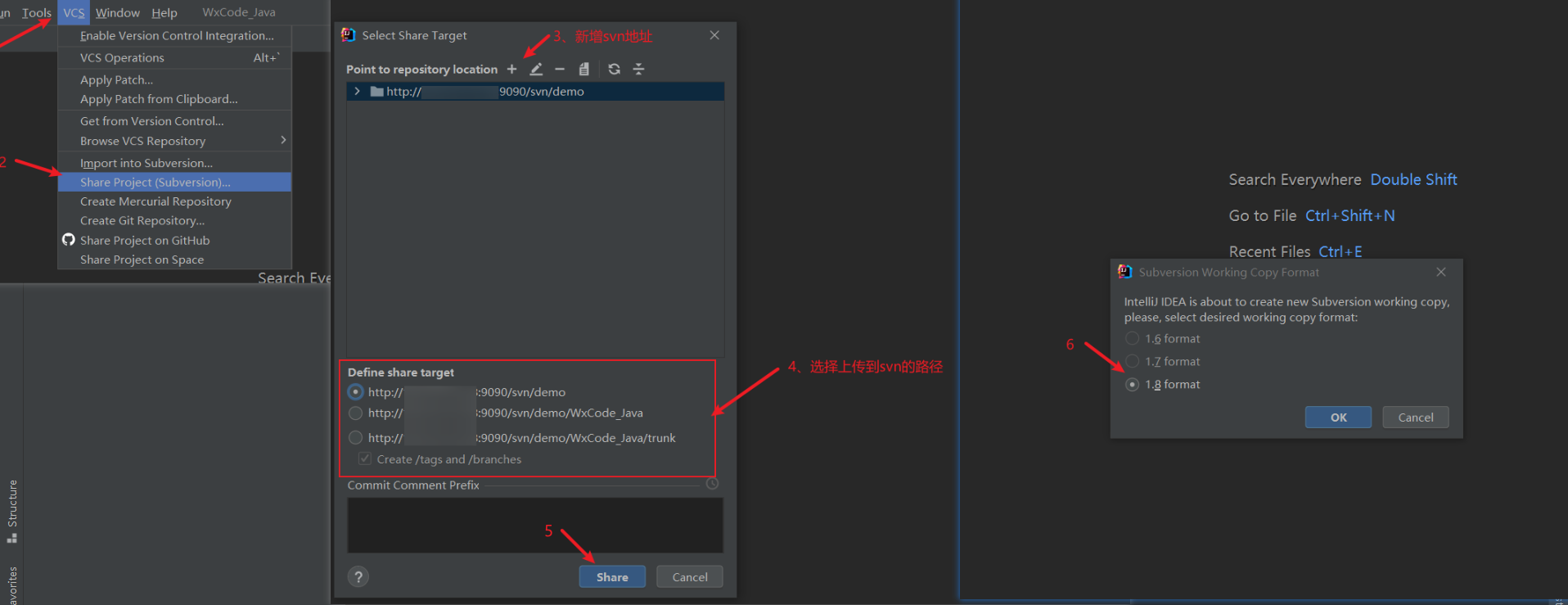
IDEA集成SVN代码管理常用功能

对灰度图像的三维函数显示

Automated test Po design model

Lwip之内存与包缓冲管理

EDI docking commercehub orderstream
SVN客户端(TortoiseSVN)安装及使用说明

Interviewer: talk about log The difference between fatal and panic
![[Hardware Engineer] can't select components?](/img/bd/fdf62b85c082f7e51bf44737f1f787.png)
[Hardware Engineer] can't select components?

Tkinter module advanced operations (I) -- transparent buttons, transparent text boxes, custom buttons and custom text boxes
【硬件工程师】元器件选型都不会?
随机推荐
约瑟夫环问题
IDEA集成SVN代码管理常用功能
After consulting about how to deal with DDL in Flink SQL client, how to add fields and jobs to the mapping table in Fink SQL?
Interviewer: talk about log The difference between fatal and panic
Basic knowledge of software testing (mind mapping)
MySQL数据库常用命令
Is it safe to open a futures account online? How to apply for a low handling fee?
mongodb 集群及分片
UFT(QTP)-总结点与自动化测试框架
OSPF---开放式最短优先路径协议
How to rectify the unqualified EMC of electronic products?
Resttemplate realizes the unified encapsulation (printable log) of post, put, delete, get, set request and file upload (batch files and parameters) through generics
【Cadence Allegro PCB设计】永久修改快捷键(自定义)~亲测有效~
Idea essential plug-ins
实时黄金交易平台哪个可靠安全?
Summary of knowledge points for final review of server-side architecture design
哈夫曼树的构建
OSPF comprehensive experiment
软件测试基础知识(思维导图)
走马卒