当前位置:网站首页>ArkUI路由跳转概览
ArkUI路由跳转概览
2022-07-13 17:53:00 【InfoQ】
- Navigator组件
- 页面路由接口router
[manifest_router.cpp(GetPagePath)-(0)] [Engine Log] can't find this page <private> path "pages": [
"pages/index",
"common/router"
],首先我们来看Navigator组件
@Entry
@Component
struct Router {
@State message: string = '这里是坚果小课堂'
build() {
Row() {
Column() {
Text(this.message)
.fontSize(50)
.fontWeight(FontWeight.Bold).onClick(()=>{
})
}
.width('100%')
}
.height('100%')
}
} (value?: { target: string; type?: NavigationType }): NavigatorAttribute; /**
* 接口:Navigator(value?: {target: string, type?: NavigationType})
* target:string 指定跳转目标页面的路径。
* type:NavigationType 默认值Push 指定路由方式。
* NavigationType.Push 跳转到应用内的指定页面。
* NavigationType.Replace 用应用内的某个页面替换当前页面,并销毁被替换的页面。
* NavigationType.Back 返回上一页面或指定的页面。
*/@Entry
@Component
struct Index {
@State message: string = 'Hello World'
build() {
Row() {
Column() {
Navigator({ target: "common/router"}) {
Text(this.message)
.fontSize(50)
.fontWeight(FontWeight.Bold)
}
}
.width('100%')
}
.height('100%')
}
}页面路由router
import router from '@system.router' router.push({ // 使用push模式
uri: "common/router", // 转向的目标页面
});- 转向的目标页面
- 要传递的参数
export interface RouterOptions {
uri: string;
params?: Object;
}
import router from '@system.router'
@Entry
@Component
struct Index {
@State message: string = 'Hello World'
build() {
Row() {
Column() {
//第一中跳转方式
Navigator({ target: "common/router", type: NavigationType.Push }) {
Text("第一种跳转方式")
.fontSize(50)
.fontWeight(FontWeight.Bold)
}
Text("第二种跳转方式")
.fontSize(50)
.fontWeight(FontWeight.Bold).onClick(()=>{
router.push({ // 使用push模式
uri: "common/router", // 转向的目标页面
params: { // 同时传参
data: '上一个页面的数据',
},
});
})
}
.width('100%')
}
.height('100%')
}
}// @ts-nocheck
import router from '@system.router'
@Entry
@Component
struct Router {
@State message: string = '这里是坚果小课堂';
// 通过router接收上一个页面传递的参数
@State info: string = router.getParams().data;
build() {
Row() {
Column() {
Text(this.message)
.fontSize(50)
.fontWeight(FontWeight.Bold).onClick(()=>{
})
Text(this.info)
.fontSize(50)
.fontWeight(FontWeight.Bold).onClick(()=>{
router.back();
})
}
.width('100%')
}
.height('100%')
}
}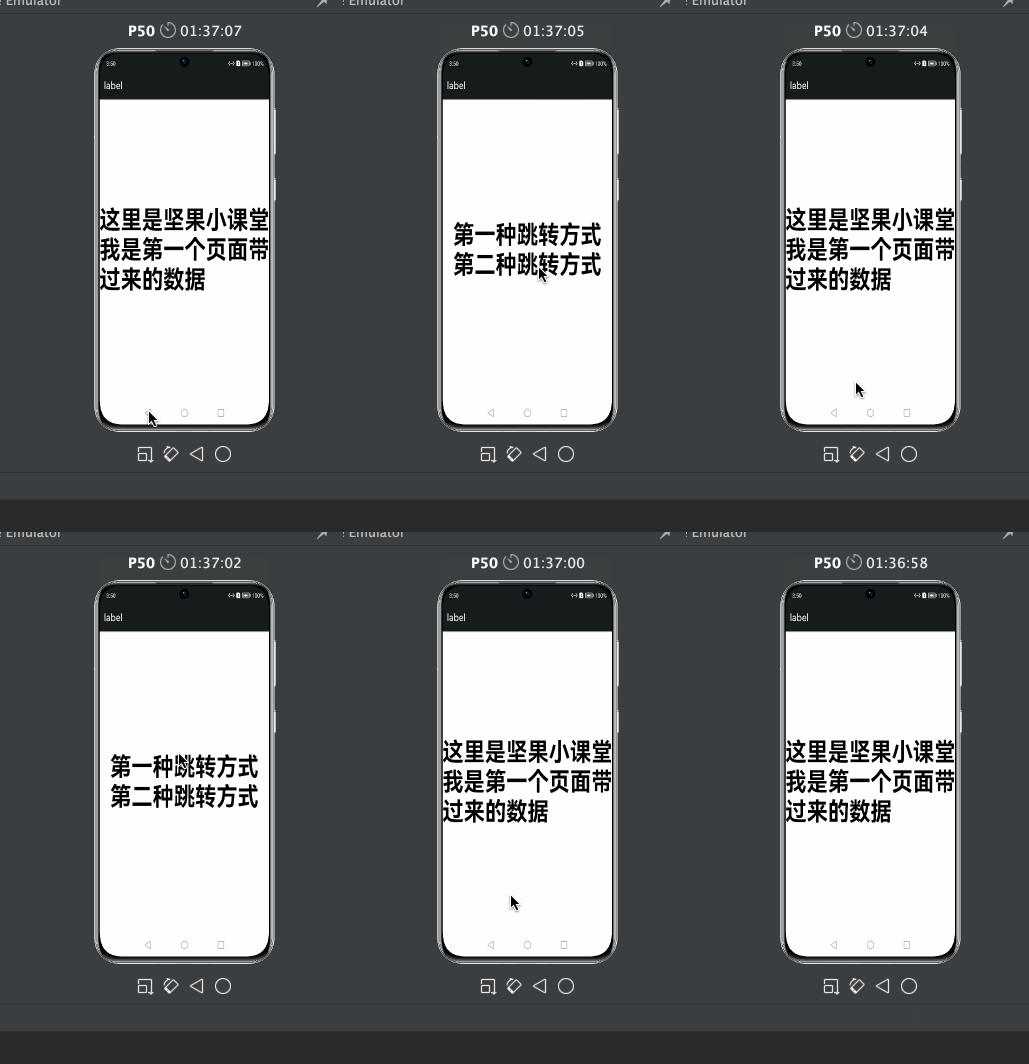
router.back();最后介绍2个组件
Hyperlink组件
interface HyperlinkInterface {
/**
* Return to get Hyperlink.
* adress: Web page redirected by the hyperlink component.
* content: Hyperlinks in the hyperlink component display text.
* @since 7
*/
(address: string | Resource, content?: string | Resource): HyperlinkAttribute;
}
      /**
       * 接口:Hyperlink(address: string, content?: string)
       *   address: string hyperlink组件跳转的网页。
       *   content: string hyperlink组件中超链接显示文本。
       */
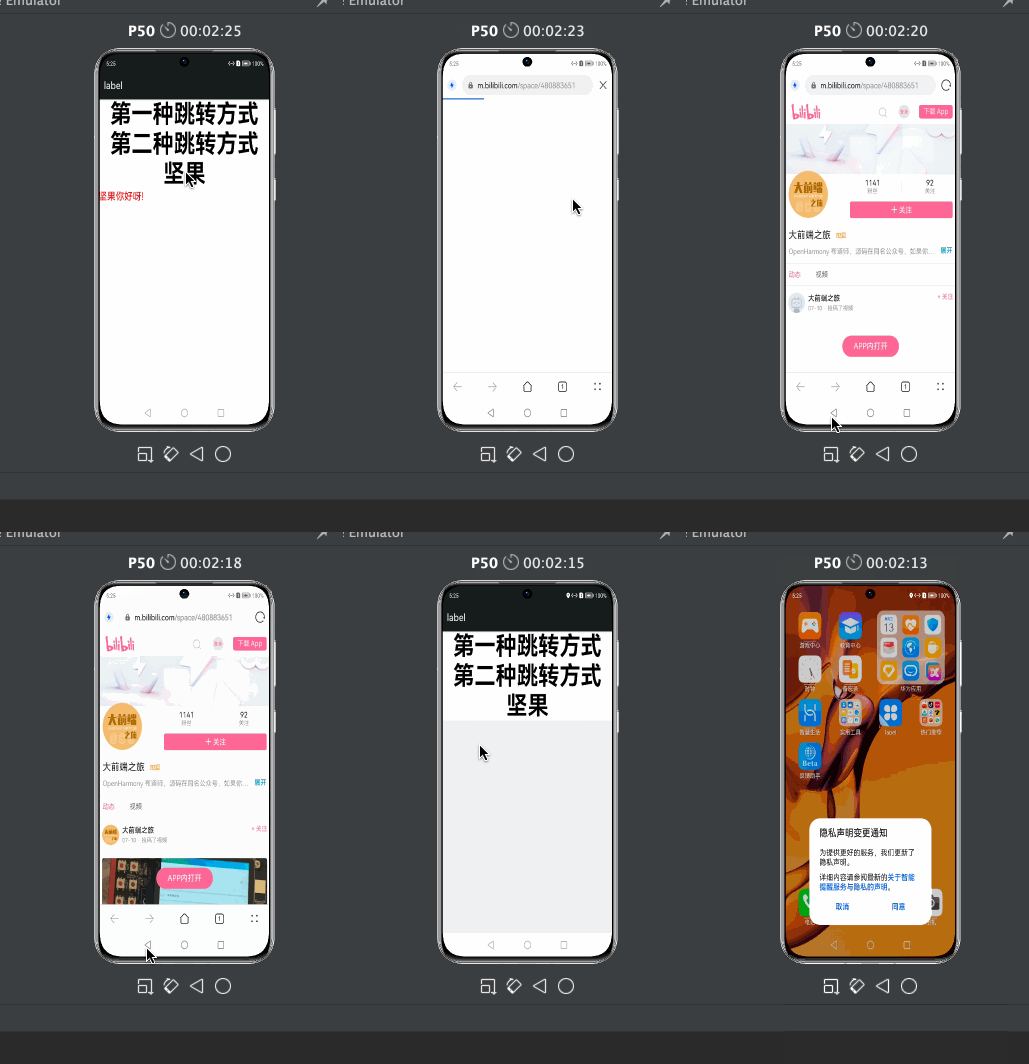
        Hyperlink('https://space.bilibili.com/480883651', ) {
        Text("坚果").fontSize(50)
           .fontWeight(FontWeight.Bold)
       }
Web组件
 Web({ src:
       $rawfile("index.html"), controller: this.controller })
参考文档
- Web
- Navigator
边栏推荐
- 【Verilog】子模块连接相关问题(加法器及其优化)
- Blue Bridge Cup embedded Hal library new project
- Embedded software development stm32f407 racing lantern standard library version
- VScode设置语言为中文,并且解决中文注释乱码问题。
- [Verilog] [vivado] counter example
- Friendly zeropi uboot, kernel compilation,
- Chapter II use of syn6288 speech synthesis module
- Chapter I use of DHT11 temperature and humidity sensor
- 工作方法小结
- 2021-07-31
猜你喜欢
![[Verilog] [vivado] counter example](/img/3b/1503717fe5a19b114ce687808cc21d.png)
[Verilog] [vivado] counter example

如何将电子签名透明化处理

第四章 STM32+LD3320+SYN6288+DHT11实现语音获取温湿度数值(上)

【Verilog】子模块连接相关问题(加法器及其优化)

Supervisor series: 4. Sub process

Embedded software development stm32f407 buzzer standard library version

Target detection (1) -- data preprocessing and data set segmentation
Chapter 4 stm32+ld3320+syn6288+dht11 realize voice acquisition of temperature and humidity values (Part 1)

Chapter III use of ld3320 speech recognition module

【Multisim】关于Multisim仿真“过零比较器”出现的问题以及解决方法
随机推荐
Chapter V stm32+ld3320 speech recognition control Taobao USB dormitory desk lamp
3.6格式化数字和字符串
使用Idea IntelliJ查看字节码文件
Chapter I use of DHT11 temperature and humidity sensor
OpenGL 3D graphics development notes, terrain, lighting, shadows, etc
【信号调理】【PCB】电源板(提供±2v5,3v3,5v,12v供电)的制作——电赛使用
##DHCP-MASTER自动化部署
[signal conditioning] ADC protection circuit /adc buffer
Notice on the completion of Internet of things
[Verilog] sub module connection related problems (adder and Its Optimization)
OpenGL ray pickup method
IIC通讯
Go language from entry to specification -6.8, go generation and parsing JSON and precautions
语音芯片JQ8400的使用心得
CodeBlocks快捷键
人事管理系统 c语言版
RTthread-线程的创建
RT_thread 临界区保护
堆和栈的差别(转过无数次的文章)
工作方法小结