当前位置:网站首页>Using external Libpcap library on ARM platform
Using external Libpcap library on ARM platform
2022-06-24 23:35:00 【mialo163】
One . Cross compilation libpcap
1、 download libpcap, I downloaded it libpcap-1.8.1.tar.gz
2、 decompression
3、 You may need to install some dependencies before compiling , perform yum install flex byacc bison -y
3、 Get into libpcap-1.8.1 Catalog , Select the applicable cross compiler first ( I've tried two platforms aarch64-linux-gnu-gcc/arm-linux-gnueabihf-gcc)
export CC=arm-linux-gcc,
or export CC=arm-linux-gnueabihf-gcc,
or export CC=aarch64-linux-gnu-gcc,
Then configure , perform ./configure --host=arm-linux --with-pcap=linux
4、configure After execution , Input make Command to compile . When the compilation is complete, it will generate libpcap.a Static and dynamic libraries . These two libraries are what we need .
Two . Copy .a Static library to compiler lib Folder
Such as :/usr/aarch64-linux-gnu/lib
3、 ... and . Compile with -lpcap
Such as :aarch64-linux-gnu-gcc test.c -o test -lpcap
边栏推荐
- 无鸟用的SAP PA证书,刚入行的同行可以考一考
- Whereabouts computer desktop small arrow
- Leetcode topic [array] -39- combined sum
- RT thread uses RT kprintf
- 冒泡排序
- R语言使用MatchIt包进行倾向性匹配分析、使用match.data函数构建匹配后的样本集合、通过双样本t检验分析(双独立样本t检验)来判断倾向性评分匹配后样本中的所有协变量的平衡情况
- The R language uses the matchit package for propensity matching analysis and match The data function constructs the matched sample set, and performs Welch double sample t-test analysis and double inde
- Tomorrow is the PMP Exam (June 25). Have you understood all this?
- golang convert map to json string
- 7-7 求解众数问题
猜你喜欢

2021-2022中国金融数字化“新”洞察行业研究报告

RT thread uses RT kprintf

Tomorrow is the PMP Exam (June 25). Have you understood all this?

7-7 数字三角形

Morris traversal

Selective sort method

Installing IBM CPLEX academic edition | CONDA installing CPLEX

Helix distance of point

Design and practice of vivo server monitoring architecture
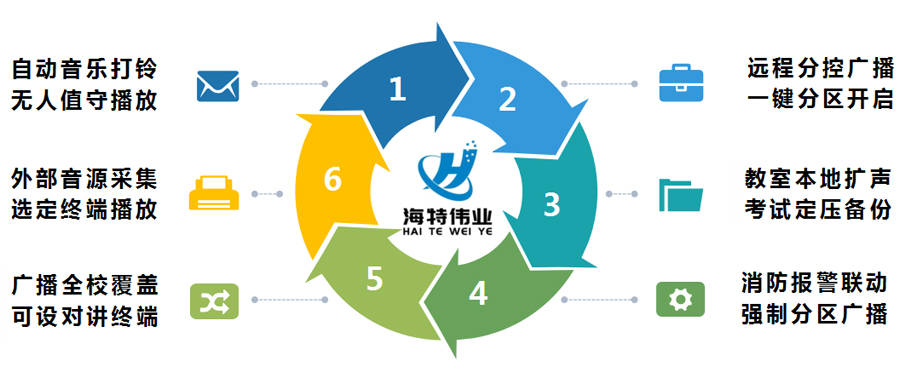
中学校园IP网络广播系统解决方案-校园数字IP广播系统方案设计指南
随机推荐
Quickly build KVM virtual machine on # yyds dry goods inventory # physical machine
HarmonyOS访问数据库实例(3)--用ORM Bee测下HarmonyOS到底有多牛
7-6 铺设油井管道
抖音实战~项目关联UniCloud
Installing IBM CPLEX academic edition | CONDA installing CPLEX
7-8 circular scheduling problem
基于三维GIS开发的水电工程建设方案
Bubble sort
Simple use of libnum Library (hexadecimal string conversion)
File contains vulnerability issues
Adding, deleting, querying and modifying MySQL tables
还在用 SimpleDateFormat 做时间格式化?小心项目崩掉
[basic knowledge] ~ half adder & full adder
Unveiling the secrets of the Winter Olympics | smartbi's partners supported the "front and back" of the Beijing Winter Olympics
Hyperledger Fabric 2. X dynamic update smart contract
7-8 梯云纵
Selective sort method
376. 機器任務
golang convert json string to map
UNION ALL UNION FULL JOIN