当前位置:网站首页>RemoteViews的作用及原理
RemoteViews的作用及原理
2022-06-28 11:38:00 【一杯苦芥】
一、RemoteViews是什么?
RemoteViews表示远程View,用于跨进程更新UI,主要用于系统通知栏(Notification)和桌面小部件(App Widget)中。RemoteViews没有继承View, 却实现了parcelable这个接口。

在通知栏上显示通知是通过NotificationManager的notify()方法实现的,如果通知栏需要自定义布局,就需要使用到RemoteViews。
    /**
     * Post a notification to be shown in the status bar. If a notification with
     * the same id has already been posted by your application and has not yet been canceled, it
     * will be replaced by the updated information.
     *
     * @param id An identifier for this notification unique within your
     *        application.
     * @param notification A {@link Notification} object describing what to show the user. Must not
     *        be null.
     */
    public void notify(int id, Notification notification)
    {
        notify(null, id, notification);
    }

    /**
     * Post a notification to be shown in the status bar. If a notification with
     * the same tag and id has already been posted by your application and has not yet been
     * canceled, it will be replaced by the updated information.
     *
     * All {@link android.service.notification.NotificationListenerService listener services} will
     * be granted {@link Intent#FLAG_GRANT_READ_URI_PERMISSION} access to any {@link Uri uris}
     * provided on this notification or the
     * {@link NotificationChannel} this notification is posted to using
     * {@link Context#grantUriPermission(String, Uri, int)}. Permission will be revoked when the
     * notification is canceled, or you can revoke permissions with
     * {@link Context#revokeUriPermission(Uri, int)}.
     *
     * @param tag A string identifier for this notification.  May be {@code null}.
     * @param id An identifier for this notification.  The pair (tag, id) must be unique
     *        within your application.
     * @param notification A {@link Notification} object describing what to
     *        show the user. Must not be null.
     */
    public void notify(String tag, int id, Notification notification)
    {
        notifyAsUser(tag, id, notification, mContext.getUser());
    }
桌面小部件是通过AppWidgetProvider实现的,AppWidgetProvider本质上是一个广播,不过小部件的界面需要使用RemoteViews实现。
public class AppWidgetProvider extends BroadcastReceiver {
    /**
     * Constructor to initialize AppWidgetProvider.
     */
    public AppWidgetProvider() {
    }

    /**
     * Implements {@link BroadcastReceiver#onReceive} to dispatch calls to the various
     * other methods on AppWidgetProvider.
     *
     * @param context The Context in which the receiver is running.
     * @param intent The Intent being received.
     */
    // BEGIN_INCLUDE(onReceive)
    public void onReceive(Context context, Intent intent) {
        // Protect against rogue update broadcasts (not really a security issue,
        // just filter bad broacasts out so subclasses are less likely to crash).
        String action = intent.getAction();
        if (AppWidgetManager.ACTION_APPWIDGET_UPDATE.equals(action)) {
            Bundle extras = intent.getExtras();
            if (extras != null) {
                int[] appWidgetIds = extras.getIntArray(AppWidgetManager.EXTRA_APPWIDGET_IDS);
                if (appWidgetIds != null && appWidgetIds.length > 0) {
                    this.onUpdate(context, AppWidgetManager.getInstance(context), appWidgetIds);
                }
            }
        } else if (AppWidgetManager.ACTION_APPWIDGET_DELETED.equals(action)) {
            Bundle extras = intent.getExtras();
            if (extras != null && extras.containsKey(AppWidgetManager.EXTRA_APPWIDGET_ID)) {
                final int appWidgetId = extras.getInt(AppWidgetManager.EXTRA_APPWIDGET_ID);
                this.onDeleted(context, new int[] { appWidgetId });
            }
        } else if (AppWidgetManager.ACTION_APPWIDGET_OPTIONS_CHANGED.equals(action)) {
            Bundle extras = intent.getExtras();
            if (extras != null && extras.containsKey(AppWidgetManager.EXTRA_APPWIDGET_ID)
                    && extras.containsKey(AppWidgetManager.EXTRA_APPWIDGET_OPTIONS)) {
                int appWidgetId = extras.getInt(AppWidgetManager.EXTRA_APPWIDGET_ID);
                Bundle widgetExtras = extras.getBundle(AppWidgetManager.EXTRA_APPWIDGET_OPTIONS);
                this.onAppWidgetOptionsChanged(context, AppWidgetManager.getInstance(context),
                        appWidgetId, widgetExtras);
            }
        } else if (AppWidgetManager.ACTION_APPWIDGET_ENABLED.equals(action)) {
            this.onEnabled(context);
        } else if (AppWidgetManager.ACTION_APPWIDGET_DISABLED.equals(action)) {
            this.onDisabled(context);
        } else if (AppWidgetManager.ACTION_APPWIDGET_RESTORED.equals(action)) {
            Bundle extras = intent.getExtras();
            if (extras != null) {
                int[] oldIds = extras.getIntArray(AppWidgetManager.EXTRA_APPWIDGET_OLD_IDS);
                int[] newIds = extras.getIntArray(AppWidgetManager.EXTRA_APPWIDGET_IDS);
                if (oldIds != null && oldIds.length > 0) {
                    this.onRestored(context, oldIds, newIds);
                    this.onUpdate(context, AppWidgetManager.getInstance(context), newIds);
                }
            }
        }
    }
    // END_INCLUDE(onReceive)

    //此处省略其他代码
}
之所以要在通知栏和小部件中使用RemoteViews展示界面,是因为它们的界面运行在其它进程中,即系统的SystemServer进程。
二、如何使用RemoteViews?
RemoteViews在通知栏和小部件中的使用方法可以参考:官方文档
以及我的另一篇博客:RemoteViews布局和类型限制源码分析
三、RemoteViews的原理
RemoteViews的作用是在其它进程中显示并更新UI,不过它只支持一些常用的Layout和View。因为RemoteViews是跨进程的,没有提供findViewById()方法,所以无法直接访问它的View元素。不过RemoteViews提供了一系列set方法去访问其View元素,比如设置资源、添加点击事件等。


RemoteViews主要用于通知栏和小部件中,通知栏和小部件分别由NotificationManager和AppWidgetManager管理,而NotificationManager和AppWidgetManager是通过Binder分别和SystemServer进程中的NotificationManagerService以及AppWidgetService进行通信的。因此,通知栏和小部件中的界面实际上是由NotificationManagerService以及AppWidgetService加载的,它们运行在系统SystemServer进程中,APP进程要更新RemoteViews,就需要使用Binder进行跨进程通信。
RemoteViews中的IPC过程:
1. RemoteViews通过Binder传递到SystemServer进程,系统会根据RemoteViews的包名等信息得到相关的资源;
2. 通过LayoutInflater加载RemoteViews的布局文件,在SystemServer进程中,这个布局文件其实是一个普通的View,不过相对于APP进程,它是一个RemoteViews;
3. 系统对View执行界面初始化任务,这些操作是通过RemoteViews提供的一系列set方法提交的,不过这些set方法对View的操作不是立即执行的,在RemoteViews内部会记录这些操作,具体执行要等到RemoteViews被加载后执行;
4. 当APP进程需要更新RemoteViews时,需要调用相关的set方法,通过NotificationManager和AppWidgetManager来提交更新任务给SystemServer进程,具体更新操作需要在SystemServer进程中完成。
RemoteViews中set方法的实现:
1. 系统并没有通过Binder去支持View的跨进程访问。RemoteViews提供了一种Action的概念,Action实现了Parcelable接口。
2. 系统将RemoteViews的一系列操作封装到Action对象中,并将Action跨进程传输到SystemServer进程,最后在远程进程中执行Action对象中的所有操作。每调用一次set方法,RemoteViews中就会添加对应的Action对象,最终会传到远程进程中。
3. 远程进程通过RemoteViews的apply方法进行View的更新操作(遍历所有Action对象,并调用其apply方法)。
4. 这样就不需要定义大量的Binder接口,通过在远程进程中的批量操作,避免了大量的IPC操作,提高了性能。
    /**
     * Base class for all actions that can be performed on an
     * inflated view.
     *
     *  SUBCLASSES MUST BE IMMUTABLE SO CLONE WORKS!!!!!
     */
    private abstract static class Action implements Parcelable {
        public abstract void apply(View root, ViewGroup rootParent,
                OnClickHandler handler) throws ActionException;

        public static final int MERGE_REPLACE = 0;
        public static final int MERGE_APPEND = 1;
        public static final int MERGE_IGNORE = 2;

        public int describeContents() {
            return 0;
        }

        public void setBitmapCache(BitmapCache bitmapCache) {
            // Do nothing
        }

        public int mergeBehavior() {
            return MERGE_REPLACE;
        }

        public abstract int getActionTag();

        public String getUniqueKey() {
            return (getActionTag() + "_" + viewId);
        }

        /**
         * This is called on the background thread. It should perform any non-ui computations
         * and return the final action which will run on the UI thread.
         * Override this if some of the tasks can be performed async.
         */
        public Action initActionAsync(ViewTree root, ViewGroup rootParent, OnClickHandler handler) {
            return this;
        }

        public boolean prefersAsyncApply() {
            return false;
        }

        /**
         * Overridden by subclasses which have (or inherit) an ApplicationInfo instance
         * as member variable
         */
        public boolean hasSameAppInfo(ApplicationInfo parentInfo) {
            return true;
        }

        public void visitUris(@NonNull Consumer<Uri> visitor) {
            // Nothing to visit by default
        }

        int viewId;
    }
RemoteViews中apply和reapply的区别:
1. apply: 加载布局,并且更新UI。
2. reApply:只更新UI。
3. 通知栏和桌面小部件初始化时,会调用apply方法,后续的更新操作都调用reapply方法。
    /**
     * Inflates the view hierarchy represented by this object and applies
     * all of the actions.
     *
     * <p><strong>Caller beware: this may throw</strong>
     *
     * @param context Default context to use
     * @param parent Parent that the resulting view hierarchy will be attached to. This method
     * does <strong>not</strong> attach the hierarchy. The caller should do so when appropriate.
     * @return The inflated view hierarchy
     */
    public View apply(Context context, ViewGroup parent) {
        return apply(context, parent, null);
    }

    /** @hide */
    public View apply(Context context, ViewGroup parent, OnClickHandler handler) {
        RemoteViews rvToApply = getRemoteViewsToApply(context);

        View result = inflateView(context, rvToApply, parent);
        loadTransitionOverride(context, handler);

        rvToApply.performApply(result, parent, handler);

        return result;
    }
/**
* Applies all of the actions to the provided view.
*
* <p><strong>Caller beware: this may throw</strong>
*
* @param v The view to apply the actions to. This should be the result of
* the {@link #apply(Context,ViewGroup)} call.
*/
public void reapply(Context context, View v) {
reapply(context, v, null);
}
/** @hide */
public void reapply(Context context, View v, OnClickHandler handler) {
RemoteViews rvToApply = getRemoteViewsToApply(context);
// In the case that a view has this RemoteViews applied in one orientation, is persisted
// across orientation change, and has the RemoteViews re-applied in the new orientation,
// we throw an exception, since the layouts may be completely unrelated.
if (hasLandscapeAndPortraitLayouts()) {
if ((Integer) v.getTag(R.id.widget_frame) != rvToApply.getLayoutId()) {
throw new RuntimeException("Attempting to re-apply RemoteViews to a view that" +
" that does not share the same root layout id.");
}
}
rvToApply.performApply(v, (ViewGroup) v.getParent(), handler);
}
参考链接:
边栏推荐
- 5. Sum of N numbers
- Deployment and optimization of vsftpd service
- Difference (one dimension)
- Research on personalized product search
- Class pattern and syntax in JS 2021.11.10
- 【C语言】结构体嵌套二级指针的使用
- Come on, yuanuniverse. Sure enough, the heat won't pass for a while
- AcWing 604. Area of circle (implemented in C language)
- [no title] the virtual machine vmnet0 cannot be found and an error is reported: there is no un bridged host network adapter
- Connectionreseterror: [winerror 10054] the remote host forced an existing connection to be closed
猜你喜欢

The default point of this in JS and how to modify it to 2021.11.09
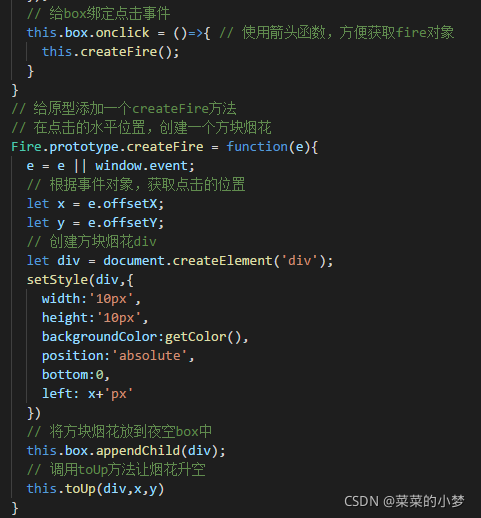
day39 原型链及页面烟花效果 2021.10.13

纯纯大怨种!那些年被劝退的考研专业

Web page tips this site is unsafe solution

【C语言】NextDay问题

Industry analysis - quick intercom, building intercom

Cannot redeclare block range variables
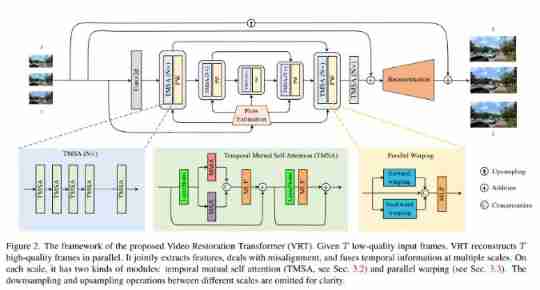
Swin, three degrees! Eth open source VRT: a transformer that refreshes multi domain indicators of video restoration

QML控件类型:TabBar

New listing of operation light 3.0 - a sincere work of self subversion across the times!
随机推荐
6. calculation index
Characteristics of solar wireless LED display
Industry analysis - quick intercom, building intercom
[sciter]: use of sciter FS module scanning file API and its details
Deployment and optimization of vsftpd service
day39 原型链及页面烟花效果 2021.10.13
Ali three sides: what is the difference between using on or where in the left join associated table and the condition
Chapter 2 do you remember the point, line and surface (2)
fatal: unsafe repository (‘/home/anji/gopath/src/gateway‘ is owned by someone else)
【C语言】如何产生正态分布或高斯分布随机数
QML控件类型:TabBar
Web3 security serials (3) | in depth disclosure of NFT fishing process and prevention techniques
【sciter】: sciter-fs模块扫描文件API的使用及其注意细节
day30 js笔记 BOM和DOM 2021.09.24
Use logrotate to automatically cut the website logs of the pagoda
Django -- MySQL database reflects the mapping data model to models
Apache2 configuration denies access to the directory, but can access the settings of the files inside
Excel import / export convenience tool class
【C语言】如何很好的实现复数类型
Day39 prototype chain and page fireworks effect 2021.10.13