当前位置:网站首页>[arm] it is reported that horizontal display is set for LVDS screen of rk3568 development board
[arm] it is reported that horizontal display is set for LVDS screen of rk3568 development board
2022-06-22 23:25:00 【Boiled cabbage】
The message is rk3568 Development board lvds Screen setting horizontal screen display
Development board : The message is rk3568
The root file system :buildroot
System :Linux
rotate uboot logo And the kernel logo
Here I refer to the information in Xunwei 09 manual android System and application development manual
modify /kernel/arch/arm64/boot/dts/rockchip/topeet_rk3568_lcds.dtsi Device tree
The directory here is the directory where we modify the display screen , There are two device tree files in this directory. One is screen selection and the other is screen settings
&route_lvds{
status = "okay";
logo,rotate = <3>; // The newly added 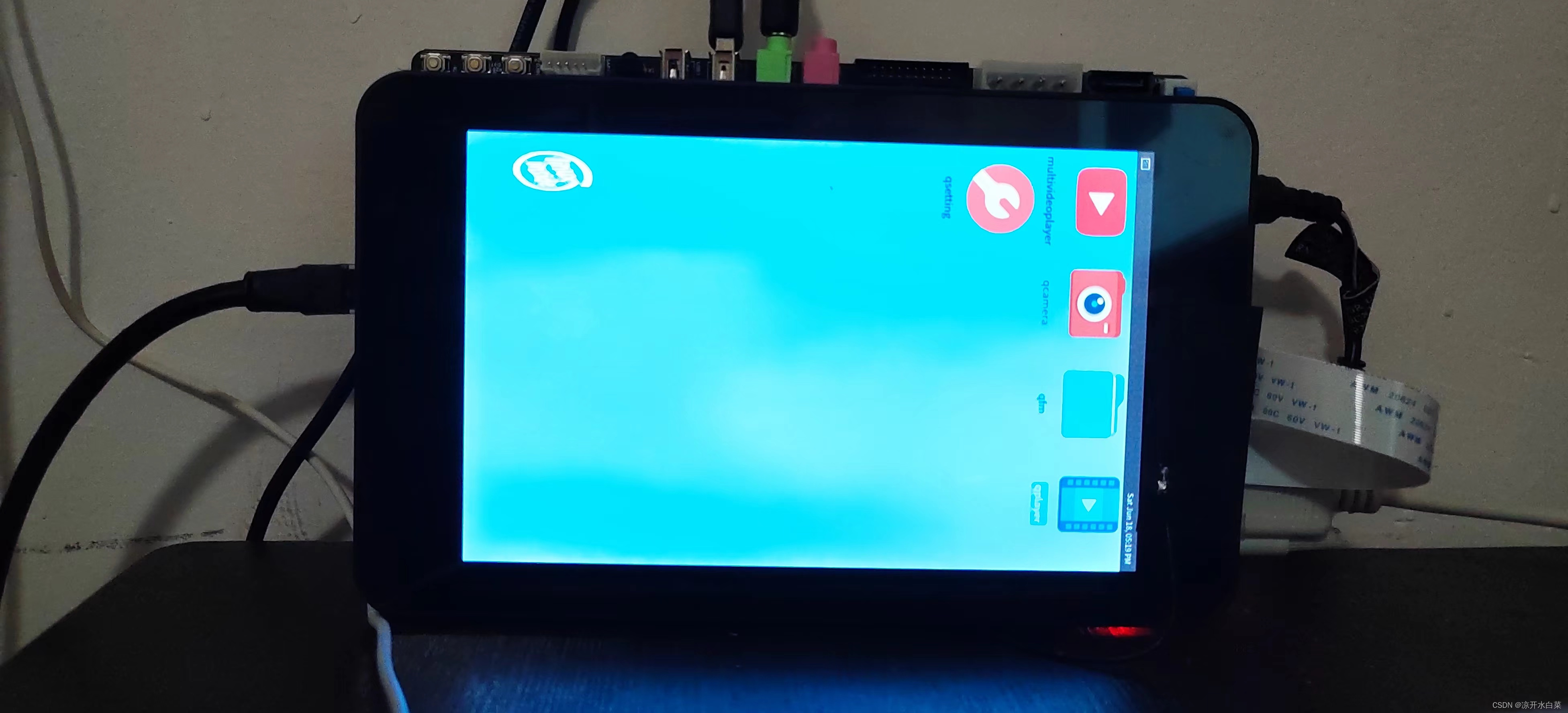
connect = <&vp2_out_lvds>;
};
among :
logo,rotate = <1>; Represents counterclockwise rotation 90 degree ,
logo,rotate = <2>; Represents counterclockwise rotation 180 degree ,
logo,rotate = <3>; Represents counterclockwise rotation 270 degree ,
logo,rotate = <0>; Represents counterclockwise rotation 360 degree .
Here, the display angle is corresponding to the display demand , When we get to the card here, our kernel will be displayed logo The display is normal , But after the system is started, it is found that the desktop is still displayed vertically .
rotate buildroot System desktop
Here I refer to Rockchip buildrootWeston Development of guidelines , This document is about buildroot That is, the screen related configuration usage shown in the image , The configuration method for modifying the screen direction is to modify /etc/xdg/weston/weston.ini file , We can modify it in the source code or after entering the development board system .
vi /etc/xdg/weston/weston.ini

//  Add the following code
[output]
name=LVDS-1
transform=90
# normal|90|180|270|flipped|flipped-90|flipped-180|flipped-270
If you need to dynamically configure the screen orientation , You can use dynamic configuration files , Such as :
echo "output:all:rotate90" > /tmp/.weston_drm.conf #  All screens rotate 90 degree
echo "output:eDP-1::rotate180" > /tmp/.weston_drm.conf # eDP-1 rotate 180 degree
The following is also described in this document 
There is a need to enter the source code docs Look it up in the directory , I modify it by entering the development board system. It will not take effect until it is restarted . I have no problem touching here , It's OK to be here under normal circumstances , If there is a touch problem, you can try the following rotary touch solution , Here I also refer to Android Modified by the application development manual , You can try it yourself .
Rotary touch
The screens supported by Xunwei are LVDS 7 Inch screen ,LVDS10.1 Inch screen ,MIPI 7 Inch screen
LVDS 7 Inch screen and MIPI 7 The touch chip used in the inch screen is ft5x06. LVDS10.1 Touch chip with inch screen
yes gt911.
Touch chip yes ft5x06 The screen of , modify
/kernel/arch/arm64/boot/dts/rockchip/topeet_rk3568_lcds.dtsi Touch nodes in the device tree , Add red code , As shown below :
ft5x06:[email protected]38 {

	status = "disabled";
	compatible = "edt,edt-ft5306";
	reg = <0x38>;
	touch-gpio = <&gpio0 RK_PB5 IRQ_TYPE_EDGE_RISING>;
	interrupt-parent = <&gpio0>;
	interrupts = <RK_PB5 IRQ_TYPE_LEVEL_LOW>;
	reset-gpios = <&gpio0 RK_PB6 GPIO_ACTIVE_LOW>;
	touchscreen-size-x = <800>;
	touchscreen-size-y = <1280>;
	touch_type = <1>;
	touchscreen-inverted-x; //  The newly added
	touchscreen-swapped-x-y; //  The newly added
};
Touch chip yes gt911 The screen of , Modify the following node
gt9xx:[email protected]14 {

	compatible = "goodix,gt9xx";
	reg = <0x14>;
	interrupt-parent = <&gpio0>;
	interrupts = <RK_PB5 IRQ_TYPE_LEVEL_LOW>;
	reset-gpios = <&gpio0 RK_PB6 GPIO_ACTIVE_LOW>;
	touch-gpio = <&gpio0 RK_PB5 IRQ_TYPE_EDGE_RISING>;
	status = "disabled";
	tp-size = <911>;
	max-x = <1024>;
	max-y = <600>;
	touchscreen-inverted-x;//  The newly added
	touchscreen-swapped-x-y;//  The newly added
};
边栏推荐
猜你喜欢
【STM32技巧】使用STM32 HAL库的硬件I2C驱动RX8025T实时时钟芯片

c# sqlsugar,hisql,freesql orm框架全方位性能测试对比 sqlserver 性能测试

ArcGIS应用(二十)Arcgis 栅格图像符号系统提示“This dataset does not have valid histogram required for classificati…”

C language -- 17 function introduction

Tp5.1 upload excel file and read its contents

弱电转职业网工难不难?华为售前工程师分享亲身经历

Install the typescript environment and enable vscode to automatically monitor the compiled TS file as a JS file

China Mobile's mobile phone users grow slowly, but strive for high profit 5g package users

Stop using system Currenttimemillis() takes too long to count. It's too low. Stopwatch is easy to use!

企业数字化不是各自发展,而是全面SaaS化推进
随机推荐
剑指 Offer 07. 重建二叉树
AutoCAD - five annotation shortcuts
node-fetch下载文件
Safe and reliable! Tianyi cloud data security management platform passed the evaluation
Digital data was invited to participate in Nantong enterprise digital transformation Seminar
2021-03-06
一个spark app demo
Enjoy high-performance computing! Here comes the Tianyi cloud HPC solution
eslint 简单配置
Using the hbuilder x editor to install a solution for terminal window plug-ins that are not responding
2021-07-27
WebRTC系列-网络传输之4Connection排序
【ARM】讯为rk3568开发板lvds屏设置横屏显示
Unity:利用 射线Ray 检测物体
tp5.1上传excel文件并读取其内容
2021-08-21
swagger2 使用方法
输出字符串中最长的单词
flutter外包,承接flutter项目
js图片分辨率压缩