当前位置:网站首页>Self taught programming series - 4 numpy arrays
Self taught programming series - 4 numpy arrays
2022-06-26 09:08:00 【ML_ python_ get√】
numpy Learning from
import numpy as np
import matplotlib.pyplot as plt
import pandas as pd
import seaborn as sns
import statsmodels as sm
4.1 notebook Use
# tab Code completion
#  Help function ?
a = [1,2,3]

def  add_sum(list,sum=0):
    ''' Sum function '''
    for num in list:
        sum+=num
    return sum
# add_sum?  Show function comments
# add_sum??  Show source
# %run clip.pyw  Run module
# %load clip.bat  Open the script
# ctrl-C Interrupt operation
4.2 numpy Basic knowledge of
# numpy Array and python The difference between arrays
my_arr = np.arange(1000000)
my_list = list(range(1000000))
# numpy  Short running time
for _ in range(100):
    my_arr2 = my_arr*2
for _ in range(100):
    mylist2 = [x*2 for x in my_list]
# numpy The basic calculation of is the same as that of scalar
data = np.random.randn(2,3)
#  Generate an array directly
print(data)
print(data*10)
print(data+data)
print(data.shape)
print(data.dtype)
# arange yes range Array version of
np.arange(15)
# numpy Arrays are  ndarray Array creation :array function
#  A one-dimensional sequence corresponds to a one-dimensional array , Multidimensional sequence corresponds to multidimensional array
series1 = [1,2,3,5,6,7]
arr1 = np.array(series1)
print(arr1)
series2 = [[1,2,3,4],[5,6,7,8]]
arr2 = np.array(series2)  #  The same structure is converted into a multidimensional array , The different structures are list One dimensional array of
print(arr2)
print(arr2.ndim) #  according to series Data evolution
print(arr2.shape)
print(arr2.dtype)
# zeros ones empty Function to create a multidimensional array   Pass in tuples as parameters
# eye Unit matrix  full fill
arr3 = np.zeros(10)
arr4 = np.zeros((2,3)) # zeros_like Copy from another array 0
arr5 = np.ones((3,5))   # ones_like Copy from another array 1
arr6 = np.empty((2,3,3))  #  The first parameter is the number of matrices , Usually the invisible side
print(arr3)
print(arr4)
print(arr5)
print(arr6)
#  Convert the types of array elements
#  Integer and floating point numbers are interchanged
arr = np.array([1,2,3,4,5])
print(arr.dtype)
arr1 = arr.astype(np.float64)
print(arr1.dtype)
arr2 = arr1.astype(np.int32)
print(arr2.dtype)
#  A numeric string is converted to a number
# arr = np.array(['1','2','3','4','ren'])
# ValueError: could not convert string to float: 'ren'
arr = np.array(['1','2','3','4','5'])
print(arr.dtype)
print(arr.astype('float64').dtype)
print(arr)
print(arr.astype('float64'))
#  Not only can you specify the data type , Other data types can also be used
arr1 = np.arange(10)
print(arr1.dtype)
arr2 = np.array([1.0,2.0,3.0,4.0,5.0])
print(arr2.dtype)
arr3 = arr1.astype(arr2.dtype)
print(arr3.dtype)
arr4 = arr3.astype('u4')
print(arr4)
# numpy  Operation of array : Act on elements
arr = np.array([[1,2,3],[4,5,6]])
print(arr)
arr1 = 1/arr
print(arr1)
arr2 = arr*arr
print(arr2)
arrsqrt = arr**0.5
print(arrsqrt)
arr2> arr
4.3 numpy Index and slice of
#  Index and slice of arrays
#  One dimensional array
arr = np.arange(10)
print(arr)
arr[4]
arr[5:8]
arr[5:8] = 12 #  Assign scalar values to slices , Will spread to other selections
print(arr)
slice_arr = arr[5:8]
slice_arr[1] = 10
print(arr)   #  Even operations on new variables are reflected on the original array , Do not copy array data to occupy new memory
slice_arr[:] = 10
print(arr) # :  For all values
slice_arr = arr[5:8].copy()
slice_arr[:] = 111
print(arr) # copy The original array has not changed since the copy
#  Two dimensional array index : axis = 0  Yes  axis=1  Is listed
arr = np.array([[1,2,3],[4,5,6],[7,8,9]])
print(arr)
print(arr[0,1])
#  Assignment and index of three-dimensional array
arr3d  = np.array([[[1,2,3],[4,5,6]],[[7,8,9],[10,11,12]]])
print(arr3d)
print(arr3d[0])
print(arr3d[1])
#  You can assign scalar values or array values
slice_arr3d = arr3d[0].copy()
arr3d[0] = 23
print(arr3d)
arr3d[0] = slice_arr3d
print(arr3d)
#  Indexes
print(arr3d[0,1,2])
#  section
#  Two dimensional array
arr2d = np.array([[1,2,3],[4,5,6],[7,8,9]])
print(arr2d[:2]) #  By default, index by row
print(arr2d[:2,1:]) #  First two lines , Last two columns , from 0 Start ,:2  similar range(1:2) 2 No indexing
print(arr2d[1,:2])
print(arr2d[:,:2]) # : I'm picking the whole axis
arr2d[:2, 1:] = 0
print(arr2d)
#  Boolean index
names = np.array(['zhao','qian','sun','li','fen','chen','chu','wei'])
#  Corresponding  0 1 2 3 4 5 6 7  It was right, right, right, right, right, right
#  Determine which to index based on Boolean values
data = np.random.randn(8,4)
print(names)
print(data)
names == 'sun'
print('\n')
print(data[names=='sun'])
print(data[names=='sun',:2])
print(data[names!='sun',:2])
print('\n')
cond = names=='sun'
print(data[~cond,:2])
print(data[(names=='sun')|(names=='zhao'),:2])
#  Boolean assignment
data[data<0] = 0
print(data)
data[names!='sun'] = 100
print(data)
#  Fancy index
#  Use arrays to index
arr = np.empty((8,4))
for i in range(8):
    arr[i] = i
print(arr[[2,3,1,5]])
print(arr[[-1,-2,-3]]) #  Start at the end
print(arr[[1,2,3,4],[0,1,2,3]]) #  return 1,0 2,1 3,2 4,3  A tuple
print(arr[[1,2,3,4]][:,[0,1,2,3]]) #  Only one array index can be passed in , Then, array operation is performed on it to obtain matrix blocks
4.4 numpy The basic operation of
- Transposition :.T transpose() swapaxes()
- Element level operations : Radical sign 、 Index 、maximum
#  Array transpose and axis exchange
arr = np.arange(15).reshape((3,5))
print(arr)
print(arr.T)
#  Matrix inner product is matrix multiplication
print(np.dot(arr.T,arr))
#  For higher dimensional arrays , A tuple of axis numbers is required to transpose these axes
arr = np.arange(16).reshape((2,2,4))
print(arr)
print(arr.transpose((1,0,2)))   #  normal (0,1,2)
#  Transpose the first axis and the second axis , The third axis does not change , Transpose the side matrix on the three-dimensional graph
# [0][1] And [1][0] Interchange location
# swapaxes Method   It also transposes the axis
print(arr.swapaxes(1,2))
#  Element level array functions
arr = np.arange(10)
print(np.sqrt(arr))
print(np.exp(arr))
x = np.random.randn(8)
y = np.random.randn(8)
np.maximum(x,y)
# modf yes divmod Vectorized version of , Returns the integer and decimal parts of a floating-point number
arr = np.random.randn(7)*5
remainder, whole_part = np.modf(arr)
print(remainder)
print(whole_part)
4.5 numpy Data processing of
- Random array generation
- visualization
- Conditional logic handles arrays
- Descriptive statistics
- Sort
- aggregate 、 The only change
- Store and load
points = np.arange(-5,5,0.01)     # -5,5  With 0.01 interval
xs,ys = np.meshgrid(points,points) #  Accept two one-dimensional arrays , Generate two two-dimensional arrays
z = np.sqrt(xs ** 2 + ys ** 2)
print(z)
#  visualization
plt.imshow(z,cmap=plt.cm.gray)
plt.colorbar()
plt.title('Image plot of $\sqrt{x^2+y^2}$ for a grid of values')
#  Conditional logic is expressed as array operation
xarr = np.array([1.1, 1.2, 1.3, 1.4, 1.5])
yarr = np.array([2.1, 2.2, 2.3, 2.4, 2.5])
cond = np.array([True,False,True,True,False])
#  List derivation
result = [(x if c else y)
                for x,y,c in zip(xarr,yarr,cond)]
print(result)
# numpy function
result = np.where(cond,xarr,yarr) #  The first parameter is the condition
print(result)
# np.where  You can also conditionally replace the elements in the array
arr = np.random.randn(3,4)
print(arr>0)
result = np.where(arr>0,2,-2)  #  similar excel Of if function , Is a value taking function
print(result)
result = np.where(arr>0,2,arr) #  If the conditions are met, take 2, If the condition is not satisfied, take arr The value in
print(result)
#  Statistical methods
#  As well as arr Object can also be used np.mean A function like this
arr = np.random.randn(5,4)
print(arr)
print(arr.mean())
print(np.mean(arr))
#  This kind of function can accept a axis Cluster parameters
print(arr.mean(axis=1)) #  Column operation , Operate along the axis
print(arr.mean(axis=0)) #  Row operation
print(arr.sum(1))
#  Accumulative function , No aggregation , Generate an array containing intermediate results
arr = np.array([0,1,2,3,4,5,6,7,8,9])
print(arr.cumsum())
arr = np.array([[1,2,3],[4,5,6],[7,8,9]])
print(arr.cumsum(axis=0))
print(arr.cumprod(axis=1))
#  Boolean array
#  Count the number of elements that meet the conditions
arr  = np.random.randn(100)
print((arr>0).sum())
# any  At least one condition is satisfied
# all  All meet the conditions
bools = np.array([False,False,True,False])
print(bools.any())
print(bools.all())
#  Sort
arr = np.random.randn(6)
print(arr)
arr.sort()
print(arr)
arr = np.random.randn(3,4)
print(arr)
arr.sort(1)
print(arr)
#  Quantile method
large_arr = np.random.randn(1000)
large_arr.sort()
large_arr[int(0.05*len(large_arr))]  # 5% quantile
#  aggregate - The only change
names = np.array(['Bob','Joe','Will','Bob','Will','Joe','Joe'])
print(np.unique(names)) # numpy
print(sorted(set(names))) # python
#  Verify that the elements in an array are in another array
values = np.array([1,2,3,4,5,6,7,2])
print(np.in1d(values,[2,3,6])) # x Whether the element of is contained in y
print(np.intersect1d(values,[2,3,5])) #  intersection
print(np.union1d(values,[2,3,5,8])) #  Combine
print(np.setdiff1d(values,[2,3,5,8]))   #  Bad set
print(np.setxor1d(values,[2,3,9,0]))  #  Symmetry difference , Remove the intersection
#  Saving and loading arrays
arr = np.random.randn(3,4)
np.save('some_array',arr)
arr_load = np.load('some_array.npy')
print(arr_load)
#  Saving and loading multiple arrays , Store with keywords
np.savez('arr_group.npz',a=arr,b=arr_load)
group = np.load('arr_group.npz')
print(group['a'])  #  Similar to a dictionary
#  If you want to compress the data , have access to savez_compressed function
4.6 numpy linear algebra
- Matrix multiplication
- Matrix decomposition QR SVD
- The inverse 、 determinant 、 The eigenvalue
- Equations
#  Matrix multiplication
x = np.array([[1,2,3],[4,5,6]])
y = np.array([[2,3,4],[5,6,7],[6,7,8]])
print(np.dot(x,y))
print(x.dot(y))
#  Matrix decomposition 、 The inverse 、 determinant 、 Solving equations, etc
from numpy.linalg import inv,qr,det

X = np.random.randn(4,4)
mat = X.T.dot(X)   # (X'X)
A = inv(mat)  #(X'X)-1
Q = A.dot(mat)
P = A.dot(X.T)
print(P)
print(Q)
# qr decompose
q,r= qr(mat)
print(q)
print(r)
print(mat.trace())
print(np.linalg.det(mat))
4.7 Generation of pseudo-random numbers
- numpy Suitable for generating a large number of samples
data = np.random.normal(size=(4,4))
print(data)
# python Generate 10000 Samples
from random import normalvariate
N=1000000
samples = [normalvariate(0,1) for _ in range(N)]
# np Generate 100000 Samples
samples = np.random.normal(size=N)
#  Pseudo random number : Generate from random number seeds
#  You can change the seed
np.random.seed(1234)
arr = np.random.randn(10)
print(arr)
np.random.seed(1233)
arr = np.random.randn(10)
print(arr)
4.7 Random walk instance
- pure python grammar
- numpy Cumulative sum
- Multiple implementations of simulated random walks
#  pure python grammar
import random

position = 0
walk = [position]
steps = 1000
for i in range(steps):
    step = 1 if random.randint(0,1) else -1   # 0,1 The integer between is only 0 and 1, among 0 by false
    position += step
    walk.append(position)
plt.plot(walk[:100])
# numpy Calculate the cumulative sum
nsteps = 1000
draws = np.random.randint(0,2,size=nsteps) #0-1 The integer of
# print(draws)
steps = np.where(draws>0,1,-1)
walk = steps.cumsum()
print(walk[:100])
plt.plot(walk[:100])
#  Calculate maximum and minimum
minwalk = walk.min()
maxwalk = walk.max()
print(minwalk,maxwalk)
#  Calculate the first arrival time : Go for the first time 10 Index of step
t = (np.abs(walk)>=10).argmax()
print(t)
#  Simulate multiple random walks
nwalks = 5000
nsteps = 1000
steps = np.random.randint(0,2,size=(nwalks,nsteps))
steps = np.where(steps>0,1,-1)
walk = np.cumsum(steps,axis=1)
print(walk[:100])
min_walk = walk.min()
max_walk = walk.max()
print(min_walk,max_walk)
#  First arrival time , Check all rows ? No , use any function
hits30 = (np.abs(walk)>=30).any(1) #  Check which line has arrived 30
print(hits30)
hist30.sum()
#  Calculate the first arrival time
crossing_times = (np.abs(walk[hits30])>=30).argmax(1)  # Select reach 30 The first arrival time is calculated based on the number of lines
print(crossing_times)
print(crossing_times.mean())  #  Average first arrival time
边栏推荐
- Docker install redis
- Upgrade phpcms applet plug-in API interface to 4.3 (add batch acquisition interface, search interface, etc.)
- uniapp用uParse实现解析后台的富文本编辑器的内容及修改uParse样式
- 攔截器與過濾器的實現代碼
- Unity WebGL发布无法运行问题
- In depth study paper reading target detection (VII) Chinese version: yolov4 optimal speed and accuracy of object detection
- Fix the problem that the rich text component of the applet does not support the properties of video cover, autoplay, controls, etc
- Unity webgl publishing cannot run problem
- In automated testing, there are three commonly used waiting methods: sleep, implicitly\wait, and expected\u conditions
- phpcms小程序插件api接口升级到4.3(新增批量获取接口、搜索接口等)
猜你喜欢

ThreadLocal

爬虫 对 Get/Post 请求时遇到编码问题的解决方案

Baidu applet rich text parsing tool bdparse

Fix the problem that the rich text component of the applet does not support the properties of video cover, autoplay, controls, etc

Phpcms applet plug-in version 4.0 was officially launched

浅谈一下Type-C接口发展历程

【300+精选大厂面试题持续分享】大数据运维尖刀面试题专栏(一)
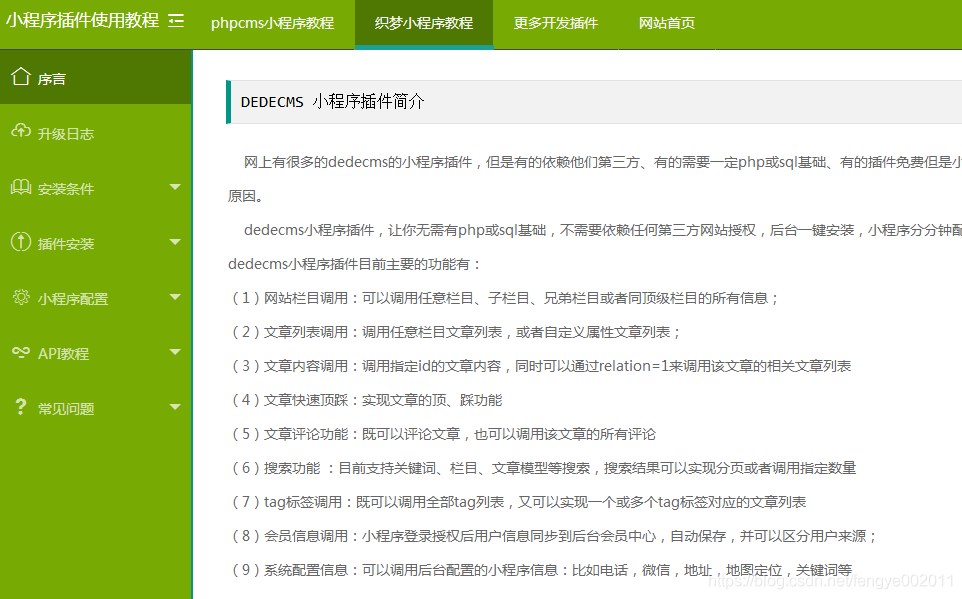
dedecms小程序插件正式上线,一键安装无需任何php或sql基础
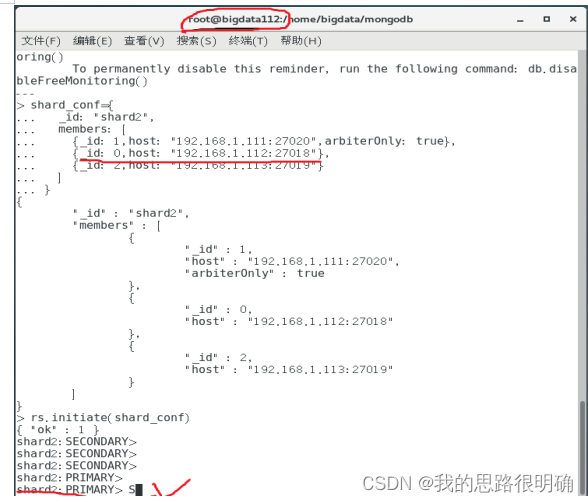
Mongodb分片环境搭建和验证(redis期末大作业)

Reverse crawling verification code identification login (OCR character recognition)
随机推荐
Pytorch build progression
运行时端的执行流程
Yolov5 advanced III training environment
Yolov5 advanced 4 train your own data set
1.21 study gradient descent and normal equation
1.Intro_ Math (white board derivation and reprint of station B)
Reverse crawling verification code identification login (OCR character recognition)
Regular Expression 正则表达式
Section IV HQL execution process
1.21 study logistic regression and regularization
Yolov5 advanced level 2 installation of labelimg
Yolov5进阶之一摄像头实时采集识别
phpcms v9后台增加阅读量字段,可任意修改阅读量
uniapp用uParse实现解析后台的富文本编辑器的内容及修改uParse样式
实践是成为网工最快的方法,网络工程师实战项目整理
基于SSM的毕业论文管理系统
深度学习论文阅读目标检测篇(七)中文版:YOLOv4《Optimal Speed and Accuracy of Object Detection》
Yolov5进阶之二安装labelImg
远程工作的一些命令
Slider verification - personal test (JD)