当前位置:网站首页>Environment construction of go language foundation
Environment construction of go language foundation
2022-06-23 22:06:00 【Ink purple feather ink】
One 、go Download and install of
1、 Download address :https://golang.google.cn/dl/
2、 install : When the download is complete ,Windows Double click the version to install ( Remember this installation address , You need to use... When configuring environment variables later )
3、 Check :win+R Input cmd Enter to open the terminal window , Input go If the following information is available, the installation is successful
4、 establish go Working space for (GOPATH The directory that the environment variable points to )
GO The code must be in the workspace . The workspace is a directory , It contains three subdirectories :
src---- Every subdirectory in it , It's just a bag . Inside the bag isGoSource filepkg---- Generated after compilation , The target file for the packagebin---- Generated executable file
Two 、GOPATH Set up
GOROOT:GoThe path to the root directory of the language installation , That is to sayGOLanguage installation path .GOPATH: Is an environment variable , Used to show what you wrotegoThe storage path of the project . It is better to set only one path , All project code is put inGOPATHOfsrcUnder the table of contentsGOBIN:GOExecutable files generated by the program (executable file) The path of .
We can GOPATH It is simply understood as Go Working directory of languages , Its value is the path to a directory , It can also be multiple directory paths , Each directory represents Go A workspace for languages (workspace). We need to benefit these workspaces , To place Go Language source file (source file), And installation (install) Archive after (archive file, That is to say “.a” File with extension ) And executables (executable file). in fact , because Go All operations of a language project in its life cycle ( code 、 Dependency management 、 structure 、 test 、 Installation, etc ) Basically around GOPATH And work area .
1、 Environment variable configuration :
- My computer -> attribute -> Advanced system setup -> environment variable
- newly added
GOPATHSet the value as you want to savegoCode directory
3、 To configure path: hold go Installation directory and gopath Directory configuration
4、 Check : stay cmd Enter... In the terminal box go env If any, as shown in the figure gopath It means that the setting is successful
3、 ... and 、vscode Download and install of
1、 Download address :https://code.visualstudio.com/
2、 install : When the download is complete , Double click Install directly , And then the next step 、 The next step is to
3、 To configure :
- Configure Chinese
- install
goplug-in unit
Four 、hello world Program
1、 Use vscode Open our new project directory , Write our first go Language program
2、 stay src Create a new one under the directory hello The catalog of , Then I'm building a new hello.go file
package main
import "fmt"

func main(){
	fmt.Println("hello world")
}
3、 Click View in the menu bar -> terminal , Input go run hello/hello.go
边栏推荐
- 个税怎么算?你知道吗
- [log service CLS] one click to start the efficient operation and maintenance journey of Tencent E-Sign
- Unusual transaction code mebv of SAP mm preliminary level
- Take you through the distributed file system
- 嵌入式开发:嵌入式基础——重启和重置的区别
- TDD开发模式推荐流程
- Bluetooth chip | Renesas and Ti launch new Bluetooth chip, try Lenz st17h65 Bluetooth ble5.2 chip
- Improve efficiency, take you to batch generate 100 ID photos with QR code
- How to calculate individual income tax? You know what?
- Cloud native practice of meituan cluster scheduling system
猜你喜欢

Polar cycle graph and polar fan graph of high order histogram
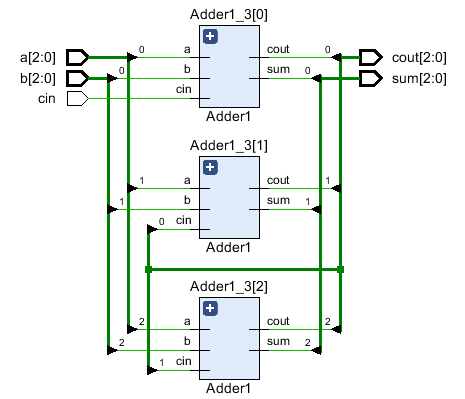
HDLBits->Circuits->Arithmetic Circuitd->3-bit binary adder

Using the provider to transform the shit like code, the amount of code is reduced by 2/3!

嵌入式开发:嵌入式基础——重启和重置的区别

Sending network request in wechat applet

Peking University, University of California Berkeley and others jointly | domain adaptive text classification with structured knowledge from unlabeled data (Domain Adaptive Text Classification Based o

Simple code and design concept of "back to top"

数据可视化之:没有西瓜的夏天不叫夏天

Installation and use of Minio
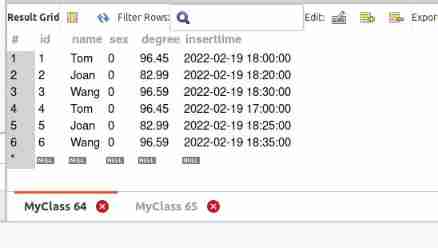
MySQL de duplication query only keeps one latest record
随机推荐
万字长文!一文搞懂InheritedWidget 局部刷新机制
Open source C # WPF control library --newbeecoder UI User Guide (II)
Simple code and design concept of "back to top"
Error running PyUIC: Cannot start process, the working directory ‘-m PyQt5. uic. pyuic register. ui -o
Start optimization - directed acyclic graph
Find My资讯|苹果可能会推出第二代AirTag,试试伦茨科技Find My方案
CAD图在线Web测量工具代码实现(测量距离、面积、角度等)
High quality "climbing hand" of course, you have to climb a "high quality" wallpaper
Don't let your server run naked -- security configuration after purchasing a new server (Basics)
Tdsql elite challenge CVM voucher usage guide
Cloud native practice of meituan cluster scheduling system
ACL2022 | MVR:面向开放域检索的多视角文档表征
[same origin policy - cross domain issues]
How to open a stock account? What are the main considerations for opening an account? Is there a security risk in opening an account online?
KnowDA: All-in-One Knowledge Mixture Model for Data Augmentation in Few-Shot NLP(KnowDA:用于 Few-Shot NLP 中数据增强的多合一知识混合模型)
The 11th Blue Bridge Cup
Teacher lihongyi from National Taiwan University - grade Descent 2
Benchclock: a benchmark for evaluating semantic analysis language models
Flink practical tutorial: advanced 4-window top n
Tencent cloud database tdsql elite challenge Q & A (real-time update)