当前位置:网站首页>Road to simple HTML + JS to achieve the most simple game Tetris
Road to simple HTML + JS to achieve the most simple game Tetris
2020-11-06 21:04:00 【kingapple】
Preface
To be honest, this is actually the second Tetris I wrote .
This rewrite , Besides reviewing the code I wrote before , There are also some new ideas .
One of the most important purposes is to separate the rendering layer from the logic layer at the code level ( Redesign the code ).
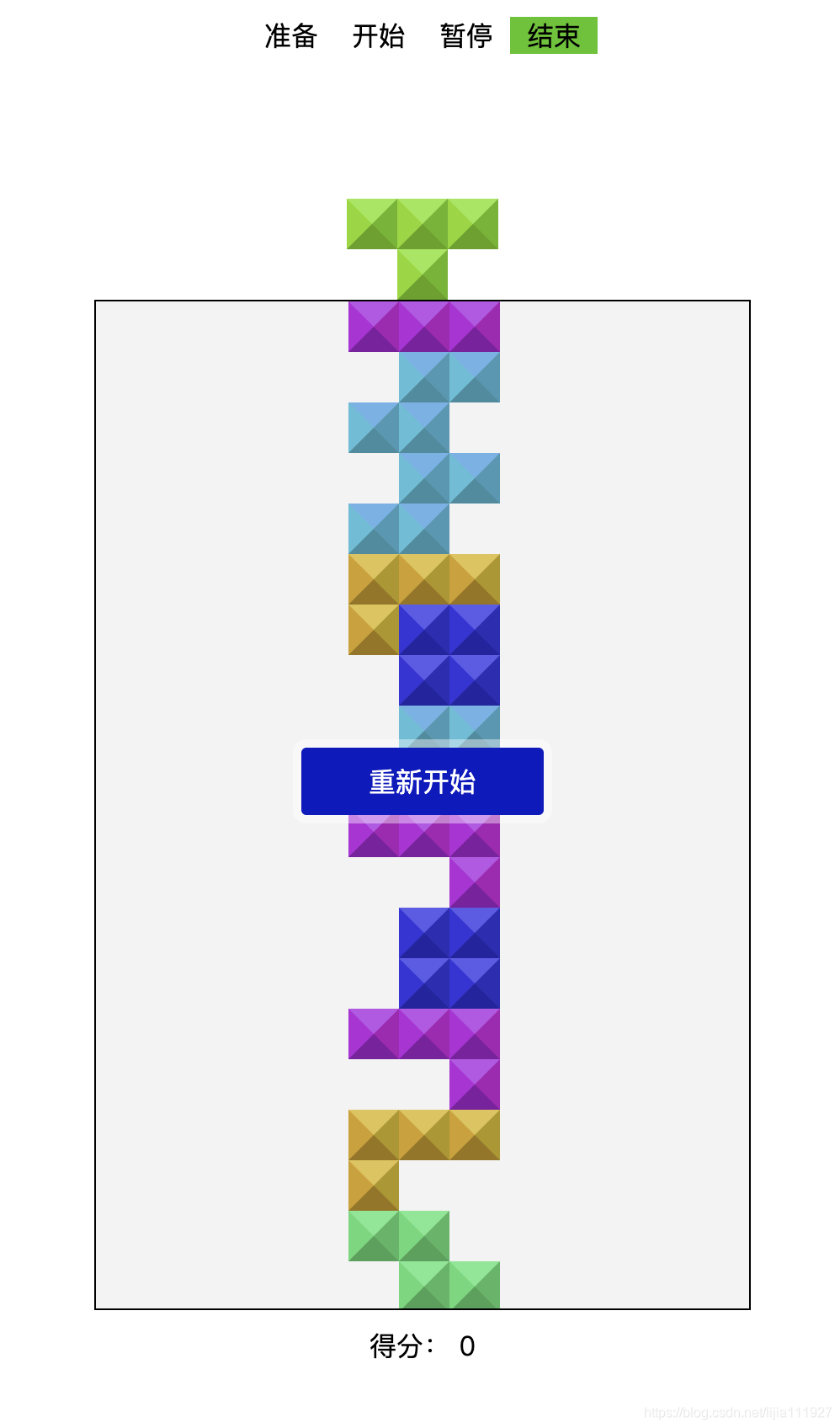
—— The final effect is as follows .
On the subject
Take a look at some of the concepts and logic of Tetris
One 、 square
The most traditional Tetris , Only 7 Square block .
Usually by T、I、Z、S、L、J、O this 7 One letter instead of .
Convert to code as follows .
shaps = {
    'I': [
      [1, 1, 1, 1],
    ],
    'L': [
      [1, 1, 1],
      [1, 0, 0],
    ],
    'J': [
      [1, 1, 1],
      [0, 0, 1],
    ],
    'Z': [
      [1, 1, 0],
      [0, 1, 1],
    ],
    'S': [
      [0, 1, 1],
      [1, 1, 0],
    ],
    'T': [
      [1, 1, 1],
      [0, 1, 0],
    ],
    'O': [
      [1, 1],
      [1, 1],
    ],
  };

  enumShaps = {
    'I': [
      [[0,0],[1,0],[2,0],[3,0]],
      [[1,-1],[1,0],[1,1],[1,2]],
    ],
    'L':[
      [[0,0],[1,0],[2,0],[0,1]],
      [[0,0],[1,0],[1,1],[1,2]],
      [[2,0],[0,1],[1,1],[2,1]],
      [[0,0],[0,1],[0,2],[1,2]],
    ],
    'J':[
      [[0,0],[1,0],[2,0],[2,1]],
      [[1,0],[1,1],[1,2],[0,2]],
      [[0,0],[0,1],[1,1],[2,1]],
      [[0,0],[1,0],[0,1],[0,2]],
    ],
    'Z':[
      [[0,0],[1,0],[1,1],[2,1]],
      [[1,0],[1,1],[0,1],[0,2]],
    ],
    'S':[
      [[1,0],[2,0],[0,1],[1,1]],
      [[0,0],[0,1],[1,1],[1,2]],
    ],
    'T':[
      [[0,0],[1,0],[2,0],[1,1]],
      [[1,-1],[1,0],[1,1],[0,0]],
      [[0,0],[1,0],[2,0],[1,-1]],
      [[1,-1],[1,0],[1,1],[2,0]],
    ],
    'O':[
      [[1,0],[2,0],[1,1],[2,1]],
    ],
  };
The code above has two sets of squares .( Matrix , No lift )
There is no direct connection between the two , They are two ideas derived from rotating squares .
The biggest difference between the two is , The rotation of the first group of matrix blocks needs to be converted by relevant algorithms , Relatively complex .
And the second group , We have enumerated the rotation results of U.S. and Chinese squares , Better to understand .
The first box option
let shapData = shaps['T']

  //  Rotate the matrix by algorithm
  shapData = matirx2dRotation(shapData)
  const shapRender = (vector) => {
    //  It's a little different from enumeration
  }
The second kind of square rotation
//  For example, the following code can be directly removed T One of the rotation data of the square
  //  Each vector in this data plus the square offset in the scene of the block is the rendering data of the block
  const shapData = enumShaps['T'][1]

  // vector  Offset ( It's the location of the square in the scene )
  const shapRender = (vector) => {
    return shapData.map(([x, y]) => [x + X, y + Y]);
  }
The above complete code is in the bottom warehouse address
Two 、 Collision and logic
The standard situation , Only one square in the scene receives player action .
The player's box is generated and handed over to the player after the game begins .
Player controlled squares , Every time the player operates feedback, the collision logic is detected .
The operation feedback here is mainly on the left side of the block 、 Right 、 Move down and rotate .
- Whether the square overflows the scene ( The left and right sides of the scene collide with the bottom boundary )
- Whether the square collides with the static square in the scene
Every game heartbeat interval , You also need to drop the block controlled by the current player by one space .
Whether it is the player's active block drop or the game heartbeat interval will automatically drop the box . We need to detect whether it collides with the bottom of the scene or other static squares .
If the collision holds up , Add the current block to the static block sequence .
At this point, you can execute the logic of the small block .
You need to fill the vacant position after playing the square .
Finally, a new box is generated and added to the scene .
As the new box enters the scene , You need to detect collisions with still squares immediately . If true, then the game is game over.
//  Block static logic
  const isShapDead = vector => {
    // ... If true, it is added to the sequence of static squares
  }

  //  Whether it overflows the scene
  //  No need to detect the top
  const isOverFlow = vectors => {
    const [width, height] = screenSize;
    return vectors.some(([x, y]) => {
      return x < 0 || x >= width || y >= height;
    });
  }

  //  Is there a collision
  const isShapHit = vectors => {
    // ...
  }

  //  Whether the game fails
  const isGameOver = data => {
  	//  Square initial position vector
    const [, y] = vector;

    if (y <= 0 && isShapHit(data)) {
      return true;
    }
    return false;
  }
The above complete code is in the bottom warehouse address
3、 ... and 、 The rendering layer is separated from the logic layer
Every time the game beats , With every user action feedback will trigger rendering
Maybe it's been separating the front and back for some time , A little bit virtual dom A little bit of an impact on .
Redesigned code , Virtualize the whole process of the game .
Only in every heartbeat ( Similar to the concept of frames in the game ) Or the user will push the game virtual data to the rendering layer after each active operation , The rendering logic is implemented by the render layer .
// TetrisJS  The logic code of the whole game
    const TJS = new TetrisJS({
      screenSize,
      intervals: 1000,
    });
    // update  To accept the push of the rendering request in the callback letter of
    TJS.update(() => {
      // TJS.map It's the virtual data of the game
      renderGame(TJS.map)
    });

	const renderGame = data => {
	  // render  Rendering logic
	}
Finally, code the warehouse ( The above code is based on this )https://github.com/applelee/tetris-js.git
Old code ( Be careful )https://github.com/applelee/tetris-js-old.git
版权声明
本文为[kingapple]所创,转载请带上原文链接,感谢
边栏推荐
- nacos、ribbon和feign的簡明教程
- (2) ASP.NET Core3.1 Ocelot routing
- Swagger 3.0 brushes the screen every day. Does it really smell good?
- 意外的元素..所需元素..
- Digital city responds to relevant national policies and vigorously develops the construction of digital twin platform
- html+vue.js 實現分頁可相容IE
- What are the criteria for selecting a cluster server?
- In depth to uncover the bottom layer of garbage collection, this time let you understand her thoroughly
- 统计项目代码行数
- What is the tensor in tensorflow?
猜你喜欢

代码重构之法——方法重构分析
Zero basis to build a web search engine of its own
The method of realizing high SLO on large scale kubernetes cluster
大数据处理黑科技:揭秘PB级数仓GaussDB(DWS) 并行计算技术
嘉宾专访|2020 PostgreSQL亚洲大会阿里云数据库专场:曾文旌
window系统 本机查找端口号占用方法
jenkins安装部署过程简记
Staying up late summarizes the key points of report automation, data visualization and mining, which is different from what you think
What are the criteria for selecting a cluster server?
【自学unity2d传奇游戏开发】地图编辑器
随机推荐
2020年数据库技术大会助力技术提升
Even liver three all night, jvm77 high frequency interview questions detailed analysis, this?
mongo 用户权限 登录指令
CloudQuery V1.2.0 版本发布
An article will take you to understand CSS alignment
ORA-02292: 违反完整约束条件 (MIDBJDEV2.SYS_C0020757) - 已找到子记录
Live broadcast preview | micro service architecture Learning Series live broadcast phase 3
An article will introduce you to CSS3 background knowledge
To Lianyun analysis: why is IPFs / filecoin mining so difficult?
How to turn data into assets? Attracting data scientists
Helping financial technology innovation and development, atfx is at the forefront of the industry
ado.net和asp.net的关系
Share with Lianyun: is IPFs / filecoin worth investing in?
視覺滾動[反差美]
消息队列(MessageQueue)-分析
image operating system windows cannot be used on this platform
Use modelarts quickly, zero base white can also play AI!
Details of dapr implementing distributed stateful service
What is the tensor in tensorflow?
Those who have worked in China for six years and a million annual salary want to share these four points with you