当前位置:网站首页>Unity 截取3D图像 与 画中画PIP的实现
Unity 截取3D图像 与 画中画PIP的实现
2022-08-03 23:11:00 【长江很多号】
1 前言
在Unity中要得到某些3D游戏对象的截图,是比较容易的,本文来讨论一下。
实现的核心方案,是新建一个Camera,Camera指向目标对象。Camera有个参数是TargetTexture,叫目标渲染纹理,提取该纹理的像素,生成图片。
来看一下Camera的属性:
一般情况下,摄像机直接渲染到屏幕,即,当 targetTexture 为 null 时,摄像机渲染到屏幕。但如果创建一个 RenderTexture 对象, 在摄像机上将其设置为 targetTexture,则摄像机就会渲染到 该纹理。当渲染到纹理时,摄像机始终渲染到整个纹理中。 这有一种离屏渲染FBO的味道了^^
再补充一下RenderTexture的知识。RenderTexture即,渲染纹理,是指可对其进行动态渲染的纹理。
它们可用于实现基于图像的渲染特效、动态阴影、 投影器、反射或监视摄像机。
渲染纹理的一个典型用法是将其设置为 摄像机的“目标纹理”属性 (Camera.targetTexture),这将使摄像机渲染到纹理, 而不是渲染到屏幕。
2 具体实现
背景:有如下一个简单的3D世界,包括一个Cube正方体,一个Plane 绿色平板,一个Plane白色平板。目标:把Cube和绿色平板一起截取下来。
2.1 新建离屏渲染Camera
新建一个Camera,视锥Projection设置为正交投影Orthographic,位置放在3D对象的后方,使其可以照射到目标游戏对象,具体如下:
选中Camera对象,会有个小窗口,如图中的箭头,可以看到Camera所得到的实际视图,方便你的调试位置,大小。
如果要调整Camera的视锥范围,可以修改参数中的Size。
接下来,就可以写代码,去截图了。
2.2 代码实现
具体如下:
using Assets.Scripts;
using System.Collections;
using System.Collections.Generic;
using UnityEngine;

public class Get3DImage : MonoBehaviour
{

    private RenderTexture shortcutRenderTexture;
    private Camera cutImageCamera;
    // Start is called before the first frame update
    void Start()
    {

        cutImageCamera = GameObject.Find("CutImageCamera").GetComponent<Camera>();
        init();
    }

    // Update is called once per frame
    void Update()
    {


    }

    private void init()
    {

        shortcutRenderTexture = RenderTexture.GetTemporary(600, 600, 16, RenderTextureFormat.Default, RenderTextureReadWrite.Linear);
        shortcutRenderTexture.enableRandomWrite = true;
        cutImageCamera.targetTexture = shortcutRenderTexture;
    }

    public void StartCutImage()
    {

        // Create a new Texture2D and read the RenderTexture image into it
        RenderTexture.active = shortcutRenderTexture;
        Texture2D drawTexture2D = new Texture2D(shortcutRenderTexture.width, shortcutRenderTexture.height, TextureFormat.RGB24, false);
        drawTexture2D.ReadPixels(new Rect(0, 0, shortcutRenderTexture.width, shortcutRenderTexture.height), 0, 0);
        drawTexture2D.Apply();

        TextureUtils.saveTextureToFile(drawTexture2D, "SaveShortcut");
    }

    private void OnDestroy()
    {

        RenderTexture.ReleaseTemporary(shortcutRenderTexture);
    }
}
核心代码
RenderTexture.active = shortcutRenderTexture;
上面的核心代码,表示设置当前的激活态的RenderTexture为 Camera所指向的RenderTexture(同样游戏场景中可能有多个RenderTexture)。此时可以新建一个Texture2D,调用ReadPixels,即会读取激活态的RenderTexture的内容。
接下来就简单了,把Texture2D保存即可。代码如下:
using System.IO;
using UnityEngine;

namespace Assets.Scripts
{

    class TextureUtils
    {

        public static Texture2D DeCompress(Texture2D source)
        {

            RenderTexture renderTex = RenderTexture.GetTemporary(
                        source.width,
                        source.height,
                        0,
                        RenderTextureFormat.Default,
                        RenderTextureReadWrite.Linear);

            Graphics.Blit(source, renderTex);
            RenderTexture previous = RenderTexture.active;
            RenderTexture.active = renderTex;
            Texture2D readableText = new Texture2D(source.width, source.height);
            readableText.ReadPixels(new Rect(0, 0, renderTex.width, renderTex.height), 0, 0);
            readableText.Apply();
            RenderTexture.active = previous;
            RenderTexture.ReleaseTemporary(renderTex);
            return readableText;
        }


        public static string saveTextureToFile(Texture2D texture, string fileName)
        {

            if (texture == null)
            {

                return "";
            }

            byte[] bytes = TextureUtils.DeCompress(texture).EncodeToPNG();
            string filename = Application.persistentDataPath + "/" + fileName + ".png";
            Debug.Log("DrawManager::saveTextureToFile = " + filename);
            File.WriteAllBytes(filename, bytes);
            return filename;
        }

    }
}
3 用RenderTexture实现画中画
本文使用到了RenderTexture,且是代码动态创建的。我们也可以在菜单中创建,甚至还可以做一个画中画PIP的功能,比较有意思,顺着思路,我们来聊一下画中画的实现。
3.1 建RenderTexture
在Assets目录下,右键,Create – RenderTexture,新建一个渲染纹理。
然后,把Size参数设置为和屏幕宽高一样,例如1920x1080.
3.2 建材质
接着,右键,Create – Material,新建一个材质。Shader选为Unlit/Texture。然后,如下右边箭头,把材质所使用的纹理,选择为上面新建的RenderTexture。
有了材质,就可以用在游戏场景中了!
3.3 建Image作为PIP窗口
新建一个2D Image,然后把Image的材质,设置为3.2所建的材质。
好了,运行起来,效果如下: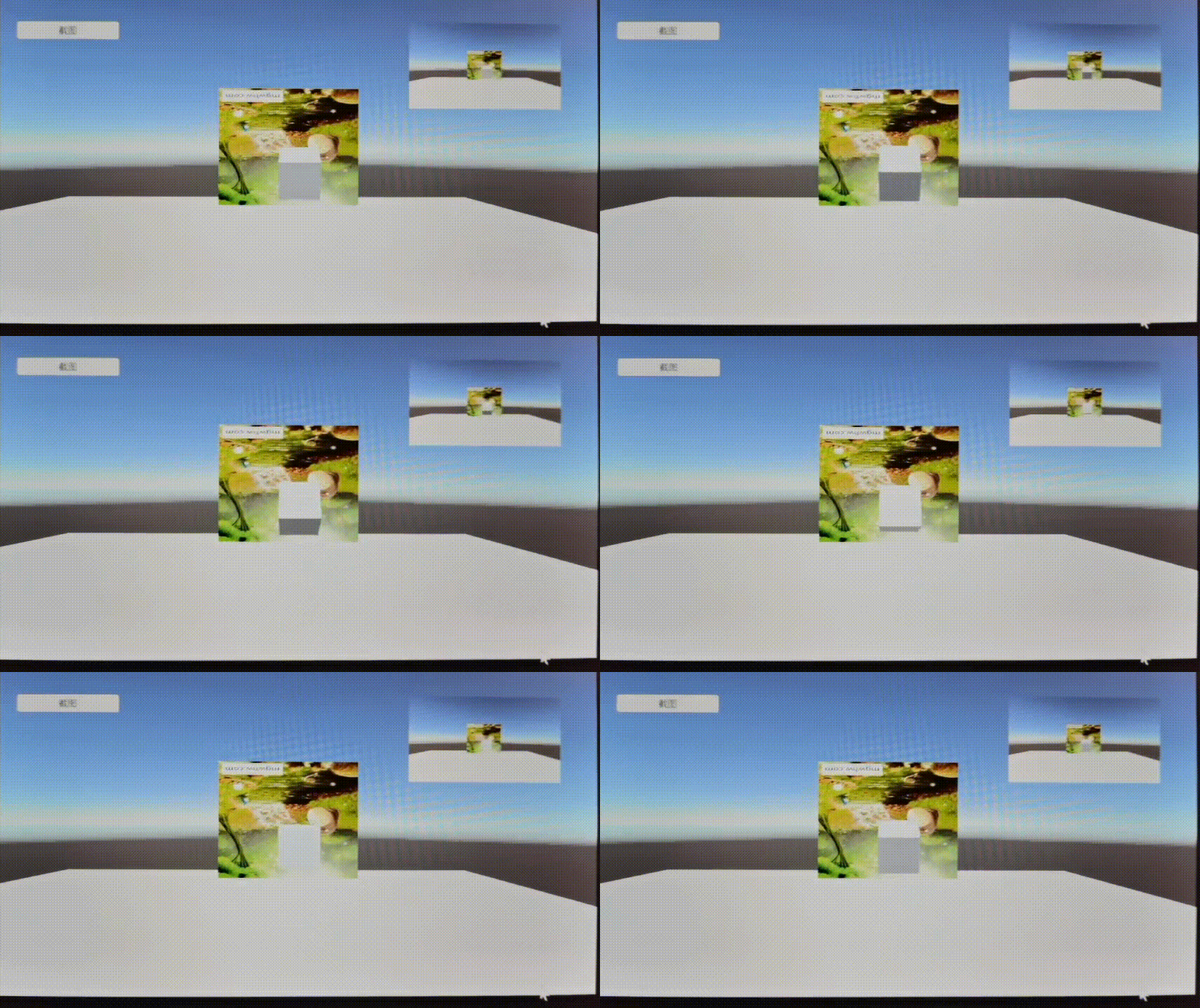
最后,上代码:
TestGet3DImage
边栏推荐
- Deep integration of OPC UA and IEC61499 (1)
- Testng监听器
- The sword refers to the offer question 22 - the Kth node from the bottom in the linked list
- Creo 9.0二维草图的诊断:着色封闭环
- 云平台建设解决方案
- How many way of calling a function?
- Interpretation of ML: A case of global interpretation/local interpretation of EBC model interpretability based on titanic titanic rescued binary prediction data set using interpret
- Zilliz 2023 秋季校园招聘正式启动!
- Analysys Analysis: The transaction scale of China's online retail B2C market in Q2 2022 will reach 2,344.47 billion yuan
- Unity2021发布WebGL雾效消失问题
猜你喜欢

密码学基础以及完整加密通讯过程解析

Software testing is seriously involution, how to improve your competitiveness?

Pytest学习-setup/teardown

栈的压入、弹出序列

689. 三个无重叠子数组的最大和

The salary of soft testers at each stage, come to Kangkang, how much can you get?

响应式织梦模板塑身瑜伽类网站

Network basic learning series four (network layer, data link layer and some other important protocols or technologies)

生成器版和查看器版有什么区别?

物联网新零售模式,引领购物新潮流
随机推荐
Lift, Splat, Shoot: Encoding Images from Arbitrary Camera Rigs by Implicitly Unprojecting to 3D 论文笔记
什么是memoization,它有什么用?
如何创建一个Web项目
Network basic learning series four (network layer, data link layer and some other important protocols or technologies)
关于IDO预售系统开发技术讲解丨浅谈IDO预售合约系统开发原理分析
MiniAPI of .NET6 (14): Cross-domain CORS (Part 1)
Another MySQL masterpiece published by Glacier (send the book at the end of the article)!!
utils 定时器
Creo 9.0二维草图的诊断:加亮开放端点
举一个 web worker 的例子
Why do we need callbacks
Research status of target detection at home and abroad
1067 Sort with Swap(0, i)
【LeetCode】最长回文子序列(动态规划)
走迷宫 BFS
响应式织梦模板除尘器类网站
伴随着元宇宙、web3.0等概念的兴起,数字人、数字场景等诸多数字化的形态开始出现
AOSP CameraLatencyHistogram的原理与使用
.NET6之MiniAPI(十四):跨域CORS(上)
Recognized by International Authorities | Yunzhuang Technology was selected in "RPA Global Market Pattern Report, Q3 2022"