当前位置:网站首页>Restrict Su command and sudo mechanism to promote nmap and console command netstat
Restrict Su command and sudo mechanism to promote nmap and console command netstat
2022-07-25 06:32:00 【Pupils with a bad stomach】
1、 Limit su Command the user
By default , Users are allowed to use su command , So as to try the login password of other users repeatedly with opportunities , This brings security risks . In order to strengthen su Command usage control , With the aid of pam_wheel The authentication module can only be used by a few users su Command to switch . The implementation process is as follows : Will authorize the use of su command Add users to wheel Change /etc/pam.d/su Authentication configuration to enable pam_wheel authentication .
- oot→ Any user , Don't verify the password
- Ordinary users → Other users , Verify the password of the target user

- To borrow pam_wheel Command to restrict users su Command to switch
- Will authorize the use of su Add the user of the command to whell Group


stay /etc/pam.d/su The settings in the file prohibit users from using su command
vim /etc/pam.d/su
2 #auth sufficient pam_rootok.so
6 #auth required pam_wheel.so use_uid
- The above two lines are the default state ( Open the first line , Note the second line ), In this state, all users are allowed to use su Command to switch .
- Comments on both lines are also run and can be used by all users su command , but root Next use su To switch to other ordinary users, you need to enter the password if the first line is not commented , be root Use su You don't need to enter a password to switch between ordinary users (pam rootok.so The main function of the module is to make uid by 0 Users of , namely root Users can
- If you open the second line , Only root Users and wheel Only users in the group can use su command
- If you comment on the first line , Open the second line , Only whee1 Only users in the group can use su command ,root Users are also disabled su command .
2、 Security PAM Safety certification
1. PAM Authentication principle
1.PAM Authentication generally follows the order : Service( service )-->PAM( Snow distribution document )--> pam_ *.so;
2.PAM Authentication first determines which application service , Then load the corresponding PAM Piping documents ( be located /etc/pam.d Next ), Finally, the authentication module is called ( be located /lib64/security/ Next ) Conduct safety certification .
3. When a user visits the server , A server on the server sends a user's request to PAM Module authentication . Different applications correspond to PAM Modules are also different .

2.PAM Authentication type
- Certification management
- Accept user name and password , Then the user's password is authenticated
- Account management
- Check whether the account is allowed to log in to the system , Whether the account has expired , Is there a time limit for the login of the account
- Password management
- It is mainly used to modify the user's password
- session management
- It mainly provides the management and accounting of the session
3.PAM Type of control
- required Continue when validation fails , But return Fail
- requisite If the verification fails, the whole verification process will be terminated immediately , return Fail
- sufficien If the verification is successful, it will return immediately , Don't show again , Otherwise ignore the results and continue
- optional Not for validation , Just showing information ( Usually used for session type )
3、sudo Mechanism prompt permission
1.sudo Mechanism Introduction :
By default , Any user is allowed to use su command , Have the opportunity to repeatedly try the login password of other users , Bring security risks
2, A standard format
user / Group name Host name =( The authority identity of raising rights -root) Empowering use commands ( Write in an absolute path )-- Can be for more than one
3,sudo Parameter options command / To configure sudo to grant authorization
visudo perhaps vi /etc/sduers
| user | Directly authorize the specified user name , Or adopt “ Group name " In the form of ( All users of a group ) |
| Host name | Use the host name of this rule . Available when the host name has not been configured localhost, If the host name has been assigned, the actual host name will be used ,ALL Represents all hosts |
| ( user ) | In what capacity can the user execute commands . This can be omitted , The default time is root The user's identity to run the command |
| List of command programs | Allow authorized users to pass through sudo A privileged command that is executed in the , You need to fill in the complete path of the command program , Multiple commands with commas "," separation .ALL Represents all commands in the system |


Users can create temporary network cards

Get into visudo, to zhangsan Users add ifconfig jurisdiction 
4、 Terminal login security control
- Limit root Log in only at secure terminals
- Prohibit ordinary users from logging in When the server is performing maintenance work such as backup or debugging , You may not want new users to log in to the system . Now , Simply establish /etc/nologin File can .login The program will check /etc/nologin Does the file exist , If there is , Then the ordinary user is denied access to the system (root Users are unlimited ).
- touch /etc/nologin # except root Other users can't log in .
- This method actually utilizes shutdown The limiting mechanism of delayed shutdown , It is only recommended to temporarily Use . When manually deleting /etc/nologin File or restart the host , It's back to normal .

touch /etc/nologin     Prohibit ordinary users from logging in

rm -rf /etc/nologin    Remove the above login restrictions
5、 Network port scan nmap
- NMAP Is a powerful port scanning class security evaluation tool , Support ping scanning , Multi port inspection and other technologies
- install nmap


testing 192.168.88.0/24 Which hosts in the network segment provide services 
testing 192.168.88.0/24 Which surviving hosts

6、nestat command
Check the network connection status of the current operating system , Routing table , Interface statistics and other information , It is an effective tool for understanding network status and troubleshooting network services
1. Output information

netstat The output of can be divided into two parts
- Active Internet connections Active power TCP Connect , among "Recv-Q" and "Send-Q" Refers to the receiving queue and the sending queue . These numbers should generally be 0. If not, the package is piling up in the queue . This can only be seen in very few cases .
- Active UNIX domain sockets Active power Unix Domain socket interface ( Like a network socket , But only for native communication , Performance can be doubled ).
Listing interpretation :
- Proto: Show protocols used for connection .
- RefCnt: Indicates the process number connected to this set of interfaces .
- Types: Display the type of socket .
- State: Display the current state of socket interface .
- Path: Indicates the pathname used by other processes connected to the socket interface .
2. Common options
| -a | Displays all active network connection information in the host ( Monitoring includes 、 Non listening service port ) |
| -n | Display the relevant host address in digital form 、 Port and other information |
| -t | see TCP Protocol related information |
| -u | Show UDP Protocol related information |
| -p | Displays the process number associated with the network connection 、 Process name information ( This option requires root jurisdiction ) |
| -r | Show routing table information |
| -l | Display network connection and port information in listening state |
边栏推荐
- JVM tuning summary -xms -xmx -xmn -xss
- Pic16f877xa instruction system (assembly language)
- Simple factory factory method Abstract Factory
- Multithreading programming under Win32 API
- Analysis of the calling principle of Changan chain solid smart contract
- Filebeat6.4 quick start
- [C language] document processing and operation
- 【datawhale202207】强化学习:强化学习基础
- Data too long for column ‘data‘ at row 1以及设置成longblob造成的乱码解决。node-mysql
- Netease game Flink SQL platform practice
猜你喜欢

What determines the "personality" of AI robots?

labelme标注不同物体显示不同颜色以及批量转换

Download and run the C open source control metroframework demo project
![[C language] document processing and operation](/img/d7/3d34401f78399dcd6d571bc0bc84bf.png)
[C language] document processing and operation

NFT: how to improve rentable NFT (erc-4907)
C#开源控件MetroFramework Demo项目下载和运行
VSCode 如何开启多个终端?如何横向显示?

DOM event type
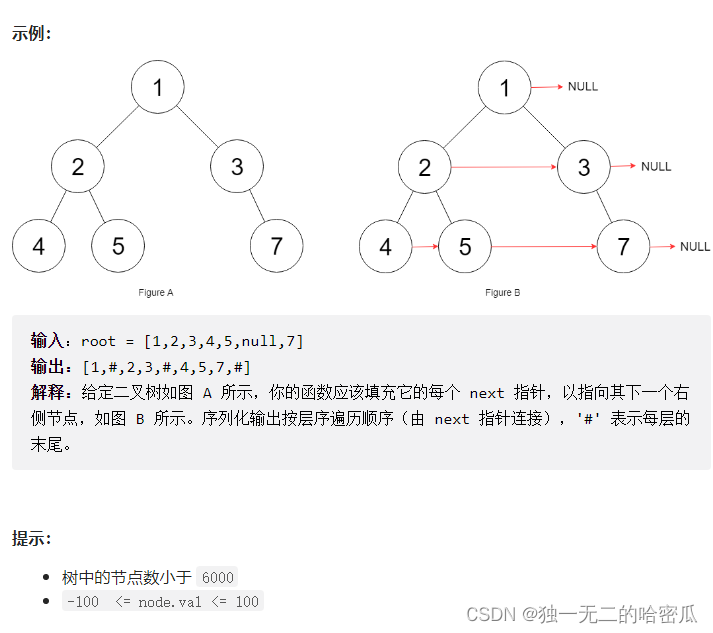
Daily question brushing record (XXVIII)

Easy gene chip SEQ analysis method: practical workflow and advanced applications
随机推荐
Brief tutorial of vbs script syntax (1)
Cout format output common functions and flags summary
Case ---- how efficient is the buffer stream compared with the ordinary input stream and output stream?
Filebeat6.4 quick start
The macro definition of embedded C language development and the skills of finding the maximum value of two numbers
“font/woff“ and “font/woff2“ in file “mime.types“
四、MFC工具栏、运行时类信息机制、运行时创建机制
在C# WinForms应用程序中安装,配置和使用MetroFramework
What does PK, NN, Qu, B, UN, ZF, AI, G mean when creating tables in MySQL
Do you know the same period last year in powerbi
Detailed explanation of arm instruction CMP
Installation and configuration of automatic operation and maintenance management workers ansible
【剑指Offer】模拟实现atoi
target_compile_features specified unknown feature “cxx_std_14“ for target
Interlocked atom access series of functions
Req.body in node.express is always undefind
Use abp Zero builds a third-party login module (III): web side development
共模电感听过很多次,但是什么原理你们真的懂吗?
Learning notes: detailed use of 12864 LCD module
VBS common built-in functions (2)