当前位置:网站首页>页面导出excel的三种方式
页面导出excel的三种方式
2022-06-23 03:32:00 【迷糊的小小淘】
一 纯前端实现方式①
如果数据量很小,并且没有什么处理逻辑的话,可以使用该种方式,用到的包是file-saver
<div style="padding-top: 30px;">
   <el-button type="primary" @click="exportData">导出数据</el-button>
</div>
 <el-table ref="multipleTableData" :data="tableData" :stripe="true">
        <el-table-column type="selection" min-width="2" :reserve-selection="true" align="center" />
        <el-table-column :resizable="false" prop="name" label="学生姓名" align="center" />
        <el-table-column :resizable="false" prop="age" label="年龄"  align="center" />
        <el-table-column :resizable="false" prop="area" label="地区" align="center" />
 </el-table>
<script>
import fileSaver from 'file-saver'
// 导出数据
exportData() {
const dataArray = this.$refs.multipleTableData.selection
console.log(dataArray, 'dataArray')
let dataString = `姓名\t年龄\t所在省市\n` // 表头文字
for (let i = 0; i < dataArray.length; i++) {
for (const key in dataArray[i]) {
dataString += `${dataArray[i][key] + '\t'}` // 获取到每一行数据后加上换行符进行拼接
}
dataString += '\n'
}
const blob = new Blob([dataString], { type: 'application/vnd.ms-excel' })
const time = Date.now() // 给表格名加个时间戳进行区分
const filename = '学生信息表' + time + '.xls'
fileSaver.saveAs(blob, filename)
}
</script>该方法的核心是将每行数据+'\n'与表头拼接成字符串,然后利用Blob解析,最后利用file-saver包的saveAs方法保存成excel;
Blob表示二进制类型的大对象,可以看做是存放二进制数据的容器,此外,还可以通过Blob设置二进制数据的MIME类型;
var blob = new Blob(dataArr:Array<any>, opt:{type:string}); // 构造Blob函数dataArray表示一个数组,包含了要添加到Blob对象中的数据,opt表示一个对象,用于设置Blob对象的属性(如:MIME类型)
创建出来的Blob对象包含有两个属性:size和type,size表示数据的大小(以字节为单位),type是MIME类型的字符串;
二 纯前端实现方式②
还是利用Blob实现,采用动态创建a标签的方式
<script>
    // 导出数据
    exportData() {
      const dataArray = this.$refs.multipleTableData.selection
      console.log(dataArray, 'dataArray')
      let dataString = `姓名\t年龄\t所在省市\n` // 表头文字
      for (let i = 0; i < dataArray.length; i++) {
        for (const key in dataArray[i]) {
          dataString += `${dataArray[i][key] + '\t'}` // 获取到每一行数据后加上换行符进行拼接
        }
        dataString += '\n'
      }
      const blob = new Blob([dataString], { type: 'application/vnd.ms-excel' })
      const time = Date.now() // 给表格名加个时间戳进行区分
      const filename = '学生信息表' + time + '.xls'
      const link = document.createElement('a') // 创建a标签
      link.download = filename // 文件名
      link.style.display = 'none'
      link.href = URL.createObjectURL(blob) // 创建URL对象
      document.body.appendChild(link) // 在body中添加a标签
      link.click()
      URL.revokeObjectURL(link.href)  // 主动释放URL对象
      document.body.removeChild(link) // 移除a标签
}
</script>
其中,URL.createObjectURL()静态方法会创建一个DOMString,其中包含一个表示参数中给定的对象的URL,这个URL的生命周期和创建它的窗口中的document绑定。这个新的URL对象表示指定的File对象或Blob对象,用于指定源object的内容;
在每次调用createObjectURL()方法时,都会创建一个新的URL对象,即使你已经用相同的对象作为参数创建过。当不再需要这些URL对象时,每个对象必须通过调用URL.revokeObjectURL()方法来释放。浏览器在document卸载的时候,会自动释放它们,但是为获得最佳性能和内存使用状况,应该在安全的时机主动释放掉它们。
三 前后端配合
如果导出的数据很多或者数据要进行处理才能导出的话,此时用这种方法较为适合;
将数据及文件的格式从后端定义好,返回给前端一个链接,前端可以通过点击链接进行导出,使用a标签或者window.loacation.href即可;
window.location.href = 'url' // 或
<a href='url'></a>
边栏推荐
- Bi skills - authority control
- mysql 数据恢复 (.ibdata1, bin log)
- Customization of openfeign
- What is the difference between JS undefined and null
- How to print multiple barcode labels on one sheet of paper
- Quickly understand the development status of secondary nodes of industrial Internet identity analysis
- Summary of some precautions and problems in the use of tars framework (mengxinxiang)
- Get method of fetch request and data of formdata type submitted by post
- The primary level of SAP retail uses the transaction code wrfmatcopy to create commodity master data
- Intelligent voice climbing patio
猜你喜欢

1058 multiple choice questions (20 points)

centos7 安装 MySQL 及配置 innodb_ruby

Svn local computer storage configuration
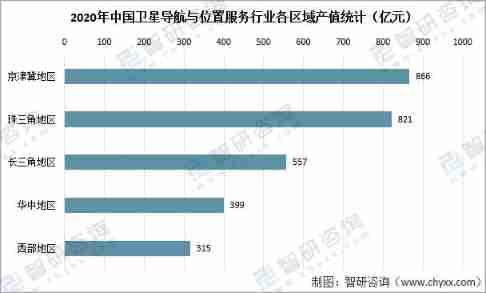
Analysis on the development of China's satellite navigation industry chain in 2021: satellite navigation is fully integrated into production and life, and the satellite navigation industry is also boo
![Analysis of the number of urban residents covered by basic medical insurance, their treatment and medical treatment in other places in China in 2021 [figure]](/img/81/4d3cb059f700dd9243645e64023be7.jpg)
Analysis of the number of urban residents covered by basic medical insurance, their treatment and medical treatment in other places in China in 2021 [figure]

Analysis on the development of China's graphene industry chain in 2021: with the support of energy conservation and environmental protection policies, the scale of graphene industry will continue to e

Static code block, code block, constructor execution order

JS Part 4

【二分】leetcode1011. Capacity To Ship Packages Within D Days

R tree of search tree
随机推荐
Brief introduction to arm architecture
Using promise to process asynchronous operations
[burning] Tencent cloud high tech computing platform HTPC cloud elastic cluster release!
This point (II)
Easynvr is displayed online after cascading the upper platform, but what is the reason for the video playback timeout?
JSON. Function of the stringify() optional parameter
Copy system disk
Easysearcher cannot find the IP address of easynvr hardware. How to solve it?
线上MySQL的自增id用尽怎么办?
I Arouter framework analysis
【二分】leetcode1011. Capacity To Ship Packages Within D Days
Concept and function of ES6 symbol
Heavyweight review: strategies for reliable fMRI measurements
Email authentication bypass
What is the difference between the poll () method and the remove () method?
ABCD identifier of SAP mm initial cycle count
1-1VMware介绍
WordPress modifying fixed links and pseudo statics
How to install redis version 5.0.8 on the pagoda panel
JS counts the number of times a string appears in another string