当前位置:网站首页>只知道预制体是用来生成物体的?看我如何使用Unity生成UI预制体
只知道预制体是用来生成物体的?看我如何使用Unity生成UI预制体
2022-07-25 10:29:00 【InfoQ】
- CSDN主页
- GitHub开源地址
- Unity3D插件分享
- 简书地址
- 我的个人博客
- QQ群:1040082875
一、前言
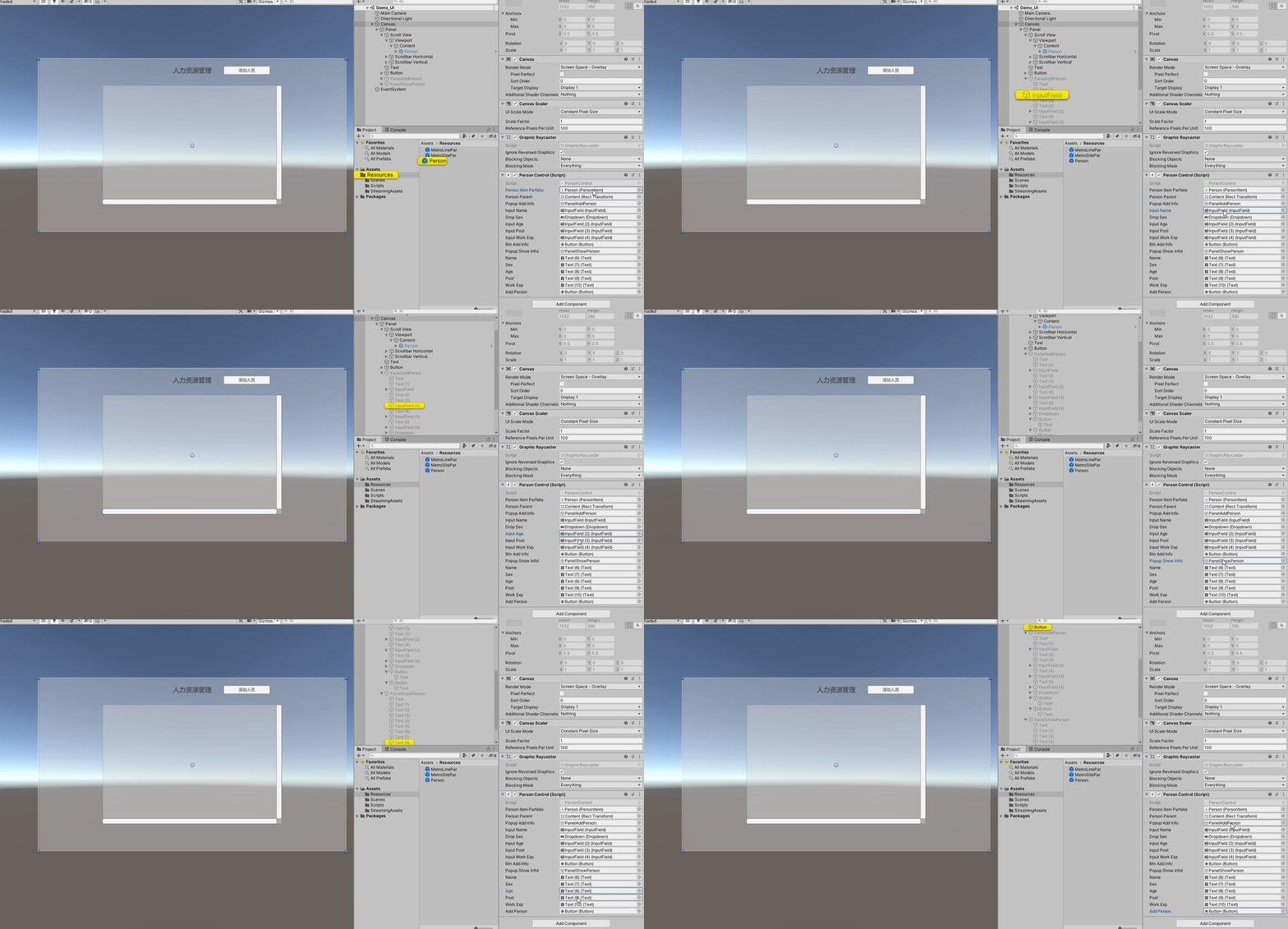
二、搭建场景
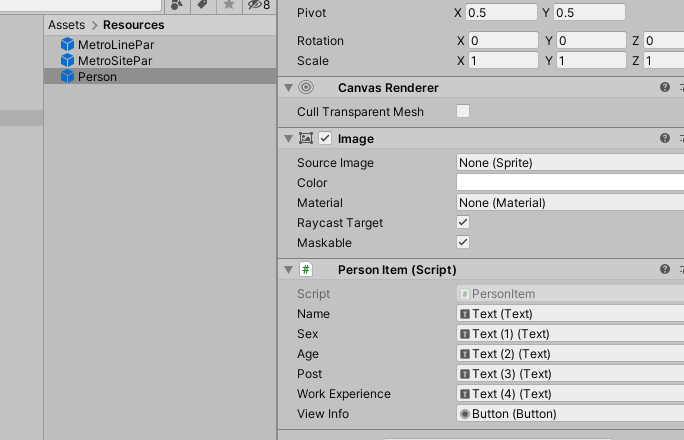
2-1 预制体制作


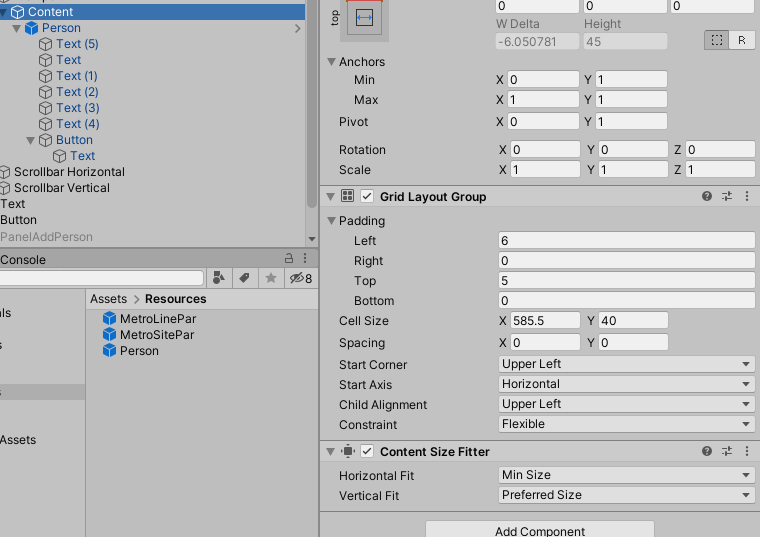
using UnityEngine;
using UnityEngine.UI;

public class PersonItem : MonoBehaviour
{
 public Text ID;
 public Text Name;
 public Text Sex;
 public Text Age;
 public Text Post;
 public Text Work;
 public Button ViewInfo;
 public Image Backgroud;
}

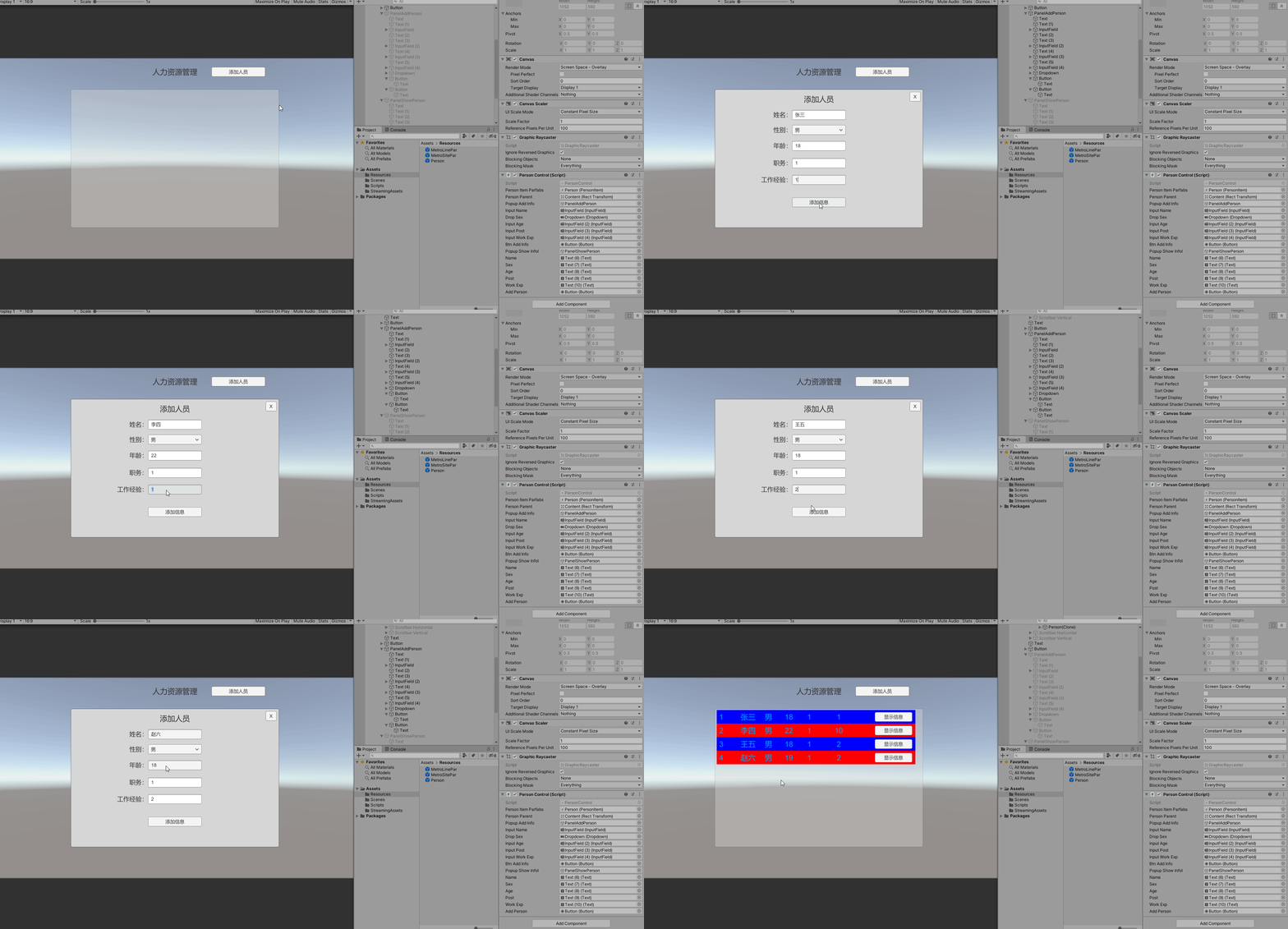
2-2 新建人员弹窗


2-2 显示人员详细信息弹窗


三、实现代码
using System.Collections;
using System.Collections.Generic;
using UnityEngine;
using UnityEngine.UI;

public class PersonControl : MonoBehaviour
{
 public PersonItem PersonItemParfabs;//人员预制体
 public Transform PersonParent;//人员父节点

 public GameObject PopupAddInfo;//弹窗 添加信息
 public InputField InputName;
 public Dropdown DropSex;
 public InputField InputAge;
 public InputField InputPost;
 public InputField InputWorkExp;
 public Button BtnAddInfo;//弹窗 中添加信息的所有组件

 public GameObject PopupShowInfol;//弹窗 显示信息
 public Text Name;
 public Text Sex;
 public Text Age;
 public Text Post;
 public Text WorkExp;//弹窗中要显示的信息的所有组件

 public Button AddPerson;//添加人员按钮
 private int ID = 0;

 void Start()
 {
 //初始化关闭所有弹窗
 PopupAddInfo.SetActive(false);
 PopupShowInfol.SetActive(false);

 //添加按钮事件
 AddPerson.onClick.AddListener(() =>
 {
 PopupAddInfo.SetActive(true);
 });

 BtnAddInfo.onClick.AddListener(AddInfoEvent);
 }

 private void AddInfoEvent()
 {
 ID++;
 PersonItem item = Instantiate(PersonItemParfabs, Vector3.zero, Quaternion.identity, PersonParent);
 item.ID.text = ID.ToString();
 item.Name.text = InputName.text;
 item.Sex.text = DropSex.captionText.text;
 item.Age.text = InputAge.text;
 item.Post.text = InputPost.text;
 item.Work.text = InputWorkExp.text;
 item.ViewInfo.onClick.AddListener(() => ShowInfo(item.Name.text, item.Sex.text, item.Age.text, item.Post.text, item.Work.text));
 item.Backgroud.color = ID % 2 == 1 ? Color.blue : Color.red;//通过奇偶区分 背景演示是蓝色还是红色 用了一个三元表达式
 PopupAddInfo.SetActive(false);
 }

 private void ShowInfo(string name, string sex, string age, string post, string work)
 {
 PopupShowInfol.SetActive(true);
 Name.text = name;
 Sex.text = sex;
 Age.text = age;
 Post.text = post;
 WorkExp.text = work;
 }
}

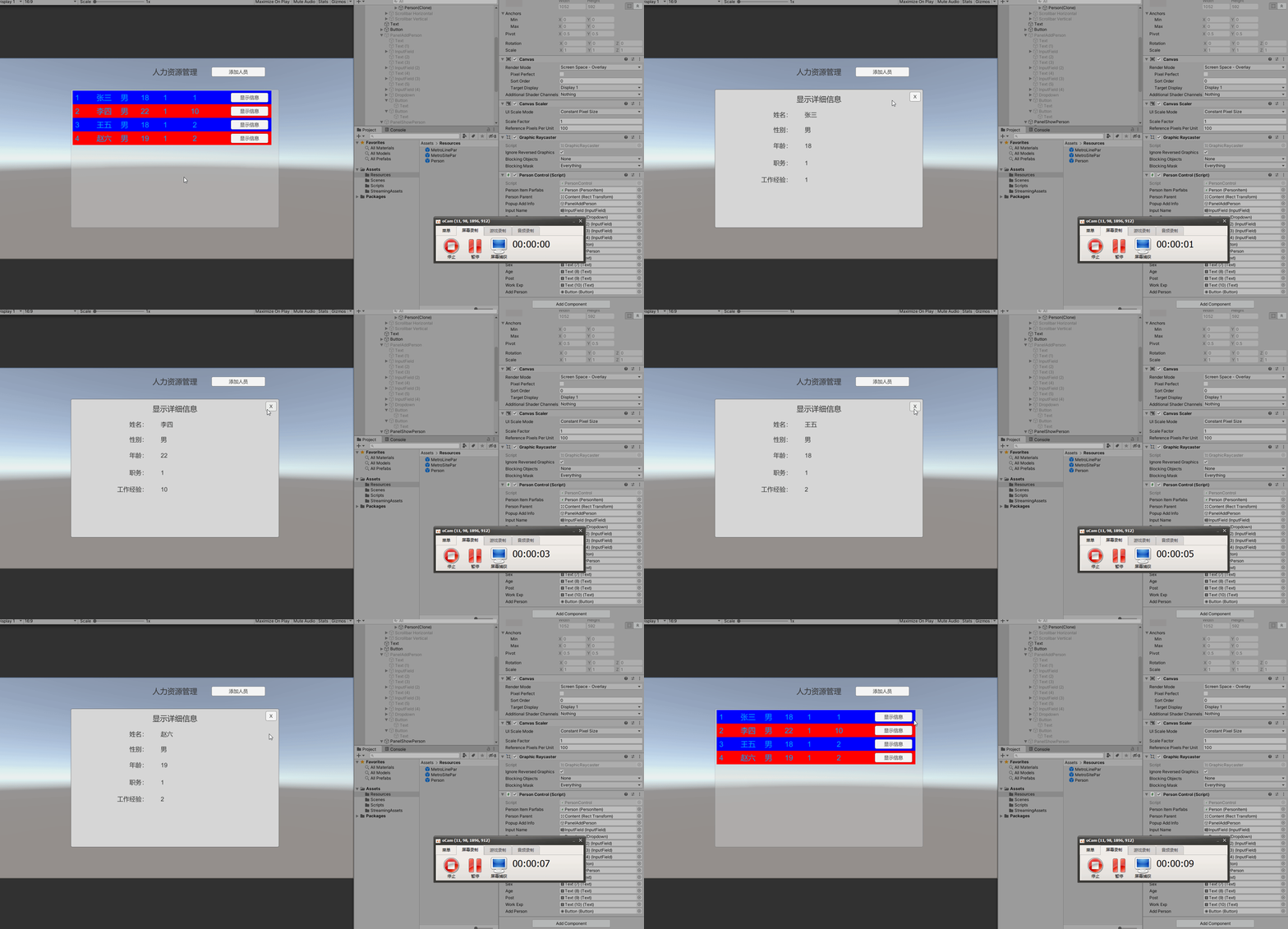
四、后言
边栏推荐
- The most detailed MySQL index analysis (mind map is attached at the end of the article)
- Flask framework - session and cookies
- 100W了!
- STM32CubeMX学习记录--安装配置与使用
- mysql高级语句(一)(总有一个人的出现,让你的生活不再继续糟糕)
- [cloud enjoys freshness] community weekly · Vol 72 - the first opening ceremony of the 2022 Huawei developer competition in China was launched; Huawei cloud koomessage is in hot public beta
- 学习路之PHP--Phpstudy 提示 Mysqld.Exe: Error While Setting Value ‘NO_ENGINE_SUBSTITUTION 错误的解决办法
- 大佬们,flink cdc table api , mysql to mysql,一个应用程序,可以
- 数字孪生万物可视 | 联接现实世界与数字空间
- AI system frontier dynamics issue 43: ONEFLOW V0.8.0 officially released; GPU finds human brain connections; AI doctoral online crowdfunding research topic
猜你喜欢

Flask framework - flask WTF form: data validation, CSRF protection

HCIP(11)

mysql高级语句(一)(总有一个人的出现,让你的生活不再继续糟糕)

从宏观到微观 零基础 详解bert
HCIP (01)
NowCoderTOP7-11——持续更新ing

SQL语言(四)

AI system frontier dynamics issue 43: ONEFLOW V0.8.0 officially released; GPU finds human brain connections; AI doctoral online crowdfunding research topic

C# Newtonsoft.Json 高级用法

Reinforcement Learning 强化学习(三)
随机推荐
SQL语言(一)
【flask高级】从源码深入理解flask的应用上下文和请求上下文
一文读懂小程序的生命周期和路由跳转
二合一的集度,任重道远
复习背诵整理版
feign客户端请求之LoadBalancerLifecycle生命周期
Reinforcement Learning 强化学习(三)
Flask框架——Flask-WTF表单:文件上传、验证码
txt转csv文件,隔行出现空行
DICOM medical image viewing and browsing function based on cornerstone.js
Learn NLP with Transformer (Chapter 5)
从宏观到微观 零基础 详解bert
HCIP(11)
【域泛化】2022 IJCAI领域泛化教程报告
微信小程序版本更新如何通知用户?
Motivation of enterprises to practice open source
HCIP(12)
MySQL advanced statement (I) (there is always someone who will make your life no longer bad)
Flame framework - Flame WTF form: file upload, verification code
[servlet] request parsing