当前位置:网站首页>Solve the problem that esp8266 cannot connect mobile phones and computer hotspots
Solve the problem that esp8266 cannot connect mobile phones and computer hotspots
2022-07-25 09:51:00 【F l e】
1、 Hardware platform 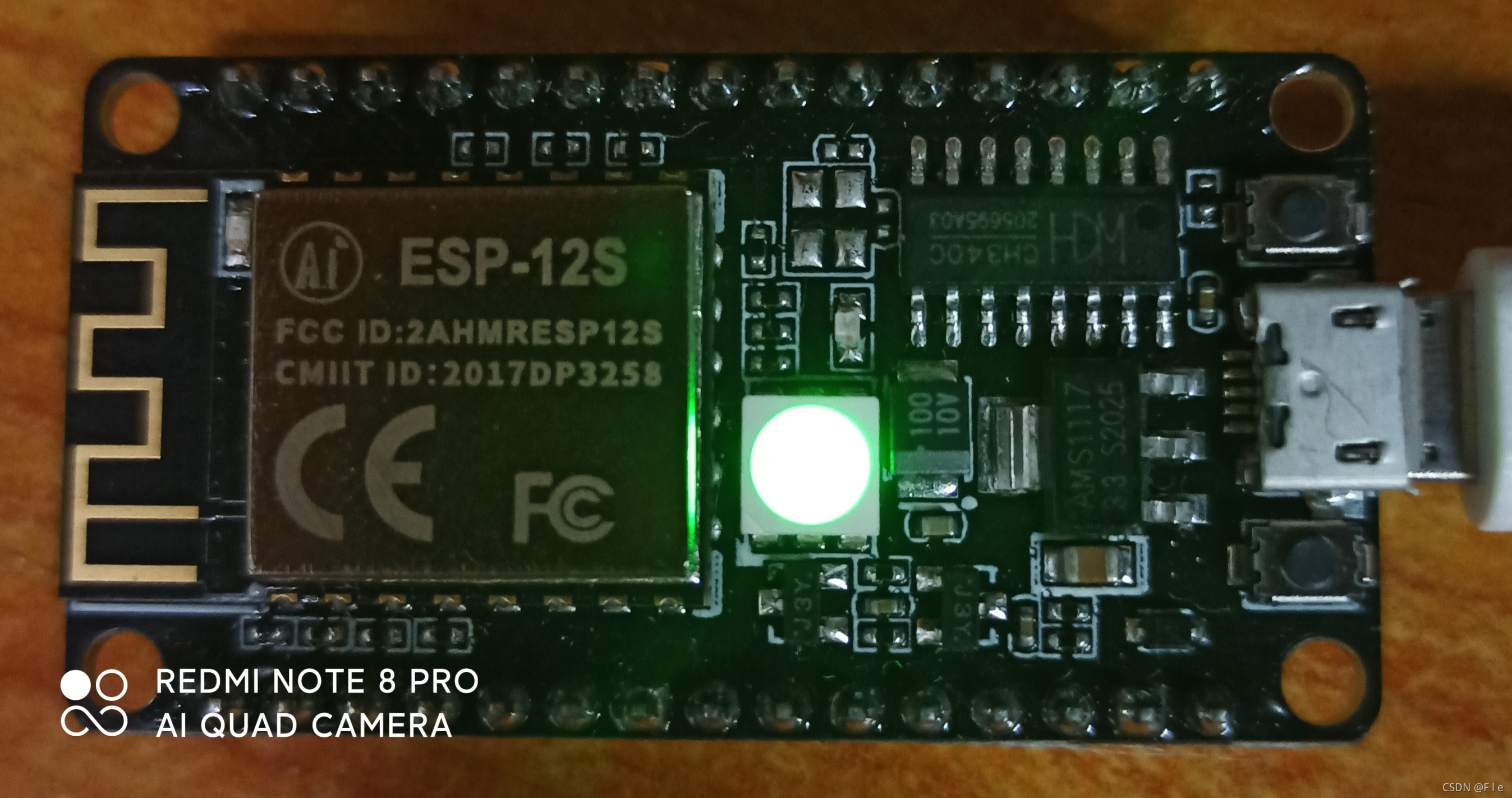
I'm using Esp8266 NodeMcu(Esp-12s)
2、 development environment
Arduino IDE
3、 Development board model selection 
4、AP Pattern
#include <ESP8266WiFi.h> //  This program uses ESP8266WiFi library

const char *ssid = "Fle"; // esp8266 The establishment of a wifi name


const char *password = "gxd001213";  //esp8266 The establishment of a wifi password


void setup() {

  Serial.begin(9600);              //  Start serial communication

  WiFi.softAP(ssid, password);     //  This sentence is the key point .WiFi.softAP Used to start NodeMCU Of AP Pattern .
                                   //  There are two parameters in parentheses ,ssid yes WiFi name .password yes WiFi password .
                                   //  These two parameters are specific setup Define the position before the function .


  Serial.print("Access Point: ");    //  Output information through serial port monitor
  Serial.println(ssid);              //  Tell the user NodeMCU Established by WiFi name
  Serial.print("IP address: ");      //  as well as NodeMCU Of IP Address
  Serial.println(WiFi.softAPIP());   //  By calling WiFi.softAPIP() You can get NodeMCU Of IP Address , Fixed for 192.168.4.1

}

void loop() {

}


5、STA Pattern
#include <ESP8266WiFi.h> //  This program uses ESP8266WiFi library

const char* ssid     = "Fle";      //  Connect WiFi name ( Use mobile hotspot here Fle)

const char* password = "gxd001213";          //  Connect WiFi password


void setup() {

  Serial.begin(115200);         //  Start serial communication

  WiFi.begin(ssid, password);                  //  Start the network connection
  Serial.print("Connecting to ");              //  The serial port monitor outputs network connection information
  Serial.print(ssid); Serial.println(" ...");  //  Tell the user NodeMCU Is trying to WiFi Connect

  int i = 0;                                   //  This program statement is used to check WiFi Whether the connection is successful
  while (WiFi.status() != WL_CONNECTED) {
          // WiFi.status() The return value of the function is determined by NodeMCU Of WiFi Determined by the connection state .
    delay(1000);                               //  If WiFi If the connection is successful, the return value is WL_CONNECTED
    Serial.print(i++); Serial.print(' ');      //  Here through While Circulation NodeMCU Check every second WiFi.status() Function return value
  }                                            //  meanwhile NodeMCU Read the connection time of the monitor output through the serial port in seconds .
                                               //  This second reading is through the variable i Add it every second 1 To achieve .

  Serial.println("");                          // WiFi After successful connection
  Serial.println("Connection established!");   // NodeMCU Will output through the serial port monitor " Successful connection " Information .
  Serial.print("IP address: ");             //  It will also output NodeMCU Of IP Address . This function is achieved by calling
  Serial.println(WiFi.localIP());              // WiFi.localIP() Function to implement . The return value of this function is NodeMCU Of IP Address .
}

void loop() {

}


If there is a situation of waiting , hold AP Frequency band changed to 2.4GHZ, Looks like Esp8266 I won't support it 5GHZ Frequency band .
边栏推荐
- 相机姿态估计
- 【深度学习】卷积神经网络
- 从鱼眼到环视到多任务王炸——盘点Valeo视觉深度估计经典文章(从FisheyeDistanceNet到OmniDet)(下)
- Evolution based on packnet -- review of depth estimation articles of Toyota Research Institute (TRI) (Part 1)
- First knowledge of opencv4.x --- image template matching
- CDA LEVELⅠ2021新版模拟题二(附答案)
- Gartner 2022年顶尖科技趋势之超级自动化
- [deep learning] self encoder
- 单目深度估计自监督模型Featdepth解读(上)——论文理解和核心源码分析
- [deep learning] convolutional neural network
猜你喜欢

T5论文总结

In depth interpretation of C language random number function and how to realize random number

CCF 201512-4 送货
Evolution based on packnet -- review of depth estimation articles of Toyota Research Institute (TRI) (Part 1)
![Customize the view to realize the background of redeeming lottery tickets [elementary]](/img/97/53e28673dcd52b31ac7eb7b00d42b3.png)
Customize the view to realize the background of redeeming lottery tickets [elementary]

如何安装pytorch?—— 一种最简单有效的方法!

基于机智云平台的温湿度和光照强度获取

基于树莓派4b的传感器数据可视化实现

数据分析业务核心

初识Opencv4.X----图像模板匹配
随机推荐
CDA Level1知识点总结之业务分析报告与数据可视化报表
Customize the view to realize the background of redeeming lottery tickets [elementary]
单目深度估计基础理论和论文学习总结
Raspberry sect door ban system based on face recognition
【数据挖掘】第二章 认识数据
十进制整数转换为其它进制的数
Creation of adjacency matrix of undirected connected graph output breadth depth traversal
[code source] daily question simple fields and
深入理解pytorch分布式并行处理工具DDP——从工程实战中的bug说起
MLOps专栏介绍
降低程序空间复杂度的一些技巧
【深度学习】自编码器
CCF 201503-4 网络延时
服务器cuda toolkit多版本切换
目标检测与分割之MaskRCNN代码结构流程全面梳理+总结
[deep learning] self encoder
Mixed supervision for surface defect detection: from weakly to fully supervised learning
Principle analysis of self supervised depth estimation of fish eye image and interpretation of omnidet core code
AI模型风险评估 第1部分:动机
Kotlin collaboration: foundation and use of collaboration