当前位置:网站首页>Deep dive kotlin synergy (XIV): problems of shared state
Deep dive kotlin synergy (XIV): problems of shared state
2022-06-23 10:44:00 【RikkaTheWorld】
Series eBook : Portal
Before we start , First look at the following UserDownload class . It allows us to pass id To get the user information or get all the user information downloaded before . What's wrong with this implementation ?
class UserDownloader(
     private val api: NetworkService
) {

    private val users = mutableListOf<User>()

    fun downloaded(): List<User> = users.toList()

    suspend fun fetchUser(id: Int) {

        val newUser = api.fetchUser(id)
        users.add(newUser)
    }
}
Please note the defensive copy here toList, This is done to avoid conflicts between reading the object returned from the download and adding elements to the mutable list . We can also use read-only lists (List<User>) And read-write properties (var) To modify users. such , We don't need to make defensive copies , The downloaded information does not need to be protected at all , But we will slow down the performance of adding elements to the collection . I personally prefer the latter , But I decided to take the method of using variable sets as an example , Because I often see this in real projects .
The above implementation is not ready for concurrent use , Every time fetchUser Calls will modify users. As long as this function is not called in more than one thread at the same time , There is no problem . But because it can start on multiple threads at the same time , So we call it users Is a shared state , So it needs to be protected . This is because concurrent modifications can lead to conflicts . The question is as follows :
class FakeNetworkService : NetworkService {


    override suspend fun fetchUser(id: Int): User {

        delay(2)
        return User("User$id")
    }
}

suspend fun main() {

    val downloader = UserDownloader(FakeNetworkService())
    coroutineScope {

        repeat(1_000_000) {

            launch {

                downloader.fetchUser(it)
            }
        }
    }
    print(downloader.downloaded().size) // ~998242
}
Because multiple threads interact with the same instance , So the above code will print a less than 1,000,000 The number of ( for example 998242), Or it might throw an exception .
Exception in thread “main”
java.lang.ArrayIndexOutOfBoundsException: 22
at java.util.ArrayList.add(ArrayList.java:463)
…
This is a classic problem when modifying the shared state . In order to understand it more clearly , I'll show you a simpler example : Incrementing an integer with multiple threads . I use Dispatchers.Default call massiveRun, It will start 1000 Collaborators cheng , Each co process operation 1000 Times increasing , After these operations , The number of results should be 1,000,000(1,000 * 1,000). however , If there is no data synchronization , The actual result will be smaller because of the conflict .
var counter = 0
fun main() = runBlocking {

    massiveRun {

        counter++
    }
    println(counter) // ~567231
}

suspend fun massiveRun(action: suspend () -> Unit) =
    withContext(Dispatchers.Default) {

        repeat(1000) {

            launch {

                repeat(1000) {
     action() }
            }
        }
    }
Understand why the result is not 1,000,000, Imagine a scene like this : Two threads try to increase the same number at the same time . Suppose the initial value is 0, The value currently received by the first thread is 0, then CPU Immediately decided to switch to the second thread , The number received by the second thread is also 0, Then add it 1, And stored in variables . We switch to where we ended before the first thread : Its value is 0, So it will be incremented to 1 And store it . The final variable will be 1, But it should be 2. This is the problem of losing some operations .
Blocking synchronization
The above questions can be used from Java Provides classic tools to solve , Such as synchronized blocks or synchronized sets .
var counter = 0
fun main() = runBlocking {

    val lock = Any()
    massiveRun {

        synchronized(lock) {
     // Here we block the thread !
            counter++
        }
    }
    println("Counter = $counter") // 1000000
}
This solution works , But there are also some problems . The biggest problem is , You cannot use a suspend function in a synchronization block . The second is , When a process is waiting for its turn , This synchronization block blocks the thread . I hope I am learning Dispatcher Co scheduler After a chapter , You can understand that we don't want to block threads , Because it may be the main thread . Why waste these resources ? We should use some specific collaboration tools . Not blocking , It's about suspending or avoiding conflict . therefore , Let's put this solution aside , And explore some other solutions .
atom
There's another way Java Our solution can help us in some simple cases . Java Have a set of atomic values , All of their operations are fast , And the guarantee is “ Thread safe ”. They are called atoms . Their operations are implemented at the bottom without locks . So this solution is effective , And it suits us , We can use different atomic values . For our example , We can use AtomicInteger.
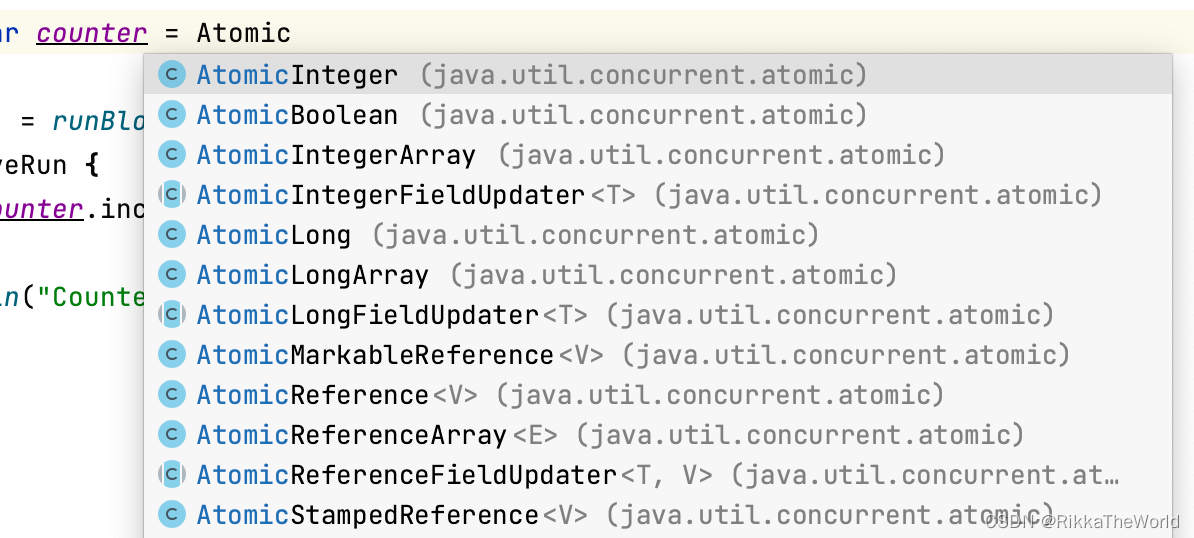
private var counter = AtomicInteger()
fun main() = runBlocking {

    massiveRun {

        counter.incrementAndGet()
    }
    println(counter.get()) // 1000000
}
It works perfectly here , But the utility of atomic values is usually very limited , So we need to be careful : When we have a bunch of operations , Just one operation that is atomic does not help us .
private var counter = AtomicInteger()
fun main() = runBlocking {

    massiveRun {

        counter.set(counter.get() + 1)
    }
    println(counter.get()) // ~430467
}
To make sure UserDownloader The safety of the , We can use AtomicReference Wrap a read-only user list . We can use getAndUpdate Atomic function to update its value , Without conflict .
class UserDownloader(
private val api: NetworkService
) {

    private val users = AtomicReference(listOf<User>())

    fun downloaded(): List<User> = users.get()

    suspend fun fetchUser(id: Int) {

        val newUser = api.fetchUser(id)
        users.getAndUpdate {
     it + newUser }
    }
}
We often use atoms to protect primitives or individual references , But for more complex situations , We still need to use better tools .
A single thread scheduler
stay Dispatcher The chapter of process scheduler in , We learned about a collaboration scheduler that manages a single thread . For the vast majority of shared state problems , It's the simplest solution .
val dispatcher = Dispatchers.IO
    .limitedParallelism(1)

var counter = 0
fun main() = runBlocking {

    massiveRun {

        withContext(dispatcher) {

            counter++
        }
    }
    println(counter) // 1000000
}
In practice , There are two uses for this method , The first approach is called coarse-grained thread constraints . It's a simple way , We just need to use withContext To wrap the entire function ,dispatcher Run the throttling behavior on a single thread . The solution is simple , And eliminate conflicts , But the problem is that our entire function has lost multithreading . Let's look at the following example , api.fetchUser(id) It can be started concurrently on multiple threads , But its main body will run in a dispatcher On , The dispatcher Limit running on a single thread . therefore , Call blocking or CPU During intensive operation , The execution speed of this function may slow down .
class UserDownloader(
    private val api: NetworkService
) {

    private val users = mutableListOf<User>()
    private val dispatcher = Dispatchers.IO
        .limitedParallelism(1)

    suspend fun downloaded(): List<User> =
        withContext(dispatcher) {

            users.toList()
        }

    suspend fun fetchUser(id: Int) = withContext(dispatcher) {

        val newUser = api.fetchUser(id)
        users += newUser
    }
}
The second approach is called fine-grained thread constraints . In this way , We only wrap the statements that ultimately change the State . In our example , Is all use users The line of . This kind of writing is more demanding , But if you exclude anything else ( In this case fetcheUser) Blocked or CPU Intensive code , It can provide better performance . If they are just normal hang functions , Then the performance improvement is relatively general .
class UserDownloader(
    private val api: NetworkService
) {

    private val users = mutableListOf<User>()
    private val dispatcher = Dispatchers.IO
        .limitedParallelism(1)

    suspend fun downloaded(): List<User> =
        withContext(dispatcher) {

            users.toList()
        }

    suspend fun fetchUser(id: Int) {

        val newUser = api.fetchUser(id)
        withContext(dispatcher) {

            users += newUser
        }
    }
}
in the majority of cases , Using a scheduler with a single thread is not only simple , And it's efficient , This is because standard schedulers share the same thread pool .
The mutex
The last popular way is to use mutexes . You can think of shared content as a room with only one key , Its most important function is lock . When the first coroutine calls its , Xie Cheng will get the key , You can lock into shared content without hanging . If another coroutine calls lock, It will be suspended , Until the first coroutine call unlock, If another coroutine runs to a locked place , It will be suspended and put in the queue , Just after the second process . When the first coroutine runs out and finally calls unlock when , It will return the key , The next step is to resume the second process ( The first coroutine in the queue ), And can eventually be used lock To use shared content . therefore , stay lock and unlock There is only one coordination process .
suspend fun main() = coroutineScope {

    repeat(5) {

        launch {

            delayAndPrint()
        }
    }
}

val mutex = Mutex()

suspend fun delayAndPrint() {

    mutex.lock()
    delay(1000)
    println("Done")
    mutex.unlock()
}
// (1 sec)
// Done
// (1 sec)
// Done
// (1 sec)
// Done
// (1 sec)
// Done
// (1 sec)
// Done
Use it directly lock and unlock There are risks , Because any difference between the two will cause the key to never be returned (unlock Never call ), Therefore, no other collaboration can access the shared content through the lock . This is a serious problem , It is called a deadlock . therefore , We can use withLock function , It calls... From lock Start , stay finally Block call unlock End of the function , Even if any exception is thrown within the block, the lock can be successfully released . Its use is similar to that of synchronous blocks .
val mutex = Mutex()
var counter = 0

fun main() = runBlocking {

    massiveRun {

        mutex.withLock {

            counter++
        }
    }
    println(counter) // 1000000
}
The important advantages of mutexes over synchronous blocks are : We can hang up a collaboration , Instead of blocking a thread . This is a safer 、 Lighter options . Compared to using a scheduler that is limited to a single thread , Mutexes are much lighter , In some cases , It may provide better performance . On the other hand , It is also more difficult to use correctly . It has a potential risk : The coroutine cannot pass the lock twice . Executing the following code will result in a program state called deadlock —— It will be blocked forever :
suspend fun main() {

    val mutex = Mutex()
    println("Started")

    mutex.withLock {

        mutex.withLock {

            println("Will never be printed")
        }
    }
}
// Started
// (runs forever)
The second problem with mutexes is : When the collaboration hangs , Mutexes cannot be unlocked . Take a look at the code below , The execution time will exceed 5 second , It's because the mutex is in delay Still locked during :
class MessagesRepository {

    private val messages = mutableListOf<String>()
    private val mutex = Mutex()

    suspend fun add(message: String) = mutex.withLock {

        delay(1000) //  We simulate network operations
        messages.add(message)
    }
}

suspend fun main() {

    val repo = MessagesRepository()
    val timeMillis = measureTimeMillis {

        coroutineScope {

            repeat(5) {

                launch {

                    repo.add("Message$it")
                }
            }
        }
    }
    println(timeMillis) // ~5120
}
When we use a scheduler that is limited to a single thread , There won't be such a problem , When one delay Or a network request suspends a collaboration , This thread can be used by other coroutines .
class MessagesRepository {

    private val messages = mutableListOf<String>()
    private val dispatcher = Dispatchers.IO
        .limitedParallelism(1)

    suspend fun add(message: String) =
        withContext(dispatcher) {

            delay(1000) //  We simulate network requests
            messages.add(message)
        }
}
suspend fun main() {

    val repo = MessagesRepository()
    val timeMillis = measureTimeMillis {

        coroutineScope {

            repeat(5) {

                launch {

                    repo.add("Message$it")
                }
            }
        }
    }
    println(timeMillis) // 1058
}
This is why we should avoid using mutexes to wrap the entire function ( A coarse-grained approach ), When we use it , We need to be very careful to do this , Avoid locking shared content and calling suspended functions twice .
class MongoUserRepository(
    //...
) : UserRepository {

    private val mutex = Mutex()

    override suspend fun updateUser(
        userId: String,
        userUpdate: UserUpdate
    ): Unit = mutex.withLock {

        //  Yes , update  It should happen in  db
        //  Not in this place
        //  This is just an example
        val currentUser = getUser(userId) //  Deadlock !
        deleteUser(userId) //  Deadlock !
        addUser(currentUser.updated(userUpdate)) //  Deadlock !
    }

    override suspend fun getUser(
        userId: String
    ): User = mutex.withLock {

        // ...
    }
    override suspend fun deleteUser(
        userId: String
    ): Unit = mutex.withLock {

        // ...
    }
    override suspend fun addUser(
        user: User
    ): User = mutex.withLock {

        // ...
    }
}
Fine grained thread restrictions ( Only the places where we modify the shared state ) It will help , But in the example above , I prefer to use a scheduler that is limited to a single thread .
summary
When modifying the shared state , There are many ways to orchestrate a collaboration to avoid conflicts . The most practical solution is to use the scheduler to modify the shared state , The scheduler limits only a single thread . This can be a fine-grained thread restriction . It only encapsulates the need to synchronize specific locations ; perhaps , It can also be a coarse-grained thread constraint that encapsulates the entire function . The second method is relatively simple , But it may be slow . We can also use atomic values or mutexes .
边栏推荐
- Unity technical manual - limit velocity over lifetime sub module and inherit velocity sub module
- AI芯片技术-2022年
- NOI OJ 1.3 09:与圆相关的计算 C语言
- Google Earth Engine(GEE)——GEDI L2A Vector Canopy Top Height (Ver
- SPI与IIC异同
- NOI OJ 1.4 03:奇偶数判断 C语言
- 最简单DIY基于51单片机、PCA9685、IIC、云台的舵机集群控制程序
- Too helpless! Microsoft stopped selling AI emotion recognition and other technologies, saying frankly: "the law can not keep up with the development of AI"
- Noi OJ 1.3 14: elephant drinking water C language
- 一个优秀速开发框架是什么样的?
猜你喜欢

Different methods of PivotTable in SQL tutorial

New technology aesthetics and original biological networking operating system reshape the whole house intelligence

线程池在项目中使用的心得体会

安装typescript环境并开启VSCode自动监视编译ts文件为js文件

基于SqlSugar的开发框架循序渐进介绍(9)-- 结合Winform控件实现字段的权限控制

长安LUMIN是否有能力成为微电市场的破局产品

ESP32-CAM高性价比温湿度监控系统配网与上网方案设计与实现

最简单DIY基于C#和51单片机上下位机一体化的PCA9685舵机控制程序

C语言结构体字节对齐问题

Numerical calculation method
随机推荐
Musk's 18-year-old son petitioned to change his name to sever the father son relationship
Five SQL functions for operation date that must be known in SQL tutorial
Description of directory files of TLBB series of Tianlong Babu - netbill server [ultra detailed]
Numerical calculation method
Noi OJ 1.3 20: power C language for computing 2
ESP32-CAM、ESP8266、WIFI、蓝牙、单片机、热点创建嵌入式DNS服务器
MySQL Basics - Notes
Economic common sense
php反射类使用
Mysql-03. Experience of SQL optimization in work
2021-04-16 recursion
OpenCloudOS使用snap安装.NET 6
Data structures and differences between MySQL InnoDB engine and MyISAM
NOI OJ 1.2 10:Hello, World!的大小 C语言
NOI OJ 1.3 09:与圆相关的计算 C语言
Why does the pointer not change the corresponding value as a formal parameter
NOI OJ 1.4 05:整数大小比较 C语言
EasyCVR使用RTMP推流时不显示界面如何解决?
最简单DIY串口蓝牙硬件实现方案
Golang quick start (3)