当前位置:网站首页>第六天 脚本与动画系统
第六天 脚本与动画系统
2022-06-28 09:54:00 【代码骑士】
一、动画系统基本概念

1、动画的基本概念

(1)帧

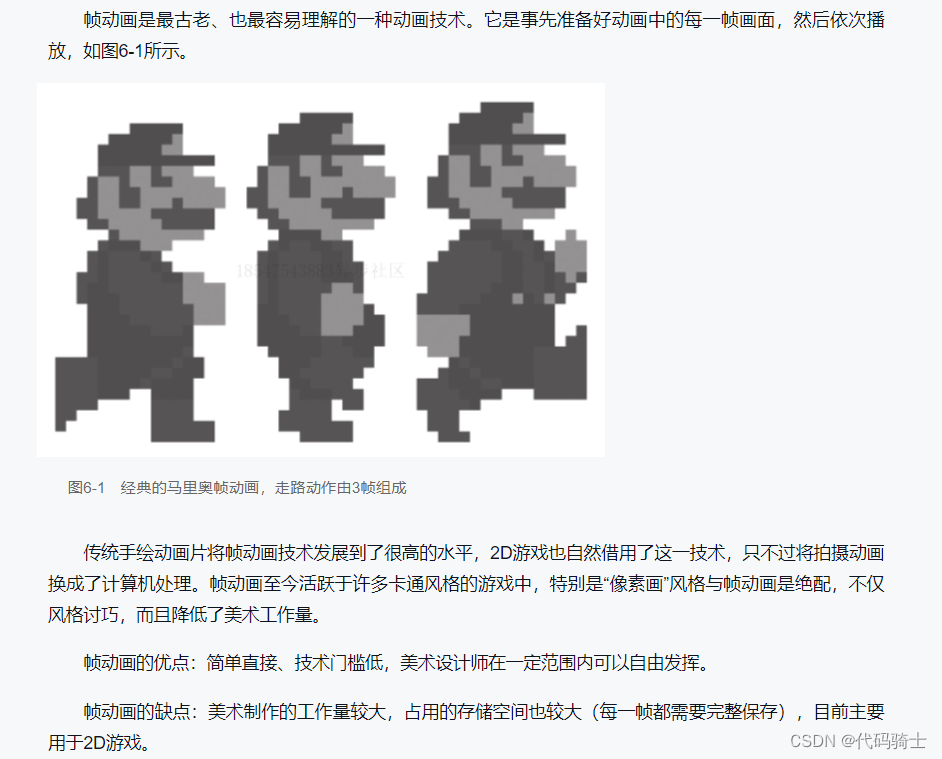
(2) 帧动画
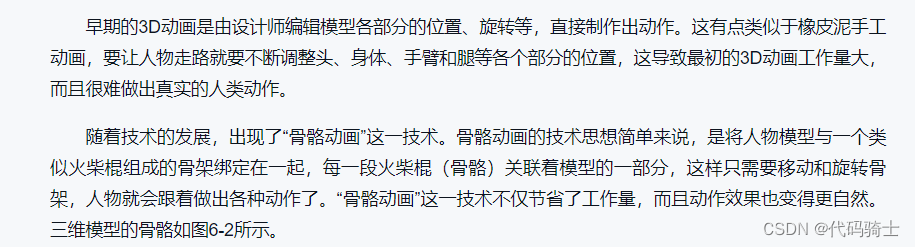
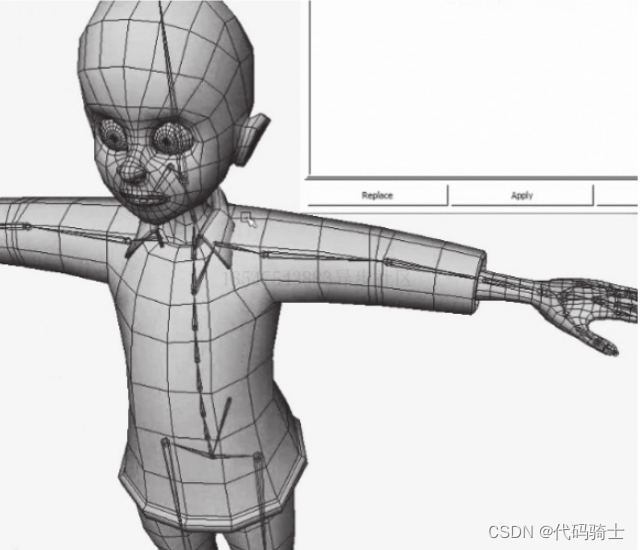
(3)3D骨骼动画


(4)2D骨骼动画

2、动画融合

3、动画状态机
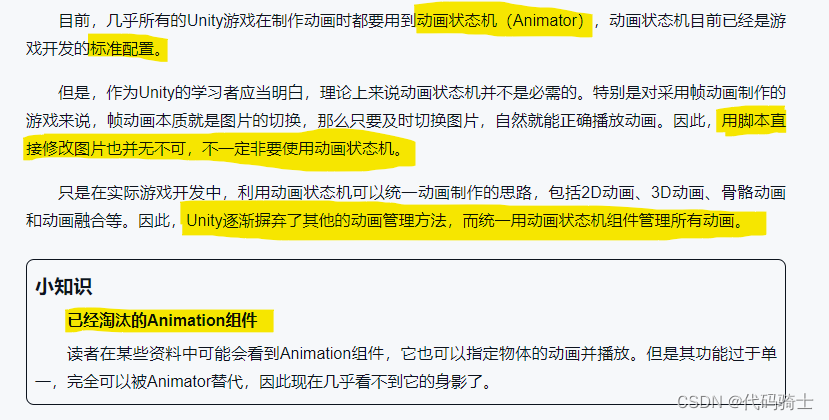
(1)理解动画状态机

(2)动画状态机设计举例


4、根骨骼动画

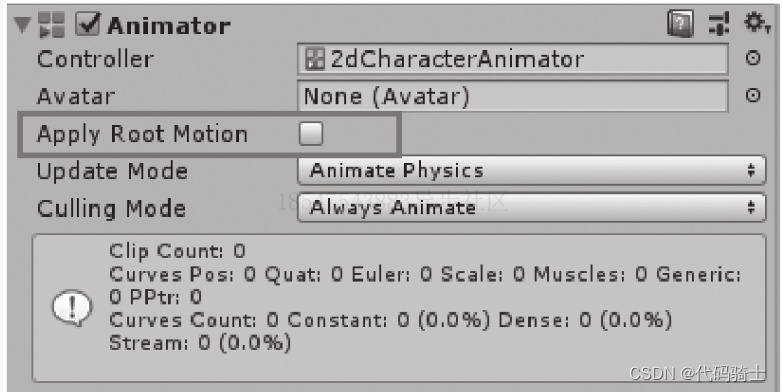

二、2D动画实例分析

1、准备工作
(1)下载资源


(2)整理资源


(3)图片设置

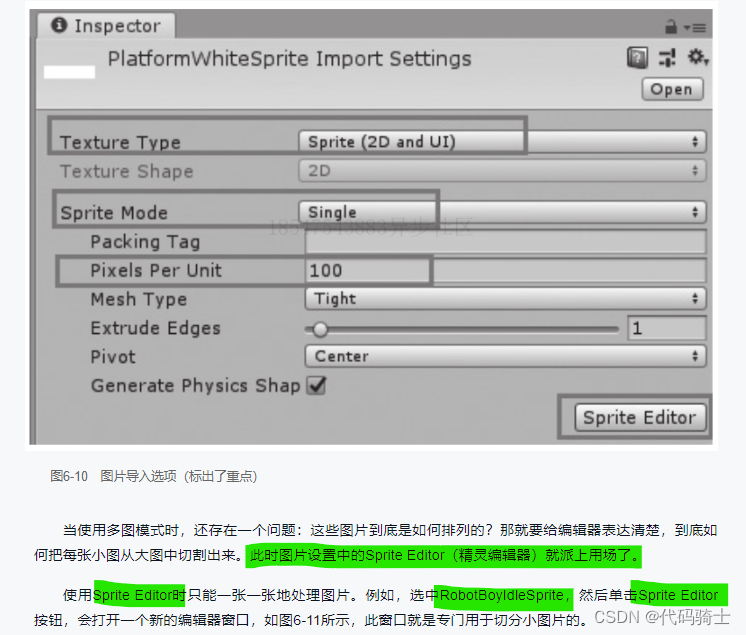


2、角色与控制的制作步骤
(1)下载资源

需要修改以下代码才能进行演示:
SimpleActivatorMenu.cs
using System;
using UnityEngine;

#pragma warning disable 618
namespace UnityStandardAssets.Utility
{
    public class SimpleActivatorMenu : MonoBehaviour
    {
        // An incredibly simple menu which, when given references
        // to gameobjects in the scene
        //public GUIText camSwitchButton;
        public GameObject[] objects;


        private int m_CurrentActiveObject;


        private void OnEnable()
        {
            // active object starts from first in array
            m_CurrentActiveObject = 0;
           // camSwitchButton.text = objects[m_CurrentActiveObject].name;
        }


        public void NextCamera()
        {
            int nextactiveobject = m_CurrentActiveObject + 1 >= objects.Length ? 0 : m_CurrentActiveObject + 1;

            for (int i = 0; i < objects.Length; i++)
            {
                objects[i].SetActive(i == nextactiveobject);
            }

            m_CurrentActiveObject = nextactiveobject;
          //  camSwitchButton.text = objects[m_CurrentActiveObject].name;
        }
    }
}
PlatformerCharacter2D.cs
using System;
using UnityEngine;

#pragma warning disable 649
namespace UnityStandardAssets._2D
{
    public class PlatformerCharacter2D : MonoBehaviour
    {
        [SerializeField] private float m_MaxSpeed = 10f;                    // The fastest the player can travel in the x axis.
        [SerializeField] private float m_JumpForce = 400f;                  // Amount of force added when the player jumps.
        [Range(0, 1)] [SerializeField] private float m_CrouchSpeed = .36f;  // Amount of maxSpeed applied to crouching movement. 1 = 100%
        [SerializeField] private bool m_AirControl = false;                 // Whether or not a player can steer while jumping;
        [SerializeField] private LayerMask m_WhatIsGround;                  // A mask determining what is ground to the character

        private Transform m_GroundCheck;    // A position marking where to check if the player is grounded.
        const float k_GroundedRadius = .2f; // Radius of the overlap circle to determine if grounded
        private bool m_Grounded;            // Whether or not the player is grounded.
        private Transform m_CeilingCheck;   // A position marking where to check for ceilings
        const float k_CeilingRadius = .01f; // Radius of the overlap circle to determine if the player can stand up
        private Animator m_Anim;            // Reference to the player's animator component.
        private Rigidbody2D m_Rigidbody2D;
        private bool m_FacingRight = true;  // For determining which way the player is currently facing.

        public bool m_JumpReset = false;

        private void Awake()
        {
            // Setting up references.
            m_GroundCheck = transform.Find("GroundCheck");
            m_CeilingCheck = transform.Find("CeilingCheck");
            m_Anim = GetComponent<Animator>();
            m_Rigidbody2D = GetComponent<Rigidbody2D>();
        }


        private void FixedUpdate()
        {
            m_Grounded = false;

            // The player is grounded if a circlecast to the groundcheck position hits anything designated as ground
            // This can be done using layers instead but Sample Assets will not overwrite your project settings.
            Collider2D[] colliders = Physics2D.OverlapCircleAll(m_GroundCheck.position, k_GroundedRadius, m_WhatIsGround);
            for (int i = 0; i < colliders.Length; i++)
            {
                if (colliders[i].gameObject != gameObject)
                {
                    if (colliders[i].gameObject.tag == "JumpPoint")
                    {
                        m_JumpReset = true;
                        Destroy(colliders[i].gameObject);
                    }
                    else
                    {
                        m_Grounded = true;
                    }
                }
            }
            m_Anim.SetBool("Ground", m_Grounded);

            // Set the vertical animation
            m_Anim.SetFloat("vSpeed", m_Rigidbody2D.velocity.y);
        }


        public void Move(float move, bool crouch, bool jump)
        {
            // If crouching, check to see if the character can stand up
            if (!crouch && m_Anim.GetBool("Crouch"))
            {
                // If the character has a ceiling preventing them from standing up, keep them crouching
                if (Physics2D.OverlapCircle(m_CeilingCheck.position, k_CeilingRadius, m_WhatIsGround))
                {
                    crouch = true;
                }
            }

            // Set whether or not the character is crouching in the animator
            m_Anim.SetBool("Crouch", crouch);

            //only control the player if grounded or airControl is turned on
            if (m_Grounded || m_AirControl)
            {
                // Reduce the speed if crouching by the crouchSpeed multiplier
                move = (crouch ? move * m_CrouchSpeed : move);

                // The Speed animator parameter is set to the absolute value of the horizontal input.
                m_Anim.SetFloat("Speed", Mathf.Abs(move));

                // Move the character
                m_Rigidbody2D.velocity = new Vector2(move * m_MaxSpeed, m_Rigidbody2D.velocity.y);

                // If the input is moving the player right and the player is facing left...
                if (move > 0 && !m_FacingRight)
                {
                    // ... flip the player.
                    Flip();
                }
                // Otherwise if the input is moving the player left and the player is facing right...
                else if (move < 0 && m_FacingRight)
                {
                    // ... flip the player.
                    Flip();
                }
            }
            // If the player should jump...
            if ((m_Grounded || m_JumpReset) && jump)
            {
                // Add a vertical force to the player.
                m_Grounded = false;
                m_JumpReset = false;
                m_Anim.SetBool("Ground", false);

                Vector2 resetVlocity = m_Rigidbody2D.velocity;

                resetVlocity.y = Mathf.Max(0, resetVlocity.y);

                m_Rigidbody2D.velocity = resetVlocity;

                m_Rigidbody2D.AddForce(new Vector2(0f, m_JumpForce));
            }
        }


        private void Flip()
        {
            // Switch the way the player is labelled as facing.
            m_FacingRight = !m_FacingRight;

            // Multiply the player's x local scale by -1.
            Vector3 theScale = transform.localScale;
            theScale.x *= -1;
            transform.localScale = theScale;
        }
    }
}
演示:

(2)整理资源


(3)图片设置





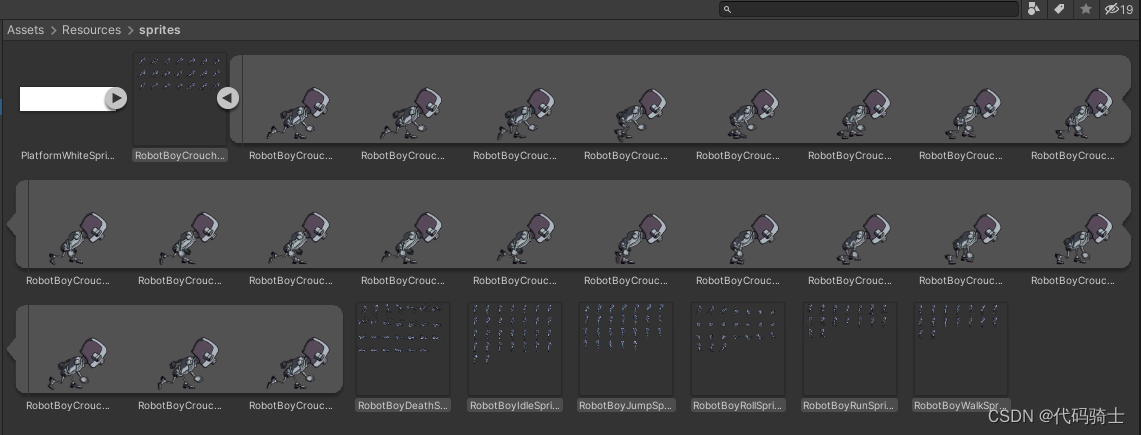

3、动画的制作步骤

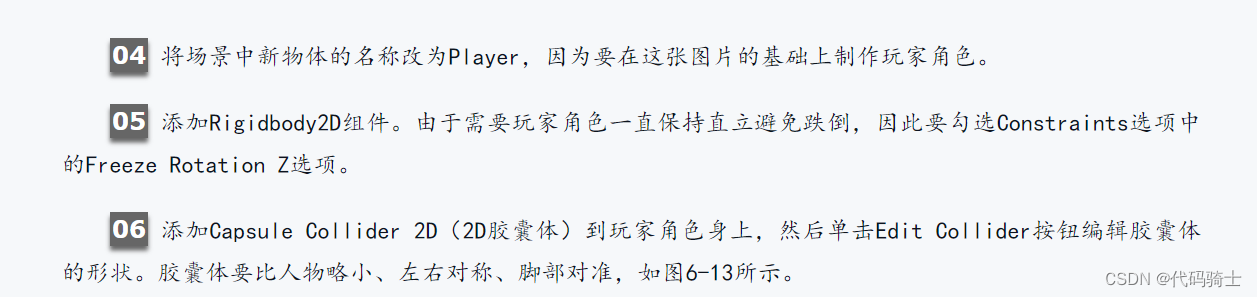


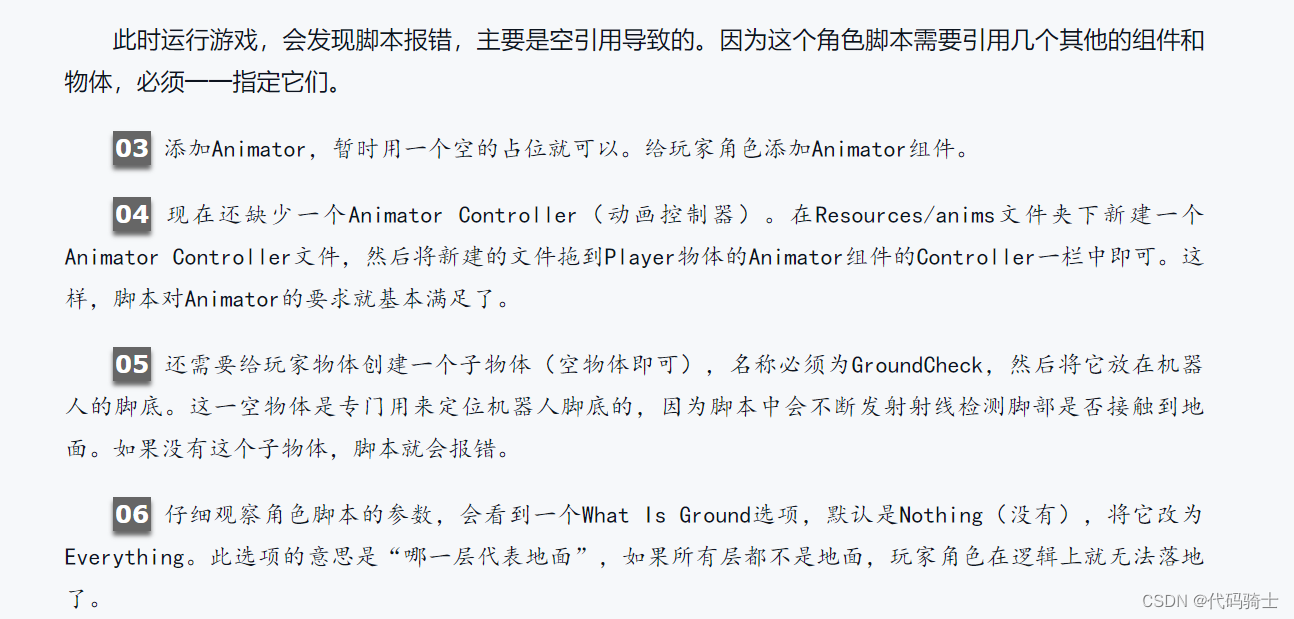


4、创建动画变量
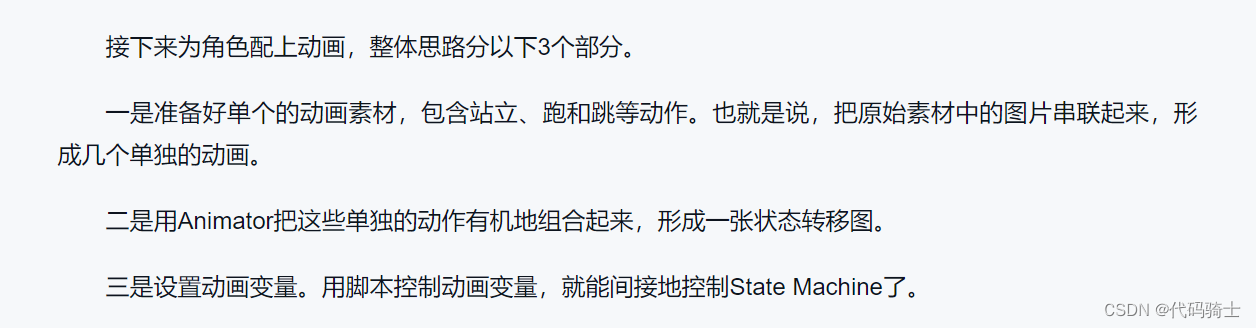
(1)编辑动画


注:新版本的unity没有sample可以通过拖动图片手动改变帧率。


(2)编辑动画状态机


(3)创建动画变量


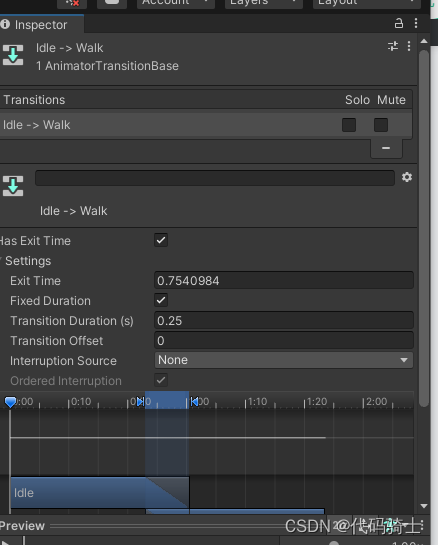
 5、设置动画过渡



6、用脚本修改动画变量


7、脚本编程重点提示


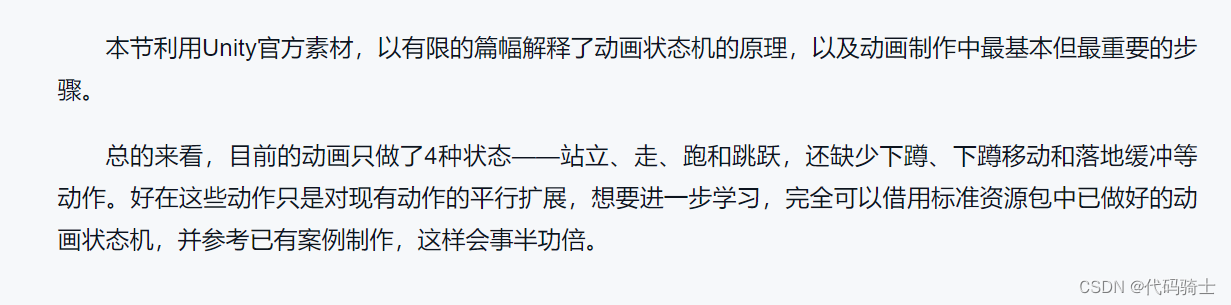
8、总结和拓展
三、三维模型与动画的导入
1、导入示例

2、三维模型资源设置


3、三维动画资源设置




4、模型骨骼与动画骨骼的关系


四、动画进阶技术实例分析

1、动画融合树


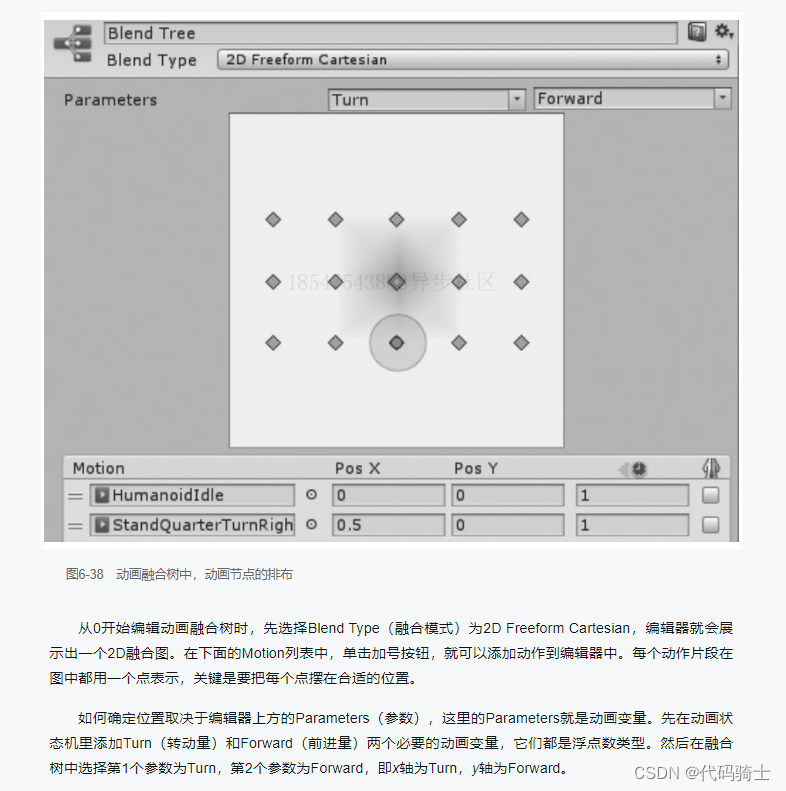
2、第三人称角色控制的脚本分析


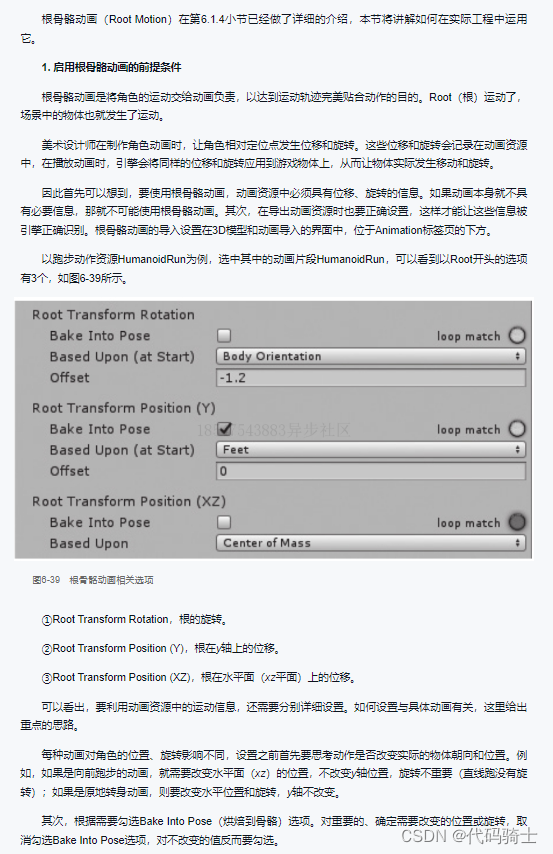
3、根骨骼动画的运用

4、动画遮罩


5、动画层

6、动画帧事件


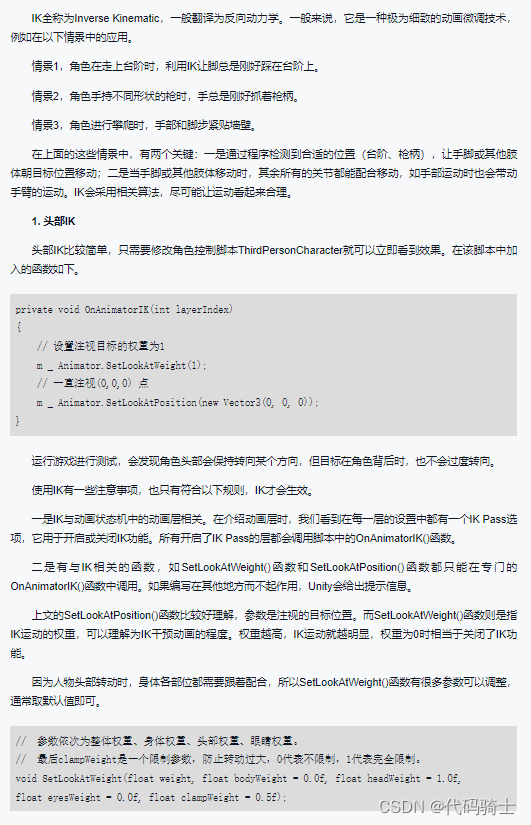
7、反向动力学(IK)

边栏推荐
猜你喜欢

纵观jBPM从jBPM3到jBPM5以及Activiti

Dolphin scheduler uses system time

Solve the problem that the value of the action attribute of the form is null when transferring parameters

Decorator

组合模式(Composite Pattern)

理想中的接口自动化项目

I'm almost addicted to it. I can't sleep! Let a bug fuck me twice!

通过PyTorch构建的LeNet-5网络对手写数字进行训练和识别

PMP Exam key summary VI - chart arrangement

卸载oracle报错
随机推荐
再見!IE瀏覽器,這條路由Edge替IE繼續走下去
读取pdf图片并识别内容
Matplotlib attribute and annotation
[Unity][ECS]学习笔记(一)
如何查看谷歌浏览器保存的网页密码
Huawei OSPF single region
函数的分文件编写
How to view the web password saved by Google browser
Google开源依赖注入框架-Guice指南
Stutter participle_ Principle of word breaker
idea连接sql sever失败
PMP考试重点总结八——监控过程组(2)
2022-06-27:给出一个长度为n的01串,现在请你找到两个区间, 使得这两个区间中,1的个数相等,0的个数也相等, 这两个区间可以相交,但是不可以完全重叠
PMP Exam key summary IX - closing
Sword finger offer | linked list transpose
组合模式(Composite Pattern)
Redis sentinel cluster main database failure data recovery ideas # yyds dry goods inventory #
Crawler small operation
PMP考试重点总结六——图表整理
在OpenCloudOS使用snap安装.NET 6