当前位置:网站首页>Flutter SliverAppBar全解析,你要的效果都在这了!
Flutter SliverAppBar全解析,你要的效果都在这了!
2022-06-27 22:40:00 【InfoQ】

什么是SliverAppBar
CollapsingToolbarLayout常用属性
 const SliverAppBar({
 Key key,
 this.leading,//左侧的图标或文字,多为返回箭头
 this.automaticallyImplyLeading = true,//没有leading为true的时候,默认返回箭头,没有leading且为false,则显示title
 this.title,//标题
 this.actions,//标题右侧的操作
 this.flexibleSpace,//可以理解为SliverAppBar的背景内容区
 this.bottom,//SliverAppBar的底部区
 this.elevation,//阴影
 this.forceElevated = false,//是否显示阴影
 this.backgroundColor,//背景颜色
 this.brightness,//状态栏主题,默认Brightness.dark,可选参数light
 this.iconTheme,//SliverAppBar图标主题
 this.actionsIconTheme,//action图标主题
 this.textTheme,//文字主题
 this.primary = true,//是否显示在状态栏的下面,false就会占领状态栏的高度
 this.centerTitle,//标题是否居中显示
 this.titleSpacing = NavigationToolbar.kMiddleSpacing,//标题横向间距
 this.expandedHeight,//合并的高度,默认是状态栏的高度加AppBar的高度
 this.floating = false,//滑动时是否悬浮
 this.pinned = false,//标题栏是否固定
 this.snap = false,//配合floating使用
 })
基本效果
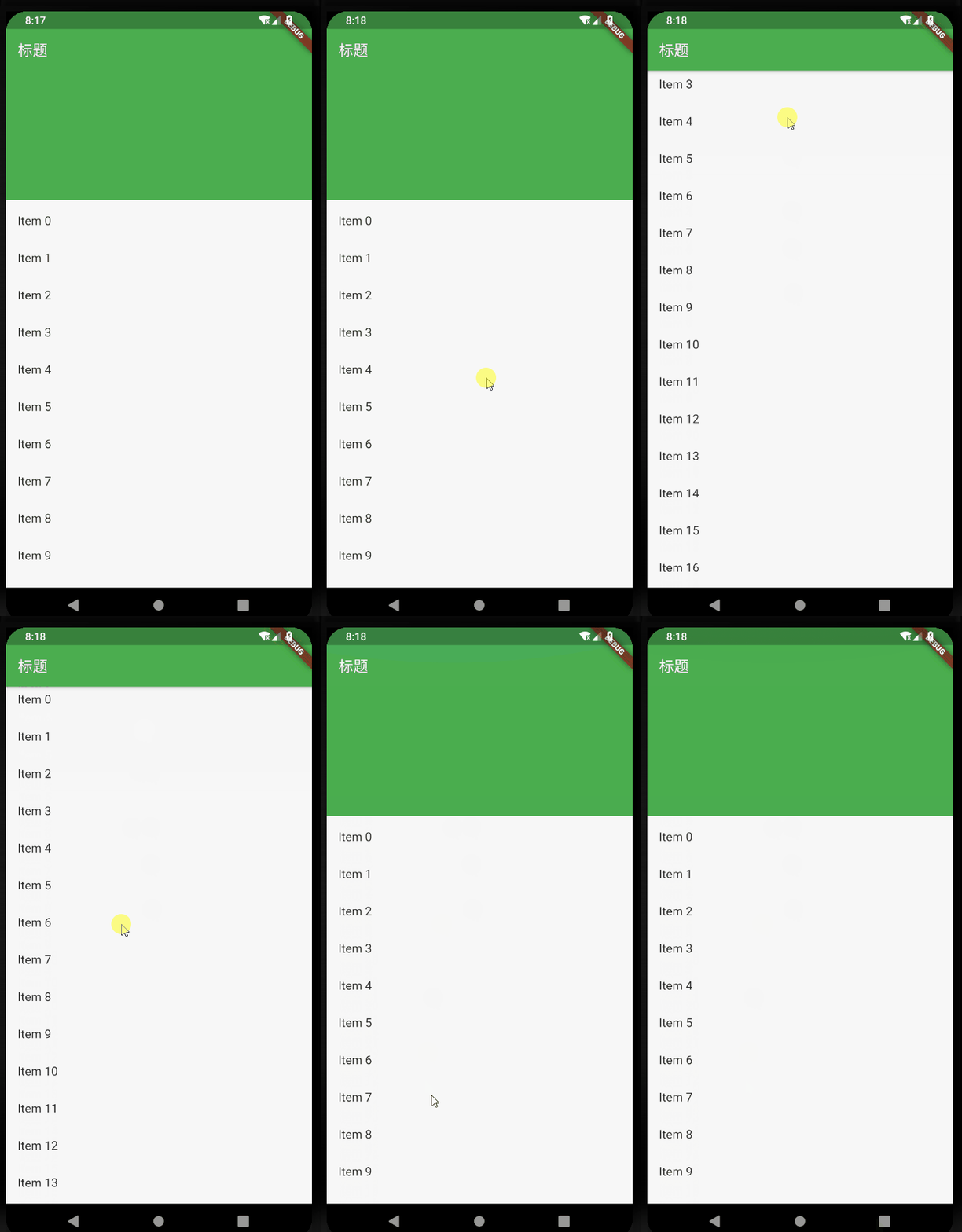
return Scaffold(
body: new CustomScrollView(
slivers: <Widget>[
new SliverAppBar(
title: Text("标题"),
expandedHeight: 230.0,
floating: false,
pinned: true,
snap: false,
),
new SliverFixedExtentList(
itemExtent: 50.0,
delegate: new SliverChildBuilderDelegate(
(context, index) => new ListTile(
title: new Text("Item $index"),
),
childCount: 30,
),
),
],
),
);
添加leading
 leading: new IconButton(
 icon: Icon(Icons.arrow_back),
 onPressed: () {},
 ),

添加actions
actions: <Widget>[
new IconButton(
icon: Icon(Icons.add),
onPressed: () {
print("添加");
},
),
new IconButton(
icon: Icon(Icons.more_horiz),
onPressed: () {
print("更多");
},
),
],

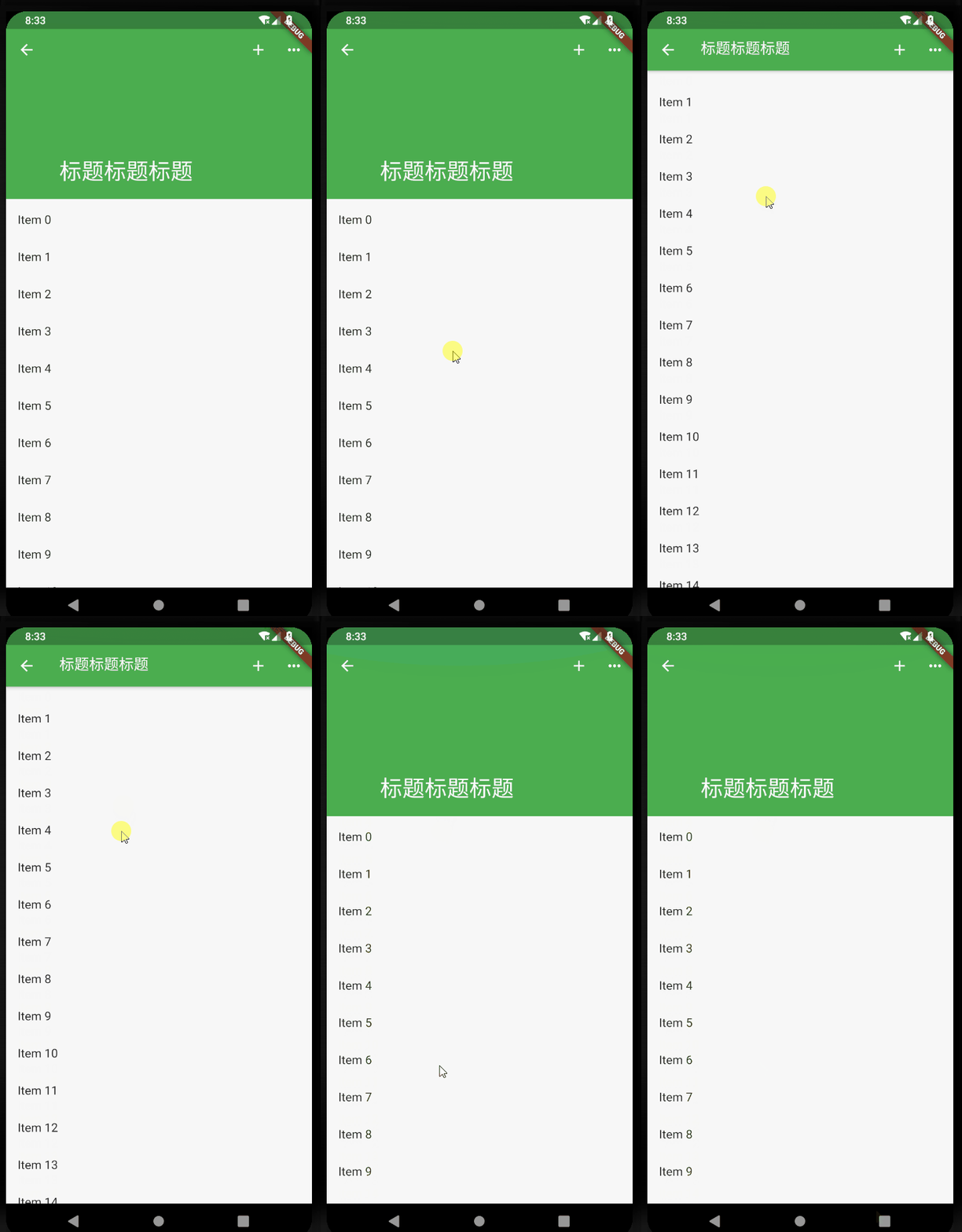
滑动标题上移效果
 flexibleSpace: new FlexibleSpaceBar(
 title: new Text("标题标题标题"),
 centerTitle: true,
 collapseMode: CollapseMode.pin,
 ),
背景图片沉浸式
pubspec.yaml assets:
- images/a.jpg
 flexibleSpace: new FlexibleSpaceBar(
 background: Image.asset("images/a.jpg", fit: BoxFit.fill),
 ),
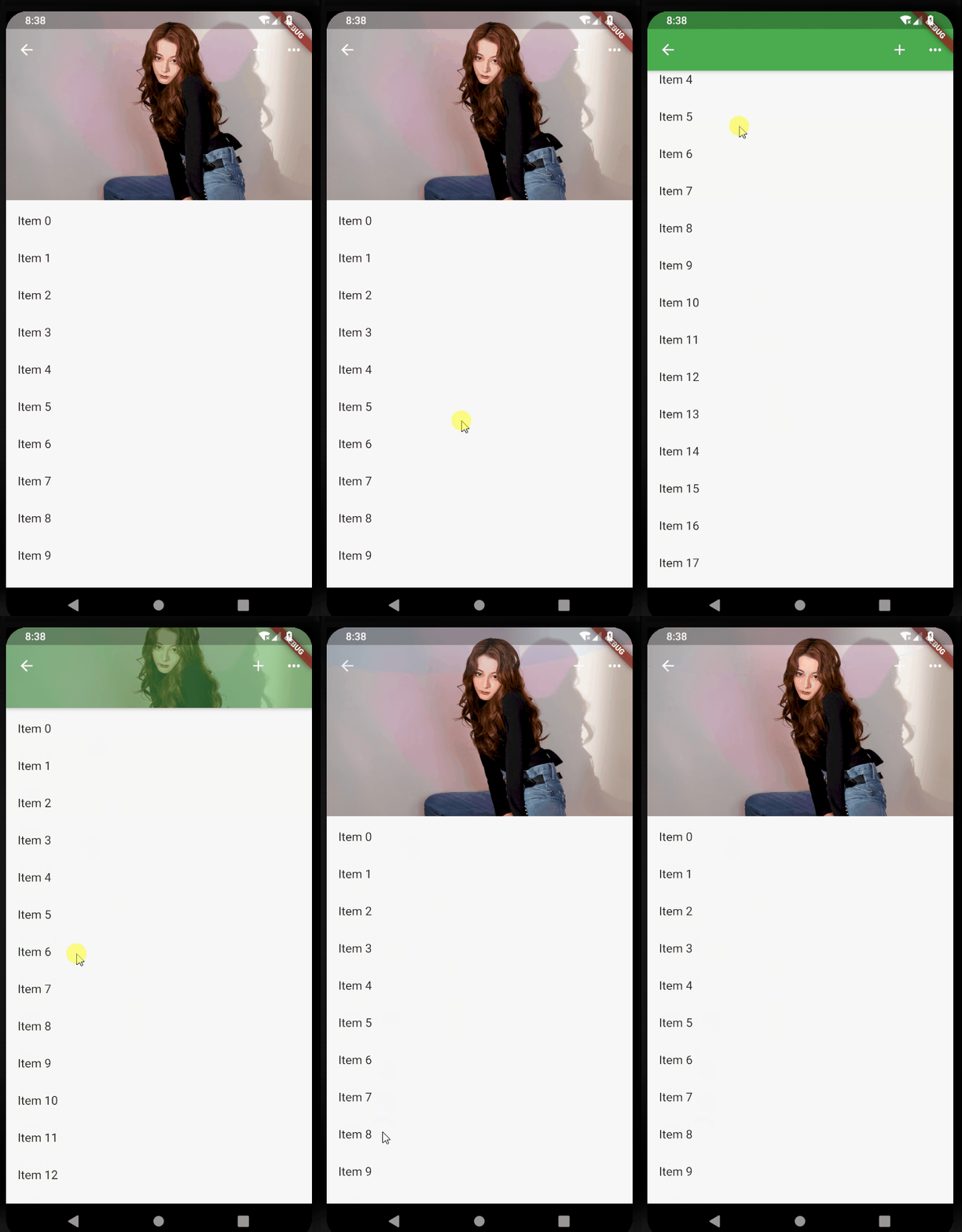
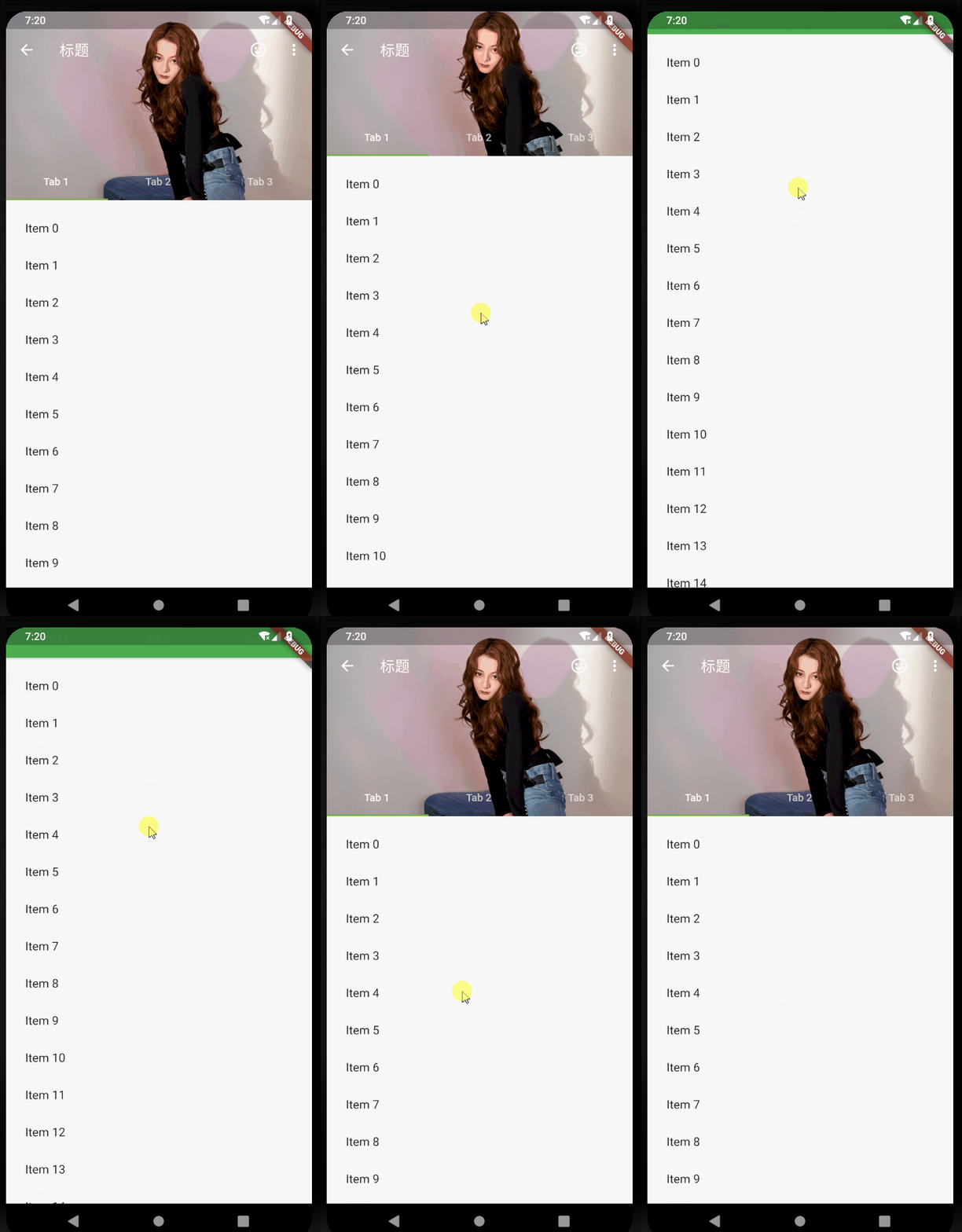
各种滑动效果演示
- floating: false, pinned: true, snap: false:
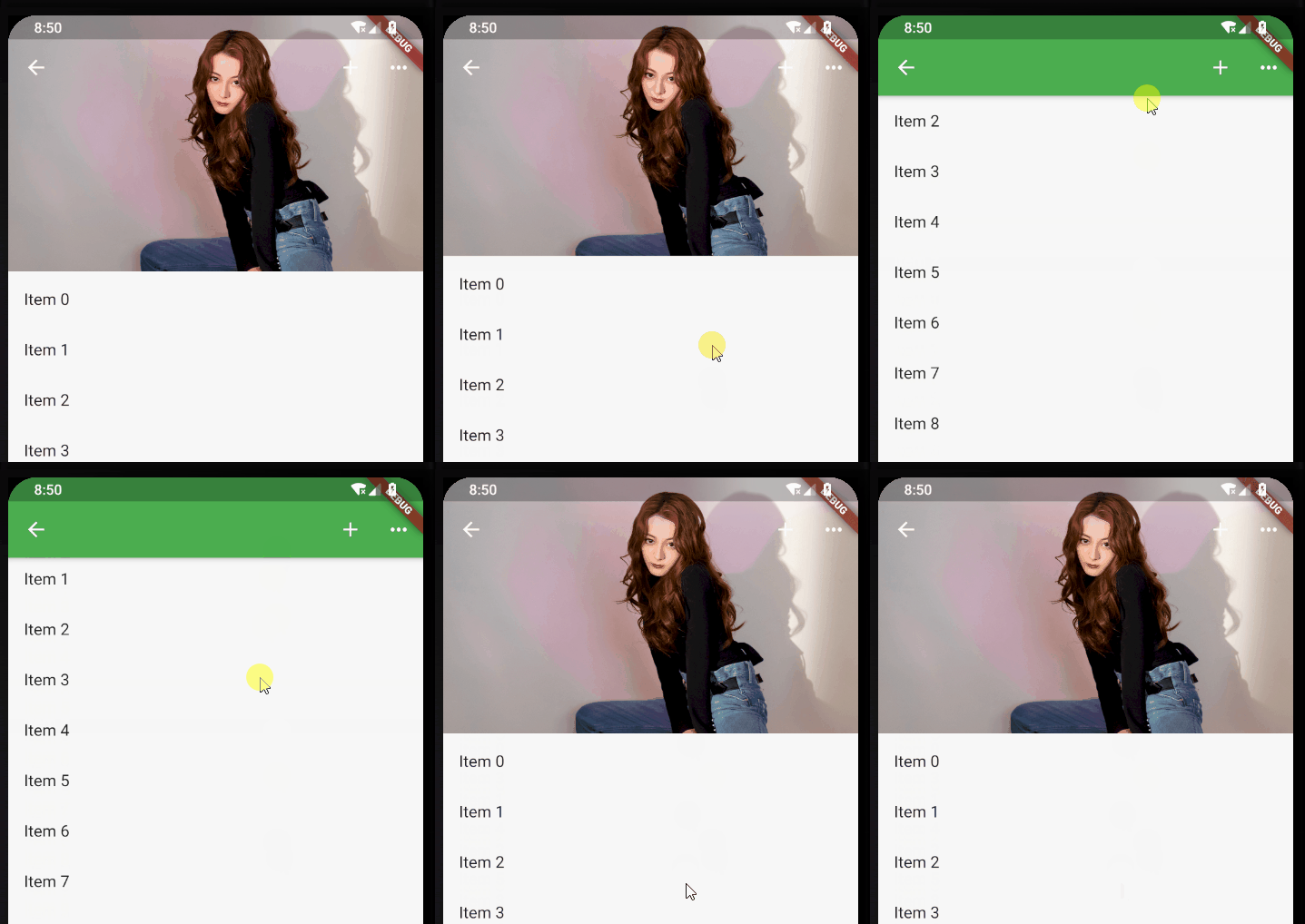
- floating: true, pinned: true, snap: true:
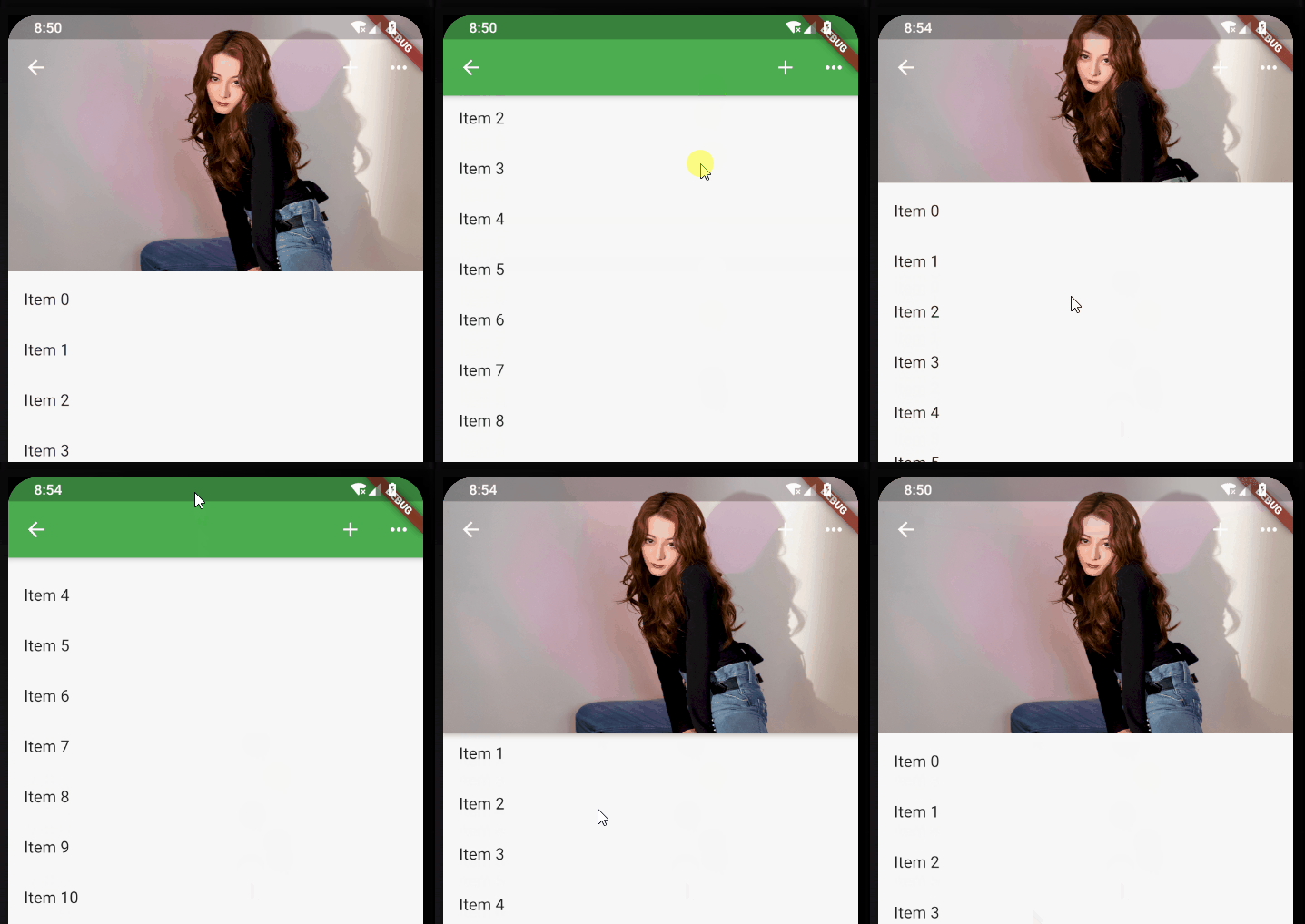
- floating: false, pinned: false, snap: false:
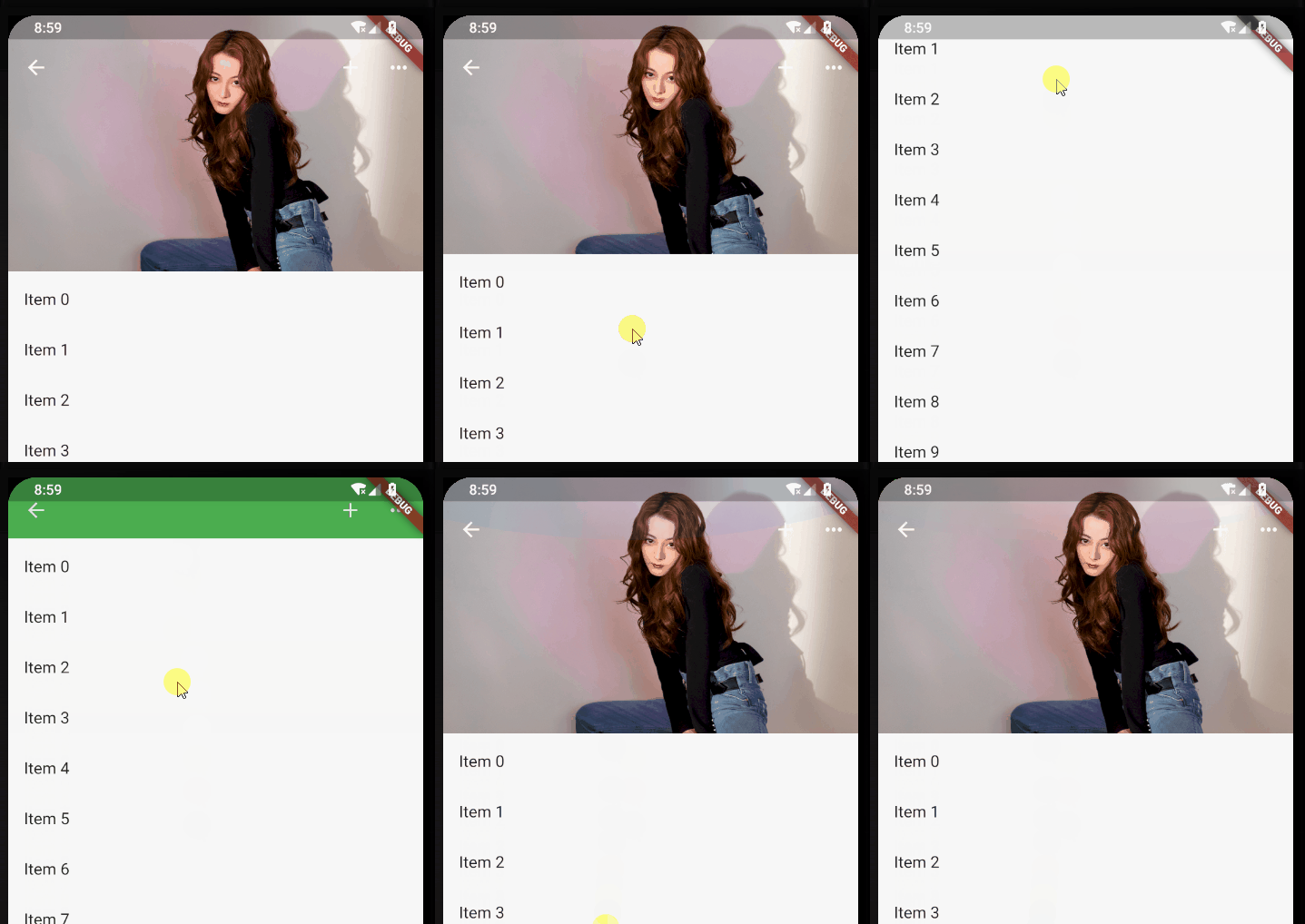
- floating: true, pinned: false, snap: false:
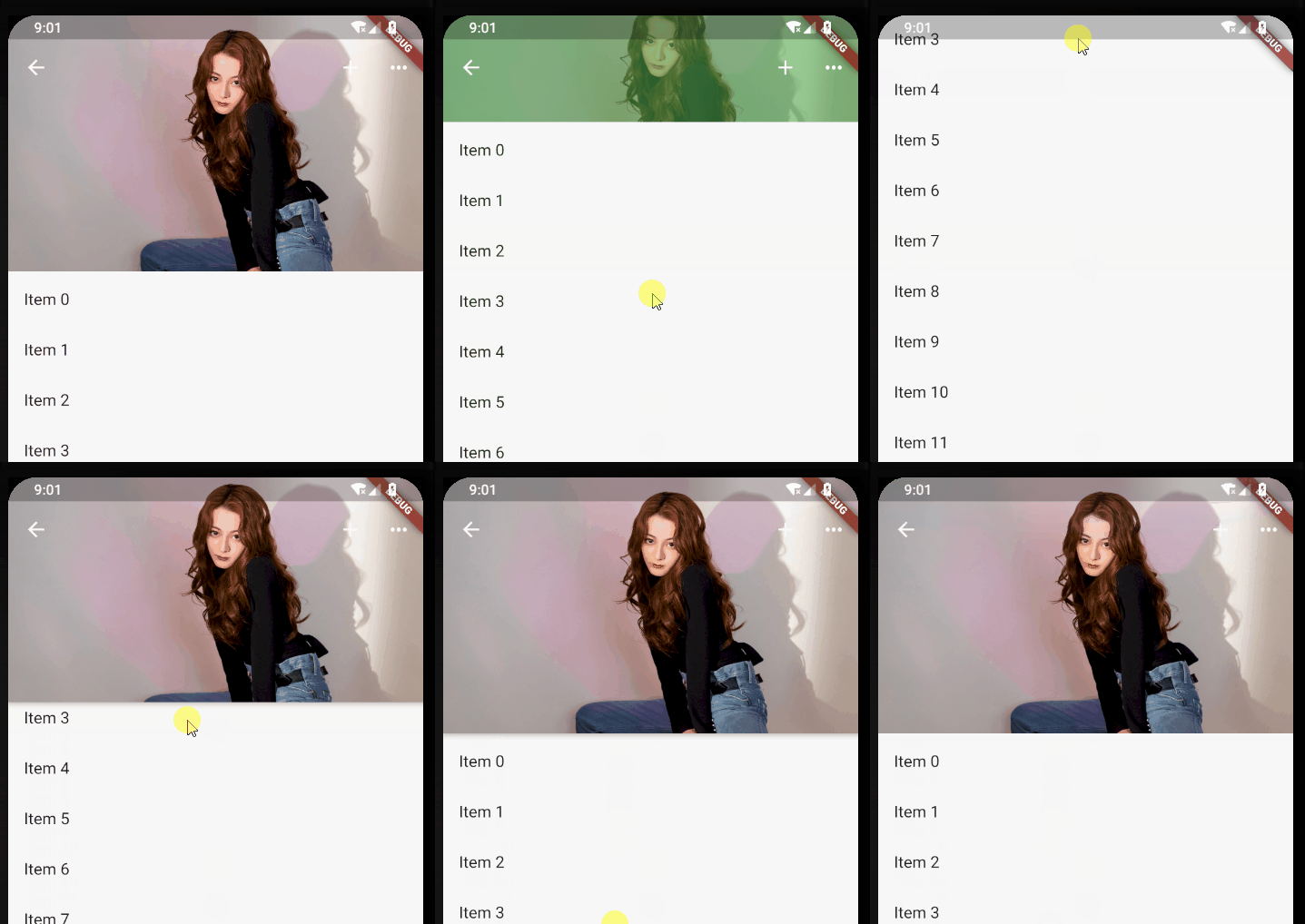
- 标题栏是否跟着一起滑动
- 上滑的时候,SliverAppBar是直接滑上去还是先合并然后再滑上去。
- 下拉的时候,SliverAppBar是直接拉下来还是先拉下来再展开。
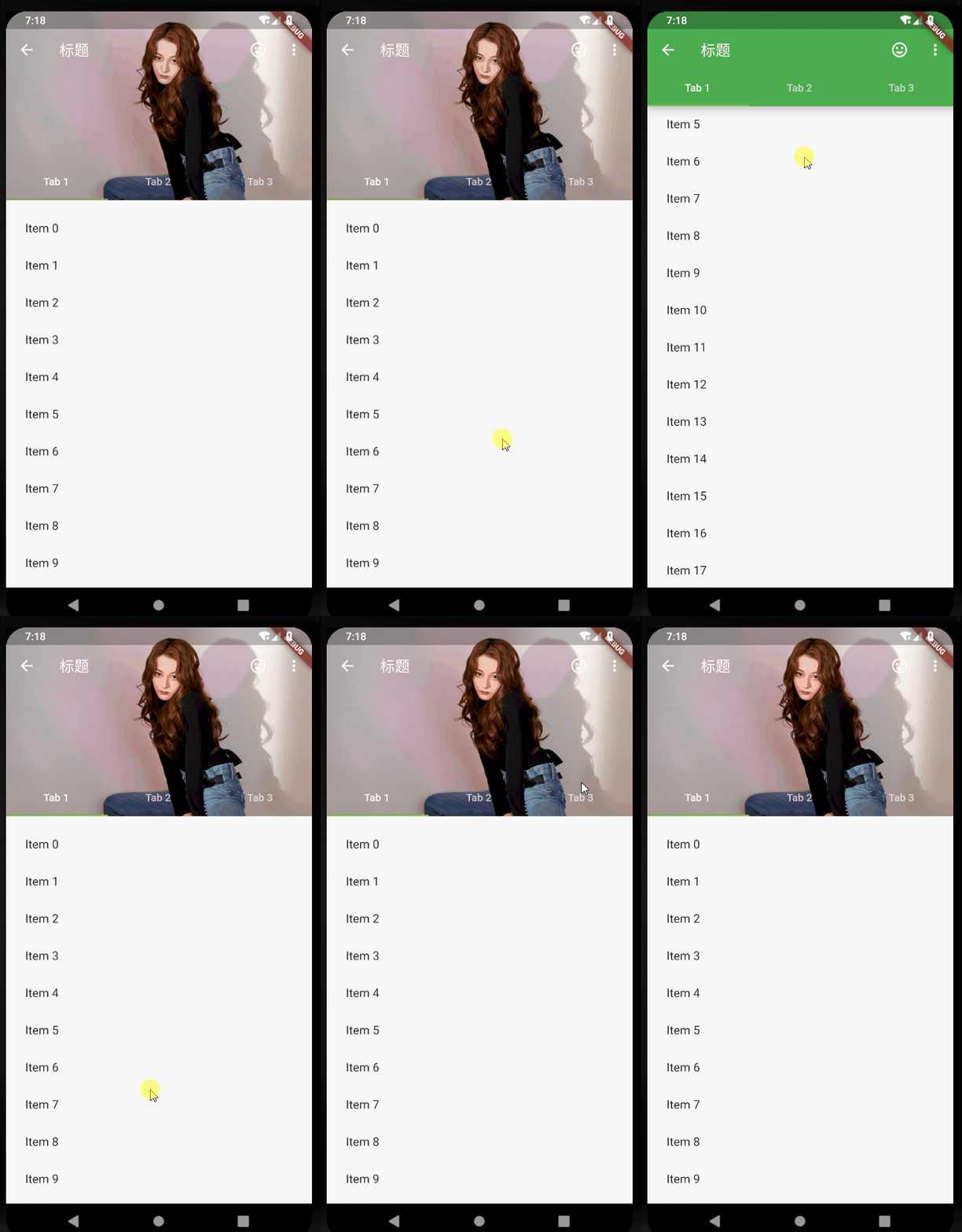
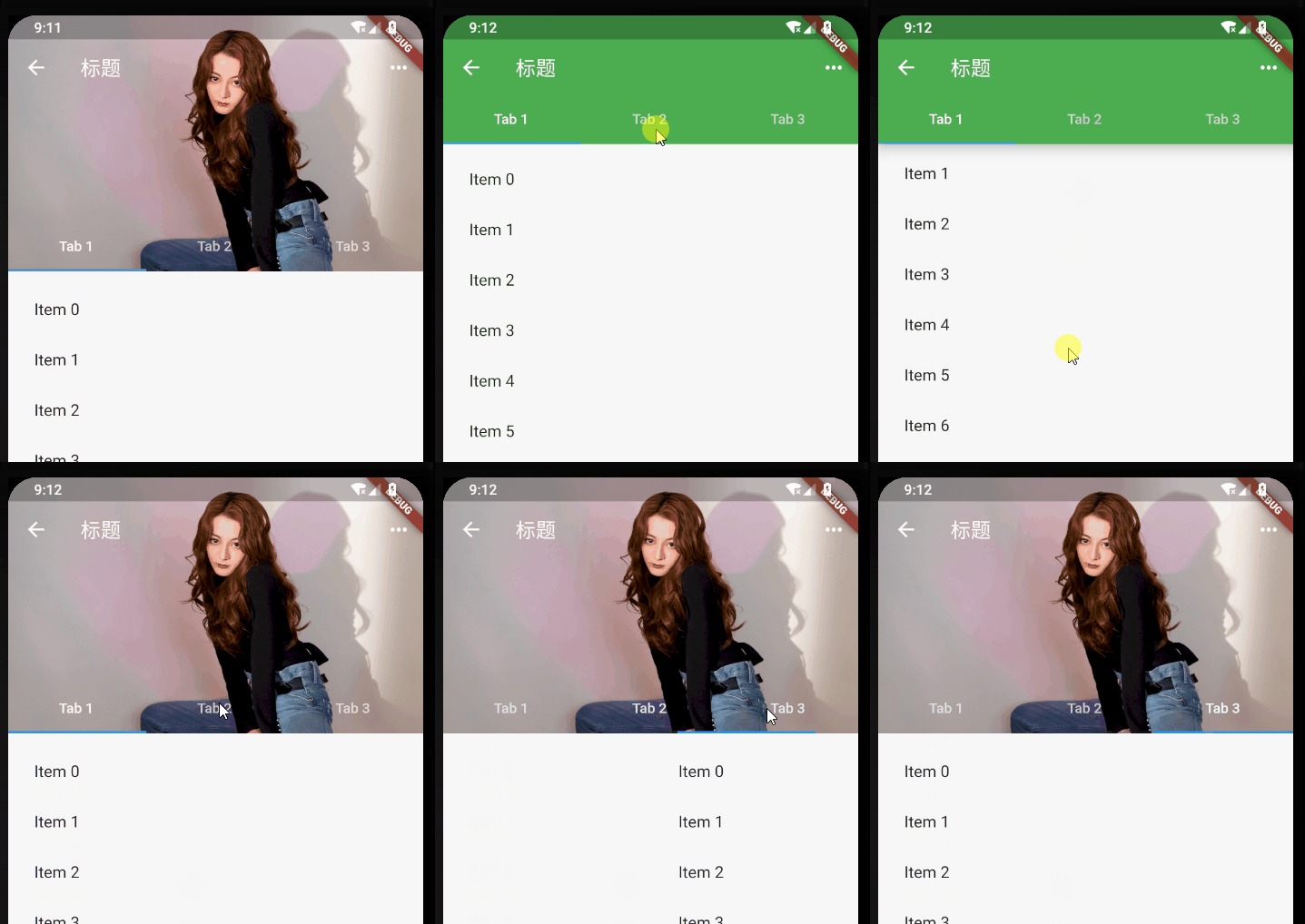
添加TabBar
var _tabs = <String>[];
_tabs = <String>[
"Tab 1",
"Tab 2",
"Tab 3",
];
/// 加TabBar
DefaultTabController(
length: _tabs.length, // This is the number of tabs.
child: NestedScrollView(
headerSliverBuilder: (BuildContext context, bool innerBoxIsScrolled) {
// These are the slivers that show up in the "outer" scroll view.
return <Widget>[
SliverOverlapAbsorber(
handle:
NestedScrollView.sliverOverlapAbsorberHandleFor(context),
child: SliverAppBar(
leading: new IconButton(
icon: Icon(Icons.arrow_back),
onPressed: () {},
),
title: const Text('标题'),
centerTitle: false,
pinned: true,
floating: false,
snap: false,
primary: true,
expandedHeight: 230.0,
elevation: 10,
//是否显示阴影,直接取值innerBoxIsScrolled,展开不显示阴影,合并后会显示
forceElevated: innerBoxIsScrolled,
actions: <Widget>[
new IconButton(
icon: Icon(Icons.more_horiz),
onPressed: () {
print("更多");
},
),
],
flexibleSpace: new FlexibleSpaceBar(
background: Image.asset("images/a.jpg", fit: BoxFit.fill),
),
bottom: TabBar(
tabs: _tabs.map((String name) => Tab(text: name)).toList(),
),
),
),
];
},
body: TabBarView(
// These are the contents of the tab views, below the tabs.
children: _tabs.map((String name) {
//SafeArea 适配刘海屏的一个widget
return SafeArea(
top: false,
bottom: false,
child: Builder(
builder: (BuildContext context) {
return CustomScrollView(
key: PageStorageKey<String>(name),
slivers: <Widget>[
SliverOverlapInjector(
handle:
NestedScrollView.sliverOverlapAbsorberHandleFor(
context),
),
SliverPadding(
padding: const EdgeInsets.all(10.0),
sliver: SliverFixedExtentList(
itemExtent: 50.0, //item高度或宽度,取决于滑动方向
delegate: SliverChildBuilderDelegate(
(BuildContext context, int index) {
return ListTile(
title: Text('Item $index'),
);
},
childCount: 30,
),
),
),
],
);
},
),
);
}).toList(),
),
),
),
边栏推荐
- MongoDB-在windows电脑本地安装一个mongodb的数据库
- Function and usage of malloc function in C language
- 快速掌握grep命令及正则表达式
- Internship: business process introduction
- Message Oriented Middleware for girlfriends
- Redis configuration and optimization of NoSQL
- 软件工程作业设计(1): [个人项目] 实现一个日志查看页面
- plot_model报错:没有安装pydot, graphviz
- LabVIEW continuous sampling and limited sampling mode
- Why are cloud vendors targeting this KPI?
猜你喜欢

Every time I started the service of the project, the computer helped me open the browser, revealing the 100 lines of source code!
Redis configuration and optimization of NoSQL

Smart wind power | Tupu software digital twin wind turbine equipment, 3D visual intelligent operation and maintenance

Hcip/hcie Routing & Switching / datacom Reference Dictionary Series (19) comprehensive summary of PKI knowledge points (public key infrastructure)

技术的极限(11): 有趣的编程

Technical debt wall: a way to make technical debt visible and negotiable

JVM的内存模型简介

认识微信小程序项目的基本组成结构
NoSQL之Redis配置与优化

Modern programming languages: zig
随机推荐
MongoDB-在windows电脑本地安装一个mongodb的数据库
Overview and deployment of GFS distributed file system
Taro---day1---搭建项目
Introduction to memory model of JVM
#795 Div.2 D. Max GEQ Sum 单调栈
炼金术(3): 怎样做好1个业务流程的接口对接
Function and usage of malloc function in C language
免费、好用、强大的开源笔记软件综合评测
翻译(5): 技术债务墻:一种让技术债务可见并可协商的方法
Squid代理服务器(缓存加速之Web缓存层)
CharSequence初探
Alchemy (1): identify prototype, demo and MVP in project development
[untitled]
Latest MySQL advanced SQL statement Encyclopedia
#795 Div.2 E. Number of Groups set *
Is the stock investment exchange group safe? Is it reliable to open an account for free?
互联网的发展为产业的变革和转型提供了新的解决方案
Differences and functions between intranet IP and public IP
Installation and use of Zotero document management tool
券商买股票用什么app是比较好的,比较安全的