当前位置:网站首页>I have seven schemes to realize web real-time message push, seven!
I have seven schemes to realize web real-time message push, seven!
2022-07-25 05:10:00 【InfoQ】

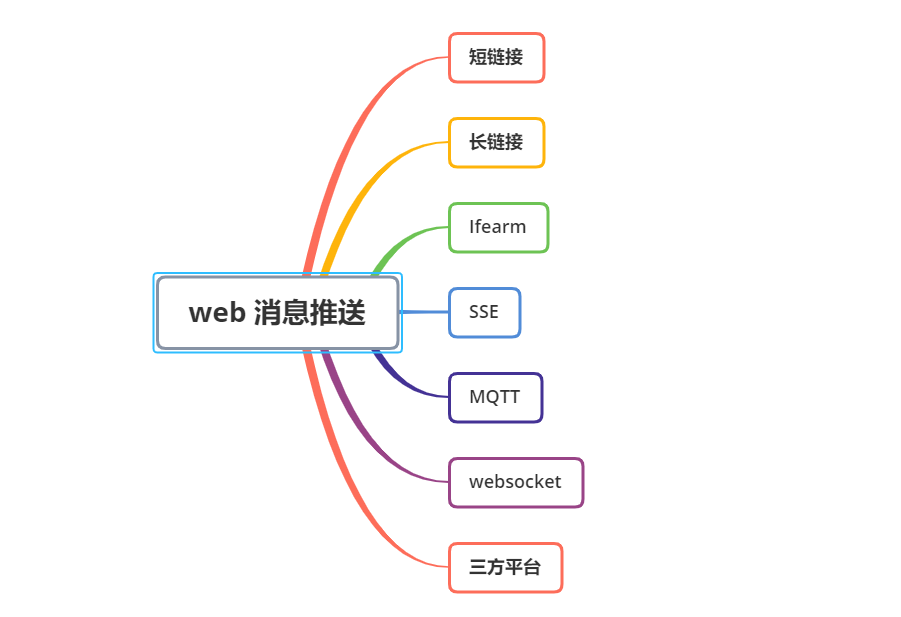
What is message push (push)
pushweb End message push Mobile message push 
+1
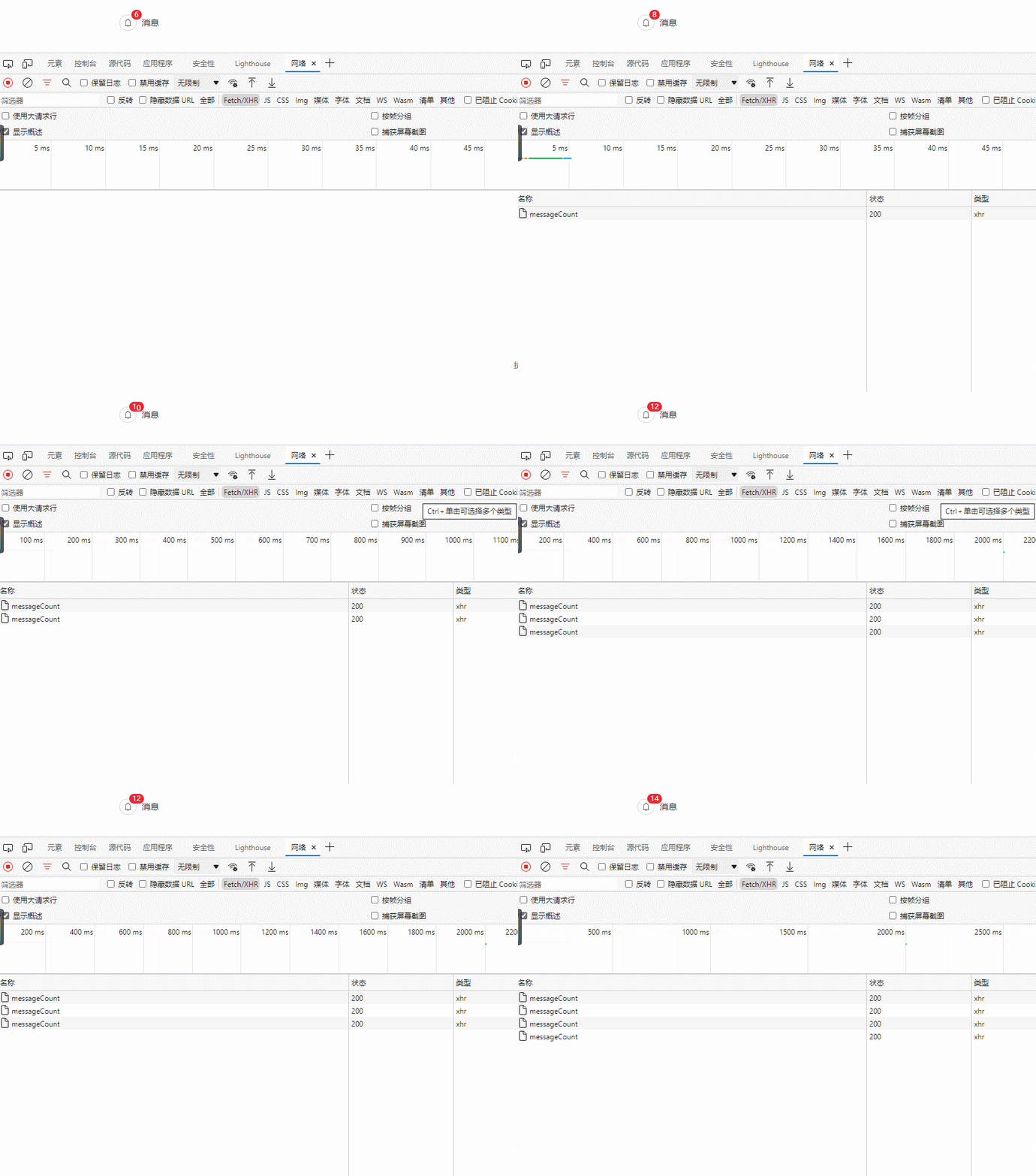
pushpullShort polling
polling Short polling Long polling HTTPsetInterval(() => {
// Method request
messageCount().then((res) => {
if (res.code === 200) {
this.messageCount = res.data
}
})
}, 1000);
Long polling
NacosapollokafkaRocketMQNacosapolloDeferredResultservelet3.0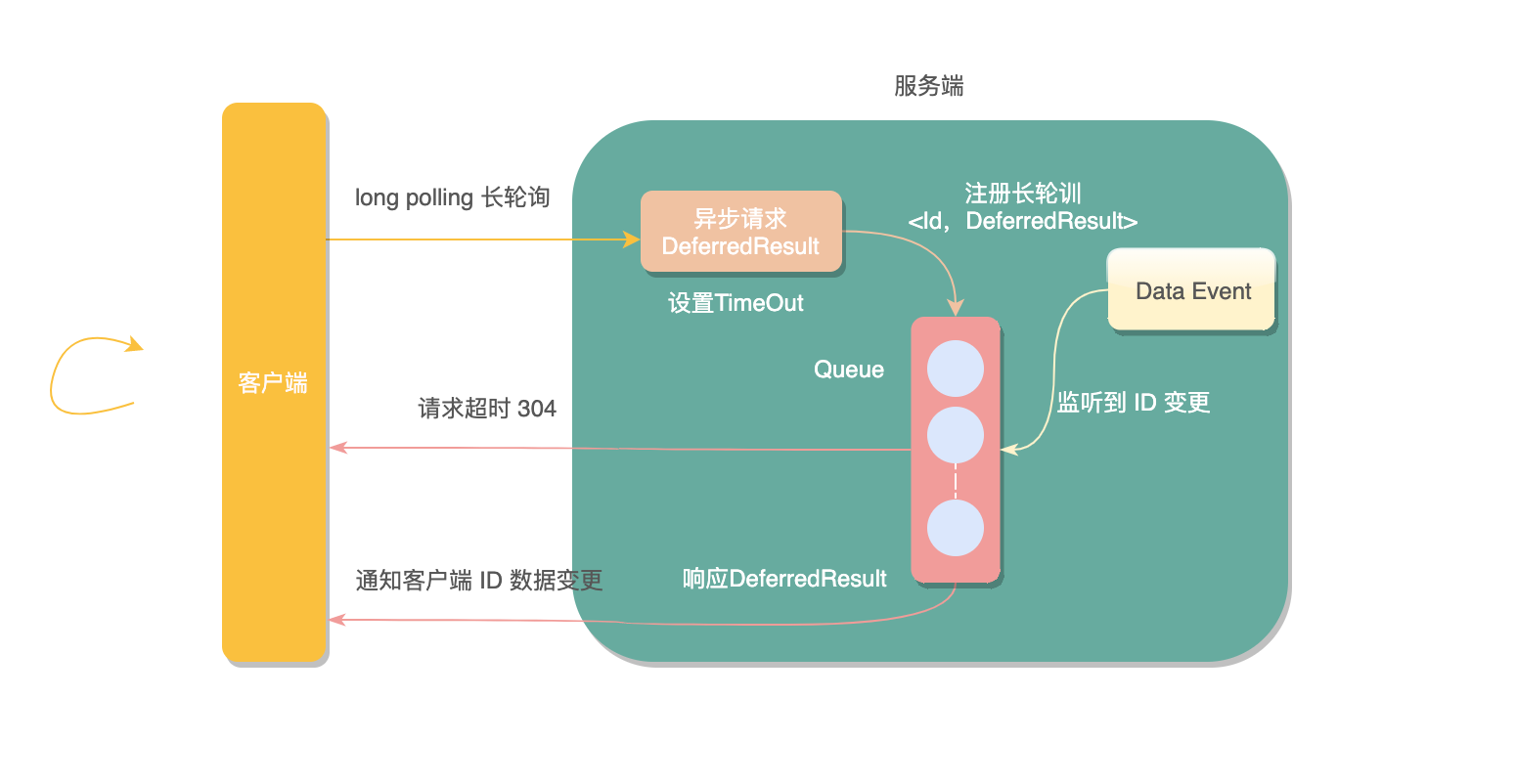
DeferredResultDeferredResult.setResult(200)guavaMultimap@Controller
@RequestMapping("/polling")
public class PollingController {
// Store and monitor a Id Long polling set for
// Thread synchronization structure
public static Multimap<String, DeferredResult<String>> watchRequests = Multimaps.synchronizedMultimap(HashMultimap.create());
/**
* official account : Programmer Xiaofu
* Set listening
*/
@GetMapping(path = "watch/{id}")
@ResponseBody
public DeferredResult<String> watch(@PathVariable String id) {
// Delay object setting timeout
DeferredResult<String> deferredResult = new DeferredResult<>(TIME_OUT);
// Remove when the asynchronous request completes key, Prevent memory overflow
deferredResult.onCompletion(() -> {
watchRequests.remove(id, deferredResult);
});
// Registrar polling request
watchRequests.put(id, deferredResult);
return deferredResult;
}
/**
* official account : Programmer Xiaofu
* Change data
*/
@GetMapping(path = "publish/{id}")
@ResponseBody
public String publish(@PathVariable String id) {
// Data changes Take out the monitor ID All long polling requests , And respond one by one
if (watchRequests.containsKey(id)) {
Collection<DeferredResult<String>> deferredResults = watchRequests.get(id);
for (DeferredResult<String> deferredResult : deferredResults) {
deferredResult.setResult(" I updated " + new Date());
}
}
return "success";
}
AsyncRequestTimeoutException@ControllerAdvice@ControllerAdvice
public class AsyncRequestTimeoutHandler {
@ResponseStatus(HttpStatus.NOT_MODIFIED)
@ResponseBody
@ExceptionHandler(AsyncRequestTimeoutException.class)
public String asyncRequestTimeoutHandler(AsyncRequestTimeoutException e) {
System.out.println(" Asynchronous request timed out ");
return "304";
}
}
/polling/watch/10086/polling/publish/10086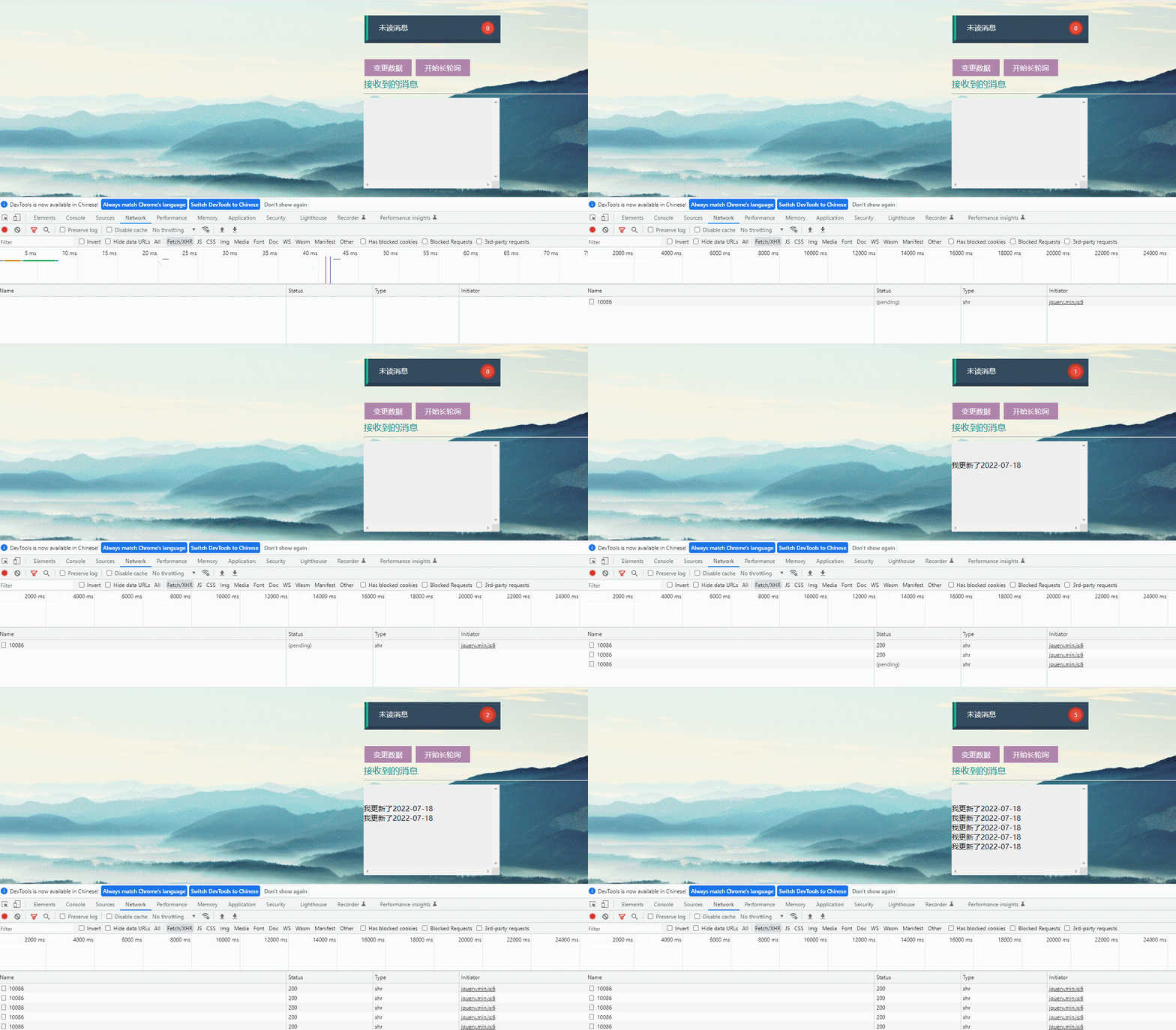
iframe flow
<iframe>srciframeHTMLjavascript
<iframe><iframe src="/iframe/message" style="display:none"></iframe>
response@Controller
@RequestMapping("/iframe")
public class IframeController {
@GetMapping(path = "message")
public void message(HttpServletResponse response) throws IOException, InterruptedException {
while (true) {
response.setHeader("Pragma", "no-cache");
response.setDateHeader("Expires", 0);
response.setHeader("Cache-Control", "no-cache,no-store");
response.setStatus(HttpServletResponse.SC_OK);
response.getWriter().print(" <script type=\"text/javascript\">\n" +
"parent.document.getElementById('clock').innerHTML = \"" + count.get() + "\";" +
"parent.document.getElementById('count').innerHTML = \"" + count.get() + "\";" +
"</script>");
}
}
}
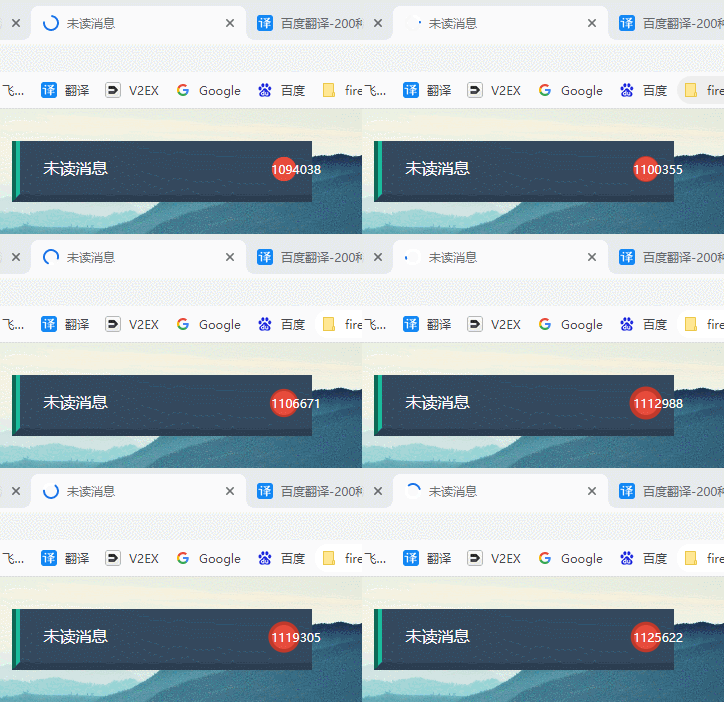
SSE ( My way )
WebSocketServer-sent eventsSSESSEHTTP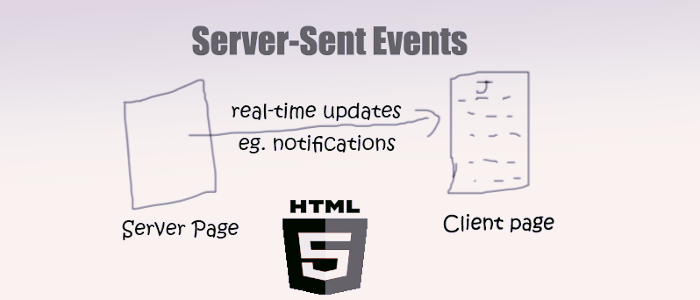
text/event-stream
SSEWebSocket- SSE Is based on HTTP Agreed , They do not require special protocols or server implementations to work ;
WebSocketA separate server is required to handle the Protocol .
- SSE One-way communication , Only one-way communication from the server to the client ;webSocket Full duplex communication , That is, both sides of the communication can send and receive information at the same time .
- SSE Simple implementation and low development cost , There is no need to introduce other components ;WebSocket Data transmission requires secondary analysis , The development threshold is higher .
- SSE Disconnection and reconnection are supported by default ;WebSocket You need to do it yourself .
- SSE Only text messages can be sent , Binary data needs to be encoded before transmission ;WebSocket Binary data transfer is supported by default .
SEEWebSockets Automatically reconnect event ID Send any event <script>
let source = null;
let userId = 7777
if (window.EventSource) {
// Establishing a connection
source = new EventSource('http://localhost:7777/sse/sub/'+userId);
setMessageInnerHTML(" Connect the user =" + userId);
/**
* Once the connection is established , It will trigger open event
* Another way of writing :source.onopen = function (event) {}
*/
source.addEventListener('open', function (e) {
setMessageInnerHTML(" Establishing a connection ...");
}, false);
/**
* The client receives the data from the server
* Another way of writing :source.onmessage = function (event) {}
*/
source.addEventListener('message', function (e) {
setMessageInnerHTML(e.data);
});
} else {
setMessageInnerHTML(" Your browser does not support it SSE");
}
</script>
SseEmittersseEmitterMapprivate static Map<String, SseEmitter> sseEmitterMap = new ConcurrentHashMap<>();
/**
* Create connection
*
* @date: 2022/7/12 14:51
* @auther: official account : Programmer Xiaofu
*/
public static SseEmitter connect(String userId) {
try {
// Set timeout ,0 No expiration date . Default 30 second
SseEmitter sseEmitter = new SseEmitter(0L);
// Register callback
sseEmitter.onCompletion(completionCallBack(userId));
sseEmitter.onError(errorCallBack(userId));
sseEmitter.onTimeout(timeoutCallBack(userId));
sseEmitterMap.put(userId, sseEmitter);
count.getAndIncrement();
return sseEmitter;
} catch (Exception e) {
log.info(" Create a new sse Abnormal connection , The current user :{}", userId);
}
return null;
}
/**
* Send a message to the specified user
*
* @date: 2022/7/12 14:51
* @auther: official account : Programmer Xiaofu
*/
public static void sendMessage(String userId, String message) {
if (sseEmitterMap.containsKey(userId)) {
try {
sseEmitterMap.get(userId).send(message);
} catch (IOException e) {
log.error(" user [{}] Push exception :{}", userId, e.getMessage());
removeUser(userId);
}
}
}
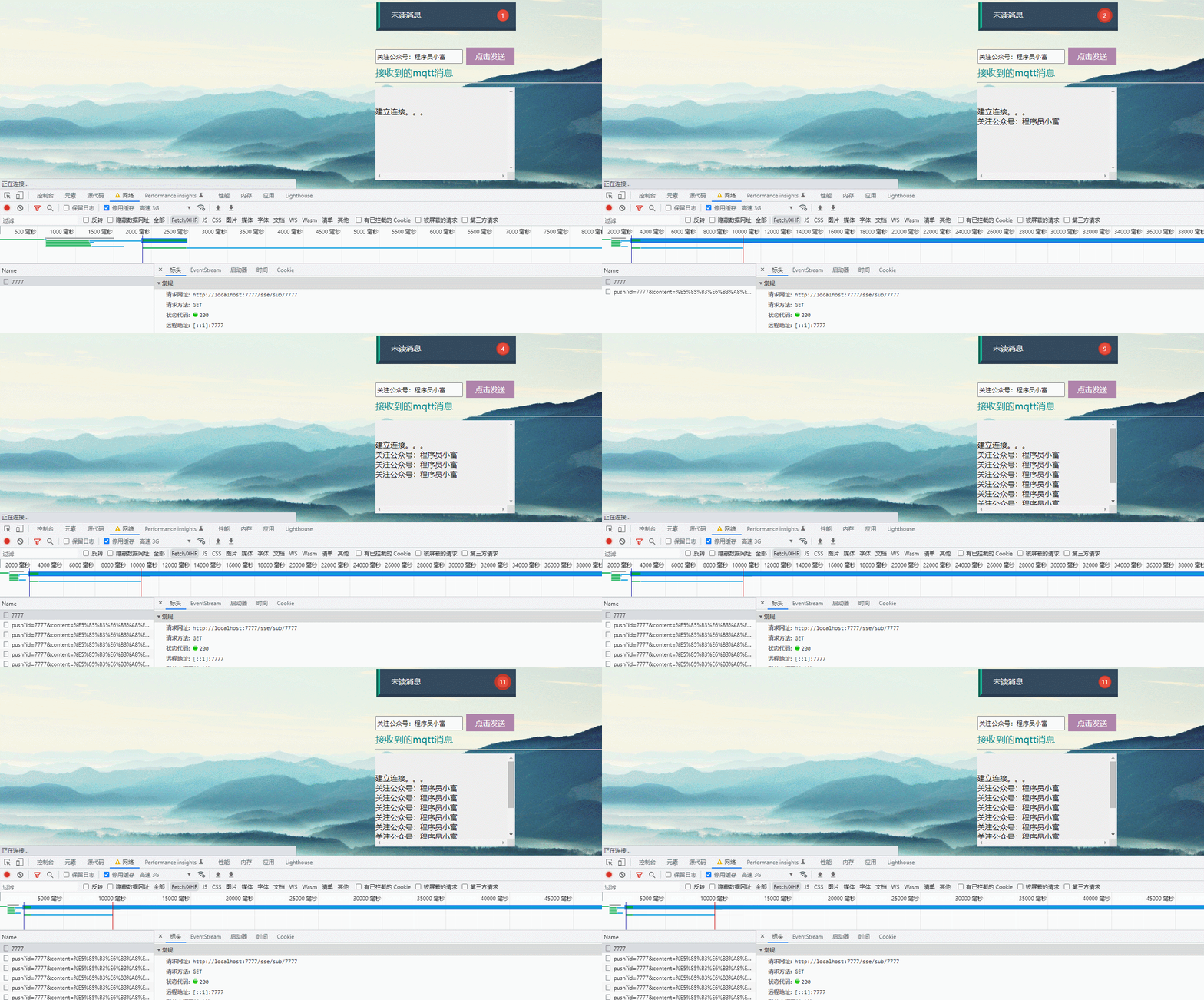
IE
MQTT
MQTTpublishsubscribe Lightweight Internet of Thingpublishersubscriber
TCPMQTTMQTTTCP/IPTCP/IPMQTTMQTTHTTP- First
HTTPProtocol, which is a synchronization protocol , After the client requests, it needs to wait for the response of the server . And in the Internet of things (IOT) Environment , The equipment will be subject to the influence of the environment , Such as low bandwidth 、 High network latency 、 Unstable network communication, etc , Obviously, asynchronous messaging protocol is more suitable forIOTApplications .
HTTPIs one-way , If you want to get a message, the client must initiate a connection , And in the Internet of things (IOT) In the application , Devices or sensors are often clients , This means that they cannot passively receive commands from the network .
- Usually you need to send a command or message , Send to all devices on the network .
HTTPIt is not only difficult to realize such a function , And the cost is very high .
Websocket
websocketTCP
websocket<!-- introduce websocket -->
<dependency>
<groupId>org.springframework.boot</groupId>
<artifactId>spring-boot-starter-websocket</artifactId>
</dependency>
@ServerEndpointws://localhost:7777/webSocket/10086@Component
@Slf4j
@ServerEndpoint("/websocket/{userId}")
public class WebSocketServer {
// A connection session with a client , It is needed to send data to the client
private Session session;
private static final CopyOnWriteArraySet<WebSocketServer> webSockets = new CopyOnWriteArraySet<>();
// Used to store the number of online connections
private static final Map<String, Session> sessionPool = new HashMap<String, Session>();
/**
* official account : Programmer Xiaofu
* Link the method successfully called
*/
@OnOpen
public void onOpen(Session session, @PathParam(value = "userId") String userId) {
try {
this.session = session;
webSockets.add(this);
sessionPool.put(userId, session);
log.info("websocket news : There are new connections , The total number is :" + webSockets.size());
} catch (Exception e) {
}
}
/**
* official account : Programmer Xiaofu
* Method called upon receipt of a client message
*/
@OnMessage
public void onMessage(String message) {
log.info("websocket news : Received client message :" + message);
}
/**
* official account : Programmer Xiaofu
* This is a single message
*/
public void sendOneMessage(String userId, String message) {
Session session = sessionPool.get(userId);
if (session != null && session.isOpen()) {
try {
log.info("websocket eliminate : Single point message :" + message);
session.getAsyncRemote().sendText(message);
} catch (Exception e) {
e.printStackTrace();
}
}
}
}
<script>
var ws = new WebSocket('ws://localhost:7777/webSocket/10086');
// Get connection status
console.log('ws Connection status :' + ws.readyState);
// Monitor whether the connection is successful
ws.onopen = function () {
console.log('ws Connection status :' + ws.readyState);
// If the connection is successful, send a data
ws.send('test1');
}
// Answer the information sent back by the server and process the display
ws.onmessage = function (data) {
console.log(' Received a message from the server :');
console.log(data);
// Close after communication WebSocket Connect
ws.close();
}
// Listen for connection close events
ws.onclose = function () {
// Monitor the whole process websocket The state of
console.log('ws Connection status :' + ws.readyState);
}
// Monitor and process error event
ws.onerror = function (error) {
console.log(error);
}
function sendMessage() {
var content = $("#message").val();
$.ajax({
url: '/socket/publish?userId=10086&message=' + content,
type: 'GET',
data: { "id": "7777", "content": content },
success: function (data) {
console.log(data)
}
})
}
</script>

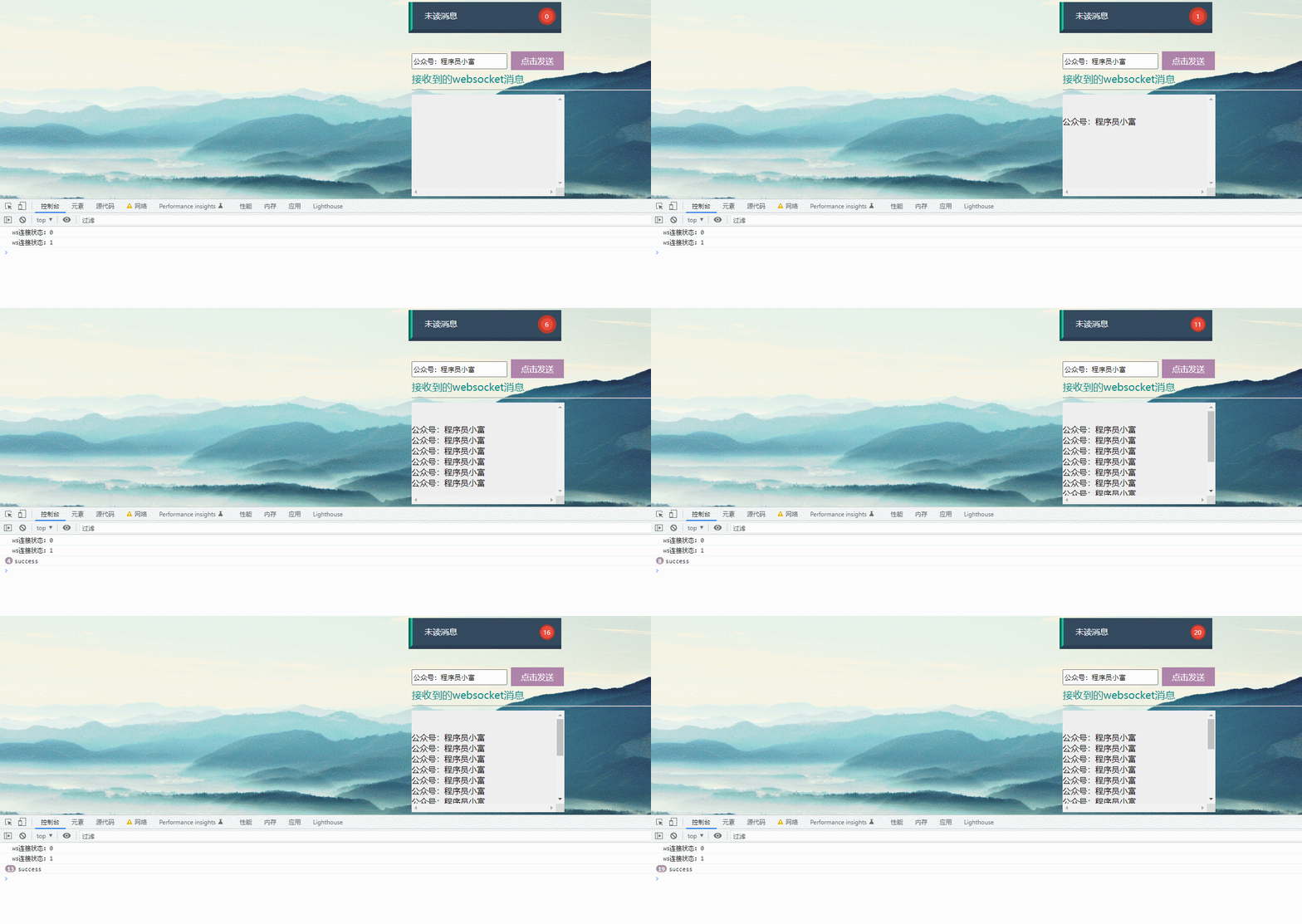
Custom push

Github Address
Github
边栏推荐
- Idea2021 installation
- 推荐系统-协同过滤在Spark中的实现
- Most of the time, it's probability
- Introduction to base ring tree
- Luogu p4281 [ahoi2008] emergency gathering / gathering solution
- AUTOSAR from getting started to mastering 100 lectures (105) - protection mechanism of AUTOSAR timing for functional safety
- RHCE first day
- Your technical leader doesn't understand this? Without it, there is no complete thinking process of design
- [wechat applet] picker scroll selector (85/100)
- [c language] custom type (structure ~ enumeration ~ Union)
猜你喜欢

Unity LOD

Special analysis of data security construction in banking industry

Information System Project Manager --- Chapter IX examination questions of project human resource management over the years

The 6th "Blue Hat Cup" National College Students' Cyber Security Skills Competition writeup
Why does the official not recommend using UUID as MySQL primary key

Style transfer -- CCPL: contrast coherence preserving loss for versatile style transfer
Forwarding and sharing function of wechat applet

HMS core discovery Episode 16 live broadcast preview | play AI's new "sound" state with tiger pier

Redis的三个必知必会的问题

Implementation principle of epoll
随机推荐
STM32 development note 117: generate IIR low-pass filter coefficients using MATLAB
Xiaohongshu joins hands with HMS core to enjoy HD vision and grow grass for a better life
harbor安装
rhce第一天
epoll的实现原理
STL notes (II): template and operator overloading
STL notes (VI): container vector
I will write some Q & A blogs recently, mainly focusing on the points that are easy to have doubts.
300. Longest increasing subsequence
Openworm project compilation
The strongest JVM in the whole network is coming!
[wechat applet] design and interactive implementation of auction product details page (including countdown and real-time update of bids)
[sht30 temperature and humidity display based on STM32F103]
Redis的三个必知必会的问题
推荐系统-协同过滤在Spark中的实现
Get the parameters of the browser address bar
STM32 Development Notes 118: using CMSIS DSP Library in stm32cube IDE
The market is right
[untitled]
This low code reporting tool is needed for data analysis