当前位置:网站首页>toString()与new String()用法区别
toString()与new String()用法区别
2022-07-25 10:51:00 【洒家肉山大魔王】
我们在平时工作中做Base6编解码数据转字符串时经常会遇到toString()与new String(),对于这两者的用法区别简单总结一下。
举个栗子
测试用例:
	@Test
	public void myTest1() {
		String value = "01234567012345670123456701234567";

		String base64String = Base64.toBase64String(value.getBytes());
        System.out.println("Base64编码:" + base64String );

        byte[] decode = Base64.decode(base64String);
        System.out.println("Base64解码:" + decode );

	}
输出结果:
Base64编码:MDEyMzQ1NjcwMTIzNDU2NzAxMjM0NTY3MDEyMzQ1Njc=
Base64解码:[[email protected]
对解码后的数据处理:
在上边的测试用例稍加改动:
	@Test
	public void myTest1() {
		String value = "01234567012345670123456701234567";

		String base64String = Base64.toBase64String(value.getBytes());
        System.out.println("Base64编码:" + base64String );

        byte[] decode = Base64.decode(base64String);
        System.out.println("Base64解码:" + decode );

        String newString = new String(decode);
        System.out.println("newString结果:" + newString );

        String toString = decode.toString();
        System.out.println("toString结果:" + toString );
	}
输出结果:
Base64编码:MDEyMzQ1NjcwMTIzNDU2NzAxMjM0NTY3MDEyMzQ1Njc=
Base64解码:[[email protected]
newString结果:01234567012345670123456701234567
toString结果:[[email protected]
对比一下发现,相同的字节数组格式的解码数据,在做字符串转换时,输出的结果区别很大,哪一个用法是正确的?为什么?
这里应该用new String()的方法,因为Base64是一种转换编码格式的算法。
toString()与new String ()用法区别
- toString():是调用了Object类中的toString()方法。一般是返回这么一个String:[class name]@[hashCode],实际上就是对象的哈希值。
这点可以从toString()方法的源码看出

调用该方法将获取一个 String:[class name]@[hashCode] 这么一个字符串对象。
- new String(byte[] parameter):入参parameter是一个字节数组,使用java虚拟机默认的编码格式,将这个入参字节数组解码转换为对应的字符。若虚拟机默认的编码格式是ISO-8859-1,按照ascii编码表即可得到字节对应的字符。
如果恰当地使用?
- new String():一般使用字符转码的时候,即字节数组转换为字符串的时候。比如在对数据做编解码/加解密转为二进制字符串时,就可以直接使用此方法进行转换处理。
- toString():将对象打印输出的时候,或者需要获取对象的地址的时候使用
边栏推荐
- W5500 adjusts the brightness of LED light band through upper computer control
- 全网显示 IP 归属地,是怎么实现的?
- Game backpack system, "inventory Pro plug-in", research and learning ----- mom doesn't have to worry that I won't make a backpack anymore (unity3d)
- Esp8266 uses drv8833 drive board to drive N20 motor
- Teach you how to configure S2E as the working mode of TCP client through MCU
- Detailed explanation of zero basis from macro to micro Bert
- leetcode 剑指 Offer 28. 对称的二叉树
- Shell Chapter 7 exercise
- Brief description of model deployment
- Detailed explanation of the implementation method of DNS separation and resolution
猜你喜欢
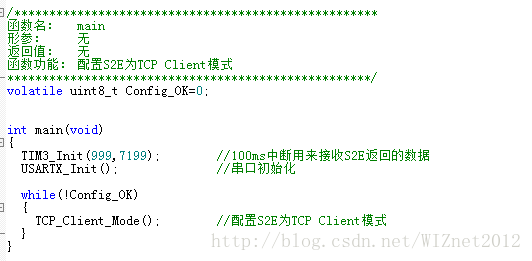
教你如何通过MCU配置S2E为TCP Client的工作模式
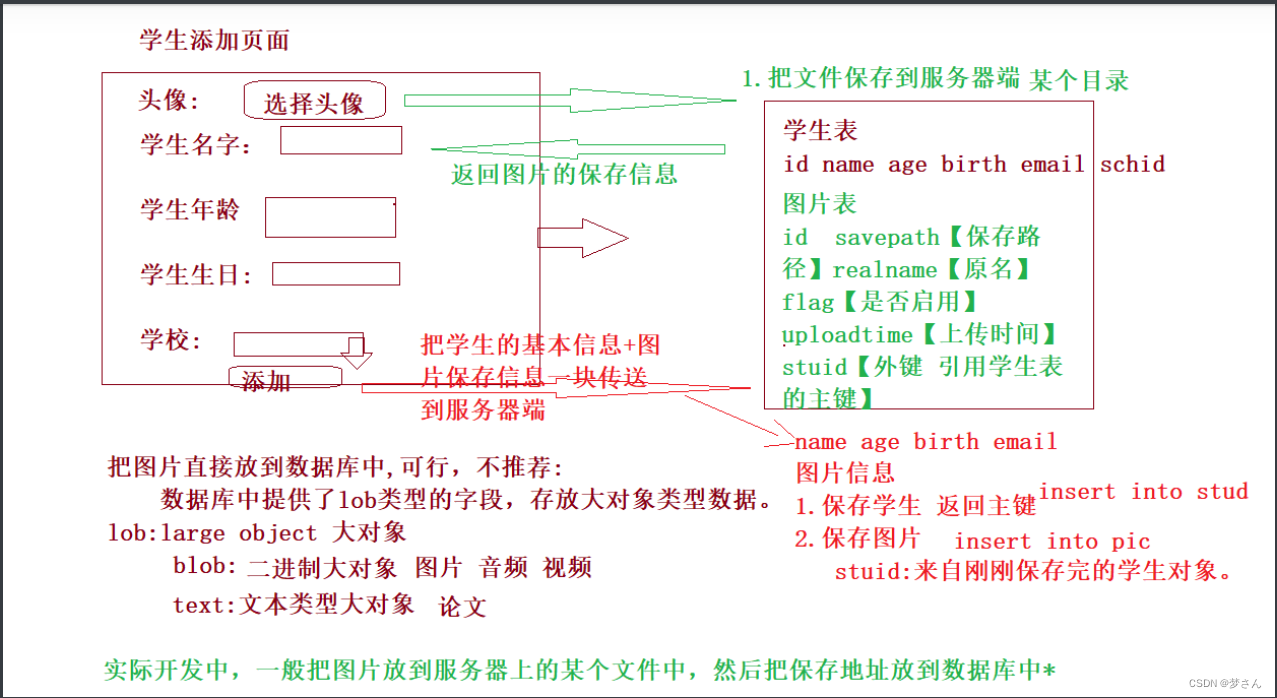
JDBC summary
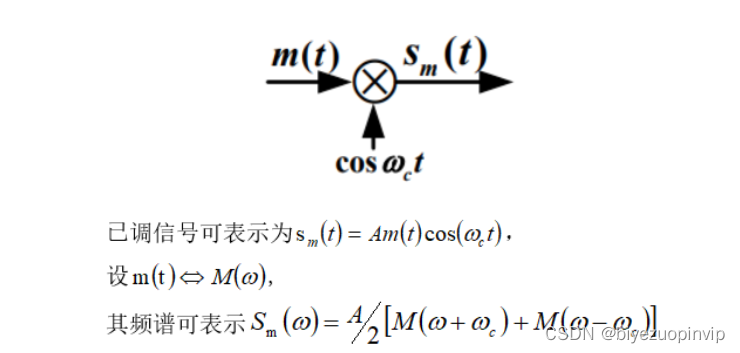
Common linear modulation methods based on MATLAB

"Mqtt protocol explanation and Practice (access to onenet)" of wiznet w5500 series training activities
Brief description of model deployment

Wiznet embedded Ethernet technology training open class (free!!!)

2022 年中回顾|一文看懂预训练模型最新进展

Talking about Devops monitoring, how does the team choose monitoring tools?
常见WEB攻击与防御
![[IJCAI 2022] parameter efficient large model sparse training method, which greatly reduces the resources required for sparse training](/img/c8/fe18308ddad5cb2fbccb79d2d8a2b6.png)
[IJCAI 2022] parameter efficient large model sparse training method, which greatly reduces the resources required for sparse training
随机推荐
圆角大杀器,使用滤镜构建圆角及波浪效果!
leetcode 剑指 Offer 28. 对称的二叉树
Make a reliable delay queue with redis
使用Three.js实现炫酷的赛博朋克风格3D数字地球大屏
My colleague looked at my code and exclaimed: how can I use a singleton in unity
Getting started with redis
Small program of vegetable distribution in community
数据库完整性——六大约束学习
Linked list related (design linked list and ring linked list)
基于MATLAB的常见线性调制方法
如何解决“W5500芯片在TCP_Client模式下,断电重启之后无法立即连接到服务器”的问题
绘图==PYQT5
Shell Chapter 5 homework
Wiznet embedded Ethernet technology training open class (free!!!)
The most complete detailed tutorial on importing ad into lichuanyuan device packaging Library in history (always white and always cool)
矩阵的特征值和特征向量
Detailed explanation of zero basis from macro to micro Bert
cookie and session
Layout management ==pyqt5
Database design - Simplified dictionary table [easy to understand]