当前位置:网站首页>Android SQLite database practice
Android SQLite database practice
2022-07-24 15:05:00 【Xiayu_】
Catalog
SQLite Database actual combat project
Add : Because of the need to recyclerview Control , For specific use, please refer to
Android- Section 7 RecyclerView Detailed explanation
1. Build table
MySQLiteOpenHelper The entity class 
package com.hnucm.a_test133;

import android.content.Context;
import android.database.sqlite.SQLiteDatabase;
import android.database.sqlite.SQLiteOpenHelper;

import androidx.annotation.Nullable;

public class MySQLiteOpenHelper extends SQLiteOpenHelper {
    public MySQLiteOpenHelper(@Nullable Context context, @Nullable String name, @Nullable SQLiteDatabase.CursorFactory factory, int version) {
        super(context, name, factory, version);
    }

    @Override
    public void onCreate(SQLiteDatabase db) {
        String sql="create table student(id integer primary key autoincrement,stuid varchar(50), stuname varchar(20),stuclass varchar(20))";
        db.execSQL(sql);
    }

    @Override
    public void onUpgrade(SQLiteDatabase db, int oldVersion, int newVersion) {

    }
}
stay activity in 
package com.hnucm.a_test133;

import androidx.appcompat.app.AppCompatActivity;

import android.database.sqlite.SQLiteDatabase;
import android.database.sqlite.SQLiteOpenHelper;
import android.os.Bundle;

public class MainActivity extends AppCompatActivity {

    @Override
    protected void onCreate(Bundle savedInstanceState) {
        super.onCreate(savedInstanceState);
        setContentView(R.layout.activity_main);
        MySQLiteOpenHelper mySQLiteOpenHelper=new MySQLiteOpenHelper(this,"students.db",null,1);
        SQLiteDatabase sqLiteDatabase=mySQLiteOpenHelper.getWritableDatabase();
    }
}

2. To write ui

<?xml version="1.0" encoding="utf-8"?>
<androidx.constraintlayout.widget.ConstraintLayout xmlns:android="http://schemas.android.com/apk/res/android"
    xmlns:app="http://schemas.android.com/apk/res-auto"
    xmlns:tools="http://schemas.android.com/tools"
    android:layout_width="match_parent"
    android:layout_height="match_parent"
    tools:context=".MainActivity">


    <EditText
        android:id="@+id/editTextTextPersonName"
        android:layout_width="wrap_content"
        android:layout_height="wrap_content"
        android:layout_marginStart="10dp"
        android:layout_marginLeft="10dp"
        android:layout_marginTop="10dp"
        android:ems="10"
        android:inputType="textPersonName"
        android:hint=" Please enter the student number "
        app:layout_constraintStart_toStartOf="parent"
        app:layout_constraintTop_toTopOf="parent" />

    <EditText
        android:id="@+id/editTextTextPersonName2"
        android:layout_width="wrap_content"
        android:layout_height="wrap_content"
        android:layout_marginTop="10dp"
        android:ems="10"
        android:inputType="textPersonName"
        android:hint=" Please enter a name "
        app:layout_constraintStart_toStartOf="@+id/editTextTextPersonName"
        app:layout_constraintTop_toBottomOf="@+id/editTextTextPersonName" />

    <EditText
        android:id="@+id/editTextTextPersonName3"
        android:layout_width="wrap_content"
        android:layout_height="wrap_content"
        android:layout_marginTop="10dp"
        android:ems="10"
        android:inputType="textPersonName"
        android:hint=" Please enter class "
        app:layout_constraintStart_toStartOf="@+id/editTextTextPersonName2"
        app:layout_constraintTop_toBottomOf="@+id/editTextTextPersonName2" />

    <EditText
        android:id="@+id/editTextTextPersonName4"
        android:layout_width="wrap_content"
        android:layout_height="wrap_content"
        android:layout_marginTop="10dp"
        android:ems="10"
        android:inputType="textPersonName"
        android:hint=" Search for student information "
        app:layout_constraintStart_toStartOf="@+id/editTextTextPersonName3"
        app:layout_constraintTop_toBottomOf="@+id/editTextTextPersonName3" />

    <Button
        android:id="@+id/button"
        android:layout_width="wrap_content"
        android:layout_height="wrap_content"
        android:text=" Add students "
        app:layout_constraintBottom_toBottomOf="@+id/editTextTextPersonName3"
        app:layout_constraintEnd_toEndOf="parent"
        app:layout_constraintStart_toEndOf="@+id/editTextTextPersonName3" />

    <Button
        android:id="@+id/button2"
        android:layout_width="wrap_content"
        android:layout_height="wrap_content"
        android:text=" Ask the students "
        app:layout_constraintBottom_toBottomOf="@+id/editTextTextPersonName4"
        app:layout_constraintEnd_toEndOf="parent"
        app:layout_constraintStart_toEndOf="@+id/editTextTextPersonName4" />
    <androidx.recyclerview.widget.RecyclerView
        android:id="@+id/recylerview"
        android:layout_width="match_parent"
        android:layout_height="0dp"
        app:layout_constraintTop_toBottomOf="@id/button2"
        app:layout_constraintBottom_toBottomOf="parent"/>
</androidx.constraintlayout.widget.ConstraintLayout>
Available by operation students.db file 
3. Set the add data button

package com.hnucm.a_test133;

import androidx.appcompat.app.AppCompatActivity;

import android.content.ContentValues;
import android.database.sqlite.SQLiteDatabase;
import android.database.sqlite.SQLiteOpenHelper;
import android.os.Bundle;
import android.view.View;
import android.widget.Button;
import android.widget.EditText;
import android.widget.Toast;

public class MainActivity extends AppCompatActivity {
    EditText editText;
    EditText editText2;
    EditText editText3;
    @Override
    protected void onCreate(Bundle savedInstanceState) {
        super.onCreate(savedInstanceState);
        setContentView(R.layout.activity_main);
        MySQLiteOpenHelper mySQLiteOpenHelper=new MySQLiteOpenHelper(this,"students.db",null,1);
        SQLiteDatabase sqLiteDatabase=mySQLiteOpenHelper.getWritableDatabase();

        editText=findViewById(R.id.editTextTextPersonName);
        editText2=findViewById(R.id.editTextTextPersonName2);
        editText3=findViewById(R.id.editTextTextPersonName3);
        Button button=findViewById(R.id.button);
        button.setOnClickListener(new View.OnClickListener() {
            @Override
            public void onClick(View v) {
                ContentValues contentValues=new ContentValues();
                contentValues.put("stuid",editText.getText().toString());
                contentValues.put("stuname",editText2.getText().toString());
                contentValues.put("stuclass",editText3.getText().toString());

                sqLiteDatabase.insert("student",null,contentValues);
                Toast.makeText(MainActivity.this," Increase student success ",Toast.LENGTH_LONG).show();
            }
        });
    }
}

4. add to Recyclerview View
First , Before, I added Recyclerview Control , One more needs to be built item Layout file 
<?xml version="1.0" encoding="utf-8"?>
<androidx.constraintlayout.widget.ConstraintLayout xmlns:android="http://schemas.android.com/apk/res/android"
    xmlns:app="http://schemas.android.com/apk/res-auto"
    xmlns:tools="http://schemas.android.com/tools"
    android:layout_width="match_parent"
    android:layout_height="150dp">


    <TextView
        android:id="@+id/textView"
        android:layout_width="wrap_content"
        android:layout_height="wrap_content"
        android:layout_marginStart="42dp"
        android:layout_marginLeft="42dp"
        android:text="TextView"
        app:layout_constraintBottom_toTopOf="@+id/textView2"
        app:layout_constraintStart_toStartOf="parent"
        app:layout_constraintTop_toTopOf="parent" />

    <TextView
        android:id="@+id/textView3"
        android:layout_width="wrap_content"
        android:layout_height="wrap_content"
        android:text="TextView"
        app:layout_constraintBottom_toBottomOf="parent"
        app:layout_constraintStart_toStartOf="@+id/textView2"
        app:layout_constraintTop_toBottomOf="@+id/textView2" />

    <TextView
        android:id="@+id/textView2"
        android:layout_width="wrap_content"
        android:layout_height="wrap_content"
        android:text="TextView"
        app:layout_constraintBottom_toTopOf="@+id/textView3"
        app:layout_constraintStart_toStartOf="@+id/textView"
        app:layout_constraintTop_toBottomOf="@+id/textView" />


</androidx.constraintlayout.widget.ConstraintLayout>
The second step : Create entity class 
The third step : To write myholder,myadapter And the assignment 
package com.hnucm.a_test133;

import androidx.annotation.NonNull;
import androidx.appcompat.app.AppCompatActivity;
import androidx.recyclerview.widget.LinearLayoutManager;
import androidx.recyclerview.widget.RecyclerView;

import android.content.ContentValues;
import android.database.Cursor;
import android.database.sqlite.SQLiteDatabase;
import android.database.sqlite.SQLiteOpenHelper;
import android.os.Bundle;
import android.view.LayoutInflater;
import android.view.View;
import android.view.ViewGroup;
import android.widget.Button;
import android.widget.EditText;
import android.widget.TextView;
import android.widget.Toast;

import java.util.ArrayList;
import java.util.List;

public class MainActivity extends AppCompatActivity {
    EditText editText;
    EditText editText2;
    EditText editText3;
    RecyclerView recyclerView;
    List<Student> list=new ArrayList<>();
    @Override
    protected void onCreate(Bundle savedInstanceState) {
        super.onCreate(savedInstanceState);
        setContentView(R.layout.activity_main);
        MySQLiteOpenHelper mySQLiteOpenHelper=new MySQLiteOpenHelper(this,"students.db",null,1);
        SQLiteDatabase sqLiteDatabase=mySQLiteOpenHelper.getWritableDatabase();

        editText=findViewById(R.id.editTextTextPersonName);
        editText2=findViewById(R.id.editTextTextPersonName2);
        editText3=findViewById(R.id.editTextTextPersonName3);

        recyclerView=findViewById(R.id.recylerview);// Instantiation

        Cursor cursor=sqLiteDatabase.query("student",null,null,null,null,null,null);// It means to get the data of all fields
        while (cursor.moveToNext()){//cursor The cursor defaults to the first line , Data can be obtained by moving the cursor
            Student student=new Student();

            // Sometimes it is necessary to modify multiple identical field names at the same time   You can hold down the alt+shift+r
            // Fetch data through cursor
            student.id=cursor.getInt(0);
            student.stuid=cursor.getString(1);
            student.stuname=cursor.getString(2);
            student.stuclass=cursor.getString(3);

            list.add(student);
        }
        cursor.close();// close cursor, Prevent memory leaks
        recyclerView.setAdapter(new MyAdapter());
        // Express RecyclerView Arrange in a linear way , One line shows one
        recyclerView.setLayoutManager(new LinearLayoutManager(this));

        Button button=findViewById(R.id.button);
        button.setOnClickListener(new View.OnClickListener() {
            @Override
            public void onClick(View v) {
                ContentValues contentValues=new ContentValues();
                contentValues.put("stuid",editText.getText().toString());
                contentValues.put("stuname",editText2.getText().toString());
                contentValues.put("stuclass",editText3.getText().toString());

                sqLiteDatabase.insert("Student",null,contentValues);
                Toast.makeText(MainActivity.this," Increase student success ",Toast.LENGTH_LONG).show();
            }
        });
    }
    public class MyAdapter extends RecyclerView.Adapter<MyHolder>{

        @NonNull
        @Override
        public MyHolder onCreateViewHolder(@NonNull ViewGroup parent, int viewType) {
            View view= LayoutInflater.from(MainActivity.this).inflate(R.layout.item,parent,false);// load view
            MyHolder myHolder=new MyHolder(view);// return view
            return myHolder;
        }

        @Override
        public void onBindViewHolder(@NonNull MyHolder holder, int position) {

            Student student=list.get(position);

            holder.textView.setText(" Student number : "+student.stuid);
            holder.textView1.setText(" full name : "+student.stuname);
            holder.textView2.setText(" class : "+student.stuclass);
        }

        @Override
        public int getItemCount() {
            return list.size();
        }

    }
    public class MyHolder extends RecyclerView.ViewHolder{
        TextView textView;// Member variables
        TextView textView1;
        TextView textView2;
        public MyHolder(@NonNull View itemView) {
            super(itemView);
            textView=itemView.findViewById(R.id.textView);
            textView1=itemView.findViewById(R.id.textView2);
            textView2=itemView.findViewById(R.id.textView3);
        }
    }
}
function :
But every time you add data, you just add it to the database , Our list will not refresh the data , So we need to add data to the list every time we click add data

package com.hnucm.a_test133;

import androidx.annotation.NonNull;
import androidx.appcompat.app.AppCompatActivity;
import androidx.recyclerview.widget.LinearLayoutManager;
import androidx.recyclerview.widget.RecyclerView;

import android.content.ContentValues;
import android.database.Cursor;
import android.database.sqlite.SQLiteDatabase;
import android.database.sqlite.SQLiteOpenHelper;
import android.os.Bundle;
import android.view.LayoutInflater;
import android.view.View;
import android.view.ViewGroup;
import android.widget.Button;
import android.widget.EditText;
import android.widget.TextView;
import android.widget.Toast;

import java.util.ArrayList;
import java.util.List;

public class MainActivity extends AppCompatActivity {
    EditText editText;
    EditText editText2;
    EditText editText3;
    RecyclerView recyclerView;
    MyAdapter myAdapter;
    List<Student> list=new ArrayList<>();
    @Override
    protected void onCreate(Bundle savedInstanceState) {
        super.onCreate(savedInstanceState);
        setContentView(R.layout.activity_main);
        MySQLiteOpenHelper mySQLiteOpenHelper=new MySQLiteOpenHelper(this,"students.db",null,1);
        SQLiteDatabase sqLiteDatabase=mySQLiteOpenHelper.getWritableDatabase();

        editText=findViewById(R.id.editTextTextPersonName);
        editText2=findViewById(R.id.editTextTextPersonName2);
        editText3=findViewById(R.id.editTextTextPersonName3);

        recyclerView=findViewById(R.id.recylerview);// Instantiation

        Cursor cursor=sqLiteDatabase.query("student",null,null,null,null,null,null);// It means to get the data of all fields
        while (cursor.moveToNext()){//cursor The cursor defaults to the first line , Data can be obtained by moving the cursor
            Student student=new Student();

            // Sometimes it is necessary to modify multiple identical field names at the same time   You can hold down the alt+shift+r
            // Fetch data through cursor
            student.id=cursor.getInt(0);
            student.stuid=cursor.getString(1);
            student.stuname=cursor.getString(2);
            student.stuclass=cursor.getString(3);

            list.add(student);
        }
        cursor.close();// close cursor, Prevent memory leaks
        myAdapter = new MyAdapter();
        recyclerView.setAdapter(myAdapter);
        // Express RecyclerView Arrange in a linear way , One line shows one
        recyclerView.setLayoutManager(new LinearLayoutManager(this));

        Button button=findViewById(R.id.button);
        button.setOnClickListener(new View.OnClickListener() {
            @Override
            public void onClick(View v) {
                ContentValues contentValues=new ContentValues();
                contentValues.put("stuid",editText.getText().toString());
                contentValues.put("stuname",editText2.getText().toString());
                contentValues.put("stuclass",editText3.getText().toString());

                long id = sqLiteDatabase.insert("student", null, contentValues);

                Student student=new Student();
                student.stuid=editText.getText().toString();
                student.stuname=editText2.getText().toString();
                student.stuclass=editText3.getText().toString();
                student.id= (int) id;
                list.add(student);
                myAdapter.notifyDataSetChanged();

                Toast.makeText(MainActivity.this," Increase student success ",Toast.LENGTH_LONG).show();


            }
        });
    }
    public class MyAdapter extends RecyclerView.Adapter<MyHolder>{

        @NonNull
        @Override
        public MyHolder onCreateViewHolder(@NonNull ViewGroup parent, int viewType) {
            View view= LayoutInflater.from(MainActivity.this).inflate(R.layout.item,parent,false);// load view
            MyHolder myHolder=new MyHolder(view);// return view
            return myHolder;
        }

        @Override
        public void onBindViewHolder(@NonNull MyHolder holder, int position) {

            Student student=list.get(position);

            holder.textView.setText(" Student number : "+student.stuid);
            holder.textView1.setText(" full name : "+student.stuname);
            holder.textView2.setText(" class : "+student.stuclass);
        }

        @Override
        public int getItemCount() {
            return list.size();
        }

    }

    public class MyHolder extends RecyclerView.ViewHolder{
        TextView textView;// Member variables
        TextView textView1;
        TextView textView2;
        public MyHolder(@NonNull View itemView) {
            super(itemView);
            textView=itemView.findViewById(R.id.textView);
            textView1=itemView.findViewById(R.id.textView2);
            textView2=itemView.findViewById(R.id.textView3);
        }
    }
}
function , You can see that we didn't load data at the beginning of the pull-down refresh , After clicking the button, a new piece of data is added 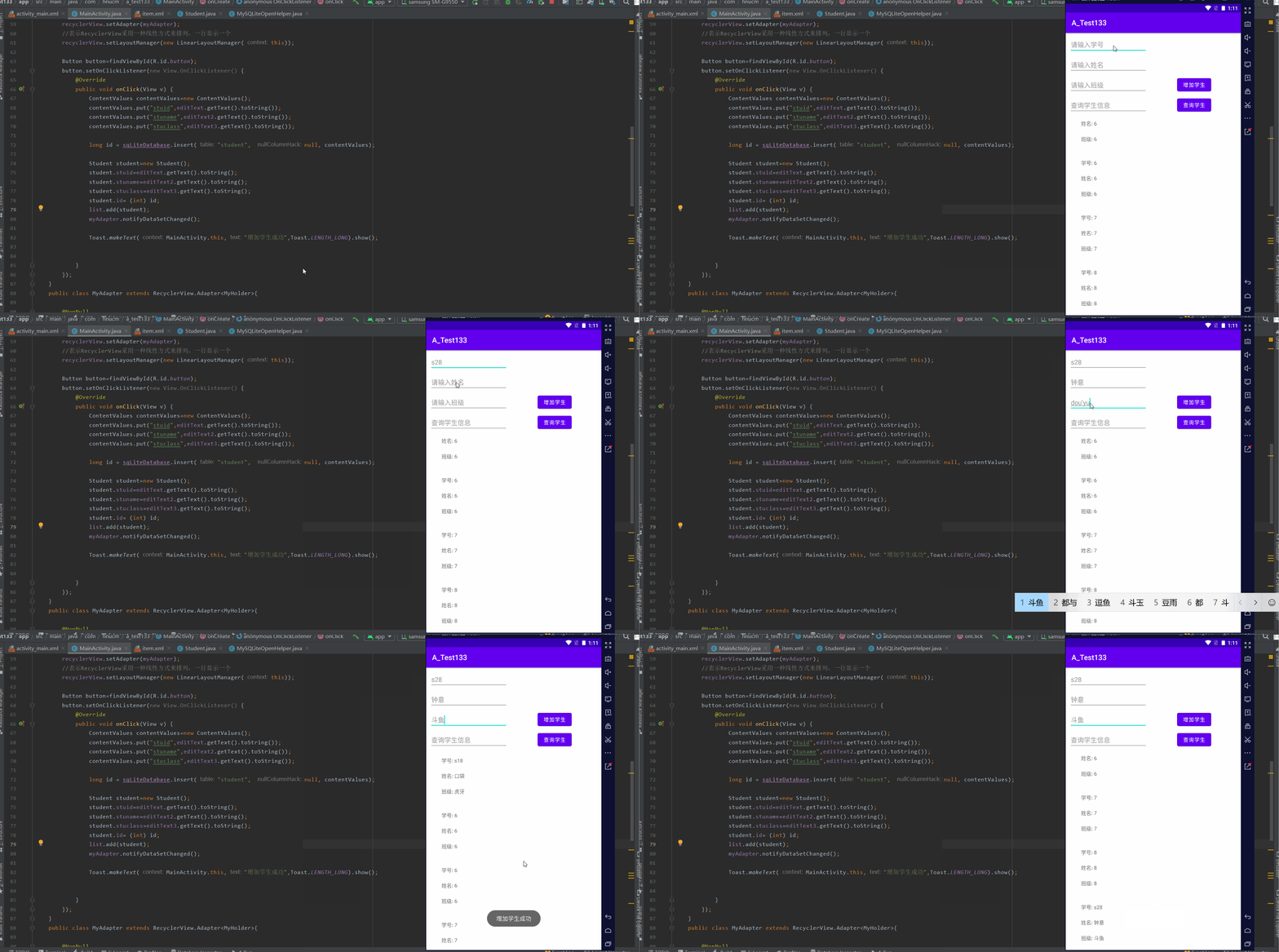
5. Set query data button

package com.hnucm.a_test133;

import androidx.annotation.NonNull;
import androidx.appcompat.app.AppCompatActivity;
import androidx.recyclerview.widget.LinearLayoutManager;
import androidx.recyclerview.widget.RecyclerView;

import android.content.ContentValues;
import android.database.Cursor;
import android.database.sqlite.SQLiteDatabase;
import android.database.sqlite.SQLiteOpenHelper;
import android.os.Bundle;
import android.view.LayoutInflater;
import android.view.View;
import android.view.ViewGroup;
import android.widget.Button;
import android.widget.EditText;
import android.widget.TextView;
import android.widget.Toast;

import java.util.ArrayList;
import java.util.List;

public class MainActivity extends AppCompatActivity {
    EditText editText;
    EditText editText2;
    EditText editText3;
    EditText editText4;
    RecyclerView recyclerView;
    MyAdapter myAdapter;
    List<Student> list=new ArrayList<>();
    @Override
    protected void onCreate(Bundle savedInstanceState) {
        super.onCreate(savedInstanceState);
        setContentView(R.layout.activity_main);
        MySQLiteOpenHelper mySQLiteOpenHelper=new MySQLiteOpenHelper(this,"students.db",null,1);
        SQLiteDatabase sqLiteDatabase=mySQLiteOpenHelper.getWritableDatabase();

        editText=findViewById(R.id.editTextTextPersonName);
        editText2=findViewById(R.id.editTextTextPersonName2);
        editText3=findViewById(R.id.editTextTextPersonName3);
        editText4=findViewById(R.id.editTextTextPersonName4);
        recyclerView=findViewById(R.id.recylerview);// Instantiation

        Cursor cursor=sqLiteDatabase.query("student",null,null,null,null,null,null);// It means to get the data of all fields
        while (cursor.moveToNext()){//cursor The cursor defaults to the first line , Data can be obtained by moving the cursor
            Student student=new Student();

            // Sometimes it is necessary to modify multiple identical field names at the same time   You can hold down the alt+shift+r
            // Fetch data through cursor
            student.id=cursor.getInt(0);
            student.stuid=cursor.getString(1);
            student.stuname=cursor.getString(2);
            student.stuclass=cursor.getString(3);

            list.add(student);
        }
        cursor.close();// close cursor, Prevent memory leaks
        myAdapter = new MyAdapter();
        recyclerView.setAdapter(myAdapter);
        // Express RecyclerView Arrange in a linear way , One line shows one
        recyclerView.setLayoutManager(new LinearLayoutManager(this));

        Button button1=findViewById(R.id.button2);
        button1.setOnClickListener(new View.OnClickListener() {
            @Override
            public void onClick(View v) {
                list.clear();// Empty data
                String content="%"+editText4.getText().toString()+"%";
                //like  Represents a fuzzy match    where stuname like %name%
                Cursor cursor= sqLiteDatabase.query("student",null,"stuclass like ?",new  String[]{content},null,null,null);// It means to get the data of all fields
                while (cursor.moveToNext()) {//cursor The cursor defaults to the first line , Data can be obtained by moving the cursor
                    Student student=new Student();
                    // Fetch data through cursor
                    student.id=cursor.getInt(0);
                    student.stuid=cursor.getString(1);
                    student.stuname=cursor.getString(2);
                    student.stuclass=cursor.getString(3);
                    list.add(student);

                }
                cursor.close();// close cursor, Prevent memory leaks
                myAdapter.notifyDataSetChanged();// Interface update

            }
        });

        Button button=findViewById(R.id.button);
        button.setOnClickListener(new View.OnClickListener() {
            @Override
            public void onClick(View v) {
                ContentValues contentValues=new ContentValues();
                contentValues.put("stuid",editText.getText().toString());
                contentValues.put("stuname",editText2.getText().toString());
                contentValues.put("stuclass",editText3.getText().toString());

                long id = sqLiteDatabase.insert("student", null, contentValues);

                Student student=new Student();
                student.stuid=editText.getText().toString();
                student.stuname=editText2.getText().toString();
                student.stuclass=editText3.getText().toString();
                student.id= (int) id;
                list.add(student);
                myAdapter.notifyDataSetChanged();

                Toast.makeText(MainActivity.this," Increase student success ",Toast.LENGTH_LONG).show();


            }
        });
    }
    public class MyAdapter extends RecyclerView.Adapter<MyHolder>{

        @NonNull
        @Override
        public MyHolder onCreateViewHolder(@NonNull ViewGroup parent, int viewType) {
            View view= LayoutInflater.from(MainActivity.this).inflate(R.layout.item,parent,false);// load view
            MyHolder myHolder=new MyHolder(view);// return view
            return myHolder;
        }

        @Override
        public void onBindViewHolder(@NonNull MyHolder holder, int position) {

            Student student=list.get(position);

            holder.textView.setText(" Student number : "+student.stuid);
            holder.textView1.setText(" full name : "+student.stuname);
            holder.textView2.setText(" class : "+student.stuclass);
        }

        @Override
        public int getItemCount() {
            return list.size();
        }

    }

    public class MyHolder extends RecyclerView.ViewHolder{
        TextView textView;// Member variables
        TextView textView1;
        TextView textView2;
        public MyHolder(@NonNull View itemView) {
            super(itemView);
            textView=itemView.findViewById(R.id.textView);
            textView1=itemView.findViewById(R.id.textView2);
            textView2=itemView.findViewById(R.id.textView3);
        }
    }
}
function :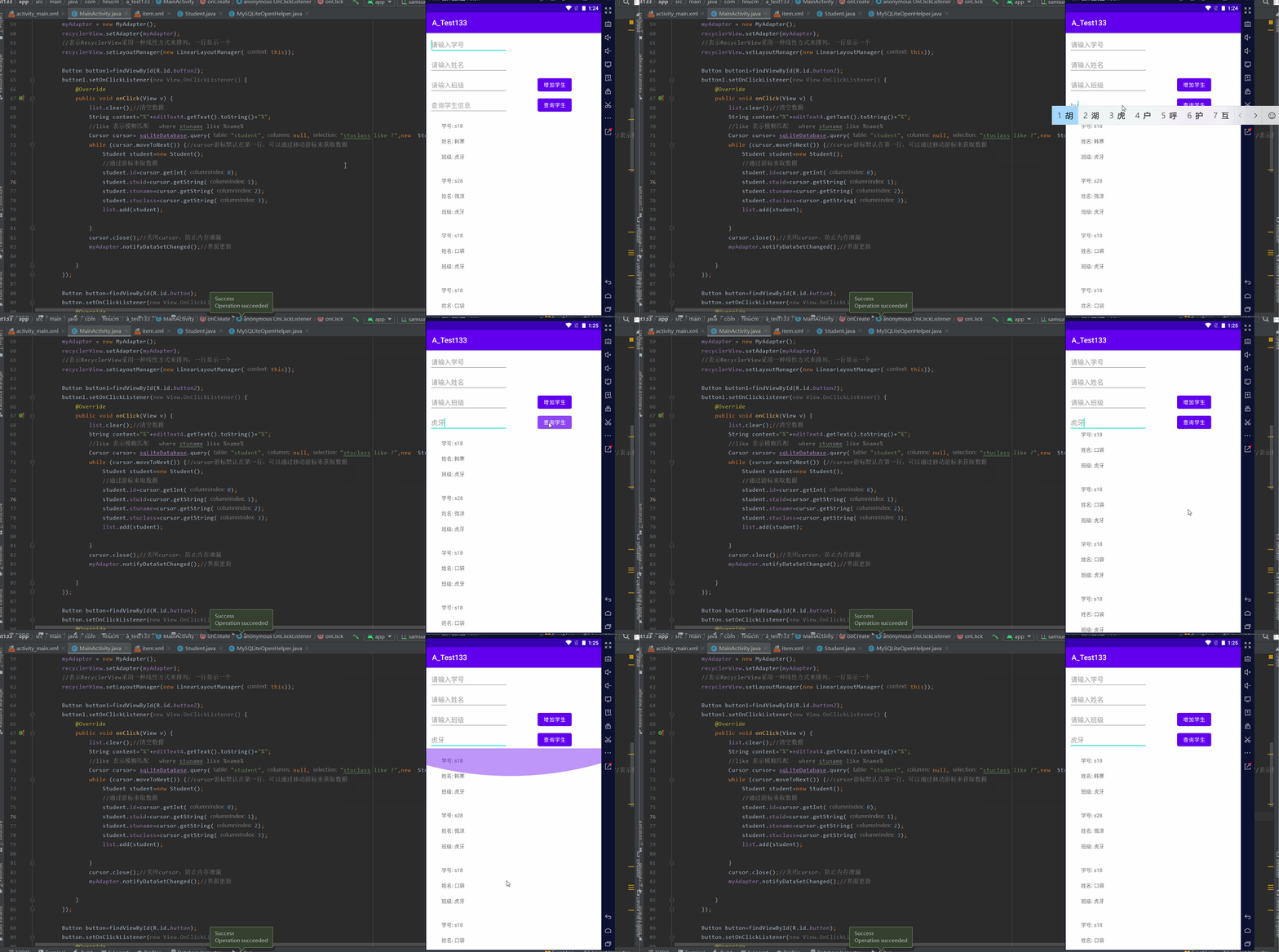
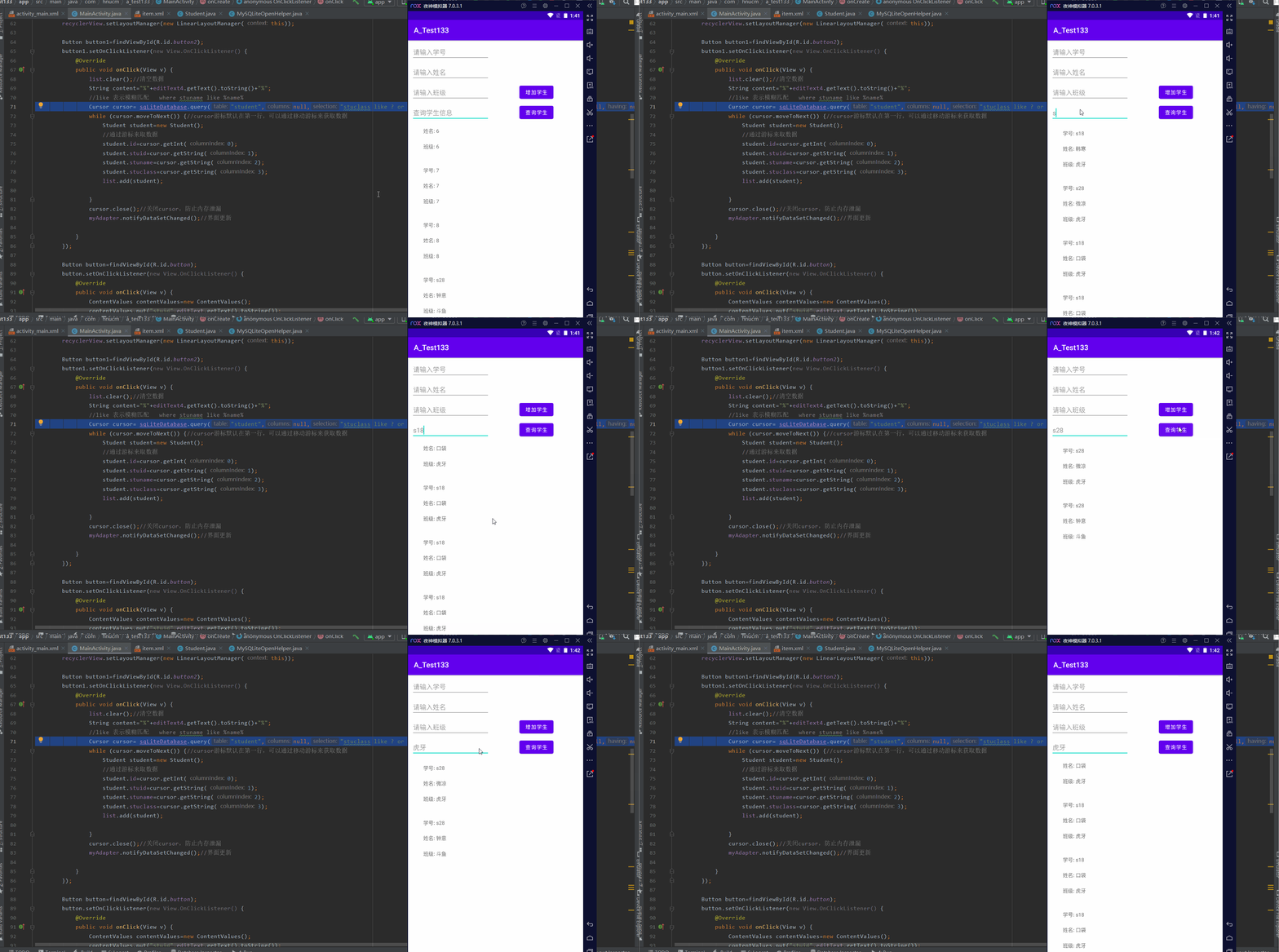
Fuzzy matching multiple fields :
Cursor cursor= sqLiteDatabase.query("student",null,"stuclass like ? or stuid like ?",new String[]{content,content},null,null,null);// It means to get the data of all fields
边栏推荐
- [matlab] matlab drawing Series II 1. Cell and array conversion 2. Attribute cell 3. delete Nan value 4. Merge multiple figs into the same Fig 5. Merge multiple figs into the same axes
- DS sort -- quick sort
- Summary of Baimian machine learning
- TS learning record (I) sudo forgets the password (oolong) try changing the 'lib' compiler option to include 'DOM'
- Differences between C language pointer and array A and &a, &a[0], etc
- Conflict resolution of onblur and onchange
- Must use destructuring props assignmenteslint
- The difference and relation among list, set and map
- Which securities company is the best and safest to open an account? How to open an account and speculate in stocks
- pytorch with torch.no_grad
猜你喜欢
Route planning method for UAV in unknown environment based on improved SAS algorithm

The server switches between different CONDA environments and views various user processes

Tiger mouth waterfall: Tongliang version of xiaohukou waterfall

"After 00" is coming! Digital data ushers in a new generation of "codeless" forces

Activity Registration: how to quickly start the open source tapdata live data platform on a zero basis?
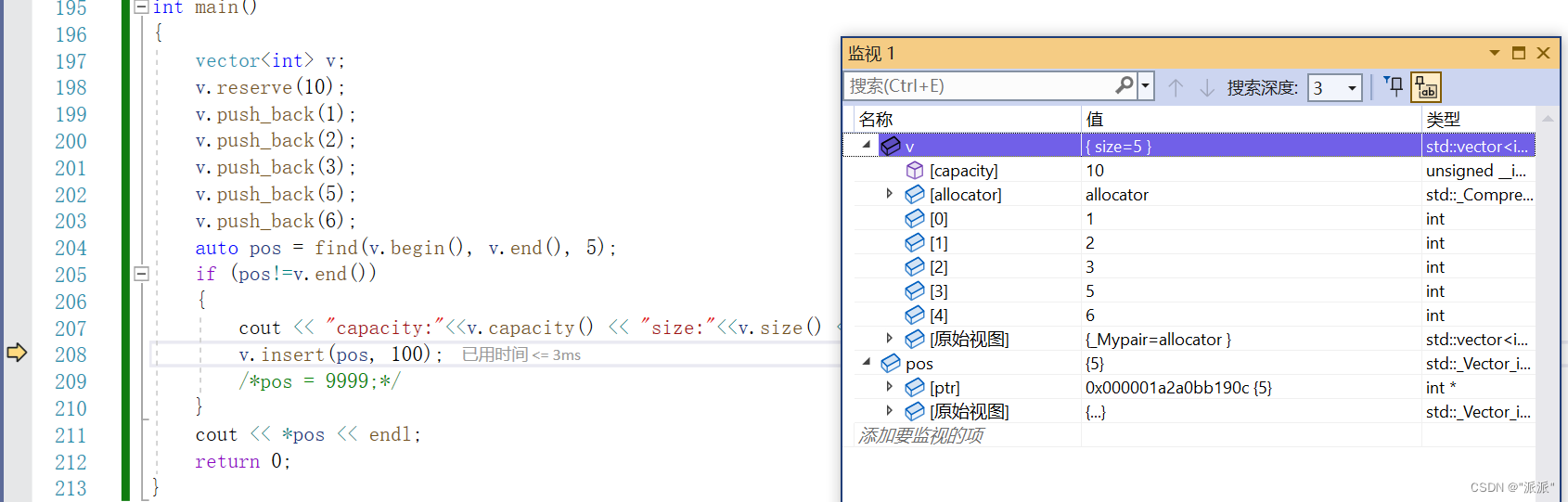
Vector introduction and underlying principle
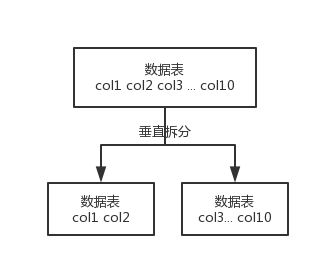
mysql
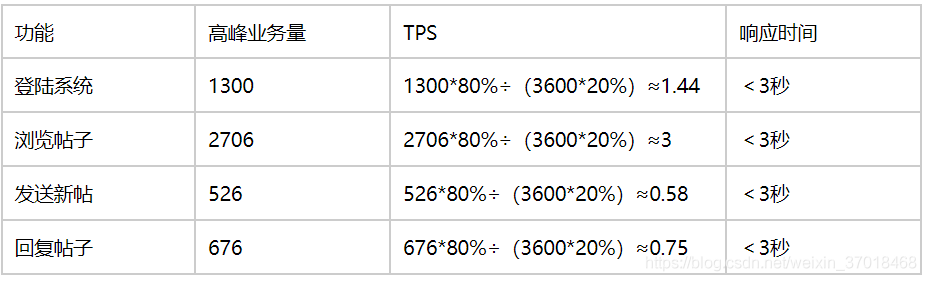
Performance test - analyze requirements

Getting started with mongodb

VSCode如何调试Nodejs
随机推荐
JS judge whether the data is empty
Learning rate adjustment strategy in deep learning (1)
Leetcode-09 (next rank + happy number + full rank)
Which securities company is good at opening an account with flush? Excuse me, is it safe to open an account with mobile phone or stock?
Learning and thinking about the relevant knowledge in the direction of building network security knowledge base
PrestoUserError: PrestoUserError(type=USER_ERROR, name=INVALID_FUNCTION_ARGUMENT, message=“Escape st
onBlur和onChange冲突解决方法
Production environment tidb cluster capacity reduction tikv operation steps
Overview of dobesie wavelet (DB wavelet function) in wavelet transform
老虎口瀑布:铜梁版小壶口瀑布
Video game design report template and resources over the years
Time series of machine learning
pytorch with torch.no_ grad
Similarities and differences between nor flash and NAND flash
spark:获取日志中每个时间段的访问量(入门级-简单实现)
Tiger mouth waterfall: Tongliang version of xiaohukou waterfall
打假Yolov7的精度,不是所有的论文都是真实可信
[USENIX atc'22] an efficient distributed training framework whale that supports the super large-scale model of heterogeneous GPU clusters
Can you buy 6% of financial products after opening a stock account?
Number of bytes occupied by variables of type char short int in memory