当前位置:网站首页>C # print reports using fastreport.net
C # print reports using fastreport.net
2022-07-24 17:31:00 【Hell highway】
List of articles
FastReport.NET Official download address : https://www.fast-report.com/en/download/fast-report-net/
The format of the report to be printed is as follows :
One 、 Design report
installed FastReport.NET after , You can design a report , The format of the report to be designed is as follows :
1. Add a data source to the report Data Source
1.1 Register the data source in the code
First of all, it should be quoted in the project FastReport.dll, Then use the code to register data for the report , as follows :
using FastReport; //  quote FastReport Namespace

/// <summary>
///  Print report list entity class
/// </summary>
private class DataViewModel
{

	public string TestItem {
     get; set; }
	public string ItemID {
     get; set; }
	public string WriteFormatData {
     get; set; }
	public string ReadFormatData {
     get; set; }
	public string Evl {
     get; set; }
}

/// <summary>
///  Print report entity class
/// </summary>
private class PrintModel
{

	public string Number {
     get; set; }
	public string CarTypeLib {
     get; set; }
	public string TestUser {
     get; set; }
	public List<DataViewModel> DataViewModel {
     get; set; }
}

//  Report sheet data source
List<PrintModel> printModels = new List<PrintModel>(); //  data source
printModels.Add(model);
//  call FastReport Print report form
try
{

	Report report = new Report();
	report.Load(Application.StartupPath + "\\ECU13 Diagnostic report .frx"); //  Load the report form template
	report.RegisterData(printModels, "PrintModels"); //  register Data Source data source
	//report.Show(); //  Report preview mode
	report.Design(); //  Report editing mode
	report.Dispose();
}
catch (Exception ex)
{

	MessageBoxEx.Show($" Printing failed !{
      ex.ToString()}", " error ", MessageBoxButtonsEx.OK, MessageBoxIconEx.Error);
}
1.2 Select the data source in the report
Register the data source in the code and open the report form template in edit mode , choice “Data” >> “Choose Report Data…” >> “OK”, The data source is added . as follows :
2. Set the cell automatic height of the data range
Select the cell to set the automatic height , Set... In properties “CanGrow” and “GrowToBottom” by “True”, as follows :
Two 、 Print report form code example
When printing, you need to obtain the data to be printed , Organize the format of print data , Register data, etc. in the report , There are detailed comments in the code . as follows :
/// <summary>
///  Print button click event
/// </summary>
/// <param name="sender"></param>
/// <param name="e"></param>
private void btnPrint_Click(object sender, EventArgs e)
{

	if (dgvTestRecord.CurrentRow == null)
	{

		MessageBoxEx.Show(" Please select a test record to print !", " Tips ", MessageBoxButtonsEx.OK, MessageBoxIconEx.Information);
		return;
	}
	DialogResult dialogResult = MessageBoxEx.Show($" Be sure to print serial number {
      dgvTestRecord.CurrentRow.Cells["Number"].Value} Is there a report form for ?",
		" inquiry ", MessageBoxButtonsEx.YesNo, MessageBoxIconEx.Question);
	if (dialogResult == DialogResult.Yes)
	{

		Conditions conditions = GetQueryConditions(); //  Custom class , Encapsulate query criteria
		conditions["Number"] = dgvTestRecord.CurrentRow.Cells["Number"].Value.ToString();
		conditions["TestTimes"] = dgvTestRecord.CurrentRow.Cells["TestTimes"].Value.ToString();
		var lst = ecu13TestRecord.GetList(conditions, orderby: "testendtime asc").ToList(); //  Get the data to print
		//  Organize the data required by the report printing template
		PrintModel model = new PrintModel
		{

			Number = dgvTestRecord.CurrentRow.Cells["Number"].Value.ToString(),
			CarTypeLib = dgvTestRecord.CurrentRow.Cells["CarTypeLib"].Value.ToString(),
			TestUser = dgvTestRecord.CurrentRow.Cells["TestUser"].Value.ToString(),
			DataViewModel = lst.Select(x => new DataViewModel
			{

				TestItem = x.testitem,
				ItemID = x.itemid,
				WriteFormatData = x.testitem == "CAN2" ? "————" : x.writeformatdata,
				ReadFormatData = x.readformatdata,
				Evl = x.evl
			}).ToList()
		};
		//  Report sheet data source
		List<PrintModel> printModels = new List<PrintModel>();
		printModels.Add(model);
		//  call FastReport Print report form
		try
		{

			Report report = new Report();
			report.Load(Application.StartupPath + "\\ECU13 Diagnostic report .frx");
			report.RegisterData(printModels, "PrintModels");
			report.Show(); //  Report preview mode
			//report.Design(); //  Report design pattern
			report.Dispose();
		}
		catch (Exception ex)
		{

			MessageBoxEx.Show($" Printing failed !{
      ex.ToString()}", " error ", MessageBoxButtonsEx.OK, MessageBoxIconEx.Error);
		}
	}
}
边栏推荐
- Can Lu Zhengyao hide from the live broadcast room dominated by Luo min?
- Openlayers: point aggregation effect
- [matlab]: basic knowledge learning
- 2022-07-21 Daily: Wu Enda wrote: how to establish projects suitable for AI career
- 电脑监控是真的吗?4个实验一探究竟
- NATBypass 端口转发
- EF core data filtering
- UFW port forwarding
- Array learning navigation
- Atcoder Beginner 202 E - Count Descendants(离线查询 重链剖分树上启发式合并)
猜你喜欢

Still using xshell? You are out, recommend a more modern terminal connection tool!

AutoCAD - join merge command

Method of querying comma separated strings in a field by MySQL

In the morning, Tencent took out 38K, which let me see the ceiling of the foundation

Still developing games with unity? Then you're out. Try unity to build an answer system

Separation and merging of channels

Df2net 3D model deployment

nc 端口转发
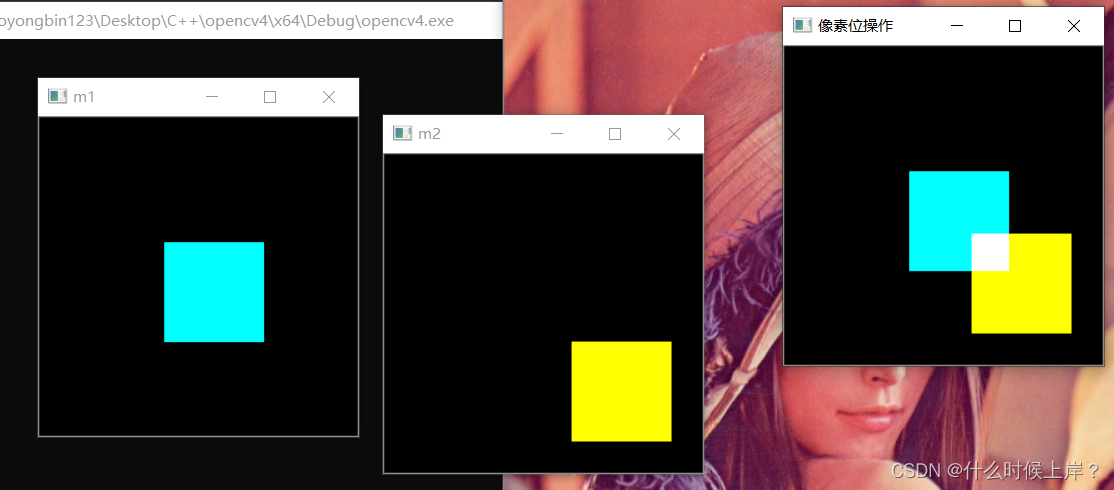
Logical operation of image pixels
![[wechat official account H5] authorization](/img/d1/2712f87e134c0b8b8fdeaab9e30492.png)
[wechat official account H5] authorization
随机推荐
What should we pay attention to in the resume of software testing?
数论整除分块讲解 例题:2021陕西省赛C
Apachecon Asia 2022 opens registration: pulsar technology issues make a big debut
Niuke linked list solution record
Pat class A - check in and check out
二维卷积——torch.nn.conv2d的使用
NC port forwarding
【GNN报告】腾讯AI lab 徐挺洋:图生成模型及其在分子生成中的应用
Preliminary understanding of redis
一个实际使用SwiftUI 4.0中ViewThatFits自适应视图的例子
Js实现继承的六种方式
Analyze the capabilities and scenarios of Apache pulsar, a cloud native message flow system
Getaverse, a distant bridge to Web3
One article of quantitative framework backtrader: understand indicator indicators
Opencv has its own color operation
Natbypass port forwarding
[array]nc143 matrix multiplication - simple
DHCP relay of HCNP Routing & Switching
wallys/IPQ8074A 4x4 2.4G 8x8 5G 802.11ax
地表最强程序员装备“三件套”,你知道是什么吗?