当前位置:网站首页>Still using xshell? You are out, recommend a more modern terminal connection tool!
Still using xshell? You are out, recommend a more modern terminal connection tool!
2022-07-24 17:11:00 【Java collection】
List of articles
Tabby
Installation package
SSH Connect
SFTP Transmission tools
Set up
Tabby
Tabby It's a foreigner in Github Open source terminal connection tool , So far, it has accumulated 20K+ star.

Tabby The functional features of the are :
Support for multiple platforms ,Windows、MacOS(Intel chip /M1 chip )、Linux There are corresponding installation packages ;
Bring their own SFTP function , Can and Linux The system transfers files ;
Cool terminal page , Simple and easy to use , And various plug-in support

github Address :https://github.com/Eugeny/tabby/releases/tag/v1.0.164
Find the installation version suitable for your computer
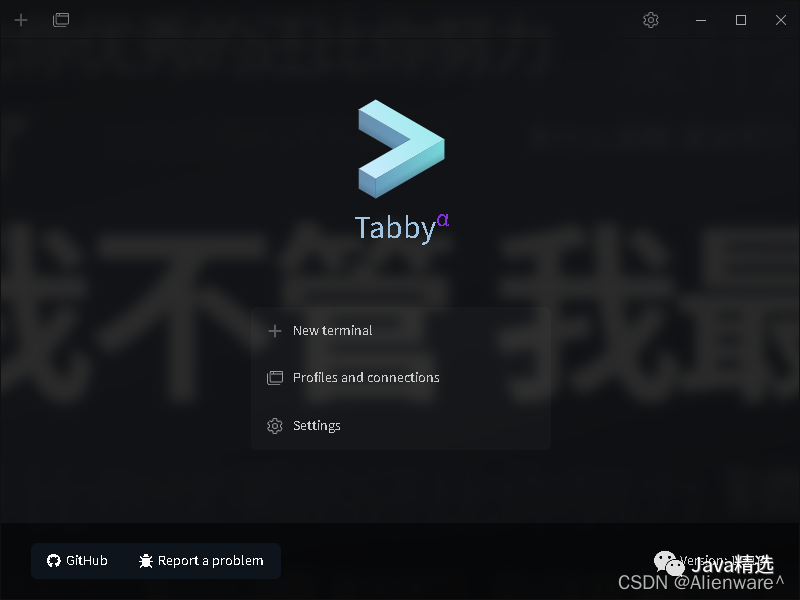
After installation, it is similar to the public Number Java selected , The same page as the cover of this article .
At first, I thought click 「New terminal」 Yes, fill in the information of connecting to the server .
It didn't turn out to be , By default, it creates a new terminal window for the local computer , For example, if your computer is windows The system will create a new one cmd Control window , If it is macOs The system will create a new one terminal.
therefore , To create a new terminal connected to the server , To click 「Settings」, Go to the configuration page .

After entering the setting page , choice profiles&connections This option , And then click 「New profile」 Create a new terminal configuration

And then choose ssh connection.

The configuration window will pop up ssh Connected information , Fill in the terminal name 、IP Address 、 Port number 、 The account number and password are OK .

After saving , The newly added terminal configuration will appear , Then click the run icon .
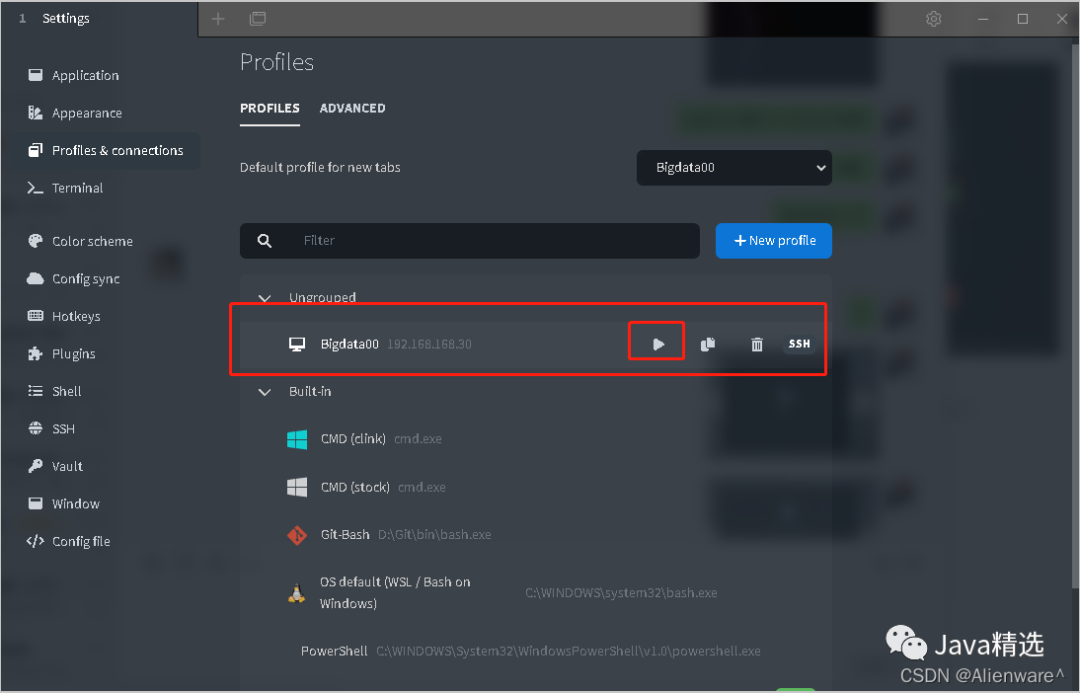
You can also use the small box in the figure , Select the server to connect to .

After selection , You will enter the terminal page , You can also operate the server .

I've also mentioned , This terminal tool comes with it SFTP Functional . To use , Directly click... In the figure below SFTP Just icons .

Then the directory on the server will pop up . public Number Java selected , reply java interview , Access to interview information , Support to brush questions anytime, anywhere .
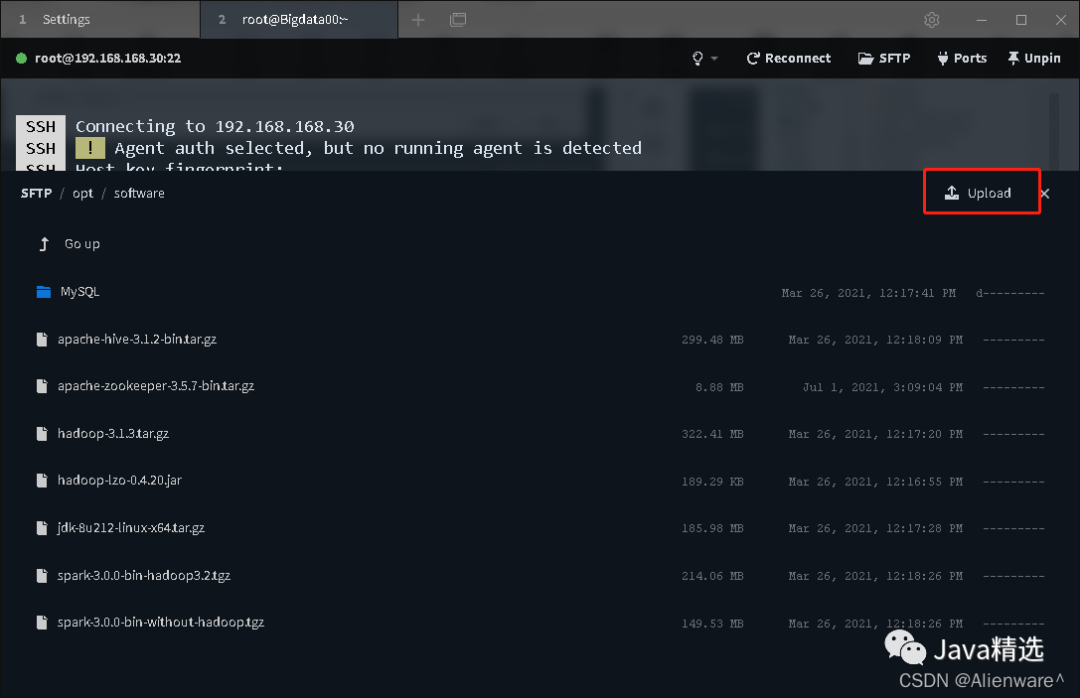
If you want to transfer the files on the server to your local computer , You just need to find the server file , And then click , You will be prompted to save the file .

If you want to put files from your local computer on the server , Just drag the file to the corresponding directory . Or click on the upper right corner to upload the file
Tabby Provide many terminal page styles , It's all pretty .

There are also font size settings . Another interview book :https://www.yoodb.com Soon to go online , Support online question brushing , Free questions .

And commonly used shortcut keys

You can go to Tabby Of Github Look up .
author :Alienware^
https://blog.csdn.net/weixin_45417821/article/details/122579794
official account “Java selected ” The published content indicates the source of , All rights reserved ( Those whose copyright cannot be verified or whose source is not indicated all come from the Internet , Reprinted , The purpose of reprinting is to convey more information , The copyright belongs to the original author . If there is any infringement , Please contact the , The author will delete the first time !
Many people have asked recently , Is there any readers Communication group ! The way to join is simple , official account Java selected , reply “ Add group ”, You can join the group !
Java Interview questions ( Wechat applet ):3000+ The road test questions , contain Java Basics 、 Concurrent 、JVM、 Threads 、MQ series 、Redis、Spring series 、Elasticsearch、Docker、K8s、Flink、Spark、 Architecture design, etc , Brush questions online at any time !
------ Special recommendation ------
Special recommendation : Focus on the most cutting-edge information and technology sharing , Official account for preparing for overtaking on curves and various open source projects and efficient software ,「 Big coffee notes 」, Focus on finding good things , It's worth your attention . Click the official account card below to follow .
If the article helps , Click to see , Forward! !
边栏推荐
- What should we pay attention to in the resume of software testing?
- 剑指 Offer 22. 链表中倒数第k个节点
- Mysql增删改查、检索与约束(详细教学)
- Kernel development
- Small end format and big end format (little endian & big endian)
- Portmap port forwarding
- Internet Download Manager Configuration
- Buffer overflow vulnerability lab experiment record
- 代码随想录笔记_链表_707设计链表
- Three.js (7): local texture refresh
猜你喜欢

Axi protocol (2): five channels and two transactions of Axi architecture

What is fuzzy theory, foundation and process

Problems encountered in upgrading chrome to version 80 - solutions to system login failure

量化框架backtrader之一文读懂Indicator指标
![[sequential logic circuit] - counter](/img/a5/c92e0404c6a970a62595bc7a3b68cd.gif)
[sequential logic circuit] - counter
ShardingSphere数据库读写分离

Topic 6 - message queue for client communication

Logisim group experiment 10 single cycle MIPS CPU

自定义类型:枚举

内核开发

随机推荐
opencv自带颜色操作
At & T pseudo instruction and interpretation of CFI CFA
Logical operation of image pixels
Canvas 从入门到劝朋友放弃(图解版)
Implementation of side list menu (side menu) of wechat applet
数字化转型一定要有数字化思想
会议OA项目进度(二)
自定义类型:枚举
Buffer overflow vulnerability lab experiment record
Apachecon Asia 2022 opens registration: pulsar technology issues make a big debut
The orders in the same city are delivered in the same city, and the order explosion is still handy!
什么是模糊理论,基础,流程
Mysql增删改查、检索与约束(详细教学)
Axi protocol (3): handshake mechanism and implementation details of Axi architecture
It's time to consider slimming down your app
Topic 6 - message queue for client communication
Small end format and big end format (little endian & big endian)
What exactly is API?
【零基础】充分理解WebGL(八)
IP day 13 notes