当前位置:网站首页>u盘安装kali并且持久化
u盘安装kali并且持久化
2022-06-24 10:04:00 【路远3306】
初学kali-linux, 学好kali,以后干啥都不怕了!
首先准备三个东东(提供的软件下载地址均为云盘地址,也可自行官网下载最新版)
kali U盘ISO镜像:链接: https://pan.baidu.com/s/1n0eD4hs_KCplLmDu3b1ztA 提取码: 9zcw
U盘烧入工具:链接: https://pan.baidu.com/s/1yNWJyTRfl6PkcwULJQDk3A 提取码: i59s
系统分区工具:链接: https://pan.baidu.com/s/1du7KTQ0n_dkjBRPnt_Ya1g 提取码: 5y5x
开始烧制u盘:
- 双击打开Win32DiskImager2.0.1.8.exe

图中编号说明:1 选择kali镜像文件, 2 要烧制的U盘盘符 3 前两步完成后直接点击写入,并确定等待完全写入成功
- 双击打开Win32DiskImager2.0.1.8.exe
- 双击打开分区工具:MiniTool Partition Wizard
我们会发现有个disk2,即为我们烧制的系统盘,找到Unallocated这个分区,选中鼠标右键选择点击create并且点击yes继续,会出现以下截图
按照以上截图填写 1处填写:persistence, 2 处 选择Ext4, 依次点击 3 和 4 等待执行完成,此时kali镜像制作完成
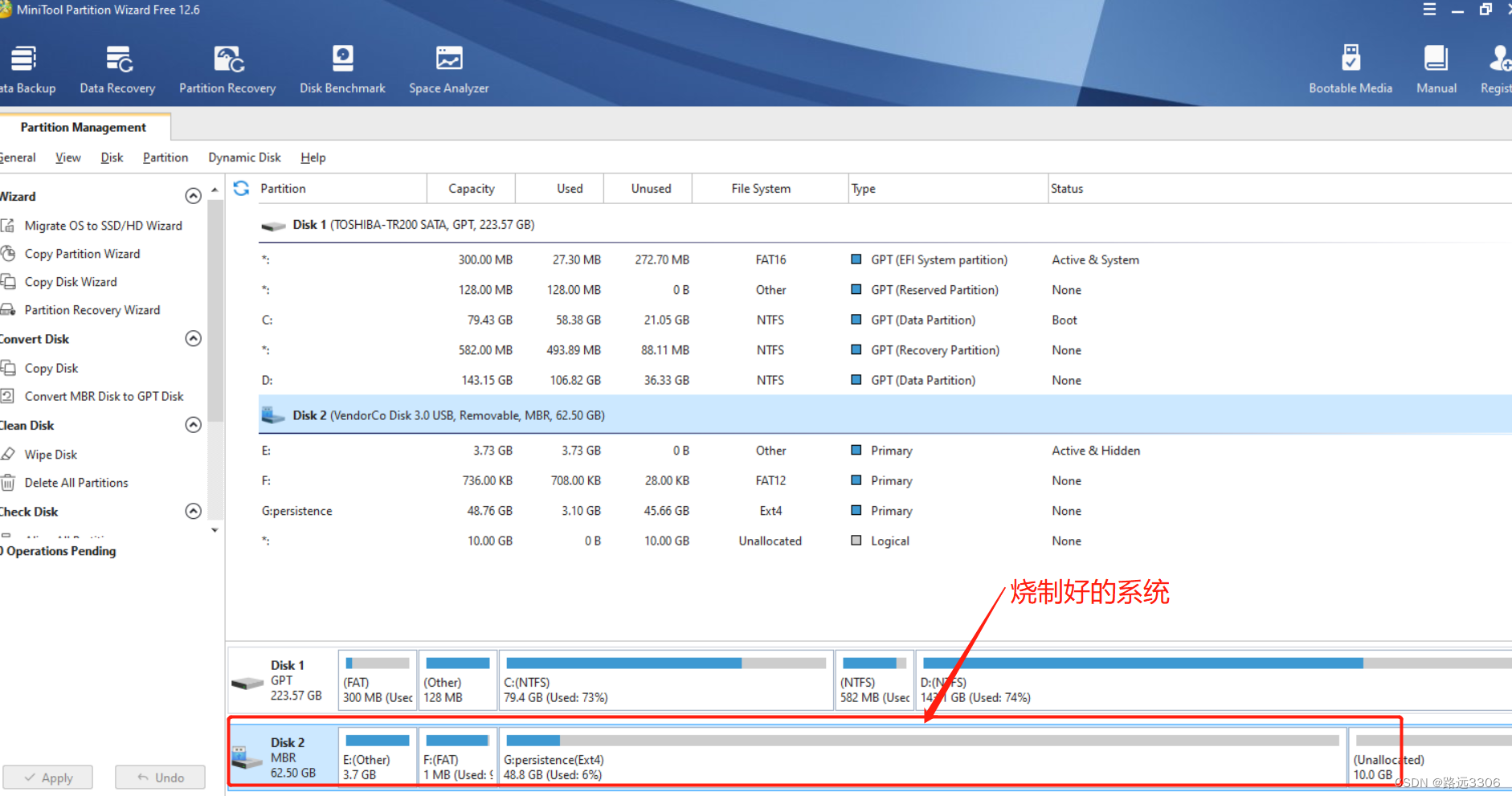 注意:以上截图是已经分区并且格式化好的
3. Bios的部分设置根据您的电脑自行百度配置,启动kali时找persistence字样的kali启动(一般是从上往下第四个)
4. kali持久化
- 打开kali命令界面:
- 依次输入以下命令并按
enter确认
fdisk -l  # 查看磁盘分区
sudo su  # 切换到超管账户
mkdir -p  /mnt/linux  # 创建文件目录
chmod 777 /mnt/linux  # 给创建的目录权限
mount /dev/sdb3  /mnt/linux  # 挂在目录 ‘/dev/sdb3’目录根据个人系统选择,即为我们设置的 **persistence** 分区
echo "/ union" > /mnt/linux/persistence.conf  #
umount /dev/sdb3 #
按照以上命令依次执行后就可实现持久化,后期下载安装的软件或者文件等都可以在下次启动系统时继续使用!!!!
边栏推荐
- Tencent's open source project "Yinglong" has become a top-level project of Apache: the former long-term service wechat payment can hold a million billion level of data stream processing
- Opencv optical flow prediction and remap remapping function usage
- 程序员大部分时间不是写代码,而是。。。
- Shell脚本(.sh文件)如何执行完毕之后不自动关闭、闪退?
- 把騰訊搬到雲上,治愈了他們的技術焦慮
- 【毕业季·进击的技术er】绕树三匝,何枝可依?
- Step 3: access the API interface for inquiry of SF express doc No. [express 100api interface]
- 程序员大部分时间不是写代码,而是。。。
- Multi gate mixture of experts and code implementation
- Why choose b+ tree as storage engine index structure
猜你喜欢

TP-LINK 1208路由器教程(2)

Act as you like

Qt: judge whether the string is in numeric format

Moving Tencent to the cloud cured their technical anxiety

PHP短信通知+语音播报自动双呼

使用Process Monitor工具监测进程对注册表和文件的操作
Use the process monitor tool to monitor process operations on registries and files

工具及方法 - 在Source Insight中使用代码格式化工具

服乔布斯不服库克,苹果传奇设计团队解散内幕曝光

"Write once, run at all ends", Qualcomm released AI software stack!
随机推荐
Anonymous Messenger: hidden communication of Trojan horse
齐次坐标的理解
喜欢就去行动
Fashionable pop-up mode login registration window
计组_cpu的结构和工作流程
@Requestbody annotation
[net action!] Cos data escort helps SMEs avoid content security risks!
P5.js paper crane animation background JS special effect
What characteristics should a good design website have?
【本周六活动】.NET Day in China
Smart energy: scenario application of intelligent security monitoring technology easycvr in the petroleum energy industry
Shape change loader loads jsjs special effect code
TP-LINK 1208路由器教程(2)
Moving Tencent to the cloud cured their technical anxiety
How to develop hospital information system (his) with SMS notification and voice function
Fais ce que tu veux.
Does the depth system work?
Today in history: Turing's birth day; The birth of the founder of the Internet; Reddit goes online
The nodejs service global timeout callback failed to get process Domain problem
[activities this Saturday] NET Day in China