当前位置:网站首页>QT之鼠标和键盘事件重写
QT之鼠标和键盘事件重写
2022-08-03 02:29:00 【天天进步一点点】
有时候我们需要重写键盘和鼠标的事件的处理函数,那么这个时候我们就需要进行事件编程
#ifndef MAINWINDOW_H
#define MAINWINDOW_H

#include <QMainWindow>
#include <QMouseEvent>
#include <QWheelEvent>
#include <QKeyEvent>

namespace Ui {
class MainWindow;
}

class MainWindow : public QMainWindow
{
    Q_OBJECT

public:
    explicit MainWindow(QWidget *parent = nullptr);
    ~MainWindow();
protected:
    //我们来重写QT的5个标准的鼠标事件函数,从而实现我们自己想要的动作
    void mouseDoubleClickEvent(QMouseEvent *event);//鼠标双击事件
    void mouseMoveEvent(QMouseEvent *event);//数据表移动事件
    void mousePressEvent(QMouseEvent *event);//鼠标按下事件
    void mouseReleaseEvent(QMouseEvent *event);//鼠标松开事件
    void wheelEvent(QWheelEvent *event);    //鼠标滚轮事件

    void keyPressEvent(QKeyEvent *event);//键盘事件

private:
    Ui::MainWindow *ui;
};

#endif // MAINWINDOW_H
#include "mainwindow.h"
#include "ui_mainwindow.h"

MainWindow::MainWindow(QWidget *parent) :
    QMainWindow(parent),
    ui(new Ui::MainWindow)
{
    ui->setupUi(this);
    setMouseTracking(true);
}

MainWindow::~MainWindow()
{
    delete ui;
}
void MainWindow::mouseDoubleClickEvent(QMouseEvent *event)
{
    if(event->button() == Qt::LeftButton){
        ui->label->setText("left button dbclicked");
    }
    else {
        ui->label->setText("right button dbclicked");
    }
}
void MainWindow::mouseMoveEvent(QMouseEvent *event)
{
    QPoint pos = event->globalPos();
    ui->label_2->setText(QString("(%1,%2)").arg(pos.rx()).arg(pos.ry()));
}
void MainWindow::mousePressEvent(QMouseEvent *event)
{
    if(event->button() == Qt::LeftButton){
        ui->label->setText("left button pressed");
    }
    else {
        ui->label->setText("right button pressed");
    }
}
void MainWindow::mouseReleaseEvent(QMouseEvent *event)
{
    if(event->button() == Qt::LeftButton){
        ui->label->setText("left button released");
    }
    else {
        ui->label->setText("right button released");
    }
}
void MainWindow::wheelEvent(QWheelEvent *event)
{
    if(event->delta() > 0){
        ui->label_2->setText("wheel up");
    }
    else {
        ui->label_2->setText("wheel down");
    }
}

void MainWindow::keyPressEvent(QKeyEvent *event)
{
    if(event->key() == Qt::Key_0)//键盘0按下
    {
        ui->label_2->setText("key 0 pressed");
    }
    if(event->key() == Qt::Key_1)
    {
        ui->label_2->setText("key 1 pressed");
    }
}
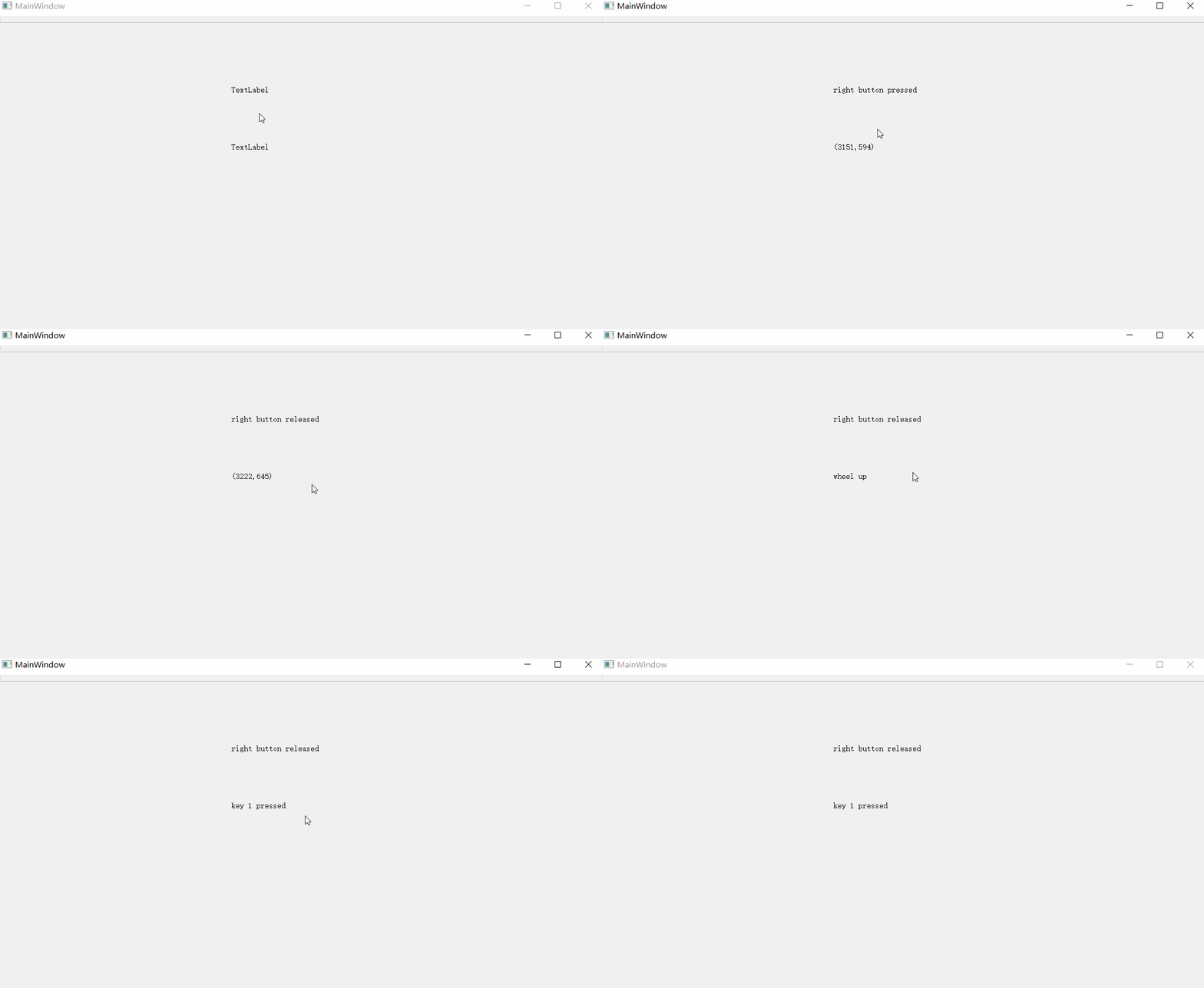
我们来看一下运行效果
边栏推荐
猜你喜欢


随机推荐
禁用token及无感知更新token功能实现
Linux定时任务脚本执行时mysqldump备份异常的问题
C语言实验十二 指针(二)
Topic Modeling of Short Texts: A Pseudo-Document View
韦东山 数码相框 项目学习(五)libjpeg-turbo的移植
zyMedia系列之播放视频
DPDK mlx5 驱动使用报错
Fiddler基本使用
网易数帆陈谔:云原生“牵手”低代码,加速企业数字化转型
五大靠谱的婚恋相亲APP详细特点缺点分析!
VS中使用BugTrap定位程序崩溃点
46LVS+Keepalived群集
SqlSession [[email protected]]
【数据分析】基于MATLAB实现SVDD决策边界可视化
[Static type and dynamic type compile check and run check in Objective-C]
Incorrect datetime value: ‘2022-01-01‘ for function str_to_date
vs studio 安装opencv 环境
能添加任意贴图超级复布局的初级智能文本提示器
pytorch 中 permute()函数的用法
win下使用vscode+wsl2