当前位置:网站首页>1: Mosaic of 100W basic geographic information data
1: Mosaic of 100W basic geographic information data
2022-06-24 18:41:00 【Geographical space of ruiduobao】
background
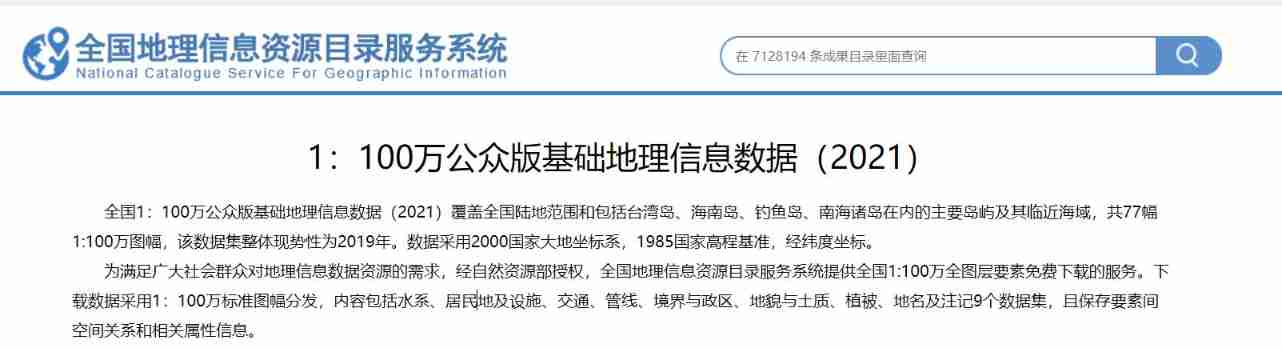
It was officially released yesterday 1:100 Public version of basic geographic information data set , But this data is divided , We still need to do some merging .
Processing flow
Mainly used python Preprocess and merge data .

gdb turn shp vector
Use QGIS Of OSGeo4W Shell Software , Can be gdb The database is exported to shp vector .
ogr2ogr -f “ESRI Shapefile” F:\keshan\shp_get\I51 F:\keshan\shp100w\I51.gdb -lco ENCODING=UTF-8,
The format is :ogr2ogr -f + Format name + Save the path + Original file path + Encoding mode
import os
from tqdm import tqdm

Path = 'F:\keshan\shp100w/'
folder_names = os.listdir(Path)
# Script : Reference resources ogr2ogr -f "ESRI Shapefile" F:\keshan\shp_get\2 F:\keshan\shp100w\A49.gdb -lco ENCODING=UTF-8
bat_part1="ogr2ogr -f \"ESRI Shapefile\" F:\keshan\shp_get\\"
bat_part2=" F:\keshan\shp100w\\"
bat_part3=" -lco ENCODING=UTF-8"
#  Loop Directory
for folder_name in tqdm(folder_names):
    bat_text=bat_part1+folder_name.replace(".gdb","")+bat_part2+folder_name+bat_part3
    print(bat_text)
Through the above script , Batch generate Export shp Of .bat Content . Package this content into .bat file , Input start+.bat route , Run the file

The operation results are as follows :

Open every file , Is the vector of the framing :

shp Vector merge
Use scripts , Traversal folder , Move all vector files with the same name into the same file :
import os
import shutil
from tqdm import tqdm

# Create local folder function
def mkdir(path):
    #  Introduce modules
    #  Remove the first space
    path = path.strip()
    #  Remove the tail  \  Symbol
    path = path.rstrip("\\")

    #  Determine if the path exists
    #  There is  True
    #  non-existent  False
    isExists = os.path.exists(path)

    #  Judge the result
    if not isExists:
        #  Create a directory if it doesn't exist
        #  Create directory manipulation functions
        os.makedirs(path)

        print(path + '  Create success ')
        return True
    else:
        #  Do not create if directory exists , And prompt that the directory already exists
        print(path + '  directory already exists ')
        return False

Path = 'F:\keshan\shp_get/'
# Saved categories shp file location
Save_Fenlei= 'F:\keshan\shp_100w_fenlei/'

folder_names = os.listdir(Path)
#  Loop Directory
for folder_name in tqdm(folder_names):
    floder_PATH = os.path.join(Path, folder_name)
    file_names = os.listdir(floder_PATH)
    for file_names in file_names:
        # Get file path and name
        file_path =os.path.join(floder_PATH, file_names)
        file_name=file_names.split(".")[0]
        file_suffix = file_names.split(".")[1]
        # Move the file to the specified directory   Name as file Copy the file named file_dir In the folder of
        dir_path = Save_Fenlei +file_name
        #  Create folder   A folder where individual files are saved
        mkdir(dir_path)
        # Change file name
        file_new_name = file_name.split(".")[0]+"_"+folder_name+"."+file_suffix
        dst_name=os.path.join(dir_path, file_new_name)
        #  The specified file file Move to file_dir In the folder of
        shutil.copy(file_path, dst_name)
Here we are , We have obtained... For each category shp vector , Load into gis In the software .
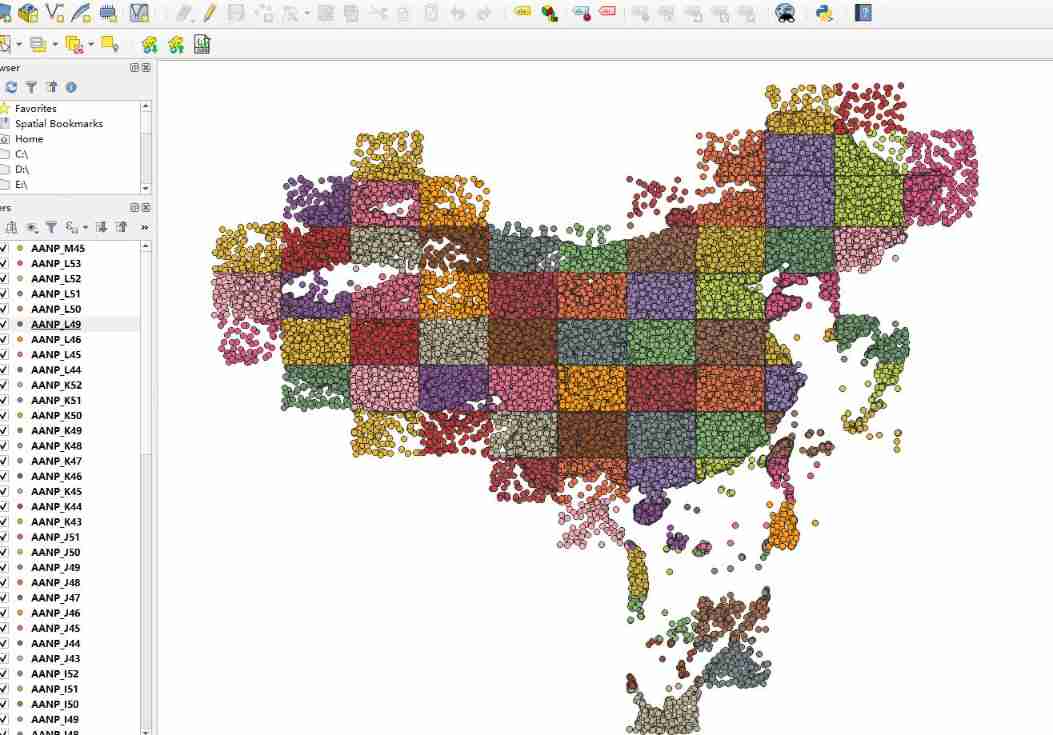
Now let's merge the vectors , First of all, I thought of arcgis and qgis Manual operation . But I'm lazy , Don't like repetitive operation , So I wrote a script to merge each category :
import os
import geopandas as gpd
import pandas as pd
from tqdm import tqdm

# Classified shp
Path = 'F:\keshan\shp_100w_fenlei/'
#  Saved merge file location
Save_shp = r'F:\keshan\100Wmerge\shp/'
Save_geojson = r'F:\keshan\100Wmerge\geojson/'

folder_names = os.listdir(Path)
#  Loop Directory
for folder_name in tqdm(folder_names):
    try:

        folder_name_path=os.path.join(Path, folder_name)

        file = os.listdir(folder_name_path)
	    # Traverse shp File merge
        path = [os.path.join(folder_name_path, i) for i in file if ".shp" in i]
        gdf = gpd.GeoDataFrame(pd.concat([gpd.read_file(i) for i in path],
                                ignore_index=True), crs=gpd.read_file(path[0]).crs)
	   # export shp
        gdf_path_name_shp =Save_shp+folder_name+".shp"
        gdf.to_file(gdf_path_name_shp, driver="ESRI Shapefile", encoding="utf-8")

       # export geojson
        gdf_path_name_json =Save_geojson+folder_name+".gson"
        gdf.to_file(gdf_path_name_json, driver='GeoJSON', encoding="utf-8")

    except:
        pass
Through this step ,ANNP This national vector is merge Okay , Put it in gis View... In the software :

thus , We got shp and geojson Two formats of 1:100w National Geographic basic information data :

Here is why we export another one separately geojson The file of , Because of my own prejudice :gson Than shp To use ,qgis Than arcgis Well done .
other
thus , The data has been converted , You can use it directly . The data types are as follows :
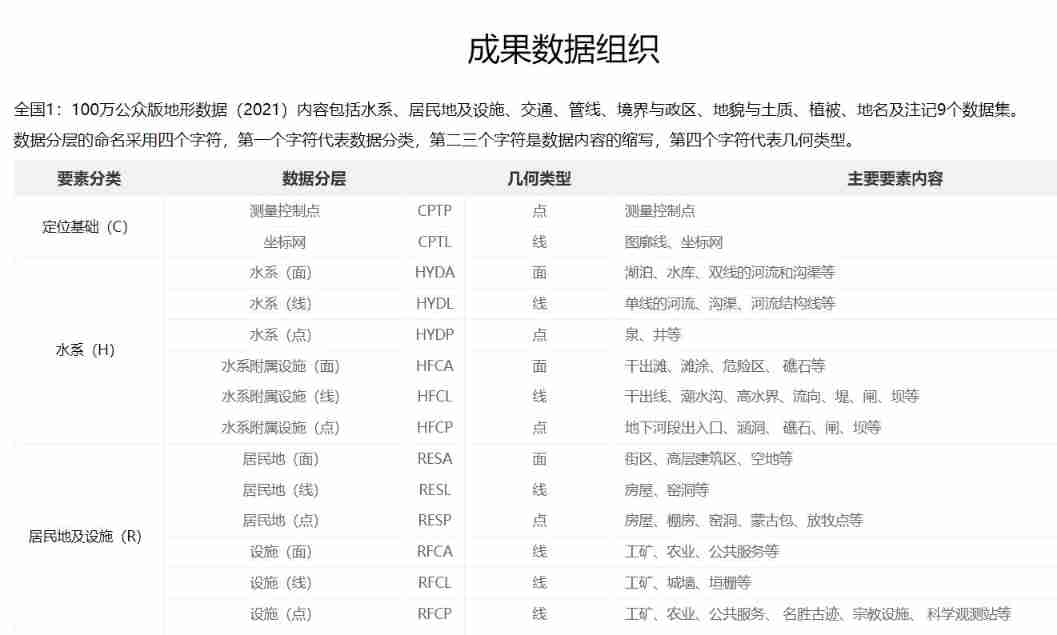

There's a lot of data , You can see :

I saw a post posted on the remote sensing forum , You can go download This consolidated version of the data :

Reference resources
National Geographic information system resource directory .https://www.webmap.cn/main.do?method=index
Geodata Geographic Data Institute .2021 National edition 1:100 10000 public version of basic geographic information data
边栏推荐
- Executing SQL statements with parameterized commands
- About pyqt5 to realize paging function (one window implements different interfaces)
- Is there a security risk in opening an account online? What to do if the business department opening an account nearby is far away from home. Is there any capital requirement for opening an account?
- Eight digit
- SAP license: ERP for supply chain management and Implementation
- Online sequence flow chart making tool
- 130. surrounding area
- Business leaders compete for CIO roles
- JS pre parsing
- Solve the problem that the MapReduce program console does not have log information warn please initialize the log4j system properly
猜你喜欢
An analysis of the comments on the TV series Douban by procedural apes

为什么 useEvent 不够好

JS event details

为什么 Nodejs 这么快?

696. count binary substring
[golang] leetcode intermediate - jumping game & different paths

Crmeb multi merchant PC packaging tutorial

ASP. Net hosting uploading file message 500 error in IIS

干货 | 新手经常忽略的嵌入式基础知识点,你都掌握了吗?

360 digital released information security trends in January: 120000 fraud risks were captured and users were reminded 2.68 million times

![[golang] leetcode intermediate - jumping game & different paths](/img/91/347dee1035b9f23bc038923151ebb7)
随机推荐
Data modeling technology of Business Intelligence BI
Complete Guide to web application penetration testing
Flex box flex attribute
Gateway solves cross domain access
ASP. Net hosting uploading file message 500 error in IIS
Microservice system design -- interface document management design
Vite+web3: referenceerror: process is not defined
Application service access configuration parameters
Mcu-08 interrupt system and external interrupt application
Application service access configuration parameters
JS position operation
Eight digit
JDBC writes Chinese garbled code to the database
Use ado Net call stored procedure
Microservice system design -- data model and system architecture design
Industry Cloud video editing software
Leetcode topic [array] -216- combined sum III
Palindrome string (two methods)
SAP license: ERP for supply chain management and Implementation
Knowledge points in T-SQL