当前位置:网站首页>24. image mosaic operation
24. image mosaic operation
2022-06-24 10:35:00 【 child】
1. Basic knowledge of image mosaic

Prepare two pieces. Related Pictures of relationships

Homework after class : Remove the edges where two pictures meet , Crop the image to remove the black edge
(1) Steps of image merging
- Read the file and reset the size
- Calculate descriptors based on feature points and , The homography matrix is obtained
- Image transformation
- Image mosaic and output image

Find the center point first
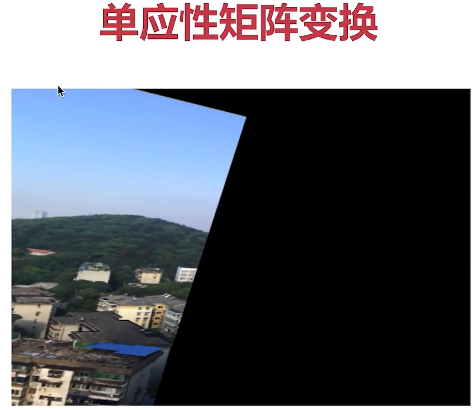


#  Image mosaic operation
import cv2
import numpy as np

#  First step , Read the file , Set the picture to the same size ,640*480( The size closest to the actual image )
img1 = cv2.imread('E:\\opencv_photo\\map1.png')
img2 = cv2.imread('E:\\opencv_photo\\map2.png')
img1 = cv2.resize(img1,(610,480))
img2 = cv2.resize(img2,(610,480))
#  Arrange the two figures together
inputs = np.hstack((img1, img2))
#  The second step , Finding feature points , Computational descriptors , Calculate the homography matrix
#  The third step , The image is transformed according to the homography matrix , And then translation
#  Step four , Splice and output the final result

cv2.imshow('input img',inputs)
cv2.waitKey()
#  Image mosaic operation
import cv2
import numpy as np

def stitch_image(img1, img2, H) :
    # 1. Get... For each picture 4 Corner points
    # 2. Transform the picture , The image is rotated by homography matrix , Then pan
    # 3. Create a large picture , Join the two figures together
    # 4. Output the result

    h1, w1 = img1.shape[:2]     #  Get the height and width of the original graph
    h2, w2 = img2.shape[:2]
    img1_dims = np.float32([[0,0],[0,h1],[w1,h1],[w1,0]]).reshape(-1,1,2) #  The four corners are sorted counterclockwise
    img2_dims = np.float32([[0,0],[0,h2],[w2,h2],[w2,0]]).reshape(-1,1,2)
    #  Image transformation
    img1_transform = cv2.perspectiveTransform(img1_dims,H)
    # print(img1_dims)
    # print(img2_dims)
    # print(img1_transform)
    result_dims = np.concatenate((img2_dims, img1_transform), axis=0)   #  Horizontal splicing , It is mainly to find the maximum and minimum value of the image
    # print(result_dims)    #  The result of mixing

    [x_min, y_min] = np.int32(result_dims.min(axis=0).ravel()-0.5)  # axis=0 Press x Axis get value ,ravel() Change two dimensions into one dimension , According to the principle of rounding , minimum value -0.5, Maximum +0.5
    [x_max, y_max ] = np.int32(result_dims.max(axis=0).ravel()+0.5)
    #  The distance of translation
    transform_dist = [-x_min, -y_min]  #  The smallest x Distance and y

    #[1, 0, dx]
    #[0, 1, dy]
    #[0, 0, 1 ]
    #  The method of matrix translation , Multiply by a homogeneous matrix
    transform_array = np.array([[1, 0, transform_dist[0]],
                                [0, 1, transform_dist[1]],
                                [0, 0, 1]])
    #  Projection transformation
    result_img = cv2.warpPerspective(img1, transform_array.dot(H), (x_max-x_min, y_max-y_min))

    result_img[transform_dist[1]:transform_dist[1]+h2,
                transform_dist[0]:transform_dist[0]+w2] = img2

    return result_img

#  The method of calculating homography matrix
def get_homo(img1, img2):
    # 1. Create feature transformation objects
    sift = cv2.xfeatures2d.SIFT_create()
    # 2. The feature points and descriptors are obtained through the feature transformation object
    k1,d1 = sift.detectAndCompute(img1,None)    # k1 For feature points ,d1 Is a descriptor
    k2,d2 = sift.detectAndCompute(img2,None)
    # 3. Create feature matching
    # 4. Feature matching
    # 5. Filtering characteristics , Find out the effective feature matching points
    bf = cv2.BFMatcher()  #  Use violence feature matching
    matches = bf.knnMatch(d1,d2,k=2)    #  Matching feature points

    verify_ratio = 0.8  #  Filter
    verify_matches = []
    for m1, m2 in matches:  # m1,m2 The smaller the distance, the better , Less than 0.8 Consider effective , Greater than 0.8 Invalid
        if m1.distance < 0.8*m2.distance:
            verify_matches.append(m1)

    #  Minimum number of matches
    min_matches = 8
    if len(verify_matches) > min_matches:
        img1_pts = []
        img2_pts = []
        for m in verify_matches:
            img1_pts.append(k1[m.queryIdx].pt)  #  Images 1 Coordinate feature points of
            img2_pts.append(k2[m.trainIdx].pt)  #  Images 2 Coordinate feature points of
        #[(x1, y1), (x2, y2), ...]
        #[[x1, y1], [x2, y2], ...]

        img1_pts = np.float32(img1_pts).reshape(-1,1,2)    #  To adapt to findHomography The format of
        img2_pts = np.float32(img2_pts).reshape(-1,1,2)
        H, mask =  cv2.findHomography(img1_pts, img2_pts, cv2.RANSAC,5.0)  #  Get homography matrix
        return H
    else:
        print('error: Not enough matches!')
        exit()

#  First step , Read the file , Set the picture to the same size ,640*480( The size closest to the actual image )
img1 = cv2.imread('E:\\opencv_photo\\map1.png')
img2 = cv2.imread('E:\\opencv_photo\\map2.png')
img1 = cv2.resize(img1,(640,480))
img2 = cv2.resize(img2,(640,480))
#  Arrange the two figures together
inputs = np.hstack((img1, img2))

#  The second step , Finding feature points , Computational descriptors , Calculate the homography matrix
H = get_homo(img1, img2)    #  Obtain the homography matrix

#  The third step , The image is transformed according to the homography matrix , And then translation
result_image = stitch_image(img1, img2, H)      #  Image mosaic
#  Step four , Splice and output the final result

cv2.imshow('input img',result_image)
cv2.waitKey()
边栏推荐
- Leetcode interview question 16.06: minimum difference
- Niuke-top101-bm29
- 机械臂速成小指南(一):机械臂发展概况
- 图解杂项【防止丢失进行存档用的】
- Difference between package type and basic type
- 2022 International Symposium on intelligent robots and systems (isoirs 2022)
- [data analysis data source] coordinates of provinces, cities and administrative regions across the country (including boundary coordinate points and central coordinate points)
- numpy. logical_ and()
- leetCode-2221: 数组的三角和
- 顺丰科技智慧物流校园技术挑战赛(2022/06/19)【AK】
猜你喜欢

Baidu online disk download has been in the process of requesting solutions

JMeter接口测试工具基础— 使用Badboy录制JMeter脚本
![[data analysis data source] coordinates of provinces, cities and administrative regions across the country (including boundary coordinate points and central coordinate points)](/img/a8/84088b1e61deaf62f22d85a007423b.png)
[data analysis data source] coordinates of provinces, cities and administrative regions across the country (including boundary coordinate points and central coordinate points)

进程与多线程

uniapp 开发微信公众号,下拉框默认选中列表第一个

3. addition, deletion, modification and query of employees

Flink checkpoint and savepoint

The difference between the sleep () method and the wait () method of a thread

Quick completion guide for mechanical arm (II): application of mechanical arm

Hill sorting graphic explanation + code implementation
随机推荐
分布式事务原理以及解决分布式事务方案
Customize the toolbars of the kindeditor editor. Items removes unnecessary toolbars or retains some toolbars
3. addition, deletion, modification and query of employees
26. delete duplicates of ordered array
顺丰科技智慧物流校园技术挑战赛(2022/06/19)【AK】
Juul, the American e-cigarette giant, suffered a disaster, and all products were forced off the shelves
5. dish management business development
Flink checkPoint和SavePoint
The difference between the sleep () method and the wait () method of a thread
Role of message queuing
Learning to organize using kindeditor rich text editor in PHP
Sort out interface performance optimization skills and kill slow code
用扫描的方法分发书稿校样
A method to solve the self-adaptive width and height of the internal picture of rich text label in wechat applet
SQL Server AVG function rounding
Quick completion guide for mechanical arm (I): development overview of mechanical arm
[JS reverse sharing] community information of a website
[IEEE publication] 2022 International Conference on service robots (iwosr 2022)
线程的六种状态
Niuke-top101-bm28