当前位置:网站首页>Data warehouse 4.0 notes - user behavior data collection IV
Data warehouse 4.0 notes - user behavior data collection IV
2022-07-23 11:44:00 【Silky】
1 Log collection Flume install

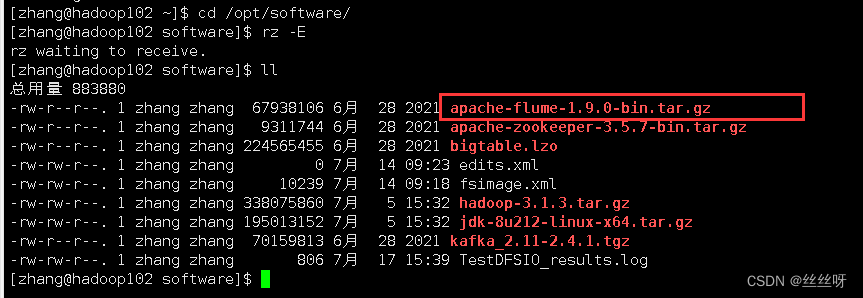
[[email protected] software]$ tar -zxvf apache-flume-1.9.0-bin.tar.gz -C /opt/module/
[[email protected] module]$ mv apache-flume-1.9.0-bin/ flume

take lib Under folder guava-11.0.2.jar Delete to be compatible with Hadoop 3.1.3
[[email protected] module]$ rm /opt/module/flume/lib/guava-11.0.2.jar
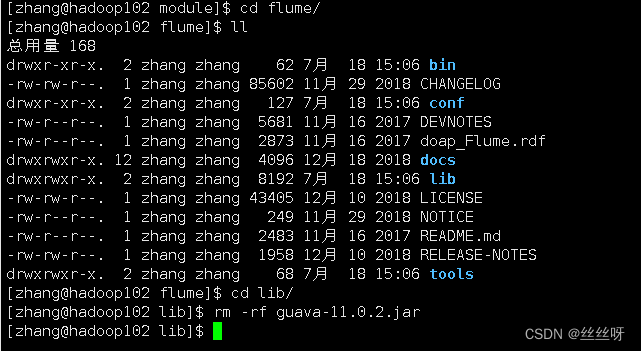
hadoop Can work normally

take flume/conf Under the flume-env.sh.template Change the file to flume-env.sh, And configuration flume-env.sh file
[[email protected] conf]$ mv flume-env.sh.template flume-env.sh

[[email protected] conf]$ vi flume-env.sh
export JAVA_HOME=/opt/module/jdk1.8.0_212

distribution
[[email protected] module]$ xsync flume/


2 Log collection Flume To configure

Flume The specific configuration is as follows :
stay /opt/module/flume/conf Create under directory file-flume-kafka.conf file
[[email protected] conf]$ vim file-flume-kafka.conf
In the file configuration, the following ( Write it down first , Then configure )
# Name each component
a1.sources = r1
a1.channels = c1

# describe source
a1.sources.r1.type = TAILDIR
a1.sources.r1.filegroups = f1
a1.sources.r1.filegroups.f1 = /opt/module/applog/log/app.*
a1.sources.r1.positionFile = /opt/module/flume/taildir_position.json
# Configure interceptors (ETL Data cleaning    Judge json Is it complete )
a1.sources.r1.interceptors =  i1
a1.sources.r1.interceptors.i1.type = com.zhang.flume.interceptor.ETLInterceptor$Builder

# describe channel
a1.channels.c1.type = org.apache.flume.channel.kafka.KafkaChannel
a1.channels.c1.kafka.bootstrap.servers = hadoop102:9092,hadoop103:9092
a1.channels.c1.kafka.topic = topic_log
a1.channels.c1.parseAsFlumeEvent = false

# binding source and channel as well as sink and channel The relationship between
a1.sources.r1.channels = c1
establish Maven engineering flume-interceptor

<dependencies>
    <dependency>
        <groupId>org.apache.flume</groupId>
        <artifactId>flume-ng-core</artifactId>
        <version>1.9.0</version>
        <scope>provided</scope>
    </dependency>

    <dependency>
        <groupId>com.alibaba</groupId>
        <artifactId>fastjson</artifactId>
        <version>1.2.62</version>
    </dependency>
</dependencies>

<build>
    <plugins>
        <plugin>
            <artifactId>maven-compiler-plugin</artifactId>
            <version>2.3.2</version>
            <configuration>
                <source>1.8</source>
                <target>1.8</target>
            </configuration>
        </plugin>
        <plugin>
            <artifactId>maven-assembly-plugin</artifactId>
            <configuration>
                <descriptorRefs>
                    <descriptorRef>jar-with-dependencies</descriptorRef>
                </descriptorRefs>
            </configuration>
            <executions>
                <execution>
                    <id>make-assembly</id>
                    <phase>package</phase>
                    <goals>
                        <goal>single</goal>
                    </goals>
                </execution>
            </executions>
        </plugin>
    </plugins>
</build>

Create a package name :com.zhang.flume.interceptor

stay com.zhang.flume.interceptor Package created under JSONUtils class
package com.zhang.flume.interceptor;

import com.alibaba.fastjson.JSON;
import com.alibaba.fastjson.JSONException;

public class JSONUtils {
    public static boolean isJSONValidate(String log){
        try {
            JSON.parse(log);
            return true;
        }catch (JSONException e){
            return false;
        }
    }
}

stay com.zhang.flume.interceptor Package created under ETLInterceptor class 
package com.zhang.flume.interceptor;

import com.alibaba.fastjson.JSON;
import org.apache.flume.Context;
import org.apache.flume.Event;
import org.apache.flume.interceptor.Interceptor;

import java.nio.charset.StandardCharsets;
import java.util.Iterator;
import java.util.List;

public class ETLInterceptor implements Interceptor {

    @Override
    public void initialize() {

    }

    @Override
    public Event intercept(Event event) {

        byte[] body = event.getBody();
        String log = new String(body, StandardCharsets.UTF_8);

        if (JSONUtils.isJSONValidate(log)) {
            return event;
        } else {
            return null;
        }
    }

    @Override
    public List<Event> intercept(List<Event> list) {

        Iterator<Event> iterator = list.iterator();

        while (iterator.hasNext()){
            Event next = iterator.next();
            if(intercept(next)==null){
                iterator.remove();
            }
        }

        return list;
    }

    public static class Builder implements Interceptor.Builder{

        @Override
        public Interceptor build() {
            return new ETLInterceptor();
        }
        @Override
        public void configure(Context context) {

        }

    }

    @Override
    public void close() {

    }
}

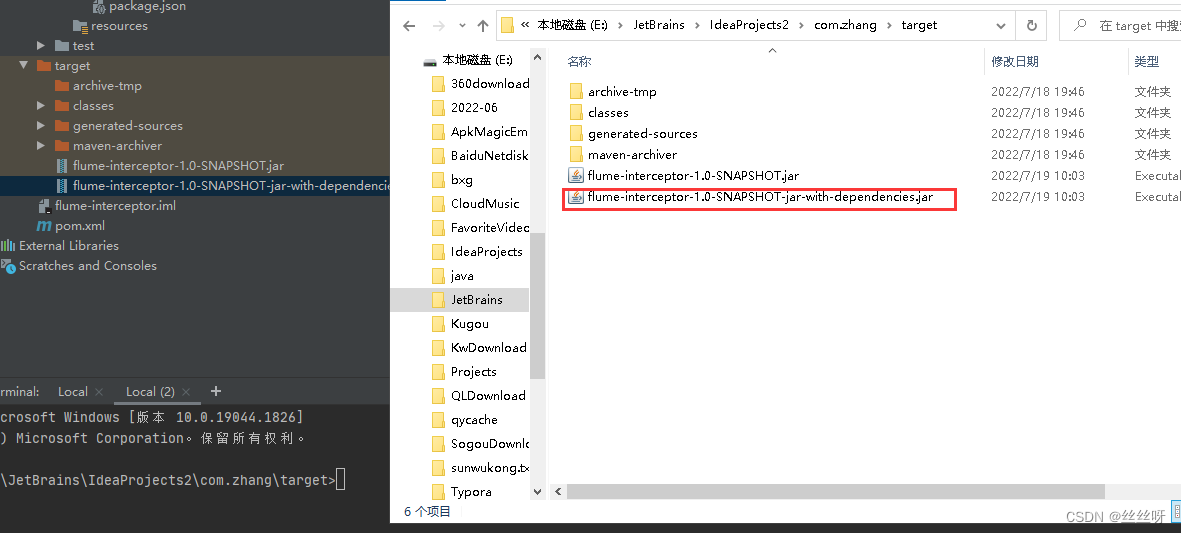
Package compilation


You need to put the packed bag into hadoop102 Of /opt/module/flume/lib Under the folder .
[[email protected] module]$ cd flume/lib/
Upload files
Filter it out :
[[email protected] lib]$ ls | grep interceptor

distribution
[[email protected] lib]$ xsync flume-interceptor-1.0-SNAPSHOT-jar-with-dependencies.jar

Get the full class name 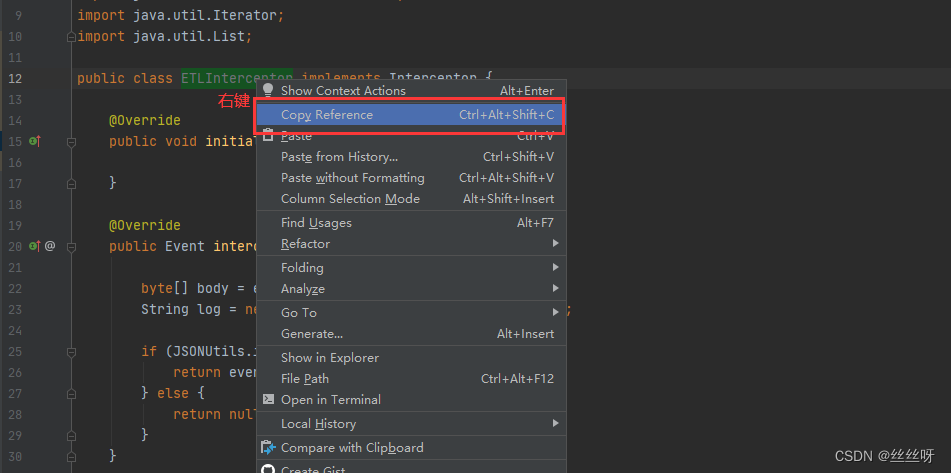
Put it in the initial configuration file :

Now put the configuration file on the cluster
[[email protected] conf]$ vim file-flume-kafka.conf

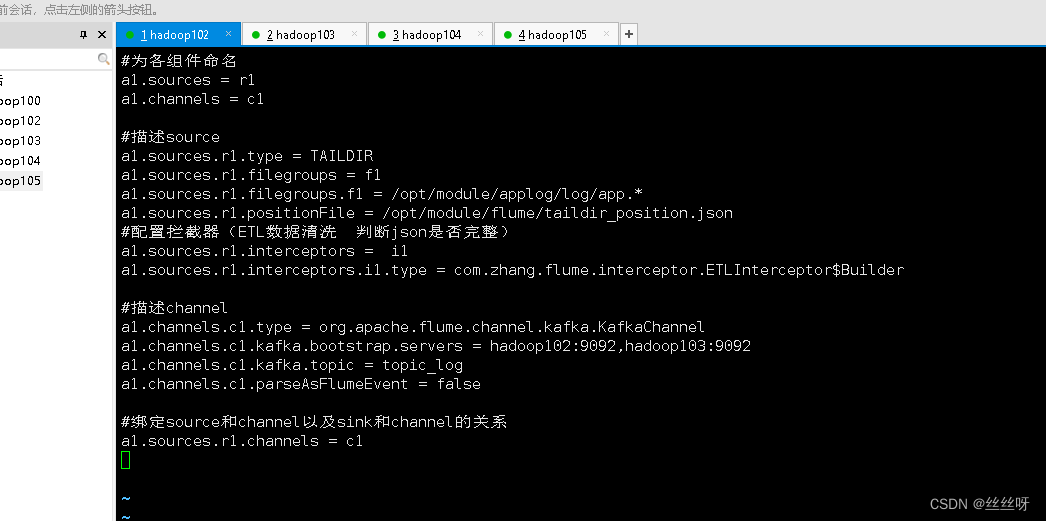
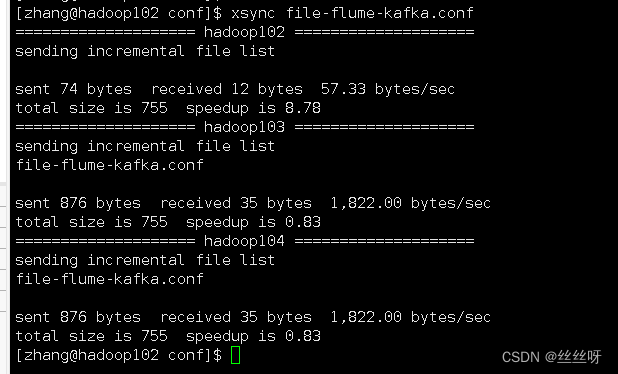
distribution [[email protected] conf]$ xsync file-flume-kafka.conf
start-up flume
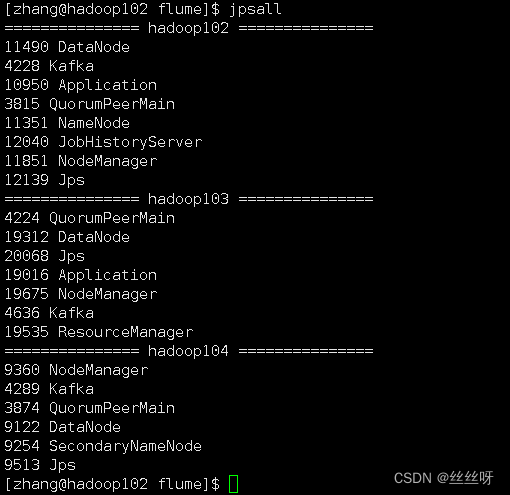
[[email protected] flume]$ bin/flume-ng agent --name a1 --conf-file conf/file-flume-kafka.conf &


[[email protected] flume]$ bin/flume-ng agent --name a1 --conf-file conf/file-flume-kafka.conf &

103 Also started successfully .
3 test Flume-Kafka passageway
Generate logs
[[email protected] flume]$ lg.sh
consumption Kafka data , Observe whether the console has data acquisition :
[[email protected] kafka]$ bin/kafka-console-consumer.sh \
--bootstrap-server hadoop102:9092 --from-beginning --topic topic_log
You can see the corresponding log 

If it's bad hadoop102 window , Find out flume It was shut down 
[[email protected] ~]$ cd /opt/module/flume/
Start at the front desk
[[email protected] flume]$ bin/flume-ng agent --name a1 --conf-file conf/file-flume-kafka.conf

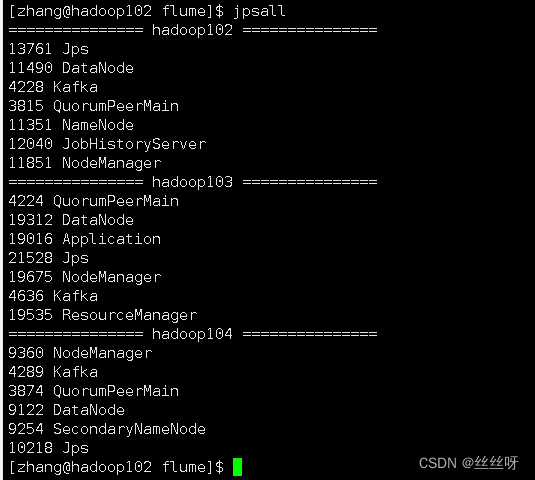
Successful launch , But after closing the client, I found that it was closed again
add nohup
[[email protected] flume]$ nohup bin/flume-ng agent --name a1 --conf-file conf/file-flume-kafka.conf


nohup, The order can be made after you exit the account / After closing the terminal Continue to run the corresponding process .nohup Just don't hang up , Run the command without hanging up .
How to stop ?…… How to get the number 13901?
[[email protected] kafka]$ ps -ef | grep Application
[[email protected] kafka]$ ps -ef | grep Application | grep -v grep
[[email protected] kafka]$ ps -ef | grep Application | grep -v grep | awk '{print $2}'

[[email protected] kafka]$ ps -ef | grep Application | grep -v grep | awk '{print $2}' | xargs

[[email protected] kafka]$ ps -ef | grep Application | grep -v grep | awk '{print $2}' | xargs -n1 kill -9

Application May be replaced by other identical names , So we need to find a unique identifier flume The logo of



4 Log collection Flume Start stop script
stay /home/atguigu/bin Create script in directory f1.sh
[[email protected] bin]$ vim f1.sh
Fill in the script as follows
#! /bin/bash

case $1 in
"start"){
        for i in hadoop102 hadoop103
        do
                echo " -------- start-up  $i  collection flume-------"
                ssh $i "nohup /opt/module/flume/bin/flume-ng agent --conf-file /opt/module/flume/conf/file-flume-kafka.conf --name a1 -Dflume.root.logger=INFO,LOGFILE >/opt/module/flume/log1.txt 2>&1  &"
        done
};;
"stop"){
        for i in hadoop102 hadoop103
        do
                echo " -------- stop it  $i  collection flume-------"
                ssh $i "ps -ef | grep file-flume-kafka | grep -v grep |awk  '{print \$2}' | xargs -n1 kill -9 "
        done

};;
esac

[[email protected] bin]$ chmod 777 f1.sh
Test that the stop and start are normal

5 consumption Kafka data Flume


Time blockers are important , Solve the problem of zero drift 
consumer Flume To configure
stay hadoop104 Of /opt/module/flume/conf Create under directory kafka-flume-hdfs.conf file
( Get a1.sources.r1.interceptors.i1.type Then configure )
[[email protected] conf]$ vim kafka-flume-hdfs.conf
##  Components
a1.sources=r1
a1.channels=c1
a1.sinks=k1

## source1
a1.sources.r1.type = org.apache.flume.source.kafka.KafkaSource
a1.sources.r1.batchSize = 5000
a1.sources.r1.batchDurationMillis = 2000
a1.sources.r1.kafka.bootstrap.servers = hadoop102:9092,hadoop103:9092,hadoop104:9092
a1.sources.r1.kafka.topics=topic_log

## Time interceptor
a1.sources.r1.interceptors = i1
a1.sources.r1.interceptors.i1.type = com.zhang.flume.interceptor.TimeStampInterceptor$Builder

## channel1
a1.channels.c1.type = file
a1.channels.c1.checkpointDir = /opt/module/flume/checkpoint/behavior1
a1.channels.c1.dataDirs = /opt/module/flume/data/behavior1/


## sink1
a1.sinks.k1.type = hdfs
a1.sinks.k1.hdfs.path = /origin_data/gmall/log/topic_log/%Y-%m-%d
a1.sinks.k1.hdfs.filePrefix = log-
a1.sinks.k1.hdfs.round = false

# Control the generated small files
a1.sinks.k1.hdfs.rollInterval = 10
a1.sinks.k1.hdfs.rollSize = 134217728
a1.sinks.k1.hdfs.rollCount = 0

##  The control output file is a native file .
a1.sinks.k1.hdfs.fileType = CompressedStream
a1.sinks.k1.hdfs.codeC = lzop

##  assemble
a1.sources.r1.channels = c1
a1.sinks.k1.channel= c1
Flume Time stamp interceptor ( Solve the problem of zero drift )
stay com.zhang.flume.interceptor Package created under TimeStampInterceptor class
package com.zhang.flume.interceptor;

import com.alibaba.fastjson.JSONObject;
import org.apache.flume.Context;
import org.apache.flume.Event;
import org.apache.flume.interceptor.Interceptor;

import java.nio.charset.StandardCharsets;
import java.util.ArrayList;
import java.util.List;
import java.util.Map;

public class TimeStampInterceptor implements Interceptor {

    private ArrayList<Event> events = new ArrayList<>();

    @Override
    public void initialize() {

    }

    @Override
    public Event intercept(Event event) {

        Map<String, String> headers = event.getHeaders();
        String log = new String(event.getBody(), StandardCharsets.UTF_8);

        JSONObject jsonObject = JSONObject.parseObject(log);

        String ts = jsonObject.getString("ts");
        headers.put("timestamp", ts);

        return event;
    }

    @Override
    public List<Event> intercept(List<Event> list) {
        events.clear();
        for (Event event : list) {
            events.add(intercept(event));
        }

        return events;
    }

    @Override
    public void close() {

    }

    public static class Builder implements Interceptor.Builder {
        @Override
        public Interceptor build() {
            return new TimeStampInterceptor();
        }

        @Override
        public void configure(Context context) {
        }
    }
}


Came to hadoop104 On :
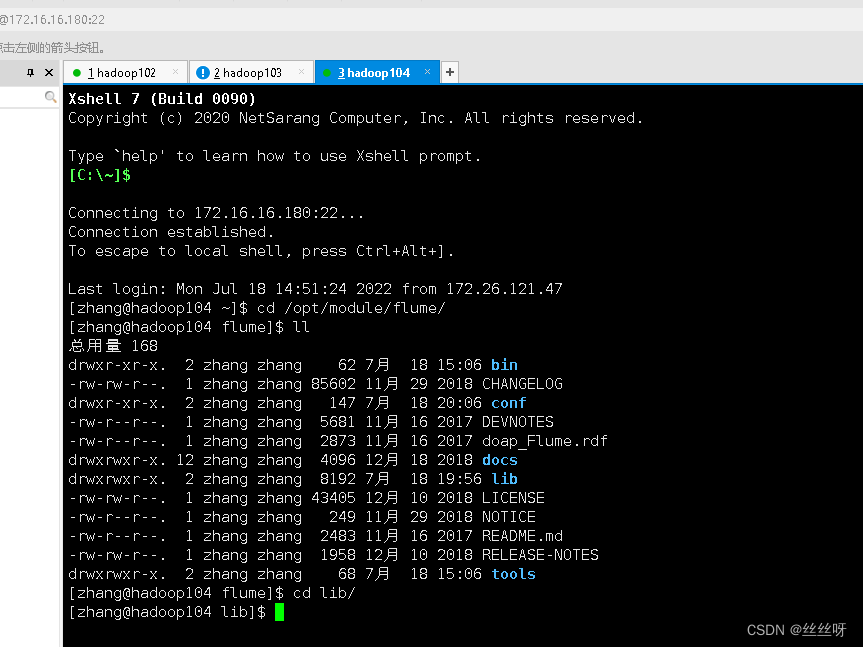
Transfer documents 
Check whether it is
[[email protected] lib]$ ls | grep interceptor

Delete the previous
[[email protected] lib]$ rm -rf flume-interceptor-1.0-SNAPSHOT-jar-with-dependencies.jar.0
Be careful : It is suggested to check the time , here .0 Is a newly generated file , Not before .
Complete the script written before 
com.zhang.flume.interceptor.TimeStampInterceptor
Now start writing the configuration file 

start-up flume
[[email protected] flume]$ nohup /opt/module/flume/bin/flume-ng agent --conf-file /opt/module/flume/conf/kafka-flume-hdfs.conf --name a1 -Dflume.root.logger=INFO,LOGFILE >/opt/module/flume/log2.txt 2>&1 &

Check the date (104 On )

Look again. 102 Log date previously configured on


Now let's take a look at HDFS The date in is the time corresponding to the log , still 104 The system time corresponding to this machine
To open the first HDFS 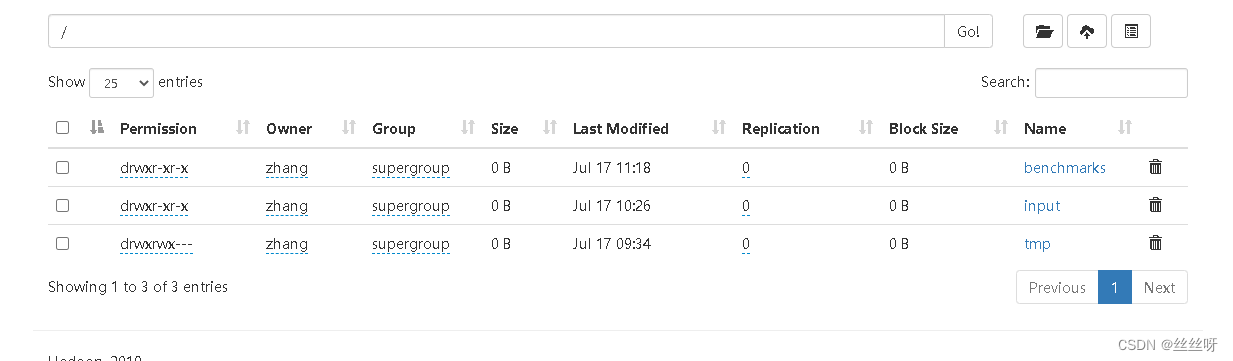
[[email protected]adoop102 applog]$ lg.sh


Check the time , Is the time corresponding to the log

episode : At first my origin_data file , Why don't you come out , But I followed the video step by step , Finally, I found out the problem :
Import jar When the package ,flume-interceptor-1.0-SNAPSHOT-jar-with-dependencies.jar The file is previous ,.0 Is the latest document , So you should delete the previous file , leave .0 file . Of course, if there is a problem, go back and delete it again jar package , Just re import .
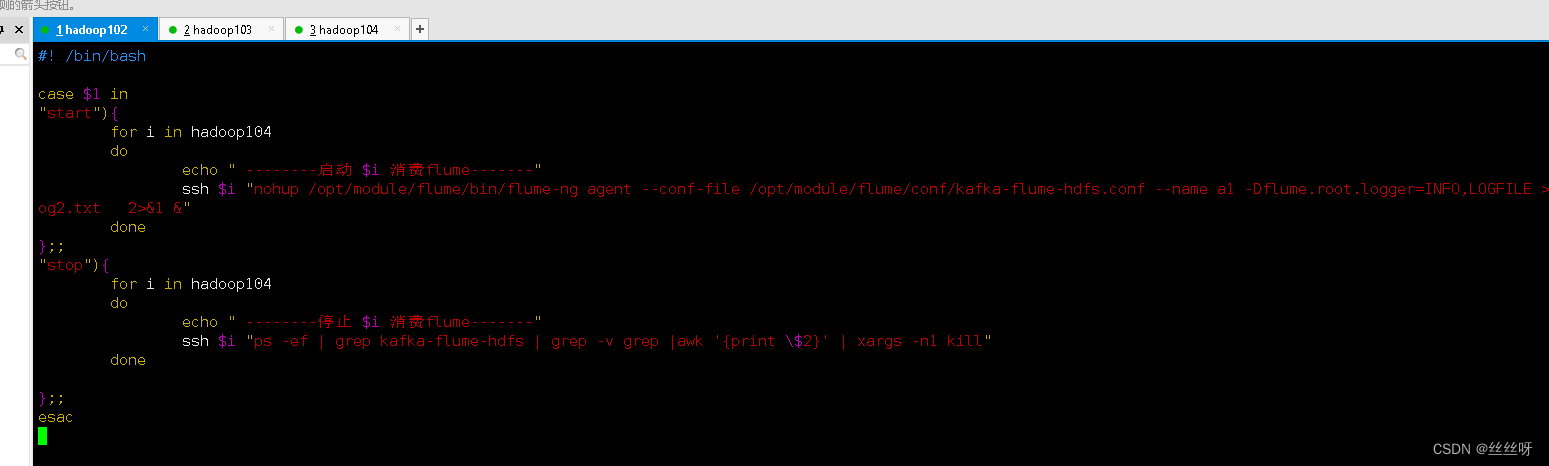
consumer Flume Start stop script
stay /home/zhang/bin Create script in directory f2.sh
[[email protected] bin]$ vim f2.sh
Fill in the script as follows
#! /bin/bash

case $1 in
"start"){
        for i in hadoop104
        do
                echo " -------- start-up  $i  consumption flume-------"
                ssh $i "nohup /opt/module/flume/bin/flume-ng agent --conf-file /opt/module/flume/conf/kafka-flume-hdfs.conf --name a1 -Dflume.root.logger=INFO,LOGFILE >/opt/module/flume/log2.txt   2>&1 &"
        done
};;
"stop"){
        for i in hadoop104
        do
                echo " -------- stop it  $i  consumption flume-------"
                ssh $i "ps -ef | grep kafka-flume-hdfs | grep -v grep |awk '{print \$2}' | xargs -n1 kill"
        done

};;
esac
[[email protected] bin]$ chmod 777 f2.sh


Project experience Flume Memory optimization
modify flume Memory parameter settings


6 Acquisition channel start / Stop script
stay /home/zhang/bin Create script in directory cluster.sh
[[email protected] bin]$ vim cluster.sh
Fill in the script as follows ( Pay attention to the closing sequence , stop it Kafka It takes time , If shut down Kafka Then close Zookeeper, It may be due to delay , It doesn't shut down properly )
#!/bin/bash

case $1 in
"start"){
        echo ==================  start-up   colony  ==================

        # start-up  Zookeeper colony
        zk.sh start

        # start-up  Hadoop colony
        myhadoop.sh start

        # start-up  Kafka Collection cluster
        kf.sh start

        # start-up  Flume Collection cluster
        f1.sh start

        # start-up  Flume Consumer clusters
        f2.sh start

        };;
"stop"){
        echo ==================  stop it   colony  ==================

        # stop it  Flume Consumer clusters
        f2.sh stop

        # stop it  Flume Collection cluster
        f1.sh stop

        # stop it  Kafka Collection cluster
        kf.sh stop

        # stop it  Hadoop colony
        myhadoop.sh stop

        # stop it  Zookeeper colony
        zk.sh stop

};;
esac

[[email protected] bin]$ chmod 777 cluster.sh
It can be closed normally , start-up


7 Common problems and solutions
visit 2NN page http://hadoop104:9868, I can't see the details


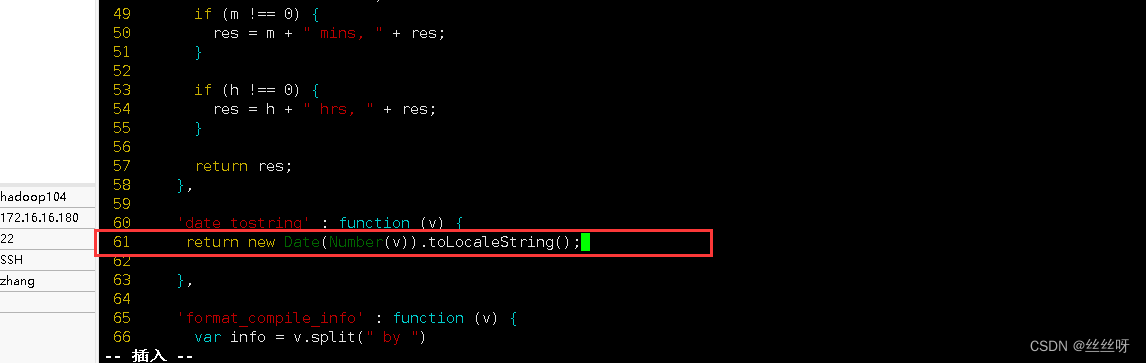
Find the file to modify
[[email protected] ~]$ cd /opt/module/hadoop-3.1.3/share/hadoop/hdfs/webapps/static/

[[email protected] static]$ vim dfs-dust.js

find 61 That's ok 
modify 61 That's ok
return new Date(Number(v)).toLocaleString();
Forced to refresh ( More tools —— Clear browser —— Clear data )

边栏推荐
- Shell takes the month within a certain time range
- XML建模
- User defined MVC usage & addition, deletion, modification and query
- 數倉4.0筆記——業務數據采集
- Basis of penetration test
- Solve the problem that the time format of manually querying Oracle database is incorrect (date type)
- 数仓4.0笔记——用户行为数据采集三
- Phxpaxos installation and compilation process
- Laravel API interface + token authentication login
- 数字藏品系统开发:企业布局元宇宙数字藏品
猜你喜欢

利用动态规划解决最长增长子序列问题

Development of digital collection system / introduction of digital collection scheme
![[uiautomation] key instructions (and three call methods) + common mouse actions +sendkeys+inspect learning](/img/9c/84c92c894b19820560e14502472c8b.png)
[uiautomation] key instructions (and three call methods) + common mouse actions +sendkeys+inspect learning

自定义forEach标签&&select标签实现回显数据

PHP文件上传中fileinfo出现的安全问题

数仓4.0笔记——业务数据采集——Sqoop

NFT数字藏品系统开发,数字藏品的发展趋势

数字藏品系统开发:百度AI致敬中国航空

Goodbye if else

ETH转账次数达到一个月高点
随机推荐
Mysqldump batch export MySQL table creation statement
如何自定义Jsp标签
Typescript common types
Phxpaxos installation and compilation process
[monitoring deployment practice] display the charts of Prometheus and loki+promtail based on granfana
[uiautomation] key instructions (and three call methods) + common mouse actions +sendkeys+inspect learning
NepCTF2022 Writeup
Nepctf 2022 misc < check in question > (extreme doll)
Using dynamic programming to solve the longest growing subsequence problem
Use require.context to complete batch import of local pictures
NFT数字藏品平台开发搭建,源码开发数字藏品
文件上传漏洞原理
Customized development of ant chain NFT digital collection DAPP mall system
Fed Brad: last week's employment report showed that the U.S. economy is robust and can withstand higher interest rates
数仓4.0笔记——用户行为数据采集二
Entrepôt de données 4.0 Notes - acquisition de données commerciales
Resizeobserver ignoring buried point records - loop limit exceeded
Genesis provided a loan of US $2.36 billion to Sanya capital
Digital collection development / meta universe digital collection development
Typescript introduction