当前位置:网站首页>C# 线程锁和单多线程简单使用
C# 线程锁和单多线程简单使用
2022-07-23 09:20:00 【InfoQ】
前言:
每日一遍,心情愉悦

1.首先看看我们的问题
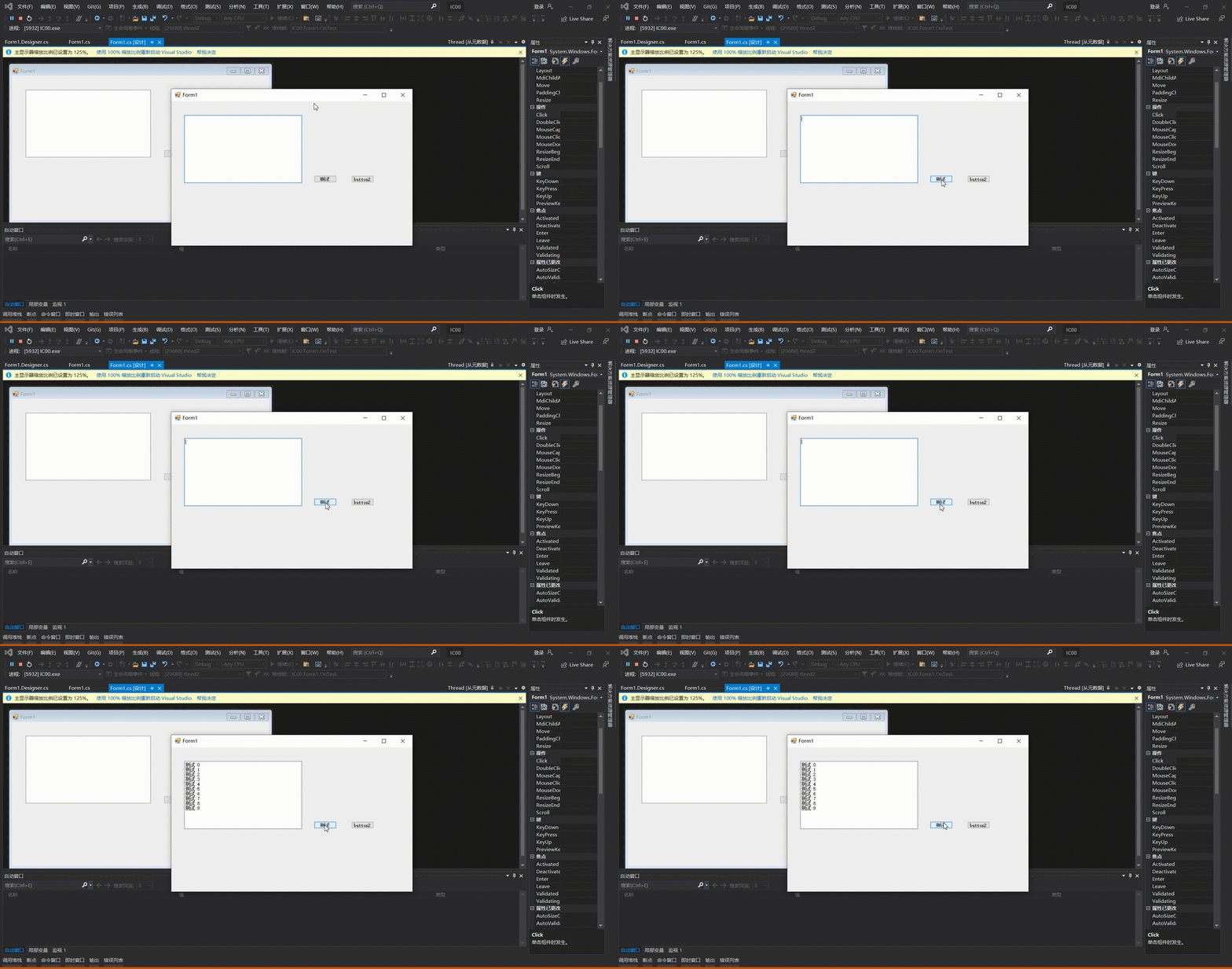
 private static object lockObj = new object();//定义线程锁
 private int num = 0;
 private void Test()
 {
 while (true)
 {
 lock (lockObj)//锁住这个代码块
 {
 num++;
 string name = Thread.CurrentThread.Name;//获取线程名
 textBox1.AppendText(name+"测试:"+num);//这个是TextBox1的追加
 textBox1.AppendText(System.Environment.NewLine);
 Thread.Sleep(2000);//将线程挂起,相当于停止2秒

 if (num>=10)//让这个线程执行10次就退出
 {
 break;
 }
 }
 }
 }

//单线程
 Thread thred1 = new Thread(Test);//定义一个线程
 thred1.Name = "thred1";//线程名
 thred1.IsBackground = true;//设置为后台线程就是True
 thred1.Start();//开始执行这个线程
 int n = thred1.ManagedThreadId;//这个线程ID的标识
 Console.WriteLine(n);
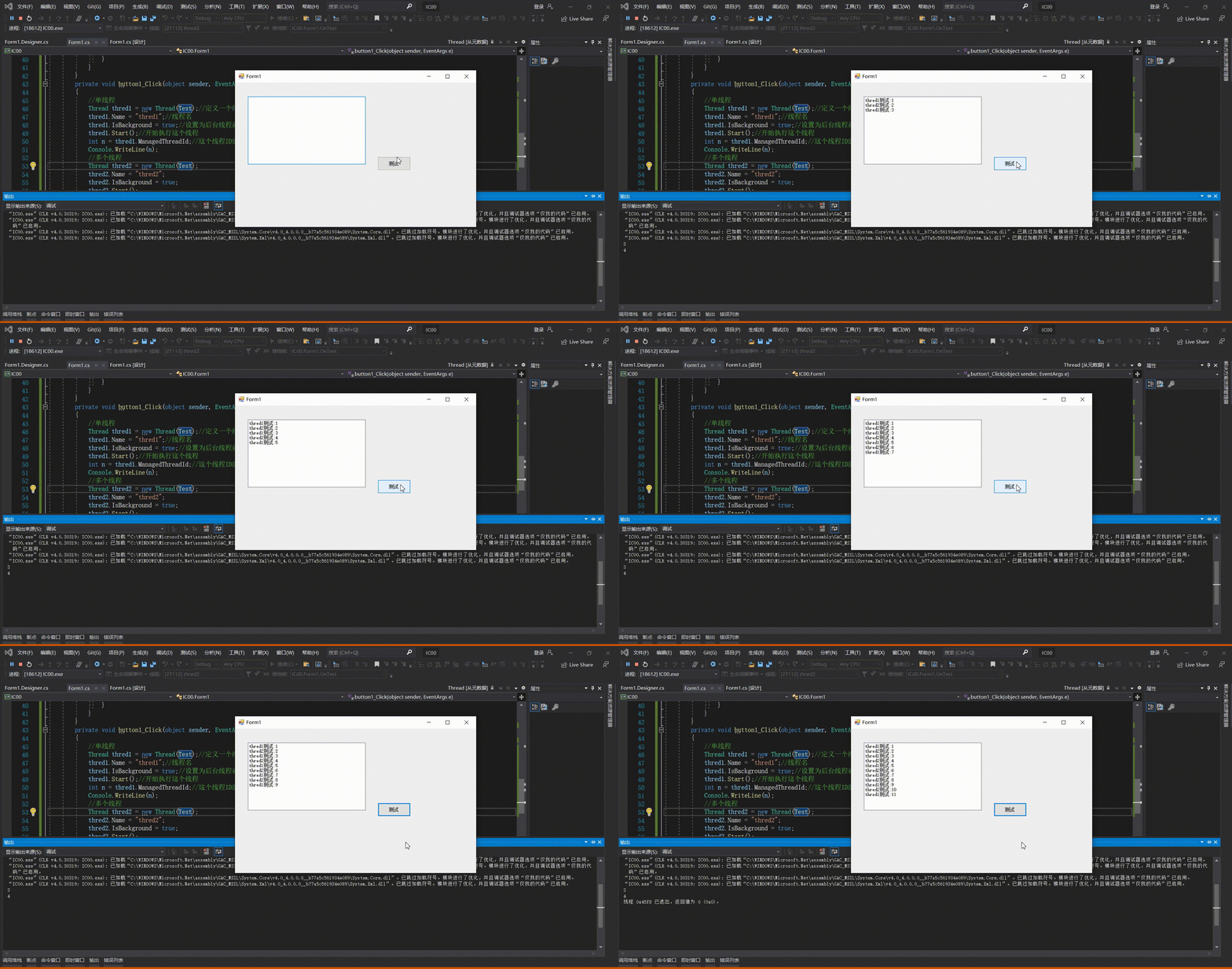
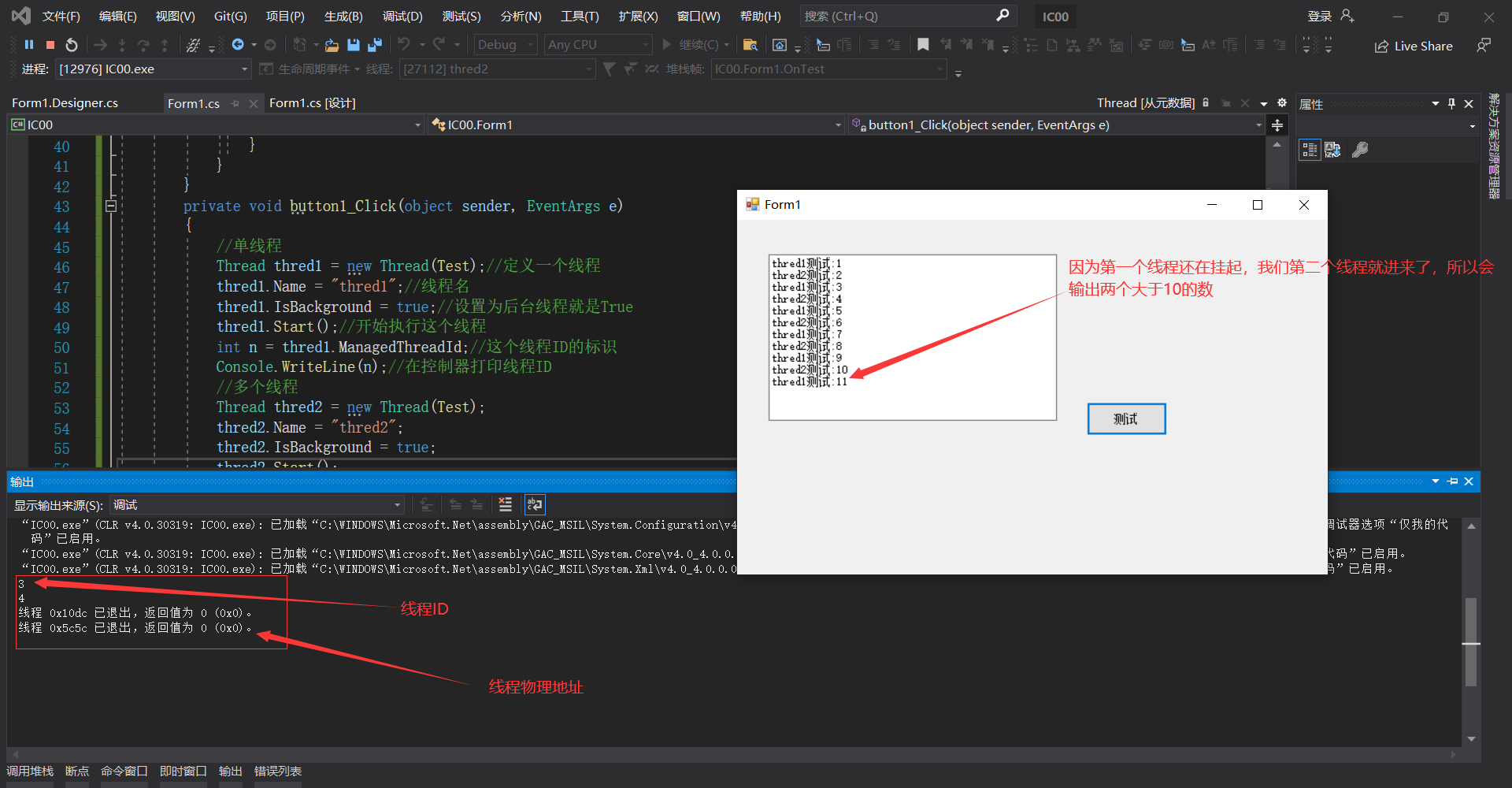
using System;
using System.Collections.Generic;
using System.ComponentModel;
using System.Data;
using System.Drawing;
using System.Linq;
using System.Text;
using System.Threading;
using System.Threading.Tasks;
using System.Windows;
using System.Windows.Forms;

namespace IC00
{
 public partial class Form1 : Form
 {
 public Form1()
 {
 System.Windows.Forms.Control.CheckForIllegalCrossThreadCalls = false;//抛 textBox1.AppendText的异常
 InitializeComponent();
 }
 private static object lockObj = new object();//定义线程锁
 private int num = 0;
 private void Test()
 {
 while (true)
 {
 lock (lockObj)
 {
 num++;
 string name = Thread.CurrentThread.Name;//获取线程名
 textBox1.AppendText(name+"测试:"+num);//这个是TextBox1的追加
 textBox1.AppendText(System.Environment.NewLine);
 Thread.Sleep(2000);//将线程挂起,相当于停止2秒

 if (num>=10)//让这个线程执行10次就退出
 {
 break;
 }
 }
 }
 }
 private void button1_Click(object sender, EventArgs e)
 {
 //单线程
 Thread thred1 = new Thread(Test);//定义一个线程,运行Test
 thred1.Name = "thred1";//线程名
 thred1.IsBackground = true;//设置为后台线程就是True
 thred1.Start();//开始执行这个线程
 int n = thred1.ManagedThreadId;//这个线程ID的标识
 Console.WriteLine(n);//在控制器打印线程ID
 //多个线程
 Thread thred2 = new Thread(Test);
 thred2.Name = "thred2";
 thred2.IsBackground = true;
 thred2.Start();
 int m = thred2.ManagedThreadId;
 Console.WriteLine(m);//在控制器打印线程ID,看是否是一个线程
 }
 }
}
自我总结:

边栏推荐
- spotlight灯箱js插件全屏放大图片
- 【WinForm】关于截图识别数字并计算的桌面程序实现方案
- 右键新建txt,新建文本文件不见了,通过添加注册表就可以解决,找来找去办法解决不了的终极办法
- R语言实战应用案例:绘图篇(三)-多种组合图型绘制
- ValidationError: Invalid options object. Dev Server has been initialized using an options object th
- Sword finger offer 46. translate numbers into strings
- 【附下载】值得收藏的几款渗透测试常用的脚本
- Is it risky and safe to open a mobile stock account?
- 【 langage c】 devinez jeux numériques + applet d'arrêt
- Work notes: one time bag grabbing
猜你喜欢

Authing 支持 Zadig 啦!云原生用户统一认证快速对接

在使用 VScode 进行代码格式化后,保存发现代码又变乱了,怎么办?vs去掉格式化

炫酷代码雨动态背景注册页面

Program design of dot matrix Chinese character display of basic 51 single chip microcomputer

【小程序自动化Minium】一、框架介绍和环境搭建

uni-app知识点和项目上遇到的问题和解决办法的记录
![[paper notes] mobile robot navigation method based on hierarchical depth reinforcement learning](/img/3d/6486f836535e5a1fa1a362d5214d77.png)
[paper notes] mobile robot navigation method based on hierarchical depth reinforcement learning
[applet automation minium] i. framework introduction and environment construction

Towhee 每周模型

js日历样式饼图统计插件
随机推荐
APtos 简介及机制
手机股票开户风险性大吗,安全吗?
It is suggested that Siyuan notes can be compatible with third-party sync disks
R语言实战应用案例:绘图篇(三)-多种组合图型绘制
Tell you Web3.0 I understand
建议思源笔记能够兼容第三方同步盘
js纹理样式饼图插件
CSDN写文方法(二)
【测试平台开发】十七、接口编辑页面实现下拉级联选择,绑定接口所属模块...
(重链剖分)魔法树
转自玉溪信息公开:mRNA新冠疫苗、九洲马破伤风免疫球蛋白等产品有望年内上市。
因为资源限制,导致namenode启动失败,报错unable to create new native thread
【我可以做你的第一个项目吗?】GZIP的细节简介和模拟实现
【小程序自动化Minium】三、元素定位- WXSS 选择器的使用
Fabric. JS basic brush
Right click to create a new TXT. The new text file is missing. You can solve it by adding a registry. Find the ultimate solution that can't be solved
【软件测试】如何梳理你测试的业务
Chapter 3 complex query
Game (2) of 2022 Henan Mengxin League: solution to supplementary questions of Henan University of Technology
koa框架的使用