当前位置:网站首页>windows 10下载安装mysql5.7
windows 10下载安装mysql5.7
2022-06-28 10:52:00 【华为云】
MySQL数据库在日常使用是非常的频繁的,不管是线上还是线下。下面我就分享出我安装MySQL5.7的一步一脚印的教程,本教程只针对windows版本。
下载
下载地址:https://downloads.mysql.com/archives/community/
这是mysql官网的下载地址,选择官网是没问题的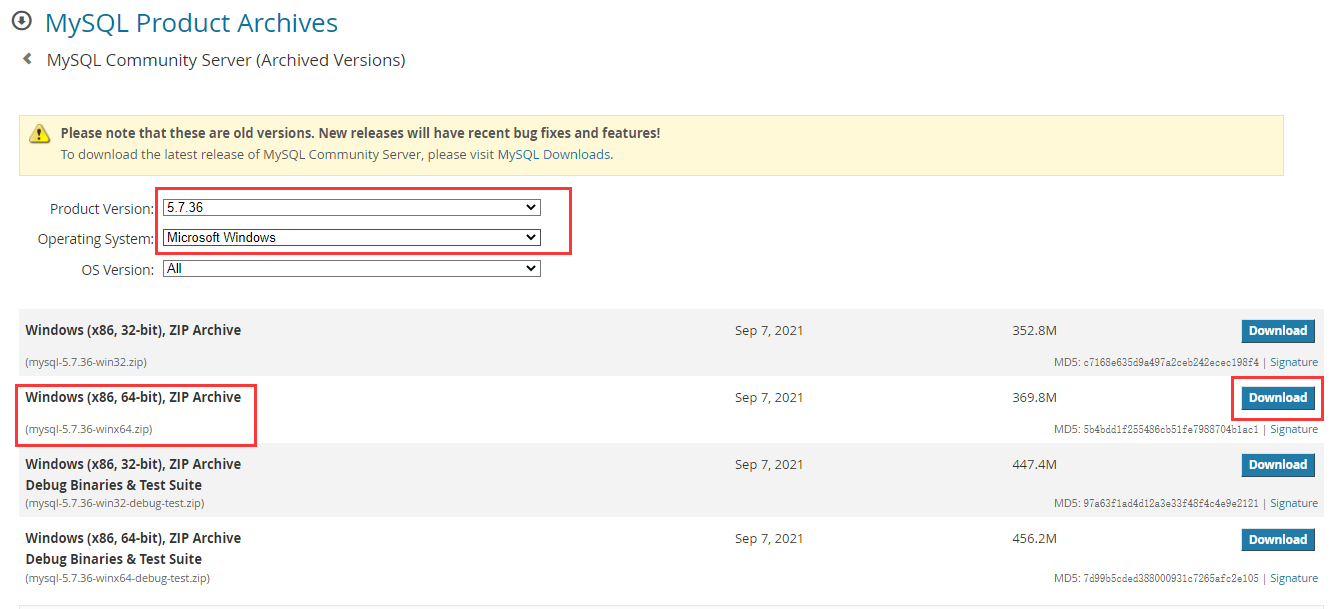
选择对应的系统和版本点击下载
解压
下载后解压,我这里解压后的目录如下: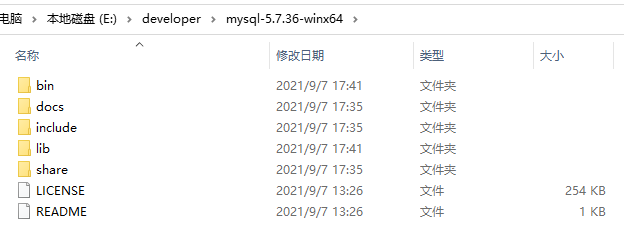
配置环境变量
打开环境变量,如图中标红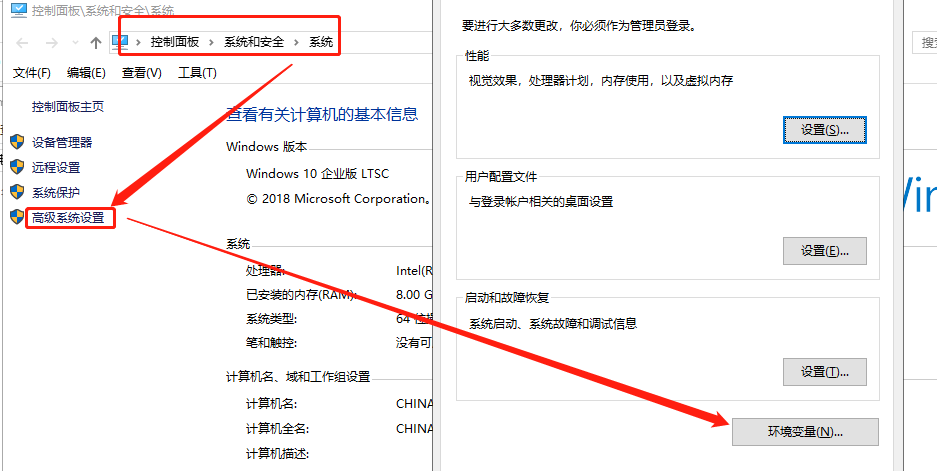
设置环境变量: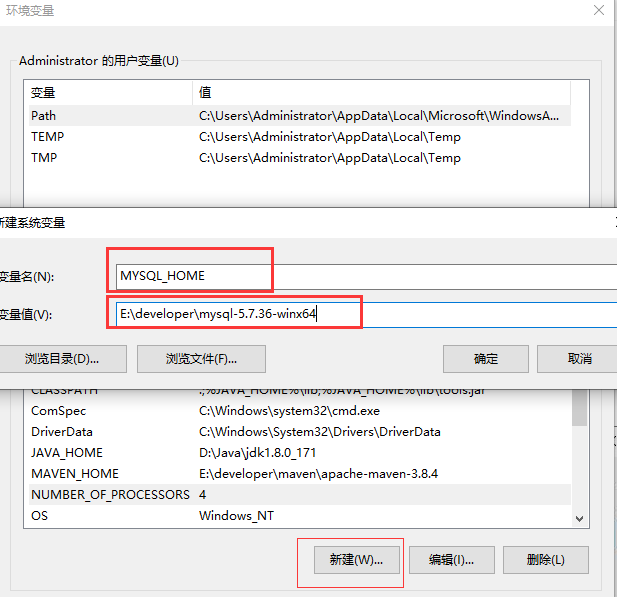
变量名用MYSQL_HOME,变量值就是刚刚的解压后进入的目录,然后点击确认。
在Path系统变量中,添加MySQL配置。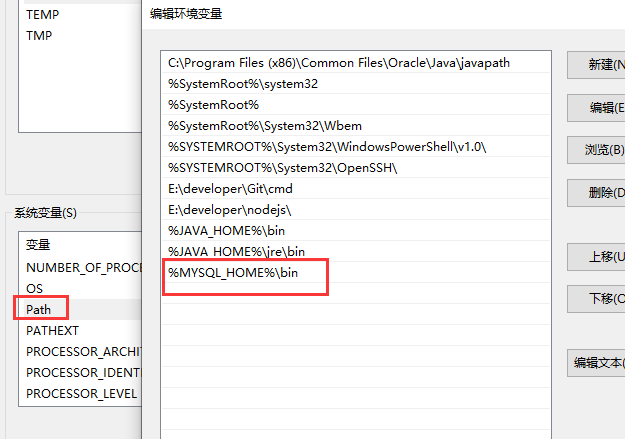
新建data目录和my.ini文件
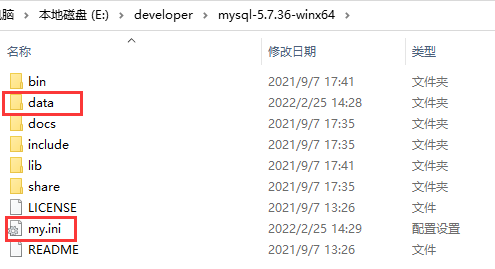
my.ini文件内容如下:
[client]port=3306default-character-set=utf8[mysqld]# 设置为自己MYSQL的安装目录basedir=E:\\developer\\mysql-5.7.36-winx64# 设置为MYSQL的数据目录datadir=E:\\developer\\mysql-5.7.36-winx64\\datamax_connections=150port=3306character_set_server=utf8# 数据库类型inndb支持事务default-storage-engine=INNODBsql_mode=STRICT_TRANS_TABLES,NO_ENGINE_SUBSTITUTIONevent_scheduler=ON#开启查询缓存explicit_defaults_for_timestamp=trueskip-grant-tables注册 MySQL 服务
进入MySQL安装目录的bin目录,cmd执行如下命令安装MySQL服务。
mysqld -install如果报错:Install/Remove of the Service Denied! 则需要通过管理员执行。
然后会看到Service successfully installed.
执行如下命令初始化data目录
mysqld --initialize执行上面命令后会在MySQL的安装目录下生成data目录并创建root用户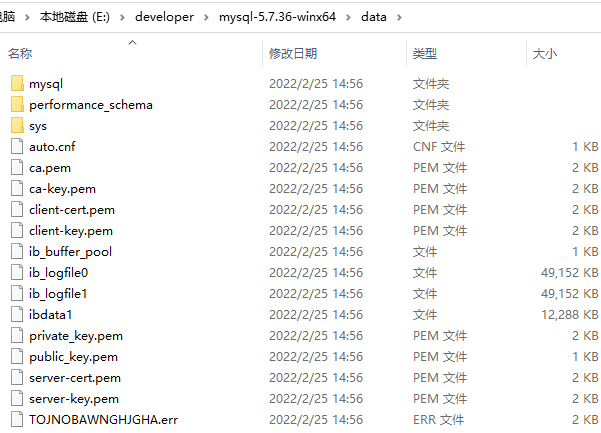
启动服务
执行如下命令启动MySQL
net start mysql
登录并重置密码
因为my.ini中加入了skip-grant-tables配置,所以可以直接使用 mysql -u root -p 输入任意密码登录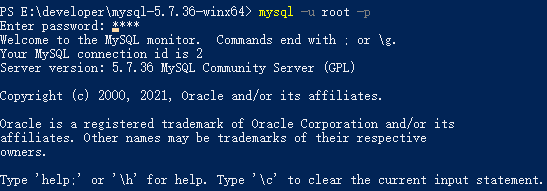
然后通过SQL语句修改root用户的密码;
#将数据库切换至mysql库 mysql>use mysql; #修改密码 mysql> update user set authentication_string=PASSWORD('root') where user='root'; #刷新MySQL权限相关的表 mysql> flush privileges; mysql> exit;修改完密码后,把my.ini中的#skip-grant-tables 注释掉然后 net stop mysql 和 net start mysql 重启mysql服务,然后就可以mysql -uroot -proot登录了
如果登录后执行 **show databases **报错 ERROR 1820 (HY000): You must reset your password using ALTER USER statement before executing this statement.
需要用 alter user user() identified by “root”; 再改一次密码
呜啦啦啦啦 看官喜欢的话点赞收藏或者关注一下吧
边栏推荐
猜你喜欢

数据库系列:有什么办法对数据库的业务表进行无缝升级
Ribbon core source code analysis

Katalon framework tests web (XX) custom keywords and upload pop-up operations

sentinel

Katalon global variable is referenced in testobject

JS foundation 1-js introduction and operator

DataEase安装升级
![[practice] 1364- implement a perfect waterfall flow component on the mobile terminal (with source code)](/img/e8/21d8d81a3d7b544687d6adc06ad4b1.png)
[practice] 1364- implement a perfect waterfall flow component on the mobile terminal (with source code)

How to use output in katalon

Katalon当中的debug调试
随机推荐
【功能建议】多个工作空间启动时选择某个空间
无线模块透明传输技术的物联网应用案例
MySQL(二)
将浏览器中的文件 url转换为File流
Installing MySQL database (CentOS) in Linux source code
Ruoyi integrated building block report (NICE)
Fabric. How to use js brush?
Transactions proof in appliedzkp zkevm (10)
appliedzkp zkevm(9)中的Bytecode Proof
2022 Wu Enda machine learning specialization week 2 practice lab: linear expression
2D code generator for openharmony application development
Mysql database overview and installation process
压缩解压
vsftpd服务的部署及优化
建立自己的网站(11)
ruoyi集成积木报表(nice)
datetime与logging模块
[unity][ecs] learning notes (III)
数据库系列:有什么办法对数据库的业务表进行无缝升级
Katalon当中的使用循环for、while和if...else、break、continue