当前位置:网站首页>RGB and SATA function switching module based on Quanzhi rk3568j
RGB and SATA function switching module based on Quanzhi rk3568j
2022-07-25 04:02:00 【Kakarot GT】
1. RGB Function transfer module
FET3568-C The core board supports five display interfaces , What you can see on the development board are HDMI、eDP、LVDS and MIPI, The fifth display interface is actually a multiplexing interface .

CPU Inside is the RGB And part of it UART、SPI、IIC、GPIO Reuse the , By default, the Development Board reserves 2.54mm The needle row of , Convenient for users to plug in DuPont line expansion function module , Such as our temperature and humidity sensor 、UART turn RS485 wait .
RGB The function realization needs to use the transfer module --- take 2.54mm The row pin is converted into the connector of Feiling standard LCD module .

Now it's time to use LCD, Download user information , open Linux Catalog , There will be two folders , see LCD Use document of transfer module ,after and before It is the device tree file before and after modification .

Click on after Go to the bottom directory , take DTSI File copy in VM development environment , Use command cp, Copy it to the corresponding location , Then compile the kernel , Generate boot.img Used for single step burning .

The generated boot Put the file on the desktop , Use the one-step burn tool , Identify the device , Read the device partition table , Burn it alone boot, Click on the perform , Use PuTTy Software , Open the serial port , Wait for the development board to start , At this time LCD The screen has shown logo, But the interface after startup is not displayed .

Check with the command LCD Whether to load successfully , You can see that it has been loaded successfully , But the screen didn't light up , Now we need to LVDS Display of is off , First restart , Enter again uboot Screen selection , And then LVDS Show off , After closing successfully , Choose restart , Then you can operate normally .

2. SATA Function transfer module
In addition to the display interface ,PCIe2.1 and SATA There is also reuse , These two functions are commonly used by engineers , Feiling also made a transfer design for everyone ,PCIe The slot is switched to SATA The connector .

Now it's time to use PCLe turn SATA, Download user information , open Linux Catalog , There will be two folders .
see SATA Use document of adapter board module ,after and before It is the device tree file before and after modification , Click on after Go to the bottom directory , take DTSI File copy in VM development environment , Use command cp, Copy it to the corresponding location , Then compile the kernel , Generate boot.img Used for single step burning .

The generated boot Put the file on the desktop , Use the one-step burn tool , Identify the device , Read the device partition table , Burn it alone boot, Click on the perform , Use PuTTy Software , Open the serial port , Wait for the development board to start , use df-h The command shows that these three devices have been mounted .

use lspci You can see there is no PCIe equipment , use cd Command access directory , You can see the files in the hard disk , It's a success https://www.forlinx.com/
边栏推荐
- .net6 miniapi (V): Options
- Fifth day of force deduction
- Divide candy Huawei od JS
- Implementation of online number or fan query of the scene
- VMware installation
- ES (8.1) certification topic
- 144. Preorder traversal of binary tree
- What are the models of asemi from the manufacturer of rectifier bridge and how about the electroplating process of the manufacturer of rectifier bridge?
- ADS1256 debugging notes based on stm32hal Library
- [matlab] solve the mex error there was a problem creating the mex file for real time execution, please ensure y
猜你喜欢
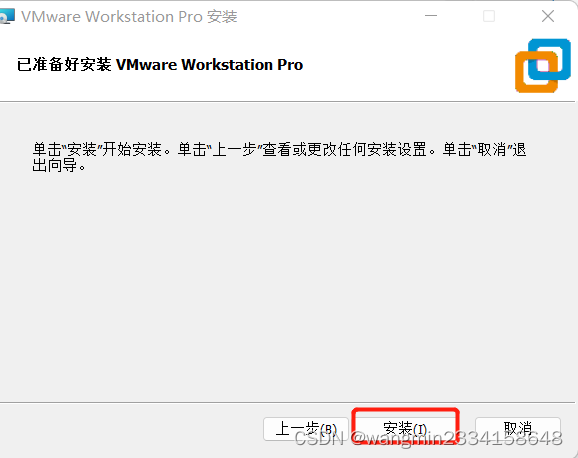
VMware installation

Customized view considerations

Machine learning exercise 8 - anomaly detection and recommendation system (collaborative filtering)

Sales system of infant products based on SSH

Visio use

ES(8.1)认证题目
![[matlab] solve the mex error there was a problem creating the mex file for real time execution, please ensure y](/img/42/5a3ec5bbf888a2d29b4f556dd94b10.png)
[matlab] solve the mex error there was a problem creating the mex file for real time execution, please ensure y
![[Flink] submit the jar package to the Flink cluster and run it](/img/9b/076949a4b9fe75ee248c400ee21474.png)
[Flink] submit the jar package to the Flink cluster and run it

Solve "nothing added to commit but untracked files present"“

Bond network card mode setting
随机推荐
Time complexity and space complexity
Fifth day of force deduction
Force the resumption of game 302 of the week
Cluster clock synchronization configuration
Interview question 08.07. Permutation and combination of non repeated strings DFS method
ES (8.1) certification topic
Shell string
考研经历
Sales system of infant products based on SSH
Openharmony Mengxin contribution Guide
MySQL select query part 2
[laser principle and application -5]: laser diode LD (laser diode) and laser diode driver (LD driver)
.net6 miniapi (V): Options
01_ Education 1
EMQ Yingyun technology was successfully selected into the 2022 "cutting edge 100" list of Chinese entrepreneurs
You are only one SQL statement away from the tdengine Developer Conference!
DIY can decorate the mall system, you can also have!
Network security - information hiding - use steganography to prevent sensitive data from being stolen
144. Preorder traversal of binary tree
Operations in shell