当前位置:网站首页>静态路由的配置(以华为eNSP为例)
静态路由的配置(以华为eNSP为例)
2022-07-25 09:26:00 【m0_54803732】
如有错误,敬请谅解!
此文章仅为本人学习笔记,仅供参考,如有冒犯,请联系作者删除!!!
可能用到的知识点:
静态路由
1.查看路由表:
[r1]display ip routing-table2. 路由表的查表规则:
1.递归查找
2.最⻓匹配
3.下⼀跳写法:
[r1]ip route-static 23.1.1.0 24 12.1.1.2 建议使⽤在以太⽹环境中
               未知⽹段 未知⽹段⼦⽹掩码 下⼀跳ip地址
                 (和我本地直连的对段接⼝的ip地址)
4.出接⼝写法:
[r1]ip route-static 23.1.1.0 24 s4/0/0 出接⼝写法 建议使⽤在串⾏链路中5.静态路由的汇总:
[r1]ip route-static 192.168.0.0 22 12.1.1.2 汇总6.缺省路由:
[r3]ip route-static 0.0.0.0 0 23.1.1.17.空接⼝路由:
[R3]ip route-static 192.168.0.0 22 NULL 08.浮动静态路由:
ip route-static 23.1.1.0 255.255.255.0 21.1.1.2 preference 61
实验拓扑图:

一、首先为PC1、PC2、PC3、PC4、PC5.PC6、PC7配置IP 并为六台路由器更名(r1-r6)。

PC2、PC3、PC4、PC5、PC6、PC7按照此规则依次配置
PC1:172.16.1.254/24 PC2:172.16.1.253/24 PC3:192.168.1.254/24
PC4:192.168.1.253/24 PC5:192.168.2.254/24 PC6;192.168.2.253/24
PC7:67.1.1.2/24
二、为AR1-AR6六台路由器的每一个接口配置IP
以路由器一为例,其余按此规则依次类推:
[r1]interface g0/0/0
 [r1]ip address 16.1.1.2 255.255.255.0

[r1]interface g0/0/1
 [r1]ip address 172.16.1.1 255.255.255.0

[r1]interface g0/0/2
 [r1]ip address 67.1.1.1 255.255.255.0
三、用知识点3为每一段书写下一跳写法
以r6号路由器为例:
[r6]ip route-static 12.1.1.0    24  16.1.1.2
[r6]ip route-static 21.1.1.0    24  16.1.1.2 preference 61
[r6]ip route-static 24.1.1.0    24  16.1.1.2
[r6]ip route-static 45.1.1.0    24  16.1.1.2
[r6]ip route-static 192.168.0.0 22  16.1.1.2
这里不同的是,为了实现PC1访问PC345走上面,R1-R2实现备份 ,21.1.1.0/24实现备份,要在21.1.1.0/24段设置优先级为61,而192.168.1.0/24和192.168.2.0/24要实现汇总(用上述知识点五),所以为192.168.0.0/22。其余各路由器仿照上述规则进行配置。
四、 要实现PC3、4、5、6 访间PC1、2走下面R3 4之间实现等价路由,尽量减少路由条目全网可达,所以要为每一段书写192.168.0.0/22的下一跳写法,以实现回包效果。
[r5]ip route-static 192.168.0.0 22 45.1.1.1
[r4]ip route-static 192.168.0.0 22 34.1.1.1
[r4]ip route-static 192.168.0.0 22 43.1.1.1
[r3]ip route-static 192.168.0.0 22 13.1.1.1
[r1]ip route-static 192.168.0.0 22 16.1.1.1
五、为实现R7代表运营商 所有pc均可访问,运用知识点6为每一段实现缺省路由。
[r5]ip route-static 0.0.0.0 0 45.1.1.1
[r4]ip route-static 0.0.0.0 0 34.1.1.1
[r4]ip route-static 0.0.0.0 0 43.1.1.1
[r3]ip route-static 0.0.0.0 0 13.1.1.1
[r1]ip route-static 0.0.0.0 0 16.1.1.1
六、检查路由表。
以r5号路由器为例
<r5>display ip routing-table
Route Flags: R - relay, D - download to fib
------------------------------------------------------------------------------
Routing Tables: Public
         Destinations : 17       Routes : 17

Destination/Mask    Proto   Pre  Cost      Flags NextHop         Interface

        0.0.0.0/0   Static  60   0          RD   45.1.1.1        GigabitEthernet
0/0/0
       34.1.1.0/24  Static  60   0          RD   45.1.1.1        GigabitEthernet
0/0/0
       43.1.1.0/24  Static  60   0          RD   45.1.1.1        GigabitEthernet
0/0/0
       45.1.1.0/24  Direct  0    0           D   45.1.1.2        GigabitEthernet
0/0/0
       45.1.1.2/32  Direct  0    0           D   127.0.0.1       GigabitEthernet
0/0/0
     45.1.1.255/32  Direct  0    0           D   127.0.0.1       GigabitEthernet
0/0/0
      127.0.0.0/8   Direct  0    0           D   127.0.0.1       InLoopBack0
      127.0.0.1/32  Direct  0    0           D   127.0.0.1       InLoopBack0
127.255.255.255/32  Direct  0    0           D   127.0.0.1       InLoopBack0
     172.16.1.0/24  Static  60   0          RD   45.1.1.1        GigabitEthernet
0/0/0
    192.168.1.0/24  Direct  0    0           D   192.168.1.1     GigabitEthernet
0/0/1
    192.168.1.1/32  Direct  0    0           D   127.0.0.1       GigabitEthernet
0/0/1
  192.168.1.255/32  Direct  0    0           D   127.0.0.1       GigabitEthernet
0/0/1
    192.168.2.0/24  Direct  0    0           D   192.168.2.1     GigabitEthernet
0/0/2
    192.168.2.1/32  Direct  0    0           D   127.0.0.1       GigabitEthernet
0/0/2
  192.168.2.255/32  Direct  0    0           D   127.0.0.1       GigabitEthernet
0/0/2
255.255.255.255/32  Direct  0    0           D   127.0.0.1       InLoopBack0
由上表可知缺省路由0/0/0的下一跳为45.1.1.1,符合题意,而且包涵题目已知所有路由条目。
七、测试是否PC均可访问。
1.首先测试PC1和PC2、PC3和PC4、PC5和PC6,同一网段下是否互通。
以PC1 ping PC2为例:
PC>ping 172.16.1.253

Ping 172.16.1.253: 32 data bytes, Press Ctrl_C to break
From 172.16.1.253: bytes=32 seq=1 ttl=128 time=46 ms
From 172.16.1.253: bytes=32 seq=2 ttl=128 time=32 ms
From 172.16.1.253: bytes=32 seq=3 ttl=128 time=31 ms
From 172.16.1.253: bytes=32 seq=4 ttl=128 time=31 ms
From 172.16.1.253: bytes=32 seq=5 ttl=128 time=31 ms

--- 172.16.1.253 ping statistics ---
  5 packet(s) transmitted
  5 packet(s) received
  0.00% packet loss
  round-trip min/avg/max = 31/34/46 ms
结果如图:

其余两项结果同上图,所以不予展示。
2.检测172.16.1.0/24 段和192.168.0.0段是否互通。
以PC1 ping PC6为例:
PC>ping 192.168.2.253

Ping 192.168.2.253: 32 data bytes, Press Ctrl_C to break
Request timeout!
From 192.168.2.253: bytes=32 seq=2 ttl=123 time=109 ms
From 192.168.2.253: bytes=32 seq=3 ttl=123 time=79 ms
From 192.168.2.253: bytes=32 seq=4 ttl=123 time=93 ms
From 192.168.2.253: bytes=32 seq=5 ttl=123 time=94 ms

--- 192.168.2.253 ping statistics ---
  5 packet(s) transmitted
  4 packet(s) received
  20.00% packet loss
  round-trip min/avg/max = 0/93/109 ms
结果如图:

3.PC7代表运营商,用PC1-PC6测试是否联通。
以PC6 ping PC7为例:
PC>ping 67.1.1.2

Ping 67.1.1.2: 32 data bytes, Press Ctrl_C to break
Request timeout!
From 67.1.1.2: bytes=32 seq=2 ttl=123 time=63 ms
From 67.1.1.2: bytes=32 seq=3 ttl=123 time=47 ms
From 67.1.1.2: bytes=32 seq=4 ttl=123 time=47 ms
From 67.1.1.2: bytes=32 seq=5 ttl=123 time=46 ms

--- 67.1.1.2 ping statistics ---
  5 packet(s) transmitted
  4 packet(s) received
  20.00% packet loss
  round-trip min/avg/max = 0/50/63 ms
结果如图:

综上所述,按照实验要求,以完成所属步骤。
附实验链接:https://pan.baidu.com/s/14lVPOkzkrkgbyElX2JSUWw 提取码:73s7
如有错误,请联系作者删除,并恳请同行朋友予以斧正,万分感谢!
边栏推荐
- [recommended collection] with these learning methods, I joined the world's top 500 - the "fantastic skills and extravagance" in the Internet age
- Qt 6.2的下载和安装
- 无线中继采集仪的常见问题
- CCF 201503-3 Festival
- VS无线振弦采集仪蓝牙功能的使用
- 力扣刷题组合问题总结(回溯)
- T5 paper summary
- [necessary for growth] Why do I recommend you to write a blog? May you be what you want to be in years to come.
- Filter过滤器详解(监听器以及它们的应用)
- 概率论与数理统计 4 Continuous Random Variables and Probability Distributions(连续随机变量与概率分布)(上篇)
猜你喜欢
![严重 [main] org.apache.catalina.util.LifecycleBase.handleSubClassException 初始化组件](/img/39/6f6760e80acec0b02028ea2ed1a5b1.png)
严重 [main] org.apache.catalina.util.LifecycleBase.handleSubClassException 初始化组件

无线中继采集仪的常见问题
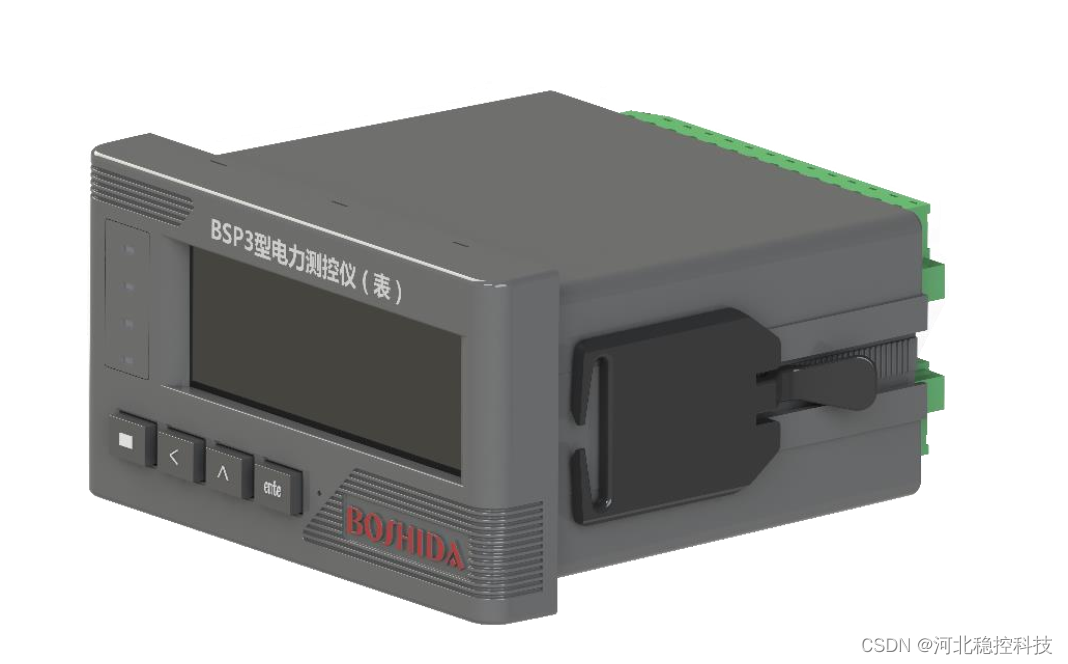
Terminal definition and wiring of bsp3 power monitor (power monitor)

Download and installation of QT 6.2
![[RNN] analyze the RNN from rnn- (simple|lstm) to sequence generation, and then to seq2seq framework (encoder decoder, or seq2seq)](/img/6e/da80133e05b18c87d7167c023b6c93.gif)
[RNN] analyze the RNN from rnn- (simple|lstm) to sequence generation, and then to seq2seq framework (encoder decoder, or seq2seq)

Subtotal of rospy odometry sinkhole

SD/SDIO/EMMC

【建议收藏】靠着这些学习方法,我入职了世界五百强——互联网时代的“奇技淫巧”
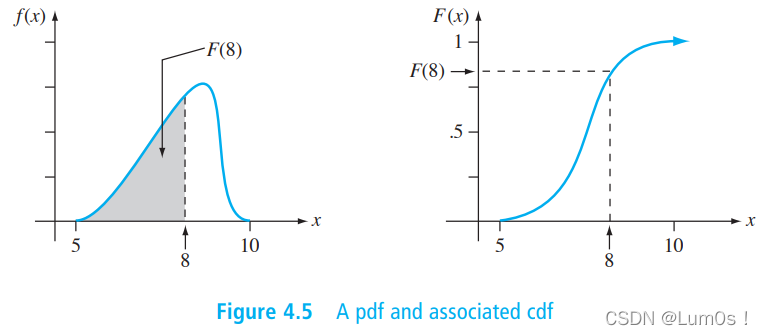
概率论与数理统计 4 Continuous Random Variables and Probability Distributions(连续随机变量与概率分布)(上篇)

ROS分布式操作--launch文件启动多个机器上的节点
随机推荐
无线振弦采集仪参数配置工具的设置
SystemVerilog syntax
MVC三层架构理解
MVC three-tier architecture understanding
@Import, conditional and @importresource annotations
UE4 快速找到打包失败的原因
mysql历史数据补充新数据
oracle 解析同名xml 问题
Mlx90640 infrared thermal imager temperature measurement module development notes (I)
【成长必备】我为什么推荐你写博客?愿你多年以后成为你想成为的样子。
Record some JS tool functions
Advanced introduction to digital IC Design SOC
概率论与数理统计 4 Continuous Random Variables and Probability Distributions(连续随机变量与概率分布)(上篇)
多数相合问题总结
message from server: “Host ‘xxx.xxx.xxx.xxx‘ is not allowed to connect to this MySQL server“
CCF 201512-4 delivery
UE4 外部打开exe文件
Terminal definition and wiring of bsp3 power monitor (power monitor)
严重 [main] org.apache.catalina.util.LifecycleBase.handleSubClassException 初始化组件
Reflection 反射