当前位置:网站首页>An article will take you to understand SVG gradient knowledge
An article will take you to understand SVG gradient knowledge
2020-11-06 20:42:00 【Python advanced】

Gradient is a smooth transition from one color to another . in addition , You can apply transitions of multiple colors to the same element .
SVG There are two main types of gradients :(Linear,Radial).
One 、SVG Linear gradient
<linearGradient> Element is used to define linear gradients .
<linearGradient> Tags must be nested in <defs> Internal .<defs> The label is definitions Abbreviation , You can define special elements such as gradients .
Linear gradients can be defined as horizontal , Vertical or angular gradients .
/*y1 and y2 equal , and x1 and x2 Different time , You can create horizontal gradients .

 When x1 and x2 equal , and y1 and y2 Different time , You can create vertical gradients .

 When x1 and x2 Different , And y1 and y2 Different time , You can create angular gradients .*/
example 1
Define the horizontal linear gradient from yellow to red ellipse .
SVG Code
<!DOCTYPE html>
<html>
<body style="background-color: aqua;">
<title> project </title>
<svg xmlns="http://www.w3.org/2000/svg" version="1.1">
<defs>
<linearGradient id="grad1" x1="0%" y1="0%" x2="100%" y2="0%">
<stop offset="0%" style="stop-color:rgb(255,255,0);stop-opacity:1" />
<stop offset="100%" style="stop-color:rgb(255,0,0);stop-opacity:1" />
</linearGradient>
</defs>
<ellipse cx="200" cy="70" rx="85" ry="55" fill="url(#grad1)" />
</svg>
</body>
</html>
Running effect :

Code parsing :
-
<linearGradient> Labeled id Property defines a unique name for the gradient .
-
<linearGradient> Labeled X1,X2,Y1,Y2 Property defines where the gradient starts and ends .
-
The gradient's color range can be made up of two or more colors , Each color passes through a <stop> Label to specify .offset Property defines the start and end of the gradient .
-
Fill in the attribute to put ellipse Elements are linked to this gradient .
example 2
Define an ellipse with a vertical linear gradient from yellow to red .
SVG Code :
<svg xmlns="http://www.w3.org/2000/svg" version="1.1">
<defs>
<linearGradient id="grad1" x1="0%" y1="0%" x2="0%" y2="100%">
<stop offset="0%" style="stop-color:rgb(255,255,0);stop-opacity:1" />
<stop offset="100%" style="stop-color:rgb(255,0,0);stop-opacity:1" />
</linearGradient>
</defs>
<ellipse cx="200" cy="70" rx="85" ry="55" fill="url(#grad1)" />
</svg>
Running effect :

example 3
Define an ellipse , Horizontal linear gradient from yellow to red and adds an ellipse inner text .
SVG Code :
<svg xmlns="http://www.w3.org/2000/svg" version="1.1">
<defs>
<linearGradient id="grad1" x1="0%" y1="0%" x2="100%" y2="0%">
<stop offset="0%" style="stop-color:rgb(255,255,0);stop-opacity:1" />
<stop offset="100%" style="stop-color:rgb(255,0,0);stop-opacity:1" />
</linearGradient>
</defs>
<ellipse cx="200" cy="70" rx="85" ry="55" fill="url(#grad1)" /> <text fill="#000" font-size="45" font-family="Verdana"
 x="150" y="86"> SVG</text>
</svg>
Running effect :

Code parsing :
<text> Element is used to add a text .
Two 、SVG Radioactive gradients
<radialGradient> Element is used to define radioactive gradients .
<radialGradient> Tags must be nested in <defs> Internal .<defs> The label is definitions Abbreviation , It defines special elements such as gradients .
example 1
Define a radioactive gradient from white to blue ellipse .
SVG Code :
<svg xmlns="http://www.w3.org/2000/svg" version="1.1">
<defs>
<radialGradient id="grad1" cx="50%" cy="50%" r="50%" fx="50%" fy="50%">
<stop offset="0%" style="stop-color:rgb(255,255,255);
     stop-opacity:0" />
<stop offset="100%" style="stop-color:rgb(0,0,255);stop-opacity:1" />
</radialGradient>
</defs>
<ellipse cx="200" cy="70" rx="85" ry="55" fill="url(#grad1)" />
</svg>
Running effect :

Code parsing :
-
<radialGradient> Labeled id Property defines a unique name for the gradient .
-
CX,CY and r The outermost circle and of the attribute definition Fx and Fy The innermost circle defined .
-
The gradient color range can be made up of two or more colors . Use one for each color <stop> Tag specified .offset Property is used to define the beginning and end of the gradient .
-
Fill in the attribute to put ellipse Elements are linked to this gradient .
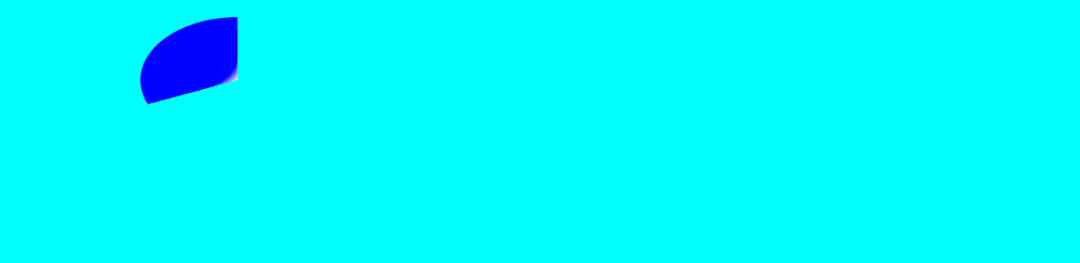
example 2
Define another ellipse of radioactive gradients from white to blue .
SVG Code :
<svg xmlns="http://www.w3.org/2000/svg" version="1.1">  <defs>    <radialGradient id="grad1" cx="20%" cy="30%" r="30%"
 fx="50%" fy="50%">
<stop offset="0%" style="stop-color:rgb(255,255,255); stop-opacity:0" />
<stop offset="100%" style="stop-color:rgb(0,0,255);stop-opacity:1" />
</radialGradient>
</defs>
<ellipse cx="200" cy="70" rx="85" ry="55" fill="url(#grad1)" />
</svg>
Running effect :
3、 ... and 、 summary
This article is based on HTML Basics , It introduces images SVG Gradient effects in elements , Through case analysis , What should be noticed in the actual project , Parse the code . The problems encountered in the development project , All of them provide some effective solutions .
Welcome to try , Sometimes it's easy to see someone else do it , But when it comes to doing it yourself , There will always be all kinds of problems , Don't hold your eyes high or your hands low , Do it frequently , Can understand more deeply .
The code is simple , Hope to help readers to learn better SVG.
Want to learn more Python Web crawler and data mining knowledge , Go to a professional website :http://pdcfighting.com/ Want to learn more Python Web crawler and data mining knowledge , Go to a professional website :http://pdcfighting.com/
版权声明
本文为[Python advanced]所创,转载请带上原文链接,感谢
边栏推荐
- The method of realizing high SLO on large scale kubernetes cluster
- image operating system windows cannot be used on this platform
- Markdown tricks
- How to turn data into assets? Attracting data scientists
- Behind the record breaking Q2 revenue of Alibaba cloud, the cloud opening mode is reshaping
- Lane change detection
- Uncle Bob: the software architecture is similar to a house. Object oriented is the structure of the house, and the water pipe is functional programming
- 如何在终端启动Coda 2中隐藏的首选项?
- Helping financial technology innovation and development, atfx is at the forefront of the industry
- StickEngine-架构11-消息队列(MessageQueue)
猜你喜欢
随机推荐
The dynamic thread pool in Kitty supports Nacos and Apollo multi configuration centers
How to turn data into assets? Attracting data scientists
ERD-ONLINE 免费在线数据库建模工具
Building a new generation cloud native data lake with iceberg on kubernetes
CCR coin frying robot: the boss of bitcoin digital currency, what you have to know
StickEngine-架构11-消息队列(MessageQueue)
Behind the record breaking Q2 revenue of Alibaba cloud, the cloud opening mode is reshaping
【字节跳动 秋招岗位开放啦】Ohayoo!放学别走,我想约你做游戏!!!
MongoDB与SQL常用语法对应表
Installing ns-3 on ubuntu18.04
Even liver three all night, jvm77 high frequency interview questions detailed analysis, this?
华为云微认证考试简介
大道至简 html + js 实现最朴实的小游戏俄罗斯方块
Diamond standard
ado.net和asp.net的关系
Chainlink brings us election results into blockchain everipedia
如何在终端启动Coda 2中隐藏的首选项?
What is the meaning of sector sealing of filecoin mining machine since the main network of filecoin was put online
给字节的学姐讲如何准备“系统设计面试”
C# 调用SendMessage刷新任务栏图标(强制结束时图标未消失)