当前位置:网站首页>golang-条件语句
golang-条件语句
2022-08-05 05:40:00 【一念一生~one】

目录
文章目录
1、条件语句
1.if 语句
if 布尔表达式 {

    /* 在布尔表达式为 true 时执行 */
}


if 布尔表达式 {

    /* 在布尔表达式为 true 时执行 */
} else if 另外一个布尔表达式 {

    /* 在布尔表达式为 true 时执行 */
} else {

    /* 在布尔表达式为 false 时执行 */
}
(1)if语句
案例
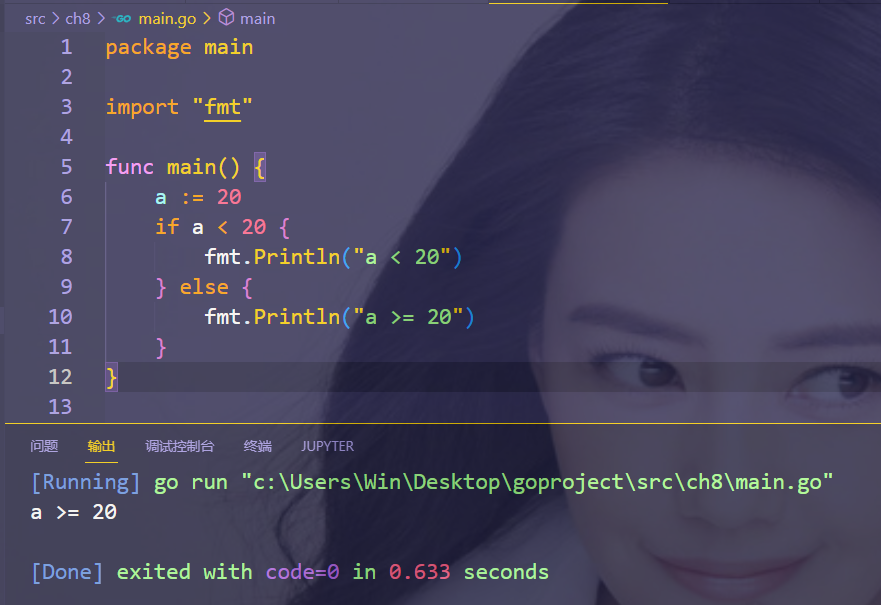
package main

import "fmt"

func main() {

	a := 20
	if a < 20 {

		fmt.Println("a < 20")
	} else {

		fmt.Println("a >= 20")
	}
}
案例

package main

import "fmt"

func main() {

	a := 20
	if a < 20 {

		fmt.Println("a < 20")
	} else if a == 20 {

		fmt.Println("a = 20")
	} else {

		fmt.Println("a > 20")
	}
}
(2)if语句嵌套

package main

import "fmt"

func main() {

	a := 90
	b := 520

	if a < 20 {

		fmt.Println("a < 20")
	} else if a == 20 {

		fmt.Println("a = 20")
	} else {

		fmt.Println("a > 20")
		if b > 1314 {
     //false
			fmt.Println("b > 1314")
		} else {

			fmt.Println("b <= 1314")
		}
	}
}
2.switch…case 语句
    switch expression {

	case condition:

	}

    switch {

    case true:
            fmt.Println("1、case 条件语句为 false”) fallthrough case false: fmt.Println("2、case 条件语句为 false") case true: fmt.Println("3、case 条件语句为 true") case true: fmt.Println("4、case 条件语句为 true")
    default:
            fmt.Println(“5、默认 case”)
    }
1.匹配到的 case 后面不需要加 break,相当于默认就有 break;
2.默认情况下 case 匹配成功后就不会执行其他 case,如果我们需要执行后面的 case,可以使用 fallthrough, fallthrough 不会判断下一条 case 的表达式结果是否为 true。(即使下面一条的条件为false,也是会执行打印操作的)
3.switch的条件数据类型都是一致的;
(1)switch语句

package main

import "fmt"

func main() {

	a := 90

	switch a {

	case 89:
		fmt.Println("a = 89")
	case 90:
		fmt.Println("a = 90")
	case 91:
		fmt.Println("a = 91")
	default:
		fmt.Println("Unkown")
	}
}
(2)表达式语句可以省略的

package main

import "fmt"

func main() {

	a := 90

	switch {

	case a > 520:
		fmt.Println("a > 520")
	case a < 520:
		fmt.Println("a < 90")
	case a == 520:
		fmt.Println("a == 91")
	default:
		fmt.Println("Unkown")
	}
}
(3)可以把多个case语句合并到一条
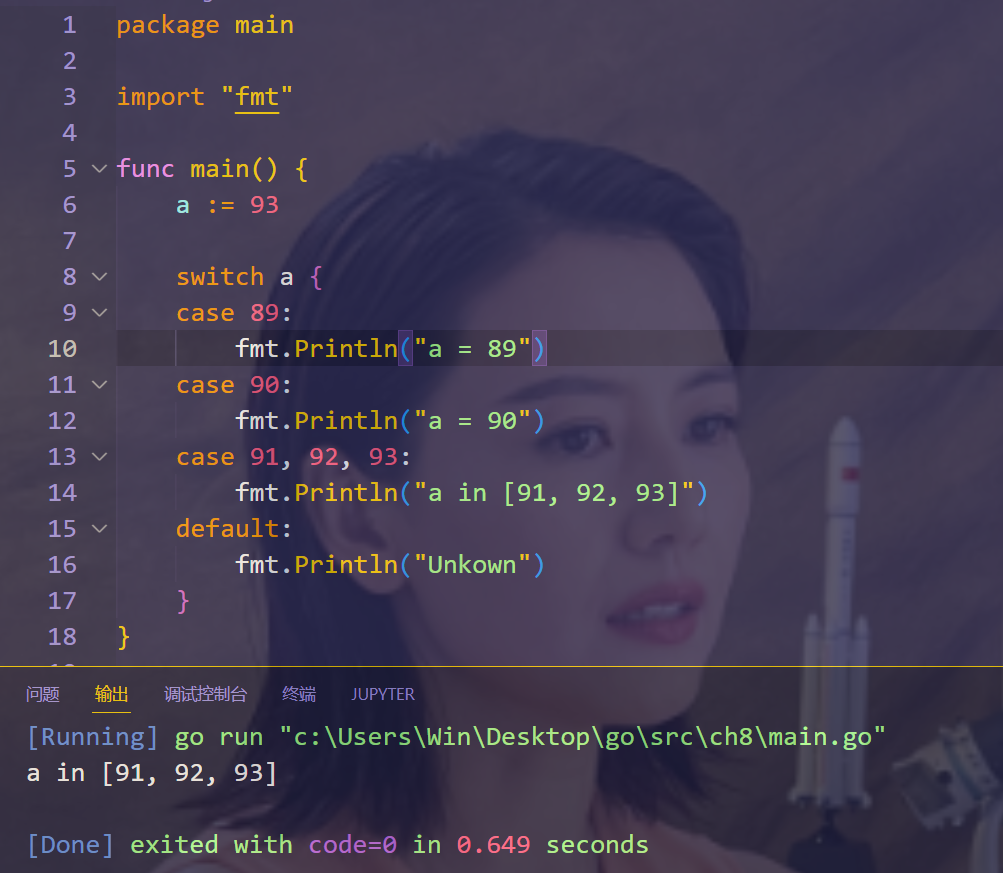
package main

import "fmt"

func main() {

	a := 93

	switch a {

	case 89:
		fmt.Println("a = 89")
	case 90:
		fmt.Println("a = 90")
	case 91, 92, 93:
		fmt.Println("a in [91, 92, 93]")
	default:
		fmt.Println("Unkown")
	}
}
(4)fallthrough语句用法

package main

import "fmt"

func main() {

	a := 93

	switch a {

	case 89:
		fmt.Println("a = 89")
	case 90:
		fmt.Println("a = 90")
	case 91, 92, 93:
		fmt.Println("a in [91, 92, 93]")
		fallthrough
	case 94:
		fmt.Println("xyy, my heart is hurt!")
		fallthrough
	case 95:
		fmt.Println("we are missing forever!")
	default:
		fmt.Println("Unkown")
	}
}
关于我
我的博客主旨:
- 排版美观,语言精炼;
- 文档即手册,步骤明细,拒绝埋坑,提供源码;
- 本人实战文档都是亲测成功的,各位小伙伴在实际操作过程中如有什么疑问,可随时联系本人帮您解决问题,让我们一起进步!
微信二维码
x2675263825 (舍得), qq:2675263825。

微信公众号
《云原生架构师实战》
csdn
https://blog.csdn.net/weixin_39246554?spm=1010.2135.3001.5421

博客
www.onlyyou520.com

知乎
https://www.zhihu.com/people/foryouone

语雀
https://www.yuque.com/books/share/34a34d43-b80d-47f7-972e-24a888a8fc5e?# 《云笔记最佳实践》


最后
好了,关于本次就到这里了,感谢大家阅读,最后祝大家生活快乐,每天都过的有意义哦,我们下期见!

边栏推荐
- Collection of error records (write down when you encounter them)
- uniapp打包次数限制怎么办?只需两步就能解决
- 盒子模型中过度约束问题及其解决办法
- ALC experiment
- Tencent Internal Technology: Evolution of Server Architecture of "The Legend of Xuanyuan"
- The future of cloud gaming
- Cocos Creator Mini Game Case "Stick Soldier"
- 边缘盒子+时序数据库,美的数字化平台 iBUILDING 背后的技术选型
- D39_Eulerian Angles and Quaternions
- 【MyCat简单介绍】
猜你喜欢

After docker is deployed, mysql cannot connect

Dry!Teach you to use industrial raspberries pie combining CODESYS configuration EtherCAT master station

The future of cloud gaming

txt文件英语单词词频统计

Passing parameters in multiple threads

System basics - study notes (some command records)

单片机期末复习大题

Drools规则引擎快速入门(一)

Configuration of routers and static routes

Linux中安装Redis教程
随机推荐
超简单的白鹭egret项目添加图片详细教程
云计算基础-学习笔记
VRRP overview and experiment
微信小程序仿input组件、虚拟键盘
深入分析若依数据权限@datascope (注解+AOP+动态sql拼接) 【循序渐进,附分析过程】
NACOS配置中心设置配置文件
ES2020新特性
document.querySelector()方法
UI刘海屏适配方式
NB-IOT智能云家具项目系列实站
长度以及颜色单位基本概念
七夕!专属于程序员的浪漫表白
Browser Storage for H5
LeetCode练习及自己理解记录(1)
vscode笔记
input detailed file upload
System basics - study notes (some command records)
The size of the screen adaptation
vs2017关于函数命名方面的注意事项
前置++和后置++的区别