当前位置:网站首页>Use bcryptjs to encrypt the password
Use bcryptjs to encrypt the password
2022-06-23 22:06:00 【Swing a knife North】
One 、 Preface
When users register , If the password is not encrypted, it is directly stored in the database in clear text , Once the database is compromised , For users and companies , These are very serious problems .
Two 、 Use js-md5 Package to encrypt
1. md5 brief introduction
MD5 Information digest algorithm ( English :MD5 Message-Digest Algorithm), A widely used cryptographic hash function , I can produce one 128 position (16 byte ) Hash value (hash value), Used to ensure complete and consistent transmission of information . Will usually 128 position MD5 The hash is expressed as 32 Bit hex value .
2. Use js-md5
- install :
$ npm install js-md5
- Introduce the use of
const md5 = require('js-md5')

md5('123456')  // e10adc3949ba59abbe56e057f20f883e
3. md5 The disadvantages of encryption
Theoretically, it cannot be cracked , because md5 An irreversible algorithm is used .
Some websites offer MD5 Decrypt , Because there is a lot of storage space to save the source code and encrypted password , Decryption is a query process , A slightly more complex query cannot be completed .
This decryption method , be called Dictionary attack
3、 ... and 、bcryptjs
solve Dictionary attack The way is Add salt .
bcryptjs yes nodejs An excellent package for handling salt encryption in .
1. What is adding salt (Salt)
So-called Add salt , Is to add some more on the basis of encryption “ Seasoning ”. This “ Seasoning ” Is a random value randomly generated by the system , And mixed in the encrypted password in a random way .
because “ Seasoning ” It is randomly generated by the system , The same original password is being added “ Seasoning ” after , Will generate different strings .
This greatly increases the difficulty of cracking .
If salt is not enough , You can also have some monosodium glutamate 、 Chicken essence 、 ginger 、 pepper .....
2. Use bcryptjs
1. install
$ npm install bcryptjs
2. Use :
//  introduce  bcryptjs
const bcryptjs = require('bcryptjs')
//  The original password
const password = '123456'
/**
 *  Encryption processing  -  Synchronization method
 * bcryptjs.hashSync(data, salt)
 *    - data   Data to encrypt
 *    - slat   Salt for hashing passwords . If specified as a number , The specified number of rounds will be used to generate salt and use it . recommend  10
 */
const hashPassword = bcryptjs.hashSync(password, 10)
/**
 *  Output
 *  Be careful : The output will be different for each call
 */
console.log(hashPassword) // $2a$10$P8x85FYSpm8xYTLKL/52R.6MhKtCwmiICN2A7tqLDh6rDEsrHtV1W
/**
 *  check  -  Use the synchronization method
 * bcryptjs.compareSync(data, encrypted)
 *    - data         Data to compare ,  Use the password passed during login
 *    - encrypted    Data to compare ,  Use the encrypted password queried from the database
 */
const isOk = bcryptjs.compareSync(password, '$2a$10$P8x85FYSpm8xYTLKL/52R.6MhKtCwmiICN2A7tqLDh6rDEsrHtV1W')
console.log(isOk)
There's a problem : stay bcrypt.compareSync, Why are there no parameters salt? Because the hash is from salt Generated , Why does comparing plaintext passwords not involve the original salt used in hashes ?
Although for the same password , Every time I generate hash Dissimilarity , however hash It contains salt(hash Production process : First, it's randomly generated salt,salt Follow password Conduct hash); At the next calibration , from hash Remove from salt,salt Follow password Conduct hash; The results are kept in DB Medium hash compare ,compareSync This process has been implemented in :bcrypt.compareSync(password, hashFromDB);
Look at the code :
const bcryptjs = require('bcryptjs')
//  The original password
const password = '123456'
/**
 *  Encryption processing  -  Synchronization method
 * bcryptjs.hashSync(data, salt)
 *    - data   Data to encrypt
 *    - slat   Salt for hashing passwords . If specified as a number , The specified number of rounds will be used to generate salt and use it . recommend  10
 */
const hashPassword = ()=>bcryptjs.hashSync(password, 8);
console.log(hashPassword())
console.log(hashPassword())
console.log(hashPassword())
console.log(hashPassword())
console.log(hashPassword())
console.log(hashPassword())
console.log(hashPassword())
In the code , We added 8 This salt , Generate passwords several times in succession , Look at the printout :
We see , Salt is saved in the generated password , And every time you verify , Will take out the salt .
The bcrypt standard makes storing salts easy - everything it needs to check a password is stored in the output string.
The prefix "$2a$" or "2y" in a hash string in a shadow password file indicates that hash string is a bcrypt hash in modular crypt format. The rest of the hash string includes the cost parameter, a 128-bit salt (base-64 encoded as 22 characters), and the 192-bit[dubious – discuss] hash value (base-64 encoded as 31 characters).
The above is the use of bcryptjs Encryption method , I hope it helped you .
边栏推荐
- Open source C # WPF control library ---newbeecoder UI drop down box
- Outlook開機自啟+關閉時最小化
- 使用 Provider 改造屎一样的代码,代码量降低了2/3!
- MySQL de duplication query only keeps one latest record
- Start optimization - directed acyclic graph
- ICML2022 | 基于对比学习的离线元强化学习的鲁棒任务表示
- Practice of business level disaster recovery switching drill
- v-chart
- 《阿里云天池大赛赛题解析》——O2O优惠卷预测
- What is stock online account opening? Is it safe to open a mobile account?
猜你喜欢

Analysis of Alibaba cloud Tianchi competition -- prediction of o2o coupon

Cloud native practice of meituan cluster scheduling system

北大、加州伯克利大学等联合| Domain-Adaptive Text Classification with Structured Knowledge from Unlabeled Data(基于未标记数据的结构化知识的领域自适应文本分类)

Leetcode algorithm interview sprint sorting algorithm theory (32)

嵌入式开发:嵌入式基础——重启和重置的区别
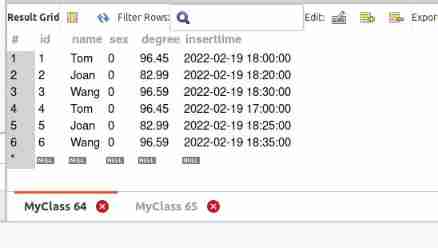
MySQL de duplication query only keeps one latest record
从CVPR 2022看域泛化(Domain Generalization)最新研究进展

Teacher lihongyi from National Taiwan University - grade Descent 2

Icml2022 | robust task representation for off-line meta reinforcement learning based on contrastive learning

Simple code and design concept of "back to top"
随机推荐
Notepad++ installing the jsonview plug-in
高阶柱状图之极环图与极扇图
Lighthouse open source application practice: snipe it
Knowda: all in one knowledge mixture model for data augmentation in feed shot NLP
How to download offline versions of Firefox and chrome
Find My资讯|苹果可能会推出第二代AirTag,试试伦茨科技Find My方案
数据可视化之:没有西瓜的夏天不叫夏天
Leetcode algorithm interview sprint sorting algorithm theory (32)
The transaction code mp83 at the initial level of SAP retail displays a prediction parameter file
How to use zero to build a computer room
[js] generate random array
Outlook开机自启+关闭时最小化
Question: how to understand the network protocol and why the OSI reference model is divided into seven layers
What causes the applet SSL certificate to expire? How to solve the problem when the applet SSL certificate expires?
How the API gateway obtains the URI path and how the API handles local access failure
The 11th Blue Bridge Cup
Experiment 5 module, package and Library
How to defend the security importance of API gateway
The latest research progress of domain generalization from CVPR 2022
CAD图在线Web测量工具代码实现(测量距离、面积、角度等)