当前位置:网站首页>WPF 使用封装的 SharpDx 控件
WPF 使用封装的 SharpDx 控件
2022-08-04 18:38:00 【林德熙】
上一篇告诉大家如何在 WPF 使用 SharpDx ,看起来代码比较复杂,所以本文告诉大家如何使用我封装的控件。
本文是一个系列,希望大家从第一篇开始看
- WPF 使用 Direct2D1 画图入门
- WPF 使用 Direct2D1 画图 绘制基本图形
- WPF 使用 SharpDX
- WPF 使用 SharpDX 在 D3DImage 显示
- WPF 使用封装的 SharpDx 控件
在WPF 使用 SharpDX 在 D3DImage 显示我告诉大家如何在 WPF 使用,但是代码都是写在一个 MainPage ,所以下面我把代码封装一下,放在一个类。
我的代码可以复制一下放在自己的工程使用,现在我还不想做 Nuget 因为这个类还有性能问题。
使用这个类作为 Image 的 Source 会占用 3% 的 CPU ,而且这个类没有注释,关于这个类是如何写的请看WPF 使用 SharpDX 在 D3DImage 显示 。
我会把这个类的代码放在文章最后,方便大家复制。
下面来告诉大家如何使用这个类。
首先复制代码,放在一个文件
写一个类继承 SharpDxImage ,这里我随意写一个类叫 SsgnnnaTkmlo ,这个类可以重写 OnRender ,也就是在绘制需要显示什么。
    public class SsgnnnaTkmlo : SharpDxImage
    {
        /// <inheritdoc />
        protected override void OnRender(RenderTarget renderTarget)
        {
        	//随便画一个矩形。下面的代码就是清空屏幕,参数 null 为透明,可以给其他的颜色。如何绘制请看文章。
            renderTarget.Clear(null);
            var brush = new SharpDX.Direct2D1.SolidColorBrush(renderTarget, new RawColor4(1, 0, 0, 1));
            var kvudjuzjsHlqiv = ran.Next((int) 100 - 10);
            var dfulTokpj = ran.Next((int) 100 - 10);
            renderTarget.DrawRectangle(
                new RawRectangleF(kvudjuzjsHlqiv, dfulTokpj, kvudjuzjsHlqiv + 10, dfulTokpj + 10), brush, 1);
        }
        private Random ran = new Random();
}需要告诉大家的是,传入 RenderTarget 的绘制和之前其他代码的绘制是一样,关于 SharpDx 的绘制我会在另一篇博客告诉大家。
然后打开 xaml 写入下面代码
            <Image x:Name="DcwtTmmwvcr">
                <Image.Source>
                    <local:SsgnnnaTkmlo x:Name="DrmKroh"></local:SsgnnnaTkmlo>
                </Image.Source>
</Image>当然,因为只是简单的例子,大家也可以写在后台代码。
在 xaml.cs 写下面代码,在 Load 绑定
            DcwtTmmwvcr.Loaded += (s, e) =>
            {
                DrmKroh.CreateAndBindTargets((int) ActualWidth, (int) ActualHeight);
};注意需要使用图片控件的 Load 事件,不然拿到的图片会模糊。
现在可以尝试运行一下,就可以看到一个随机出现的矩形。
下面就是封装类的代码。
using System;
using System.Runtime.InteropServices;
using System.Windows;
using System.Windows.Interop;
using System.Windows.Media;
using SharpDX.Direct3D;

namespace WPFSharpDx
{
    public abstract class SharpDxImage : D3DImage
    {
        public void CreateAndBindTargets(int actualWidth, int actualHeight)
        {
            var width = Math.Max(actualWidth, 100);
            var height = Math.Max(actualHeight, 100);

            var renderDesc = new SharpDX.Direct3D11.Texture2DDescription
            {
                BindFlags = SharpDX.Direct3D11.BindFlags.RenderTarget | SharpDX.Direct3D11.BindFlags.ShaderResource,
                Format = SharpDX.DXGI.Format.B8G8R8A8_UNorm,
                Width = width,
                Height = height,
                MipLevels = 1,
                SampleDescription = new SharpDX.DXGI.SampleDescription(1, 0),
                Usage = SharpDX.Direct3D11.ResourceUsage.Default,
                OptionFlags = SharpDX.Direct3D11.ResourceOptionFlags.Shared,
                CpuAccessFlags = SharpDX.Direct3D11.CpuAccessFlags.None,
                ArraySize = 1
            };

            var device = new SharpDX.Direct3D11.Device(DriverType.Hardware,
                SharpDX.Direct3D11.DeviceCreationFlags.BgraSupport);

            var renderTarget = new SharpDX.Direct3D11.Texture2D(device, renderDesc);

            var surface = renderTarget.QueryInterface<SharpDX.DXGI.Surface>();

            var d2DFactory = new SharpDX.Direct2D1.Factory();

            var renderTargetProperties =
                new SharpDX.Direct2D1.RenderTargetProperties(
                    new SharpDX.Direct2D1.PixelFormat(SharpDX.DXGI.Format.Unknown,
                        SharpDX.Direct2D1.AlphaMode.Premultiplied));

            _d2DRenderTarget = new SharpDX.Direct2D1.RenderTarget(d2DFactory, surface, renderTargetProperties);

            SetRenderTarget(renderTarget);

            device.ImmediateContext.Rasterizer.SetViewport(0, 0, width, height);

            CompositionTarget.Rendering += CompositionTarget_Rendering;
        }


        protected abstract void OnRender(SharpDX.Direct2D1.RenderTarget renderTarget);

        private SharpDX.Direct3D9.Texture _renderTarget;
        private SharpDX.Direct2D1.RenderTarget _d2DRenderTarget;


        private void CompositionTarget_Rendering(object sender, EventArgs e)
        {
            Rendering();
        }


        private void Rendering()
        {
            _d2DRenderTarget.BeginDraw();

            OnRender(_d2DRenderTarget);

            _d2DRenderTarget.EndDraw();


            Lock();

            AddDirtyRect(new Int32Rect(0, 0, PixelWidth, PixelHeight));

            Unlock();
        }

        private void SetRenderTarget(SharpDX.Direct3D11.Texture2D target)
        {
            var format = TranslateFormat(target);
            var handle = GetSharedHandle(target);

            var presentParams = GetPresentParameters();
            var createFlags = SharpDX.Direct3D9.CreateFlags.HardwareVertexProcessing |
                              SharpDX.Direct3D9.CreateFlags.Multithreaded |
                              SharpDX.Direct3D9.CreateFlags.FpuPreserve;

            var d3DContext = new SharpDX.Direct3D9.Direct3DEx();
            var d3DDevice = new SharpDX.Direct3D9.DeviceEx(d3DContext, 0, SharpDX.Direct3D9.DeviceType.Hardware,
                IntPtr.Zero, createFlags,
                presentParams);

            _renderTarget = new SharpDX.Direct3D9.Texture(d3DDevice, target.Description.Width,
                target.Description.Height, 1,
                SharpDX.Direct3D9.Usage.RenderTarget, format, SharpDX.Direct3D9.Pool.Default, ref handle);

            using (var surface = _renderTarget.GetSurfaceLevel(0))
            {
                Lock();
                SetBackBuffer(D3DResourceType.IDirect3DSurface9, surface.NativePointer);
                Unlock();
            }
        }

        private static SharpDX.Direct3D9.PresentParameters GetPresentParameters()
        {
            var presentParams = new SharpDX.Direct3D9.PresentParameters();

            presentParams.Windowed = true;
            presentParams.SwapEffect = SharpDX.Direct3D9.SwapEffect.Discard;
            presentParams.DeviceWindowHandle = NativeMethods.GetDesktopWindow();
            presentParams.PresentationInterval = SharpDX.Direct3D9.PresentInterval.Default;

            return presentParams;
        }

        private IntPtr GetSharedHandle(SharpDX.Direct3D11.Texture2D texture)
        {
            using (var resource = texture.QueryInterface<SharpDX.DXGI.Resource>())
            {
                return resource.SharedHandle;
            }
        }

        private static SharpDX.Direct3D9.Format TranslateFormat(SharpDX.Direct3D11.Texture2D texture)
        {
            switch (texture.Description.Format)
            {
                case SharpDX.DXGI.Format.R10G10B10A2_UNorm:
                    return SharpDX.Direct3D9.Format.A2B10G10R10;
                case SharpDX.DXGI.Format.R16G16B16A16_Float:
                    return SharpDX.Direct3D9.Format.A16B16G16R16F;
                case SharpDX.DXGI.Format.B8G8R8A8_UNorm:
                    return SharpDX.Direct3D9.Format.A8R8G8B8;
                default:
                    return SharpDX.Direct3D9.Format.Unknown;
            }
        }

        private static class NativeMethods
        {
            [DllImport("user32.dll", SetLastError = false)]
            public static extern IntPtr GetDesktopWindow();
        }
    }
}边栏推荐
猜你喜欢

基于3D机器视觉的采血试管分拣系统

路由技术

巴比特 | 元宇宙每日必读:微博动漫将招募全球各类虚拟偶像并为其提供扶持...

Nintendo won't launch any new hardware until March 2023, report says
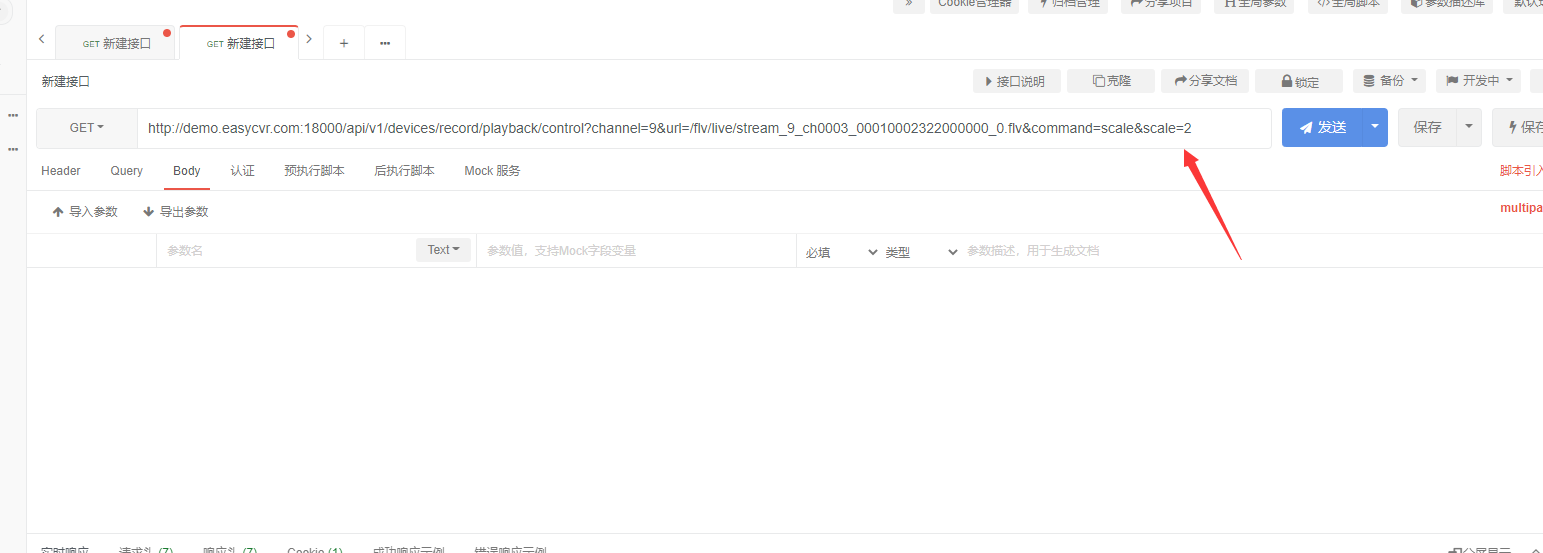
How does EasyCVR call the double-speed playback of device recording through the interface?

基于激励的需求响应计划下弹性微电网的短期可靠性和经济性评估(Matlab代码实现)

Develop those things: How to obtain the traffic statistics of the monitoring site through the EasyCVR platform?

BigDecimal 使用注意!!“别踩坑”

关于使用腾讯云HiFlow场景连接器每天提醒签到打卡

A group of friends asked for help, but the needs that were not solved in a week were solved in 3 minutes?
随机推荐
Alibaba Cloud International Edition uses ROS to build WordPress tutorial
MMDetection 使用示例:从入门到出门
flink-cdc支持并行读取一张mysql表的binlog不?
阿里云国际版使用ROS搭建WordPress教程
Flink/Scala - Storing data with RedisSink
如何封装 svg
通配符SSL证书不支持多域名吗?
Nintendo won't launch any new hardware until March 2023, report says
袋鼠云思枢:数驹DTengine,助力企业构建高效的流批一体数据湖计算平台
The CPU suddenly soars and the system responds slowly, what is the cause?Is there any way to check?
ros2订阅esp32发布的电池电压数据
HCIP-R&S By Wakin自用笔记(1)企业网络高级解决方案
margin 塌陷和重合的理解
阿里云技术专家秦隆:云上如何进行混沌工程?
Babbitt | Metaverse daily must-read: Weibo animation will recruit all kinds of virtual idols around the world and provide support for them...
Develop those things: How to obtain the traffic statistics of the monitoring site through the EasyCVR platform?
智能视频监控平台EasyCVR如何使用接口批量导出iframe地址?
2018年南海区小学生程序设计竞赛详细答案
基于激励的需求响应计划下弹性微电网的短期可靠性和经济性评估(Matlab代码实现)
2019 Haidian District Youth Programming Challenge Activity Elementary Group Rematch Test Questions Detailed Answers